Hugo-theme-zzo: Setting featureImage adds a thumbnail to the post link in home page
I tried setting the featureImage shortcode. This is what happened to post link on homepage

Although this is not entirely wrong, what could be done here is that the thumbnail on home page should fill the square area with cover state in css.
Also setting meta_image inside post does nothing anymore.
 nisrulz
All 15 comments
Also setting meta_image inside post does nothing anymore.
Yes, thanks! It's a bug. It will be fixed in the next commit.
the thumbnail on home page should fill the square area with cover state in css.
Did you mean something like this? It can be done with extra params.
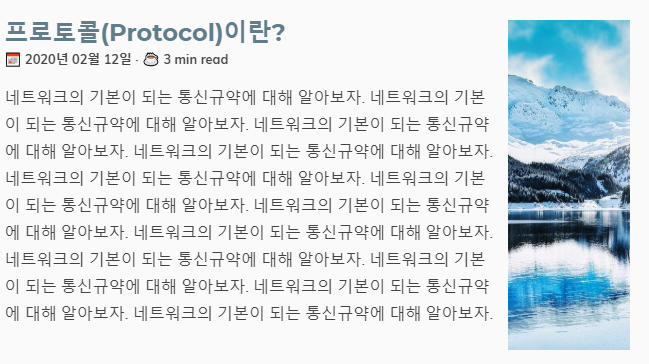
Unfortunately, this is the expected behavior.
Since the image could have more width than height or more height than width, I think it's difficult to manage the image uniformly.
And the summary(description) could be a long text. In that case, we should set max height param every single post for the summary image which is not the handy way
 zzossig
on 25 Feb 2020
zzossig
on 25 Feb 2020
Agreed. I think if we can provide a separate image for meta_image it would be displayed in the home page right? while keeping the featured image only for the post page.
nisrulz
on 25 Feb 2020
Also setting meta_image inside post does nothing anymore.
@nisrulz In my case, it does. og:image and og:image:url is set to meta_image if defined (or to image if not). Which is the expected behavior for me - I don't need to set the value twice and I can set different featured image for social media if needed.
 szpak
on 25 Feb 2020
szpak
on 25 Feb 2020
@szpak yes exactly.
So image front matter is used as the summary image, {{< featuredImage >}} shortcode, and meta image(if not set meta_image front matter)
meta_image(or image) is used for link preview like this

zzossig
on 25 Feb 2020
Agreed. I think if we can provide a separate image for meta_image it would be displayed in the home page right? while keeping the featured image only for the post page.
As I initially proposed that revolution I will join in here to try to sort it out :-/. @nisrulz So you would like to have:
- only
imageis defined - use it everywhere (post (featuredImage), post list and meta) imageandmeta_image- useimagefor post (featuredImage) and post list, usemeta_imagefor meta (if you need to use other image in your post just don't usefeaturedImageshortcode, but regularimgwith some other image)
Would it be sufficient for you?
Update. I didn't see @zzossig that you answered in the meantime.
szpak
on 25 Feb 2020
Ok. Maybe we can add this to the docs.
- meta_image(or image) is used for link preview
- {{< featuredImage >}} shortcode
What maybe I am trying to figure out is that
- The one on the homepage is usually a square kind of image. Now if the
imagefrontmatter is used for the same then the image that is set forfeaturedImageshows up there and then its is not square i.e it shows up as I posted initially, really small and not covering the complete height.
The idea is to be able to specify another image for the summary part. So it looks like this:

but filling up the whole area, as much as height it has + set width + cover state, so it fills the whole square area.
Does it make sense?
nisrulz
on 25 Feb 2020
Yes, it makes sense.
One thing I worry about is that there are so many options out there and people might be confused and overwhelmed by all the parameters
It could be solved by making good documentation anyway.
Sorry for my laziness. I'll more focus on documentation when there are few issues remained.
Anyway, I'll make new param summary_image front matter
zzossig
on 25 Feb 2020
I can always help in documenting things. One way to keep track is to open a new issue which you and others can pick up and help you in updating the docs.
Let me know, if that can work out 😄
nisrulz
on 25 Feb 2020
pick up and help you in updating the docs.
Yes, it could be helpful. you can make an issue here https://github.com/zzossig/zzoDocs
But I think I can do some documentation job in the middle of the march.
And I added summary_image front matter
---
title: ""
...
summary_image:
  src: images/whoami/avatar.jpg
  maxWidth: 200
  objectFit: cover
  hwm: true # Hide When Mobile

---
Tell me if It does not work as expected.
zzossig
on 25 Feb 2020
It kind of works :sweat_smile:
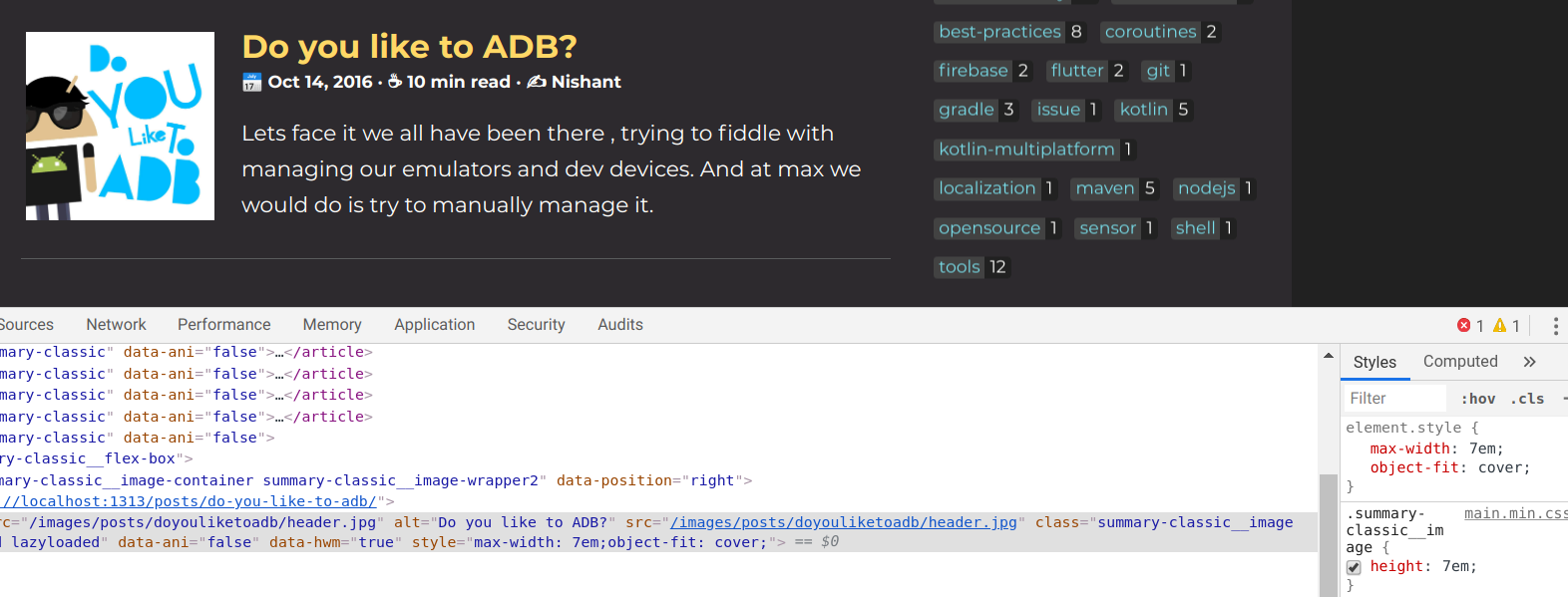
I had to manually set the height to 7em.
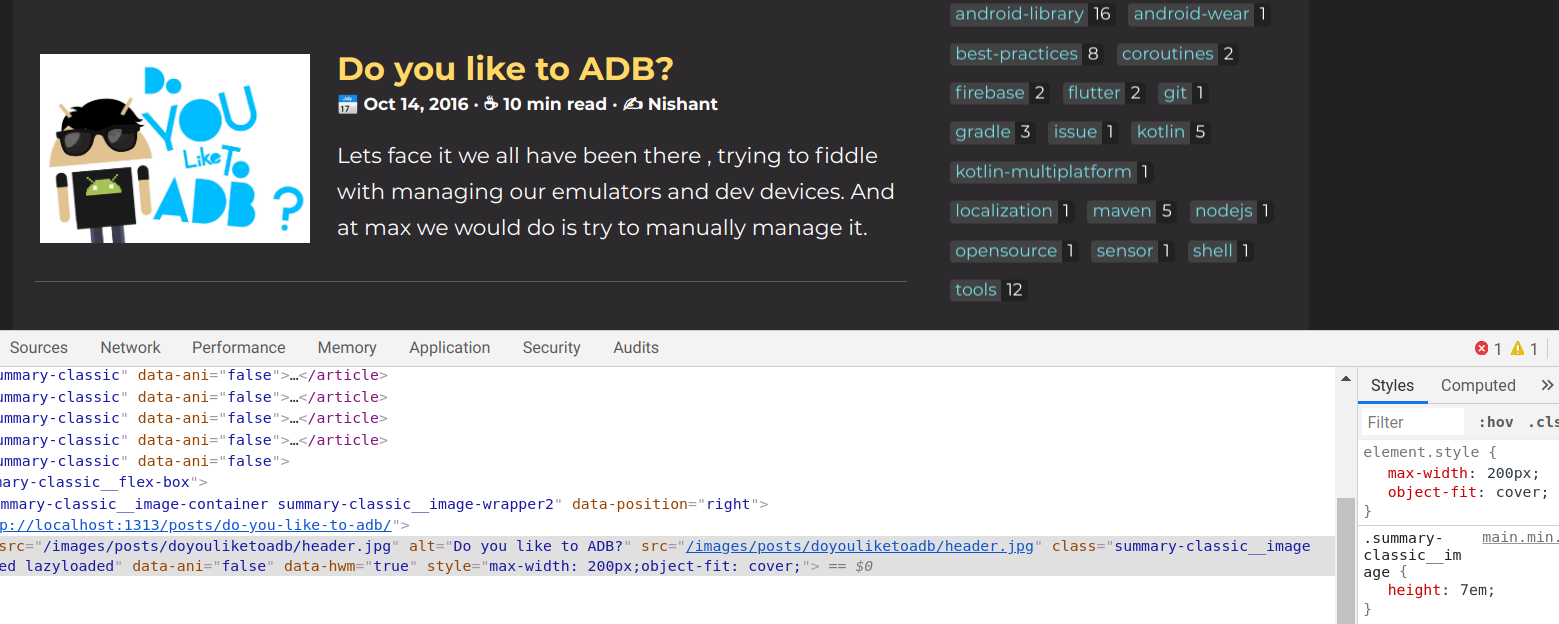
Also works if I set both to 7em, height and width.
nisrulz
on 25 Feb 2020
Oops, Sorry. It was not working😫
I added height option and make the maxWidth, height accept full text(include unit) like 50px(not 50)
title:
...
summary_image:
  src: images/whoami/avatar.jpg # necessary
  maxWidth: 220px # optional
  height: 150px # optional
  objectFit: cover # optional
  hwm: true # optional
Can you test it again?
zzossig
on 26 Feb 2020
I will give it a try and update here. Thank you for making the change 😄
nisrulz
on 26 Feb 2020
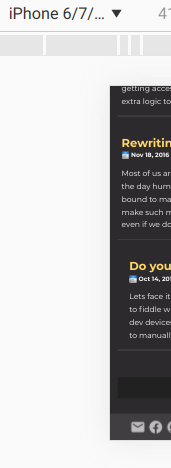
Just tested. It works pretty well. However on mobile where it is supposed to be hidden, there is extra padding now.
Notice the left padding on 2nd item compared to 1st item.
nisrulz
on 26 Feb 2020
Ok, Thanks! I fixed 2 things
- Now, you don't need to specify
imagein order to usesummary_image - The extra padding deleted!
zzossig
on 27 Feb 2020
This is fixed, so closing.
nisrulz
on 1 Mar 2020
Related issues
nisrulz
·
4Comments
nisrulz
·
5Comments
nisrulz
·
5Comments
 Gictorbit
·
6Comments
nisrulz
·
5Comments
Gictorbit
·
6Comments
nisrulz
·
5Comments