Hugo-theme-zzo: Text on header hero section shouldn't change with theme
Here is the problem:
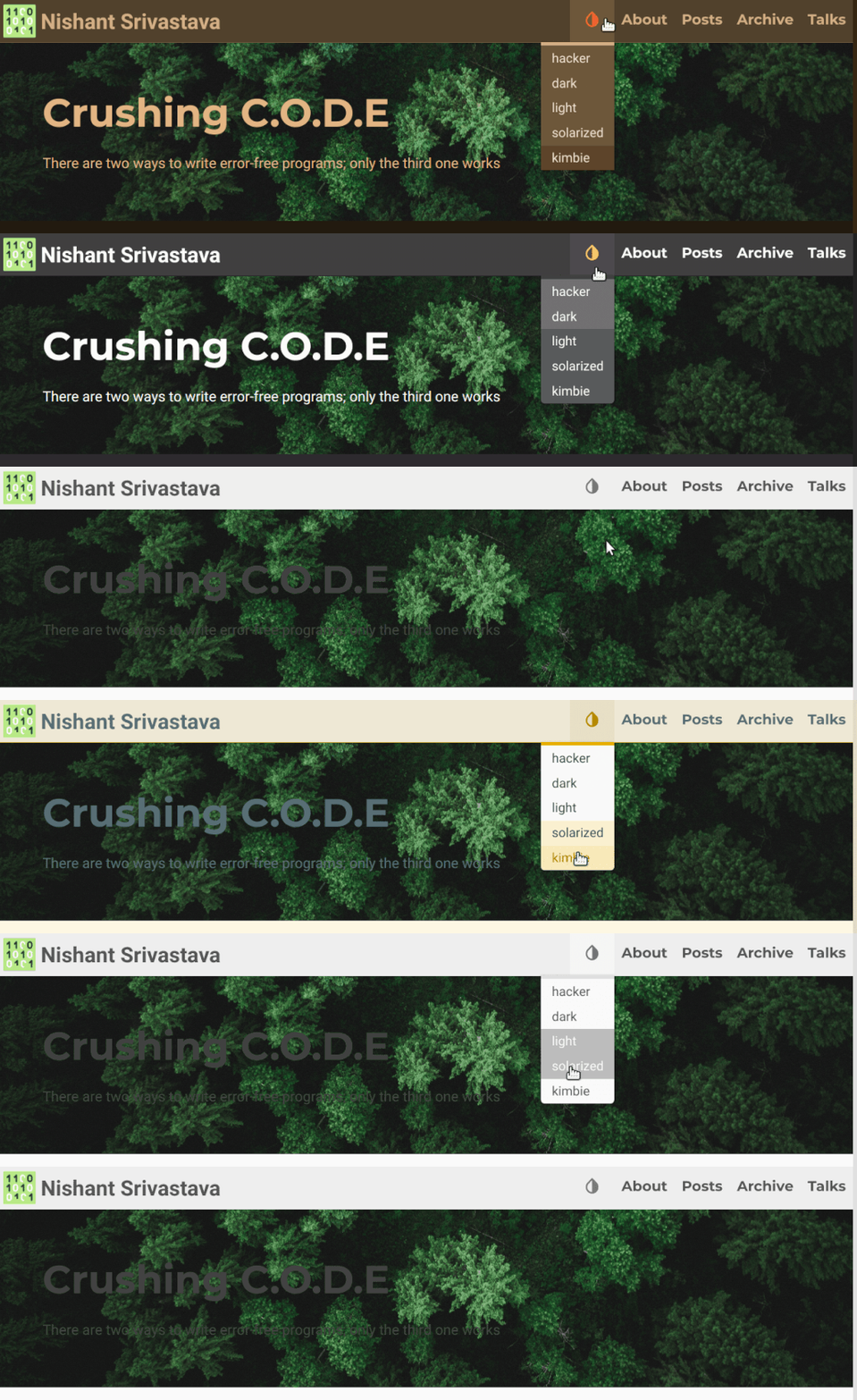
So since the background image doesn't switch with the theme, but the text in the header section does with change in theme, when one selects the theme as light, the text is rendered darker. Since the background is still the same, the text is not readable.
I see few possible solutions:
- The text color shouldn't change when changing themes only for the header section.
- There is a css tint on the background image, say for example when it is light theme the tint is white and the text changes to dark. When
darktheme is selected the tint is dark and the text changes to white. - There is a an ability to tie a background image to each theme.
- I can just delete the text and put a background that has the text as part of the background image.
Personal choice is point 1 above.
What do you think?
 nisrulz
All 5 comments
I think option1 is better.
I thought that I did implement it but it was not
I'll add the option titleColor in the header index file.
---
...
- type: img
    ...
    titleColor: green
    ...
...
---
 zzossig
on 13 Jan 2020
zzossig
on 13 Jan 2020
I uploaded!
...
- type: img
    titleColor:
    titleShadow: false
    titleFontSize: 44
    subtitleColor:
    subtitleCursive: false
    subtitleFontSize: 16
    spaceBetweenTitleSubtitle: 20
...
New params: titleShadow titleColor subtitleColor subtitleCursive
zzossig
on 13 Jan 2020
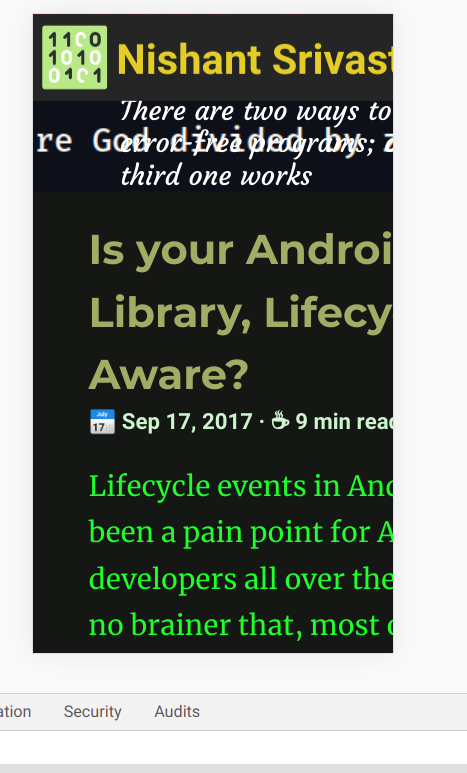
Although it fixed this issue, but now the whole blog is not responsive. I opened other issue #80 where there was a white bar at the right side and the header was not responsive. After your change, now the whole blog is not responsive :thinking:
nisrulz
on 13 Jan 2020
Ok, I'll find out what's going on
zzossig
on 13 Jan 2020
This is also fixed.
Thank you :tada:
nisrulz
on 13 Jan 2020
Related issues
 Gictorbit
·
4Comments
nisrulz
·
4Comments
nisrulz
·
3Comments
Gictorbit
·
8Comments
Gictorbit
·
4Comments
nisrulz
·
4Comments
nisrulz
·
3Comments
Gictorbit
·
8Comments
 szpak
·
7Comments
szpak
·
7Comments