Howdy: Camera path is not configured correctly,
Hello,
I've installed Howdy on my Manjaro today. It was bit unconventional way as I couldn't used the AUR version (it was outdated). Anyway I used PKGBUILD from here https://github.com/boltgolt/howdy/blob/22891a1a1b5ffc8a6311199141a85fd3aa00df0d/archlinux/howdy/PKGBUILD. After adding missing dependency the installation worked, but now I can't use it. When I run sudo howdy test it gives me following error,
[ WARN:0] global /build/opencv/src/opencv-4.1.2/modules/videoio/src/cap_gstreamer.cpp (711) open OpenCV | GStreamer warning: Error opening bin: no element "none"
[ WARN:0] global /build/opencv/src/opencv-4.1.2/modules/videoio/src/cap_gstreamer.cpp (480) isPipelinePlaying OpenCV | GStreamer warning: GStreamer: pipeline have not been created
[ERROR:0] global /build/opencv/src/opencv-4.1.2/modules/videoio/src/cap.cpp (116) open VIDEOIO(CV_IMAGES): raised OpenCV exception:
OpenCV(4.1.2) /build/opencv/src/opencv-4.1.2/modules/videoio/src/cap_images.cpp:253: error: (-5:Bad argument) CAP_IMAGES: can't find starting number (in the name of file): none in function 'icvExtractPattern'
Opening a window with a test feed
Press ctrl+C in this terminal to quit
Click on the image to enable or disable slow mode
QStandardPaths: XDG_RUNTIME_DIR not set, defaulting to '/tmp/runtime-root'
Unknown camera, please check your 'device_path' config value.
Traceback (most recent call last):
File "/usr/bin/howdy", line 101, in
import cli.test
File "/usr/lib/security/howdy/cli/test.py", line 117, in
frame = cv2.cvtColor(frame, cv2.COLOR_BGR2GRAY)
cv2.error: OpenCV(4.1.2) /build/opencv/src/opencv-4.1.2/modules/imgproc/src/color.cpp:182: error: (-215:Assertion failed) !_src.empty() in function 'cvtColor'
I've searched for similar issues already, and my issue has not been reported yet.
My media UID is: /dev/vedio0
My WebCam is: HP HD WebCam
Linux distribution (if applicable): Manjaro KDE based on Arch Linux
Howdy version: 2.5.1
I'd really appreciate you help on this. Thank you.
 sobuj53
All 47 comments
Did you edit the 'device_path' config value?
 boltgolt
on 14 Nov 2019
boltgolt
on 14 Nov 2019
No, how do I do that?
sobuj53
on 14 Nov 2019
Try running sudo howdy config
boltgolt
on 14 Nov 2019
Hi,
Thank you for your replay.
config.txt
I've attached my howdy Config file. the device is set to none device_path = none, how do i identify my device path?. I'd really appreciate your feedback on this.
sobuj53
on 14 Nov 2019
Checkout this part of the arch wiki article
boltgolt
on 14 Nov 2019
Ok I just set my device_path = /dev/vedio0 and now it's working. Thanks. But really wish there is a easier way to install it in Manjaro. Thank you for everything
sobuj53
on 14 Nov 2019
I'm trying to make it easier, see #262. Good to hear that it's fixed though!
boltgolt
on 14 Nov 2019
Yes it work for me too after changing the device path to /dev/video0
But I would like suggest to install v4l-utils before installing howdy so that we could identify the camera device path by performing v4l2-ctl --list-devices
 ajay139
on 29 Jun 2020
ajay139
on 29 Jun 2020
When I run this command after changing the config_path
I got this error:
Adding face model for the user garv
Enter a label for this new model [Initial model] (max 24 characters): Facelock
Camera path is not configured correctly, please edit the 'device_path' config value.
Exception ignored in:
Traceback (most recent call last):
File "/lib/security/howdy/recorders/video_capture.py", line 55, in __del__
self.internal.release()
AttributeError: 'VideoCapture' object has no attribute 'internal'
Please Help me!!
 GarvTambi
on 7 Jul 2020
GarvTambi
on 7 Jul 2020
When I run this command after changing the config_path
I got this error:
Adding face model for the user garv
Enter a label for this new model [Initial model] (max 24 characters): Facelock
Camera path is not configured correctly, please edit the 'device_path' config value.
Exception ignored in:>
Traceback (most recent call last):
File "/lib/security/howdy/recorders/video_capture.py", line 55, in del
self.internal.release()
AttributeError: 'VideoCapture' object has no attribute 'internal'Please Help me!!
Have you correctly spelled the device path?
Make sure you spell correct device path to your preffered video device
You can check the correct device path by installing v4l-utils
And perform
v4l2-ctl -- list-devices
 ajaykrishnansm
on 8 Jul 2020
ajaykrishnansm
on 8 Jul 2020
When I run this command after changing the config_path
I got this error:
Adding face model for the user garv
Enter a label for this new model [Initial model] (max 24 characters): Facelock
Camera path is not configured correctly, please edit the 'device_path' config value.
Exception ignored in:>
Traceback (most recent call last):
File "/lib/security/howdy/recorders/video_capture.py", line 55, in del
self.internal.release()
AttributeError: 'VideoCapture' object has no attribute 'internal'
Please Help me!!Have you correctly spelled the device path?
Make sure you spell correct device path to your preffered video device
You can check the correct device path by installing v4l-utils
And perform
v4l2-ctl -- list-devices
How I install v4l-utils
GarvTambi
on 8 Jul 2020
When I run this command after changing the config_path
I got this error:
Adding face model for the user garv
Enter a label for this new model [Initial model] (max 24 characters): Facelock
Camera path is not configured correctly, please edit the 'device_path' config value.
Exception ignored in:>
Traceback (most recent call last):
File "/lib/security/howdy/recorders/video_capture.py", line 55, in del
self.internal.release()
AttributeError: 'VideoCapture' object has no attribute 'internal'
Please Help me!!Have you correctly spelled the device path?
Make sure you spell correct device path to your preffered video device
You can check the correct device path by installing v4l-utils
And perform
v4l2-ctl -- list-devicesHow I install v4l-utils
sudo apt-get install v4l-utils
ajaykrishnansm
on 8 Jul 2020
(base) garv@garv-Inspiron-5567:~$ sudo apt-get install v4l-utils
Reading package lists... Done
Building dependency tree
Reading state information... Done
v4l-utils is already the newest version (1.14.2-1).
The following packages were automatically installed and are no longer required:
libegl1-mesa libfwup1
Use 'sudo apt autoremove' to remove them.
0 upgraded, 0 newly installed, 0 to remove and 39 not upgraded.
Done!! Thanks a lot
Now what is the next step
GarvTambi
on 8 Jul 2020
(base) garv@garv-Inspiron-5567:~$ sudo apt-get install v4l-utils
Reading package lists... Done
Building dependency tree
Reading state information... Done
v4l-utils is already the newest version (1.14.2-1).
The following packages were automatically installed and are no longer required:
libegl1-mesa libfwup1
Use 'sudo apt autoremove' to remove them.
0 upgraded, 0 newly installed, 0 to remove and 39 not upgraded.Done!! Thanks a lot
Now what is the next step
v4l2-ctl -- list-devices
ajaykrishnansm
on 8 Jul 2020
(base) garv@garv-Inspiron-5567:~$ v4l2-ctl -- list-devices
unknown arguments: list-devices
General/Common options:
--all display all information available
-C, --get-ctrl=
get the value of the controls [VIDIOC_G_EXT_CTRLS]
-c, --set-ctrl=
set the value of the controls [VIDIOC_S_EXT_CTRLS]
-D, --info show driver info [VIDIOC_QUERYCAP]
-d, --device=
if
-e, --out-device=
default device as set with --device
if
-h, --help display this help message
--help-all all options
--help-io input/output options
--help-misc miscellaneous options
--help-overlay overlay format options
--help-sdr SDR format options
--help-selection crop/selection options
--help-stds standards and other video timings options
--help-streaming streaming options
--help-tuner tuner/modulator options
--help-vbi VBI format options
--help-vidcap video capture format options
--help-vidout vidout output format options
--help-edid edid handling options
-k, --concise be more concise if possible.
-l, --list-ctrls display all controls and their values [VIDIOC_QUERYCTRL]
-L, --list-ctrls-menus
display all controls and their menus [VIDIOC_QUERYMENU]
-r, --subset=
the subset of the N-dimensional array to get/set for control
for every dimension an (
-w, --wrapper use the libv4l2 wrapper library.
--list-devices list all v4l devices
--log-status log the board status in the kernel log [VIDIOC_LOG_STATUS]
--get-priority query the current access priority [VIDIOC_G_PRIORITY]
--set-priority=
set the new access priority [VIDIOC_S_PRIORITY]
--silent only set the result code, do not print any messages
--sleep=
--verbose turn on verbose ioctl status reporting
I get this...Now what is the next step?
GarvTambi
on 8 Jul 2020
I get this...Now what is the next step?
GarvTambi
on 8 Jul 2020
I get this...Now what is the next step?
v4l2-ctl --list-devices
Have you typed it correctly
If so,then it should be providing you with the video device path
ajaykrishnansm
on 8 Jul 2020
I get this...Now what is the next step?
v4l2-ctl --list-devices
Have you typed it correctly
If so,then it should be providing you with the video device path

ajaykrishnansm
on 8 Jul 2020
I get this...Now what is the next step?
v4l2-ctl --list-devices
Have you typed it correctly
If so,then it should be providing you with the video device path
Then perform
sudo howdy config
This is my selected device path:
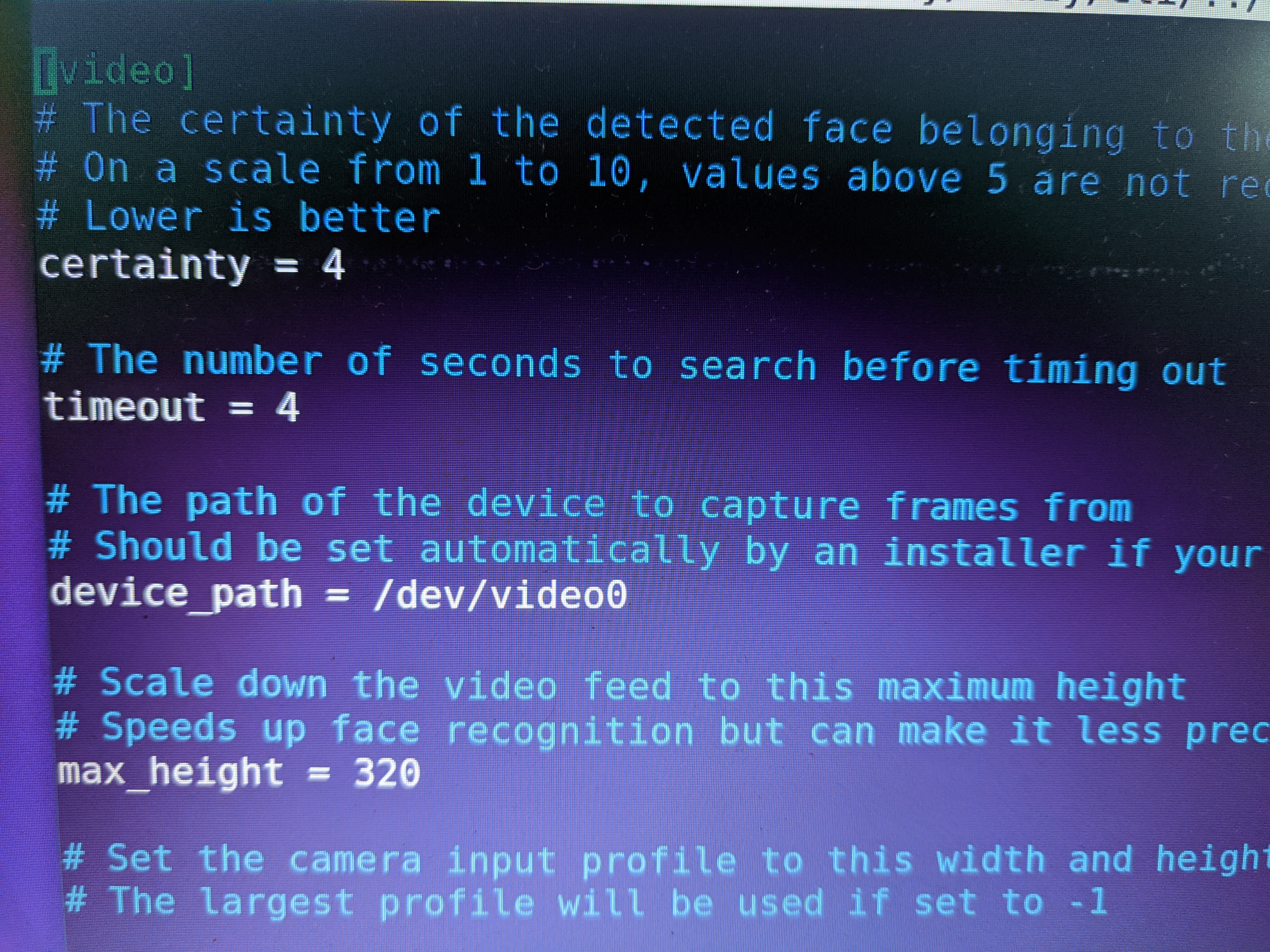
Then save it.
Hope this will work for you.
ajaykrishnansm
on 8 Jul 2020
when I run sudo howdy cofig...I get this error:
(base) garv@garv-Inspiron-5567:~$ sudo howdy config
Traceback (most recent call last):
File "/lib/security/howdy/compare.py", line 17, in
import cv2
ModuleNotFoundError: No module named 'cv2'
Unknown error: 1
[sudo] password for garv:
GarvTambi
on 8 Jul 2020
Yess, I get this
(base) garv@garv-Inspiron-5567:~$ v4l2-ctl --list-devices
Integrated_Webcam_HD: Integrate (usb-0000:00:14.0-5):
/dev/video0
/dev/video1Now what is the next step??
Perform
sudo howdy config
Find line start with
device_path
May be in your case
This will be
device_path = none
.
change to
device_path = /dev/video0
ajaykrishnansm
on 8 Jul 2020
when I run sudo howdy cofig...I get this error:
(base) garv@garv-Inspiron-5567:~$ sudo howdy config
Traceback (most recent call last):
File "/lib/security/howdy/compare.py", line 17, in
import cv2
ModuleNotFoundError: No module named 'cv2'
Unknown error: 1
[sudo] password for garv:
Its prompting for your password
Give it and check
ajaykrishnansm
on 8 Jul 2020
when I run sudo howdy cofig...I get this error:
(base) garv@garv-Inspiron-5567:~$ sudo howdy config
Traceback (most recent call last):
File "/lib/security/howdy/compare.py", line 17, in
import cv2
ModuleNotFoundError: No module named 'cv2'
Unknown error: 1
[sudo] password for garv:Its prompting for your password
Give it and check
sudo howdy config
Give your password
Then find the line start with
device_path
Change the value
device_path = /dev/video0
Save it then check if it is working or not
ajaykrishnansm
on 8 Jul 2020
Yess Sir, I save it!! and it save successfully.
Now what is the next step??
when I run sudo howdy cofig...I get this error:
(base) garv@garv-Inspiron-5567:~$ sudo howdy config
Traceback (most recent call last):
File "/lib/security/howdy/compare.py", line 17, in
import cv2
ModuleNotFoundError: No module named 'cv2'
Unknown error: 1
[sudo] password for garv:Its prompting for your password
Give it and checksudo howdy config
Give your password
Then find the line start with
device_path
Change the value
device_path = /dev/video0
Save it then check if it is working or not
GarvTambi
on 8 Jul 2020
Yess Sir, I save it!! and it save successfully.
Now what is the next step??
when I run sudo howdy cofig...I get this error:
(base) garv@garv-Inspiron-5567:~$ sudo howdy config
Traceback (most recent call last):
File "/lib/security/howdy/compare.py", line 17, in
import cv2
ModuleNotFoundError: No module named 'cv2'
Unknown error: 1
[sudo] password for garv:Its prompting for your password
Give it and checksudo howdy config
Give your password
Then find the line start with
device_path
Change the value
device_path = /dev/video0
Save it then check if it is working or not
Try
sudo howdy add
ajaykrishnansm
on 8 Jul 2020
Sir Done!!
Adding face model for the user garv
Enter a label for this new model [Initial model] (max 24 characters): FaceLock
Please look straight into the camera
Scan complete
Added a new model to garv
Now What is the next step??
GarvTambi
on 8 Jul 2020
Now What is the next step??
Now What is the next step??
GarvTambi
on 8 Jul 2020
Sir Done!!
Adding face model for the user garv
Enter a label for this new model [Initial model] (max 24 characters): FaceLockPlease look straight into the camera
Scan completeAdded a new model to garv
Now What is the next step??
That's it
you have added your face
And try reboot your system and check whether your front camera helps you to unlock your system
ajaykrishnansm
on 8 Jul 2020
Sir Unknown error is shown while testing

GarvTambi
on 8 Jul 2020
Sir Unknown error is shown while testing
Don't have an answer for this😁 , because I didn't face such issues
Have you correctly followed the installation instruction?
Try updating the system
Install
pip pip3
Or reinstalling howdy
https://youtu.be/3AG_RST6o1Y
ajaykrishnansm
on 8 Jul 2020
Sir Unknown error is shown while testing
Don't have an answer for this , because I didn't face such issues
Have you correctly followed the installation instruction?
Try updating the system
Install
pip pip3
Or reinstalling howdy
https://youtu.be/3AG_RST6o1Y
Sir, May I run this command again 'sudo howdy add'
GarvTambi
on 8 Jul 2020
Sir Unknown error is shown while testing
Don't have an answer for this , because I didn't face such issues
Have you correctly followed the installation instruction?
Try updating the system
Install
pip pip3
Or reinstalling howdy
https://youtu.be/3AG_RST6o1YSir, May I run this command again 'sudo howdy add'
Yeah,you can try it
ajaykrishnansm
on 8 Jul 2020
sudo howdy add
I think this will happen because my camera quality is like this:
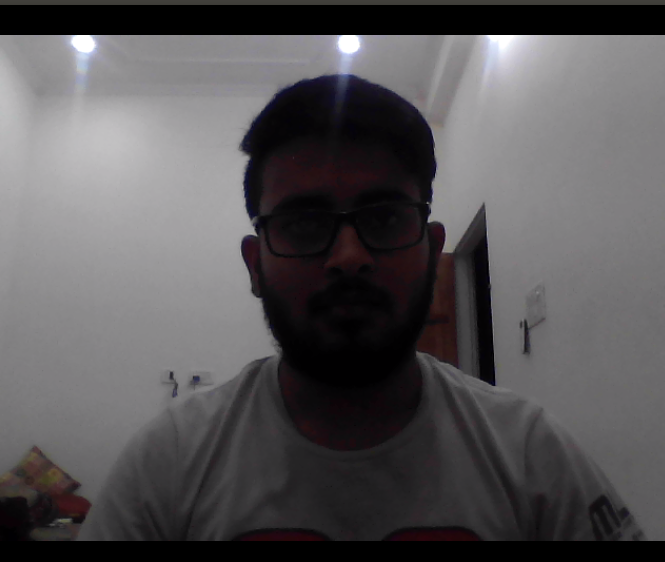
GarvTambi
on 8 Jul 2020
sudo howdy add
I think this will happen because my camera quality is like this:
What you think about this??
GarvTambi
on 8 Jul 2020
sudo howdy add
I think this will happen because my camera quality is like this:
Not at all
It because something went wrong during the installation.
ajaykrishnansm
on 8 Jul 2020
So How I reinstall all these stuff??
GarvTambi
on 8 Jul 2020
So How I reinstall all these stuff??
sudo apt-get remove howdy
sudo apt-get purge howdy
then reinstall again by correctly following the instructions in
https://github.com/boltgolt/howdy
ajaykrishnansm
on 8 Jul 2020
So How I reinstall all these stuff??
sudo apt-get remove howdy
sudo apt-get purge howdy
then reinstall again by correctly following the instructions in
https://github.com/boltgolt/howdy
Hope next time the problem will not occur
ajaykrishnansm
on 8 Jul 2020
So How I reinstall all these stuff??
sudo apt-get remove howdy
sudo apt-get purge howdy
then reinstall again by correctly following the instructions in
https://github.com/boltgolt/howdyHope next time the problem will not occur
Hopefully!!
GarvTambi
on 8 Jul 2020
Getting this erro while running 'sudo apt install howdy' on terminal...
Traceback (most recent call last):
File "/var/lib/dpkg/info/howdy.postinst", line 159, in
tf.extract(item, "/tmp")
File "/usr/lib/python3.6/tarfile.py", line 2052, in extract
numeric_owner=numeric_owner)
File "/usr/lib/python3.6/tarfile.py", line 2122, in _extract_member
self.makefile(tarinfo, targetpath)
File "/usr/lib/python3.6/tarfile.py", line 2171, in makefile
copyfileobj(source, target, tarinfo.size, ReadError, bufsize)
File "/usr/lib/python3.6/tarfile.py", line 255, in copyfileobj
buf = src.read(remainder)
File "/usr/lib/python3.6/gzip.py", line 276, in read
return self._buffer.read(size)
File "/usr/lib/python3.6/_compression.py", line 68, in readinto
data = self.read(len(byte_view))
File "/usr/lib/python3.6/gzip.py", line 482, in read
raise EOFError("Compressed file ended before the "
EOFError: Compressed file ended before the end-of-stream marker was reached
dpkg: error processing package howdy (--configure):
installed howdy package post-installation script subprocess returned error exit status 1
Processing triggers for man-db (2.8.3-2ubuntu0.1) ...
Errors were encountered while processing:
howdy
E: Sub-process /usr/bin/dpkg returned an error code (1)
GarvTambi
on 11 Jul 2020
Getting this erro while running 'sudo apt install howdy' on terminal...
Traceback (most recent call last):
File "/var/lib/dpkg/info/howdy.postinst", line 159, in
tf.extract(item, "/tmp")
File "/usr/lib/python3.6/tarfile.py", line 2052, in extract
numeric_owner=numeric_owner)
File "/usr/lib/python3.6/tarfile.py", line 2122, in _extract_member
self.makefile(tarinfo, targetpath)
File "/usr/lib/python3.6/tarfile.py", line 2171, in makefile
copyfileobj(source, target, tarinfo.size, ReadError, bufsize)
File "/usr/lib/python3.6/tarfile.py", line 255, in copyfileobj
buf = src.read(remainder)
File "/usr/lib/python3.6/gzip.py", line 276, in read
return self._buffer.read(size)
File "/usr/lib/python3.6/_compression.py", line 68, in readinto
data = self.read(len(byte_view))
File "/usr/lib/python3.6/gzip.py", line 482, in read
raise EOFError("Compressed file ended before the "
EOFError: Compressed file ended before the end-of-stream marker was reached
dpkg: error processing package howdy (--configure):
installed howdy package post-installation script subprocess returned error exit status 1
Processing triggers for man-db (2.8.3-2ubuntu0.1) ...
Errors were encountered while processing:
howdy
E: Sub-process /usr/bin/dpkg returned an error code (1)
try
sudo apt autoremove
sudo apt-get howdy
May be it will work
ajaykrishnansm
on 11 Jul 2020
In (f,b,s ) which one I choose
GarvTambi
on 11 Jul 2020
In (f,b,s ) which one I choose
S
ajaykrishnansm
on 11 Jul 2020
Sometimes face detect successfully and sometimes it shows Unknown Error:1 Why?
Please help!
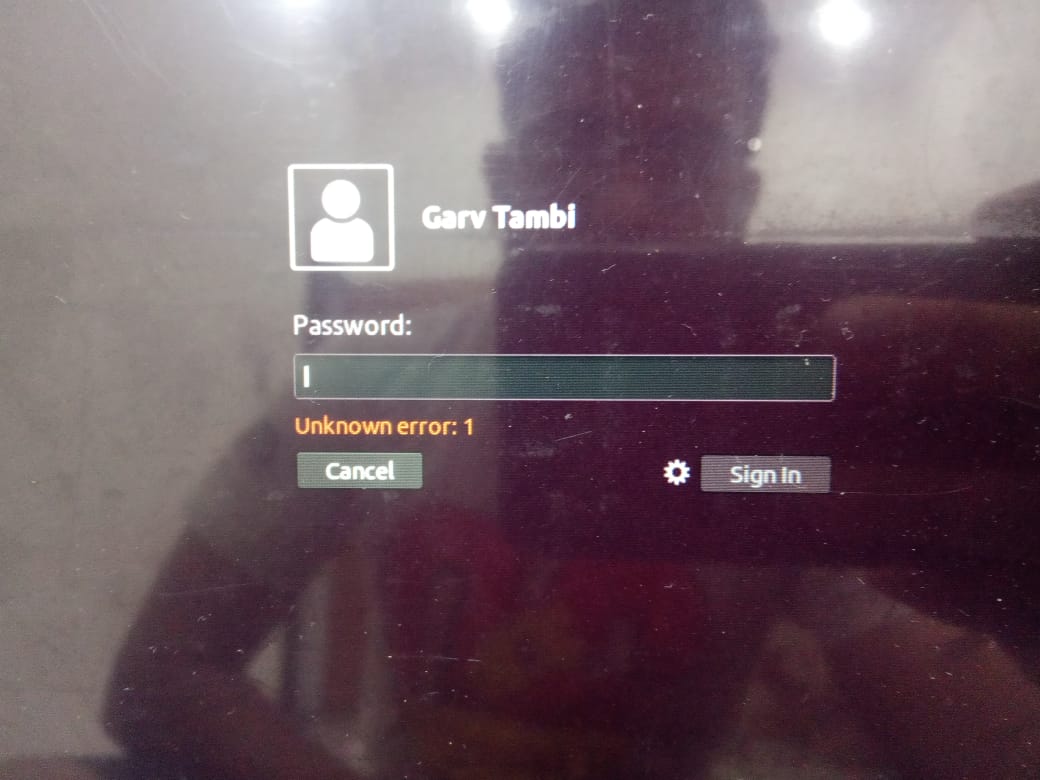
GarvTambi
on 14 Jul 2020
Is it possible to add multiple faces in a same system.
 mefy-garv
on 26 Aug 2020
mefy-garv
on 26 Aug 2020
Ok I just set my
device_path = /dev/vedio0and now it's working. Thanks. But really wish there is a easier way to install it in Manjaro. Thank you for everything
device_path = /dev/video0 work for me.
 phamthainb
on 7 Nov 2020
phamthainb
on 7 Nov 2020
Hello, when I run sudo howdy add I get this:
No face model known
[sudo] password for redcoder09:
Sorry, try again.
No face model known
[sudo] password for redcoder09:
Adding face model for the user redcoder09
Enter a label for this new model [Initial model] (max 24 characters): me
Please look straight into the camera
Failed to read camera specified in your 'device_path', aborting
Any idea why?
P.S. My camera path is /dev/video0
 RedCoder09
on 24 Dec 2020
RedCoder09
on 24 Dec 2020
Related issues
 Jerezano
·
7Comments
Jerezano
·
7Comments
 Doomsdayrs
·
3Comments
Doomsdayrs
·
3Comments
 ng2303
·
7Comments
ng2303
·
7Comments
 akxer
·
6Comments
akxer
·
6Comments
 klascano
·
3Comments
klascano
·
3Comments
Most helpful comment
Ok I just set my
device_path = /dev/vedio0and now it's working. Thanks. But really wish there is a easier way to install it in Manjaro. Thank you for everything