Homebridge-hue: Homebridge Hue Accessories Keep Failing to Default Room
Hi there
Over the last few days my Homebridge Hue accessories have moved to Default Room several times. This is a real pain as HomeKit then deletes the scenes containing just these accessories, and all my smart button definitions are lost.
Previously I thought this was to do with Homebridge Hue starting before Phoscon had, but I have the lightlink resource in place. Other than that I've not changed anything. I'm not restarting Phoson either.
Any thoughts?
Thanks
 fullphat
All 50 comments
Please attach the debug dump file, so I can have a look.
 ebaauw
on 13 Nov 2020
fullphat
on 16 Nov 2020
ebaauw
on 13 Nov 2020
fullphat
on 16 Nov 2020
Just happened again. It seems to be a common occurrence that coincides with all my 2.4GHz accessories going offline at the same time whereas my 5GHz wifi stays connected.
Sadly, once everything reconnects it seems Homebridge-Hue and deconz get muddled. Homebridge is showing updates from all my deconz-attached devices, but they disappear completely from HomeKit. Restarting Homebridge brings them back, but by then all the config has been lost and they appear back in Default Room.
fullphat
on 16 Nov 2020
Accessories exposed by Homebridge Hue cannot disappear from HomeKit, unless Homebridge restarts. If the network between HomeKit and Homebridge fails, accessories show as _Not Responding_, but don't disappear.
Your lightlist resourcelink only contains a single /lights resource. You might need to update it (by running ph lightest again, after deCONZ has re-exposed all /lights resources). Are you only losing lights (and plugs), or also sensors and switches?
The lights and plugs would disappear when Homebridge starts before, or quickly after deCONZ.
ebaauw
on 16 Nov 2020
Thanks for the reply. When I say that everything disappears from HomeKit, it really does - there's no Default Room yet all my sensors have gone from their allocated rooms and are nowhere to be found. Homebridge looks to be running, but when I restart it, the devices come back and at the same time Default Room reappears with them all in it.
In terms of what disappears, it's everything: bulbs, smart plugs, buttons, a single leak sensor and about 14 temperature sensors.😊 Most frustrating is that the smart buttons disappear and then need to be reconfigured each time.
I did have a more expansive lightlist but this caused Homebridge-Hue to completely stop Homebridge on startup so I trimmed it back to just the one light. I really use Homebridge-Hue for my Xiaomi/Aqara devices more than for lights, although I do have two Zigbee bulbs configured.
fullphat
on 16 Nov 2020
I did have a more expansive lightlist but this caused Homebridge-Hue to completely stop Homebridge on startup
That would be the case if the lightlist still contains a deleted a light. deCONZ doesn't update the resourcelinks when resources are deleted.
In terms of what disappears, it's everything: bulbs, smart plugs, buttons, a single leak sensor and about 14 temperature sensors
The only way (I can think of) that this would happen is when you somehow manage to start Homebridge without Homebridge Hue enabled. Are you sure you have only one installation of Homebridge, and only one user directory (with config.json)? Are you sure you always run Homebridge as the same user?
If you're using Docker, make sure the user directory is persisted across restarts. If you're on a Raspberry Pi, check the filesystem on the uSD card.
ebaauw
on 17 Nov 2020
That would be the case if the lightlist still contains a deleted a light. deCONZ doesn't update the resourcelinks when resources are deleted.
That did happen once, but that was a long time ago when I had more bulbs in use. Since then I've trimmed it back to just this one which is always powered.
The only way (I can think of) that this would happen is when you somehow manage to start Homebridge without Homebridge Hue enabled. Are you sure you have only one installation of Homebridge, and only one user directory (with config.json)? Are you sure you always run Homebridge as the same user?
If you're using Docker, make sure the user directory is persisted across restarts. If you're on a Raspberry Pi, check the filesystem on the uSD card.
I'm using the official Homebridge image running directly on a RPi 3. No Docker. I'm deliberately keeping my setup as simple as possible to try to avoid these types of issues. For info as well, deCONZ is running on a different Pi with a USB Conbee 2 stick attached (on a USB extension cable). Both Pi have static IP addresses, although they can be accessed via DNS as well of course. 😄
fullphat
on 17 Nov 2020
I would need to see a debug log file from the moment Homebridge starts up to where the accessories disappear. Best enable debug in the Homebridge UI and download the log file from the UI.
ebaauw
on 17 Nov 2020
I too have this problem. Thought I had cracked it with some updating but alas exactly the same story as this. I have extensive bulbs and xiaomi sensors connected through a usb Conbee stick. All sensors and bulbs working correctly in the homebridge UI - just disappear from home app (restart brings them back but they fall to default and you lose assignments and button configs).
 davidjforsyth
on 18 Nov 2020
davidjforsyth
on 18 Nov 2020
I too have this problem. Thought I had cracked it with some updating but alas exactly the same story as this. I have extensive bulbs and xiaomi sensors connected through a usb Conbee stick. All sensors and bulbs working correctly in the homebridge UI - just disappear from home app (restart brings them back but they fall to default and you lose assignments and button configs).
I share your pain but I'm kind of glad it's not just me!
fullphat
on 18 Nov 2020
I would need to see a debug log file from the moment Homebridge starts up to where the accessories disappear. Best enable debug in the Homebridge UI and download the log file from the UI.
Will do. I will try to see if there's anything else I can check as well. It does seem to follow the same pattern where everything (not just Homebridge devices) connected to 2.4GHz WiFi lose connectivity while anything on 5GHz keeps working. I've only noticed this recently as I separated the two networks not long ago and now only my home automation stuff is on 2.4GHz.
fullphat
on 18 Nov 2020
I have the same issue with device falling back to the default room. All devices (Phillips Dimmer and Osram Smart Plugs) connected to the RaspBee II. Running on a Pi4 both deconz and homebridge running in Docker containers as provided by the links from the respective homepages. I did not reboot.. (though I need to check if the Pi did. by itself.. unlikely though.. this happened 3 times now) The devices vanished from their rooms after a few hours uptime. The dimmers also „forgot“ the scenes I assigned in the Eve HomeKit app. I‘ll check the documentation and see how I can create a dump and a log..
 ackoch
on 19 Nov 2020
ackoch
on 19 Nov 2020
These "me too" comments are not helpful. Please provide a debug log file from the moment Homebridge starts to the moment the accessories disappear. Without proper logs there's nothing I can do, and I will close this issue.
As I said before, technically, Homebridge Hue cannot make accessories disappear. They can disappear only when Homebridge (re-)starts without Homebridge Hue exposing the accessories. This is a known issue with deCONZ, not exposing the /lights resources after it starts. For this issue the lightlist workaround is available. If you have multiple bridges/gateways, make sure to use fixed IP addresses and list them under hosts in config.json, as Homebridge Hue might still allow Homebridge to start when it only discovers one bridge/gateway.
If all your Homebridge accessories disappear, including those exposed by other plugins, the issue is not related to Homebridge Hue. If you only have one bridge/gateway or listed all of them under hosts and your sensors also disappear, the issue is probably not related to Homebridge Hue either.
ebaauw
on 20 Nov 2020
mhh. deconz did not restart when this happened. Today I just re-added a dimmer and a plug from the default room to my living room again. Within one hour they disappeared again. This time completely, together with all devices attached to raspbee that showed up in the default room before. Eve reported "no devices available" on the homebridge. But they re-appeared in the default room after restarting homebridge (leaving deconz untouched).
I don't see anything unusual in the logfile (see attachment). Though I don't know what to look for, either :-/
I am not using IP addresses in the configuration but DNS names... but a good tip to make sure they are fixed .
ackoch
on 20 Nov 2020
There's something funny with your Homebridge installation. The first time it seems to start using a different setting, not including Homebridge Hue. This causes your Homebridge Hue accessories to disappear.
[11/17/2020, 4:37:28 PM] [HB Supervisor] Adding missing UI platform block to /homebridge/config.json
[11/17/2020, 4:37:28 PM] [HB Supervisor] OS: Linux 5.4.72-v7l+ arm
[11/17/2020, 4:37:28 PM] [HB Supervisor] Node.js v14.15.0 /usr/local/bin/node
[11/17/2020, 4:37:28 PM] [HB Supervisor] Homebridge Path: /usr/local/lib/node_modules/homebridge/bin/homebridge
[11/17/2020, 4:37:28 PM] [HB Supervisor] UI Path: /usr/local/lib/node_modules/homebridge-config-ui-x/dist/bin/standalone.js
[11/17/2020, 4:37:28 PM] [HB Supervisor] Starting Homebridge with extra flags: -I -P /homebridge/node_modules
[11/17/2020, 4:37:28 PM] [HB Supervisor] Started Homebridge v1.2.3 with PID: 408
[11/17/2020, 4:37:29 PM] Loaded config.json with 0 accessories and 1 platforms.
On subsequent startups, Homebridge Hue is loaded, causing your accessories to re-appear, but with HomeKit treating them as new accessories.
[11/17/2020, 5:18:02 PM] [HB Supervisor] Restarting Homebridge...
[11/17/2020, 5:18:02 PM] [HB Supervisor] Starting Homebridge with extra flags: -I -P /homebridge/node_modules
[11/17/2020, 5:18:02 PM] [HB Supervisor] Started Homebridge v1.2.3 with PID: 754
[11/17/2020, 5:18:03 PM] Loaded config.json with 0 accessories and 2 platforms.
[11/17/2020, 5:18:03 PM] ---
[11/17/2020, 5:18:05 PM] Loaded plugin: [email protected]
[11/17/2020, 5:18:05 PM] Registering accessory 'homebridge-dummy.DummySwitch'
[11/17/2020, 5:18:05 PM] ---
[11/17/2020, 5:18:08 PM] Loaded plugin: [email protected]
[11/17/2020, 5:18:08 PM] Registering platform 'homebridge-hue.Hue'
[11/17/2020, 5:18:08 PM] ---
[11/17/2020, 5:18:08 PM] Loaded plugin: [email protected]
[11/17/2020, 5:18:08 PM] Registering platform 'homebridge-config-ui-x.config'
[11/17/2020, 5:18:08 PM] ---
[11/17/2020, 5:18:08 PM] Loading 2 platforms...
[11/17/2020, 5:18:08 PM] [Config] Initializing config platform...
[11/17/2020, 5:18:08 PM] [Config] Running in Service Mode
[11/17/2020, 5:18:08 PM] [Hue] Initializing Hue platform...
Here something fishy happens:
[11/17/2020, 7:54:41 PM] [Hue] Phoscon-GW: gateway request 78: get /sensors
[11/17/2020, 7:54:41 PM] [Hue] Phoscon-GW: gateway communication error: 127.0.1.1:80: cannot connect: ECONNREFUSED
[11/17/2020, 7:54:41 PM] [Hue] Phoscon-GW: heartbeat error: 127.0.1.1:80: cannot connect: ECONNREFUSED
Homebridge Hue can no longer reach deCONZ. Note the IP address: 127.0.1.1 instead of 127.0.0.1. WTF?!
When Homebridge Hue re-connects, deCONZ no longer accepts the API key:
[11/17/2020, 7:54:51 PM] [Hue] Phoscon-GW: gateway request 80: get /sensors
[11/17/2020, 7:54:51 PM] [Hue] Phoscon-GW: gateway request 80: error 1 unauthorized user
Next, you restart Homebridge, but on restart, deCONZ still doesn't accept the API key. Apparently this hits a bug in Homebridge Hue, causing it to allow Homebridge to start without exposing any Hue accessories, causing them to be removed by HomeKit.
[11/17/2020, 7:56:52 PM] [HB Supervisor] Restarting Homebridge...
[11/17/2020, 7:56:52 PM] [HB Supervisor] Starting Homebridge with extra flags: -I -P /homebridge/node_modules
[11/17/2020, 7:56:52 PM] [HB Supervisor] Started Homebridge v1.2.3 with PID: 2698
[11/17/2020, 7:56:53 PM] Loaded config.json with 0 accessories and 2 platforms.
[11/17/2020, 7:56:53 PM] ---
[11/17/2020, 7:56:54 PM] Loaded plugin: [email protected]
[11/17/2020, 7:56:54 PM] Registering accessory 'homebridge-dummy.DummySwitch'
[11/17/2020, 7:56:54 PM] ---
[11/17/2020, 7:56:56 PM] Loaded plugin: [email protected]
[11/17/2020, 7:56:56 PM] Registering platform 'homebridge-hue.Hue'
[11/17/2020, 7:56:56 PM] ---
[11/17/2020, 7:56:56 PM] Loaded plugin: [email protected]
[11/17/2020, 7:56:56 PM] Registering platform 'homebridge-config-ui-x.config'
[11/17/2020, 7:56:56 PM] ---
[11/17/2020, 7:56:56 PM] Loading 2 platforms...
[11/17/2020, 7:56:56 PM] [Config] Initializing config platform...
[11/17/2020, 7:56:56 PM] [Config] Running in Service Mode
[11/17/2020, 7:56:56 PM] [Hue] Initializing Hue platform...
[11/17/2020, 7:56:56 PM] [Hue] homebridge-hue v0.12.0, node v14.15.0, homebridge v1.2.3
[11/17/2020, 7:56:56 PM] [Hue] Phoscon-GW: dresden elektronik deCONZ gateway v2.5.88, api v1.16.0
[11/17/2020, 7:56:56 PM] [Hue] Phoscon-GW: warning: not using recommended deCONZ gateway version 2.5.84
[11/17/2020, 7:56:56 PM] [Hue] Phoscon-GW: gateway request 1: get /
[11/17/2020, 7:56:56 PM] [Hue] Phoscon-GW: gateway request 1: error 1 unauthorized user
[11/17/2020, 7:56:56 PM] [Hue] Phoscon-GW: gateway request 2: get /groups/0
[11/17/2020, 7:56:56 PM] [Hue] Phoscon-GW: gateway request 2: error 1 unauthorized user
[11/17/2020, 7:56:56 PM] [Hue] Phoscon-GW: TypeError: Cannot set property '0' of undefined
    at HueBridge.getFullState (/homebridge/node_modules/homebridge-hue/lib/HueBridge.js:330:19)
    at processTicksAndRejections (internal/process/task_queues.js:93:5)
    at HueBridge.accessories (/homebridge/node_modules/homebridge-hue/lib/HueBridge.js:102:19)
    at async Promise.all (index 0)
    at HuePlatform.accessories (/homebridge/node_modules/homebridge-hue/lib/HuePlatform.js:308:29)
[11/17/2020, 7:56:56 PM] [Hue] Phoscon-GW: 1 accessories
[11/17/2020, 7:56:56 PM] [Hue] masked debug info dumped to /homebridge/homebridge-hue.json.gz
[11/17/2020, 7:56:56 PM] Initializing platform accessory 'Phoscon-GW'...
[11/17/2020, 7:56:56 PM] [Hue] Phoscon-GW: 2 services
I think you removed the API key from config.json and restarted Homebridge, after which Homebridge Hue created a new key, continuing to work normally, re-exposing the accessories, which Homebridge once again treats as new accessories. Subsequent restarts seem to work normally.
Luckily, you enabled debug mode later, which causes Homebridge Hue to log the Hue section in config.json:
[11/20/2020, 12:22:18 PM] [Hue] config.json: {"name":"Hue","anyOn":true,"hosts":["pi4"],"lights":true,"nativeHomeKitLights":true,"nativeHomeKitSensors":true,"nupnp":true,"resource":true,"sensors":true,"users":{"00212EFFFF061CBA":"*********1"},"platform":"Hue"}
You specify the host as pi4. I don't know how that's resolved into 127.0.1.1, but I would specify 127.0.0.1 in config.json to insulate against any resolver issues.
ebaauw
on 20 Nov 2020
I have the same issue, I believe it's related to: https://github.com/ebaauw/homebridge-hue/issues/802
And https://github.com/dresden-elektronik/deconz-rest-plugin/issues/2473 as you've previously mentioned @ebaauw
 simplenotezy
on 20 Nov 2020
simplenotezy
on 20 Nov 2020
That's a different issue @simplenotezy. Different symptoms (only lights are effected) and different cause.
ebaauw
on 20 Nov 2020
Please don't close this ticket. I will get my debug logs over as well.
fullphat
on 21 Nov 2020
Thank you for taking so much time... I think what you saw in the log files are my attempts to make a fresh start and setting up deconz and homebridge anew.. The event when the accessories disappeared happened later.. (without me fuzzing around).
I try to better track when the incident occurs next time... :-/
I am glad, that this uncovered an edge case in the startup process ;-). Maybe that could help making the startup more robust. Actually that inspired me to manually delete the api key from the deconz API to see if that might help provoke and reproduce the issue which it did... well no surprise.
I could recover from the situation by removing the "hue" platform from the config.. But then of course the devices show up as new devices. It might be a silly question, but I wonder, why the devices are re-exposed as new devices and homekit does not recognize them as the ones it has seen before. I mean, the devices have unique ids... Is that a limitation of homebridge?
The weird IP address actually seem to be pretty normal on Debian based systems (https://askubuntu.com/questions/754213/what-is-difference-between-localhost-address-127-0-0-1-and-127-0-1-1). And it's defined in the /etc/hosts.. But it doesn't harm using 127.0.0.1 in homebridge-hue, i guess.
ackoch
on 21 Nov 2020
thank you :-) this makes the startup a more robust.. it survives my little fuzzing quite well..
though i just realized, that i still might have another problem (not related to homebridge-hue): I am currently in a transition phase. A few devices are still attached to the original Hue bridge, where I moved some to deconz/homebridge. Now, as the Hue bridge and Hue app do have some HomeKit capabilities, I would guess, that my HomeKit configuration might be distributed over several devices and/or apps .. and not necessarily consistent. So they might be overwriting their respective settings, which would explain why nothing shows up in the homebridge-hue log .. Looks like I'll have to go further down the rabbit hole to learn more about HomeKit .. and how the devices, the apps, bridges and siri play along (lets see how far i get with https://developer.apple.com/homekit/).
@fullphat: maybe you have some similar "hybrid" setup?
ackoch
on 21 Nov 2020
@ackoch I do have native Hue as well, but I've kept it completely separate from HomeBridge in that my HoneBridge-Hue config only points to my Conbee2 stick, not to the Hue bridge.
I've done quite a bit on HomeKit development (check out "HomeSpy" in the iOS App Store😊) so happy to help in that space.
As an aside, my HomeBridge Pi crashed this morning so I've reinstalled and restored from backup and will monitor how things go.
fullphat
on 22 Nov 2020
HomeKit is perfectly happy to have the same device exposed by the Hue bridge and by Homebridge Hue. It sees them as separate accessories, because they are bridged by separate HomeKit bridges. You can even expose the same devices twice using different Homebridge instances, each with the Homebridge Hue plugin. Eve might get confused as it stores the history under the accessory UUID, without considering the HomeKit bridge, but the Hue bridge doesn’t expose Eve history, so no harm there.
If Homebridge Hue exposes multiple bridges and/or gateways from one Homebridge instance, make sure to delete the device from the old bridge/gateway before adding it to the other. If you don’t, you’ll be treated to a “cannot add another accessory with the same UUID” error. By design Homebridge Hue generates the accessory UUID from the Zigbee mac address, so your HomeKit configuration is preserved when deleting and re-pairing the device, and when moving the device from one bridge/gateway to another.
ebaauw
on 22 Nov 2020
Just noticed a crash of sorts, but it hasn't affected my HomeKit setup this time so only posting if the below helps, or makes sense at all. Chunk of log follows. There are two ETIMEDOUTs, then suddenly HomeBridge is sent a SIGTERM, but I didn't initiate this, is it possible for something else to be doing that?
What happens next is HomeBridge restarts, the Nest plugin gets unhappy, HomeBridge restarts again and everything settles back down. Looking at the web console, the Pi and Process uptimes both still read as 6 hours and running uptime via the console confirms that.
I can post the rest of the log if it helps. Timestamps are UK (GMT):
22/11/2020, 13:48:29] [deCONZ] Study Bookcase: set homekit humidity from 68% to 67%
[22/11/2020, 13:48:51] Error: read ETIMEDOUT
    at TCP.onStreamRead (internal/stream_base_commons.js:209:20)
[22/11/2020, 13:48:51] Error: read ETIMEDOUT
    at TCP.onStreamRead (internal/stream_base_commons.js:209:20)
[22/11/2020, 13:48:51] Got SIGTERM, shutting down Homebridge...
[22/11/2020, 13:48:51] [Apple TV Platform] Shutting down Apple TV clients...
[22/11/2020, 13:48:51] Error: read ETIMEDOUT
    at TCP.onStreamRead (internal/stream_base_commons.js:209:20)
[22/11/2020, 13:48:54] [Homebridge UI] Terminal session ended.
[22/11/2020, 13:48:55] Error: read ETIMEDOUT
    at TCP.onStreamRead (internal/stream_base_commons.js:209:20)
[22/11/2020, 13:48:56] [deCONZ] goodbye
[22/11/2020, 13:49:02] [HB Supervisor] Homebridge Process Ended. Code: 143, Signal: null
[22/11/2020, 13:49:07] [HB Supervisor] Restarting Homebridge...
[22/11/2020, 13:49:07] [HB Supervisor] Starting Homebridge with extra flags: -I
[22/11/2020, 13:49:07] [HB Supervisor] Started Homebridge v1.1.6 with PID: 4221
[22/11/2020, 13:49:09] Loaded config.json with 4 accessories and 5 platforms.
[22/11/2020, 13:49:09] ---
[22/11/2020, 13:49:11] Loaded plugin: [email protected]
[22/11/2020, 13:49:11] Registering platform 'homebridge-apple-tv-remote.AppleTvPlatform'
[22/11/2020, 13:49:11] ---
[22/11/2020, 13:49:12] Loaded plugin: [email protected]
[22/11/2020, 13:49:12] Registering accessory 'homebridge-blinds-http-state.BlindsHttpWithState'
[22/11/2020, 13:49:12] ---
[22/11/2020, 13:49:12] Loaded plugin: [email protected]
[22/11/2020, 13:49:12] Registering platform 'homebridge-config-ui-x.config'
[22/11/2020, 13:49:12] ---
[22/11/2020, 13:49:13] Loaded plugin: [email protected]
[22/11/2020, 13:49:13] Registering accessory 'homebridge-http-lightbulb.HTTP-LIGHTBULB'
[22/11/2020, 13:49:13] ---
[22/11/2020, 13:49:16] Loaded plugin: [email protected]
[22/11/2020, 13:49:16] Registering platform 'homebridge-hue.Hue'
[22/11/2020, 13:49:16] ---
[22/11/2020, 13:49:16] Loaded plugin: [email protected]
[22/11/2020, 13:49:16] Registering platform 'homebridge-nest.Nest'
[22/11/2020, 13:49:16] ---
[22/11/2020, 13:49:16] Loaded plugin: [email protected]
[22/11/2020, 13:49:16] Registering platform 'homebridge-yalesyncalarm.YaleSyncAlarm'
[22/11/2020, 13:49:16] ---
[22/11/2020, 13:49:16] Loading 5 platforms...
Homebridge sends itself a SIGTERM in case of a non-recoverable error (typically an unchecked error by a plugin) to do a clean shutdown. Unfortunately, the log gives no clue as to what is timing out, and which plugin should have handled that error.
ebaauw
on 22 Nov 2020
Thanks - I did wonder if it was HomeBridge-Hue as that was what immediately preceded the SIGTERM, but that's just a guess. I'll have a go disabling all plugins except one and see if I can narrow down which is the culprit.
fullphat
on 22 Nov 2020
v0.12.2 now stops Homebridge's HAP server from starting when full bridge state cannot be loaded.
ebaauw
on 22 Nov 2020
Installed 0.12.2 last night. Also uninstalled Apple-TV-Remote plugin as I no longer use it.
One observation is that my Samsung SmartThings Plug was renamed to "Power 35" in the Home app (original name 'showed through' if I deleted the HomeKit name). My other Zigbee plugs were left unaltered.
All my HomeBridge accessories went to "no response" for about 30 seconds but then recovered. As of 09:03 the HomeBridge logs look healthy - will continue to monitor. 👍🏼
fullphat
on 23 Nov 2020
There seems to be an issue with renaming smart plugs, see #826.
ebaauw
on 23 Nov 2020
@fullphat out of interest - how is your pi connected to network. I normally have mine connected to a mesh router via ethernet cable - this is then connected to the main router via wifi - I can't be sure yet, but have noticed that the issue appears to happen when the mesh router loses connection to the main router briefly.
I have now connected Pi to main router and restarted - will report back if this makes a difference.
I have also started in debug mode so will provide this if helpful @ebaauw
Update: it didn't change anything :( Will get logs and post
davidjforsyth
on 26 Nov 2020
Issues with your network topology tend to result in _Not Responding_ accessories, because the Bonjour announcements by Homebridge no longer reach your iDevice. Losing (and re-exposing) Homebridge Hue accessories is only possible technically, when Homebridge restarts.
ebaauw
on 26 Nov 2020
Since today same problem for me too. Devices keep disappearing in Homekit after a short while after a Homebridge reboot. Only 2 Homebridge Delay Switches remain.
 markbeelen
on 28 Nov 2020
markbeelen
on 28 Nov 2020
What devices by which plugin(s) are disappearing?
The first part of the log file, right after starting Homebridge is missing. You seem to have a Hue bridge and a Phoscon gateway, but other than the bridge accessory, you're not exposing anything connected to the Hue bridge? Did you specify deCONZ' IP address under hosts in config.json?
ebaauw
on 28 Nov 2020
Indeed not exposing anything connected to the Hue bridge, I have connected the Hue bridge directly to Homekit. If now added the DeCONZ IP:port in the config.json and removed the Hue username. Same result, everything but the delay switches is removed:
- Ikea plug and motion sensor
- hue light and dimmer
- Aqara sensors: temp, button, vibration, door, light
markbeelen
on 28 Nov 2020
It seems that an old iPad running iOS9 which was turned off for months and turned on yesterday again, was causing the problem. After disabling the Homekit iCloud sync on this device, the situation is stable again. So far so good.
Next thing is to put all the automations back in place.....
Thanks for the support.
markbeelen
on 28 Nov 2020
Using different iOS/tvOS/... version on the same HomeKit home is generally a bad idea. There used to be issues where HomeKit configuration changes wouldn’t sync well between devices, causing changes to be reversed automagically. One of the nastiest effects was that automations wouldn’t sync to the home hub, and therefore wouldn’t run. Haven’t seen those issues for a long time; but that also holds for iOS9.
ebaauw
on 28 Nov 2020
Interestingly I too have an old iPad mini running iOS9 as a baby monitor - this had HomeKit enabled in settings (didn’t realise iOS9 even had HomeKit) - I have now turned this off, will monitor.
davidjforsyth
on 28 Nov 2020
@fullphat out of interest - how is your pi connected to network. I normally have mine connected to a mesh router via ethernet cable - this is then connected to the main router via wifi - I can't be sure yet, but have noticed that the issue appears to happen when the mesh router loses connection to the main router briefly.
I have now connected Pi to main router and restarted - will report back if this makes a difference.
I have also started in debug mode so will provide this if helpful @ebaauw
Update: it didn't change anything :( Will get logs and post
Sorry for the delay: both Pis are via WiFi (2.4GHz) with static IP addresses. I've amended the hosts files on each to point to each other directly rather than rely on my Sky router.
I have no mesh network - the broadband router acts as gateway/wan router/firewall/DHCP server.
fullphat
on 28 Nov 2020
As OP, just a quick update from me to say that - so far - things have been stable.
What I've done:
Removed Apple-TV-Remote Homebridge plugin as I no longer use it
Updated to Homebridge-Hue 0.12.2
Moved kids' iPads to use 5GHz WiFi
Amended lightlist is deCONZ to include smart plugs as well as lights
Some of the above may have resolved my issue, or maybe I've just been lucky 😊 but I've not had any Homebridge crashes recently, which seem to be the start of the wider problem.
fullphat
on 28 Nov 2020
Update from my side... My setup was stable for a while. But I wanted to test some hypotheses of what might happen based on the model I made of my network.. And I could provoke a little bit of what I saw happening..
My setup (basically)
- Hue and deCONZ+HB Hue connected individually to HomeKit.
- I.e. HomeBridge Hue is not aware of the native Hue Bridge ... they are connected through HomeKit
- I have both the Hue App and the Eve App running on my phone
See diagram for a graphical representation.
Now,
a) In Hue, I changed the name of "Living Room" to "Living Room X" - The change was visible immediately in Eve. But: All devices from HomeBridge were now moved to the default room. The devices connected to the Hue bridge remain in the assigned room.
b) I have a few "mixed" scenes, that turn on lights from both bridges.. These scenes stop working.
c) In Eve, I changed "Bedroom" to "Bedroom Y" - the change appears after a few minutes on my other iDevices... but not in the Hue App. I remember, that sometimes I see Hue notifying me, that it needs to resync - but not this time.
So - here is my hypotheses:
1) The Hue app synchronizes the full room configuration to HomeKit with all devices it knows (deleting the devices connected to deCONZ that it does not know)..
2) The Hue app is polling the status of HomeKit for new room configurations only once in a while and may run out of sync in between.
So .. in my mental model, It's the Hue app messing with the status. My other iPhone seems to synchronise quite fast on changes I make..
@fullphat: My understanding is, that HomeKit is running on my phone(s) and the phones synch over the iCloud (or my appleTV?) .. s that correct?
In contrast, it seems that the Hue Bridge seems to store it's own version of the configuration in the bridge (and partly as a copy in the app)... So this would create a synchronisation hell.
I am thinking of either
delete all rooms in the hue app. delete all instances of the hue app on all devices. reconfigure in Eve from scratch..
remove the HomeKit connection in the Hue App and route the Hue Bridge through HomeBridge Hue.
retire the Hue bridge completely and connecting all bulbs to deCONZ.. Only I will miss the slow wakeup-routine in the morning... But I have already found the article on using the "timer service".. maybe that substitutes
ackoch
on 28 Nov 2020
In Hue, I changed the name of "Living Room" to "Living Room X" - The change was visible immediately in Eve. But: All devices from HomeBridge were now moved to the default room. The devices connected to the Hue bridge remain in the assigned room.
Do you mean: you changed the name of the _Room_ group on the Hue bridge (using the Hue app, or something)? And that change was reflected in Eve how?
When you say "all devices from Homebridge", does that include accessories for /sensors resources? And from other plugins than Homebridge Hue?
I have a few "mixed" scenes, that turn on lights from both bridges.. These scenes stop working.
HomeKit scenes? What do you mean by "stop working"? The Homebridge accessories are no longer controlled by the scene or all accessories, Homebridge and Hue bridge are no longer controlled by the scene?
So .. in my mental model, It's the Hue app messing with the status. My other iPhone seems to synchronise quite fast on changes I make..
The Hue app does sync Hue bridge rooms, groups, scenes, with their HomeKit equivalent. I think that's configurable in the app. It should only mess with HomeKit accessories exposed by the Hue bridge, afaik.
Note that the Hue bridge, like any HomeKit accessory, incl. Homebridge, has no clue about HomeKit rooms, groups, scenes, and automations. These are visible only to HomeKit apps (incl. the Hue app). Was the Hue app active (or did you change the room using the Hue app)?
The Hue app synchronizes the full room configuration to HomeKit with all devices it knows (deleting the devices connected to deCONZ that it does not know)..
I would theorise that the Hue app deleted and re-created the HomeKit room, causing the accessories in it to revert to the default room. Would be interesting to see if native non-Hue HomeKit accessories would be effected as well.
My understanding is, that HomeKit is running on my phone(s) and the phones synch over the iCloud (or my appleTV?) .. s that correct?
Each device running HomeKit communicates with WiFi accessories directly. The HomeKit config is synced between devices, incl. your home hub over iCloud. If HomeKit cannot connect to an accessory (not in Home Wifi; out of bluetooth range) it will connect to the home hub over iCloud.
In contrast, it seems that the Hue Bridge seems to store it's own version of the configuration in the bridge (and partly as a copy in the app)... So this would create a synchronisation hell.
The is no "the configuration". The Hue bridge (as well as deCONZ) has its own set of Zigbee groups, scenes, rules; HomeKit has its own set of rooms, zones, groups, scenes, automations. As I said before: HomeKit accessories cannot see nor access these. The Hue app is both a HomeKit client as well as a Hue API client, and syncs the two configurations (or tries to).
I am thinking of either
I think it might be enough to deny the Hue app access to HomeKit, so it can no longer mess with the HomeKit rooms, etc. That should be independent from exposing accessories natively by the Hue bridge.
I only use my Hue bridge for testing and reverse engineering (e.g. the adaptive lighting stuff). I rarely use the Hue app, and I never let it sync rooms, etc. I've never encountered anything like you described.
ebaauw
on 29 Nov 2020
As an update. It’s now 4 days since I turned HomeKit off on the old iOS 9 iPad - all seems well and stable.
davidjforsyth
on 1 Dec 2020
@davidjforsyth My Homebridge was updated 3-4 days ago, and it got rebooted in the weekend, but I lost all lights, again..
What do you mean by turning off HomeKit?
simplenotezy
on 2 Dec 2020
Losing “only” all lights on reboot is a symptom of https://github.com/dresden-elektronik/deconz-rest-plugin/issues/2473. See https://github.com/ebaauw/homebridge-hue/issues/246 for a workaround. If you have multiple gateways (or bridges), be sure to assign them fixed IP addresses and list them in config.json, under hosts.
ebaauw
on 2 Dec 2020
As an update. It’s now 4 days since I turned HomeKit off on the old iOS 9 iPad - all seems well and stable.
In case it's helpful to anyone, I had an old iPad running iOS 9 that was used for viewing nursery cameras - in the settings on this iPad I have now turned off 'Use iCloud' under HomeKit. It appears that this was playing games with the iCloud sync and removing any platforms from my home app including any Homebridge-Hue lights and sensors (these platforms remained intact in the Homebridge UI).
iOS9 was prior to the Home app being released but still had HomeKit integration (setups were completed in dedicated hub apps - Phillips hue, eve etc... if I remember correctly). I believe iOS 10 introduced ‘platforms’ to HomeKit, not sure if this is the route cause or not? My ‘accessories’ remained active in the home app, but my ‘platforms’ did not.
Interested in thoughts on this.
davidjforsyth
on 2 Dec 2020
I believe iOS 10 introduced ‘platforms’ to HomeKit, not sure if this is the route cause or not?
I have no idea what you mean by that. Platform vs accessory plugins are a Homebridge thing, completely invisible to HomeKit. Homebridge Hue has been a platform plugin from the very start; I think this was in the iOS 8 days, but I don’t quite remember.
HomeKit recognises standalone vs bridged accessories. Almost all accessories exposed by Homebridge are bridged (what’s in a name...), except external accessories, like TVs, that need to be paired separately. The native Hue bridge HomeKit function also exposes bridged accessories, from the very start. I seem to remember this was before iOS 10, but it’s been a long time.
ebaauw
on 2 Dec 2020
This started happening for me this week. I was surprised that there’s actually an open case.
I did make a change and for the first time I started using Sensors:true to expose my Hue Labs formulas for my holiday scenes.
I’m going to do some testing and report back.
 rcoletti116
on 6 Dec 2020
rcoletti116
on 6 Dec 2020
I created a separate instance just for homebridge-hue to do some testing. Debug Logs don't show anything at all. I started with just my lights went a full 24 hours with no issues and enabled sensors again. Within a few hours the devices were gone and reset back to default room. Going to let it run without sensors again, but leave it for several days (or until/if it re-occurs).
rcoletti116
on 8 Dec 2020
Let me re-iterate that there have been no cases where Homebridge Hue or Homebridge, while running, has caused accessories to disappear. Technically, the only possibility for accessories to disappear at the Homebridge side, is for Homebridge to start its server, without Homebridge Hue exposing the accessories. So far we’ve seen (in order of likelihood):
- On system reboot, Homebridge starts before deCONZ has exposed all
/lightsresources. This only causes lights to disappear, and only when exposed by deCONZ. Remedy: use alightlinkresourcelink so Homebridge Hue delays Homebridge server startup until deCONZ has exposed all lights; - On Homebridge startup, Homebridge Hue fails to discover all bridges and/or gateways and allows Homebridge to start only exposing accessories for devices from the discovered bridges/gateways. This can only happen when you have multiple bridges and/or gateways. Remedy: bypass discovery by listing the bridges/gateways under
hostsin config.json; - A bug in Homebridge Hue would allow the Homebridge server to start when the API key in config.json is not / no longer valid. This was a bug in Homebridge Hue and is fixed in v0.12.2 and later.
All other cases of disappearing accessories are caused at the HomeKit side, beyond control of Homebridge Hue or Homebridge. So far, we’ve seen:
- An old iOS version would cause the sync over iCloud between iDevices to fail;
- The Hue app being overzealous in syncing between HomeKit and the Hue bridge.
If you think you’ve hit a bug in Homebridge Hue allowing Homebridge to start without exposing all accessories, please enable Homebridge debug mode, and attach the debug log file and the debug dump file (see README).
ebaauw
on 8 Dec 2020
Hi there, I quickly wanted to report, that my setup is now stable. I removed the Hue bridge completely and now running on raspBee/deCONZ/Homekit/Homebridge-Hue. Thanks to all who helped me understand how HomeKit works... that helped my rule out issues. In retrospect, I think it was the HueApp`s HomeKit implementation that caused the interference. And probably it might have sufficed to just turn off the HomeKit support in the HueApp. But I decided for a clean setup - and the HueBridge did not provide any service I would require.
ackoch
on 9 Dec 2020
I still have issues with lights dissapearing or not showing up in Homebridge / Homekit at all (although in Phoscon app just fine)
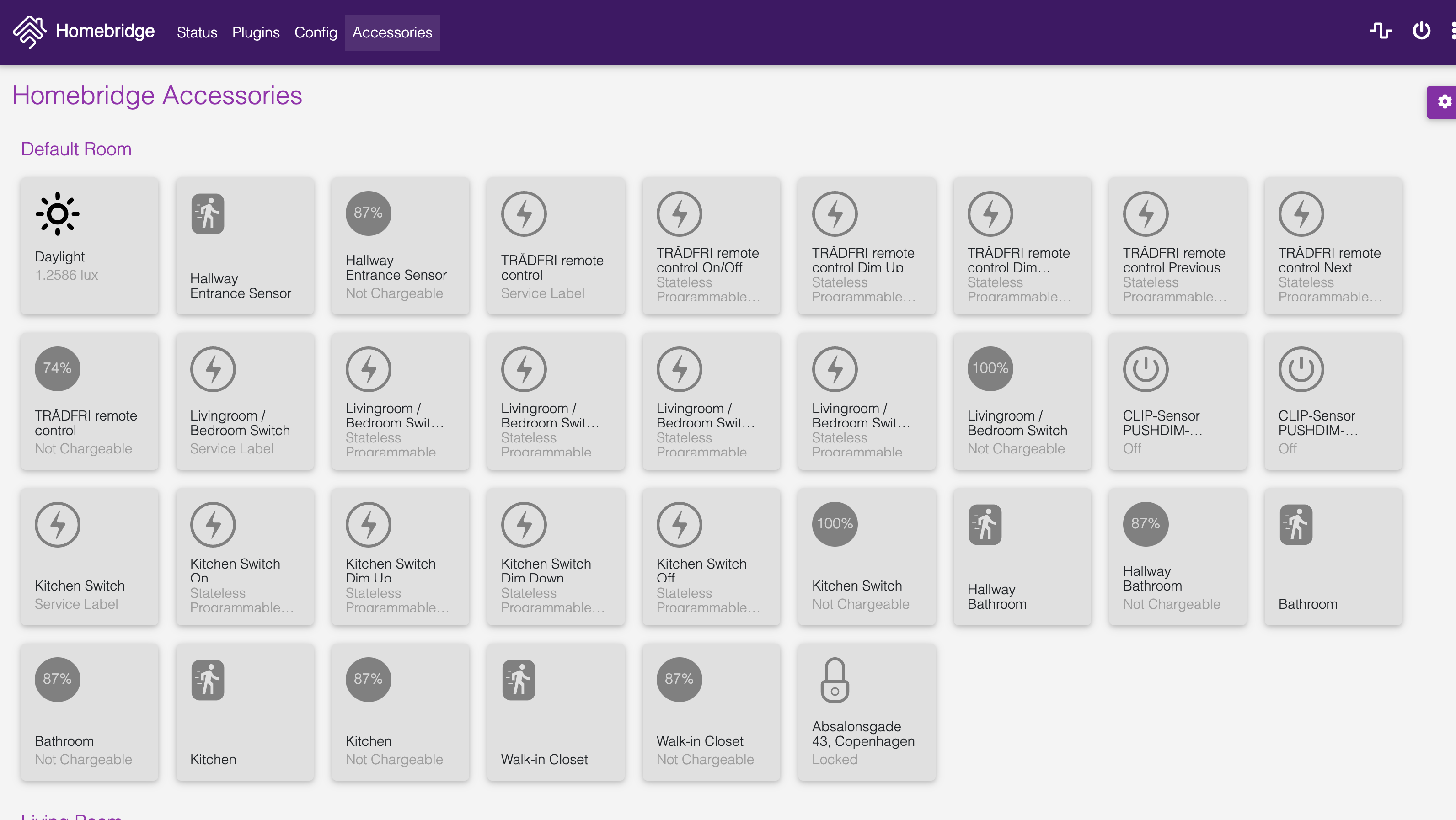

simplenotezy
on 10 Dec 2020
Related issues
 zeromancer1972
·
7Comments
zeromancer1972
·
7Comments
 brandungskieker
·
4Comments
brandungskieker
·
4Comments
 jannnfe
·
3Comments
jannnfe
·
3Comments
 jojost1
·
5Comments
jojost1
·
5Comments
 clipse2004
·
3Comments
clipse2004
·
3Comments
Most helpful comment
v0.12.2 now stops Homebridge's HAP server from starting when full bridge state cannot be loaded.