Holoviews: Make link_selection interact with tables
Description of problem
I want to be able to have a table that interacts with link_selection. E.g. if I have a plot over some cars, and I Box Select the ones with a max speed above 60 km/h, I want the table to highlight those cars in the same way the scatter plot does. Currently when I use a link_selection on a table the Box Select stops working, which might be a bug.
Down below I've made an exaggerated simple example of the code which is not working
import pandas as pd
import holoviews as hv
from holoviews.selection import link_selections
hv.extension('bokeh')

data = {"x": [1,2,3,4,5], "y": [2,4,5,7,10]}
df = pd.DataFrame(data)
dataset = hv.Dataset(df)
dataset

bars = hv.Bars(dataset, "x", "y")
bars

scatter = hv.Scatter(dataset, "x", "y")
scatter

table = hv.Table(dataset)
table
If I only plot the scatter plot and bars, I can Box Select them properly linked:

However, if I add the table to the cocktail, Box Select draws the markup but doesn't mark anything:

Solution
The most useful way to solve this would be to make the selected data points go to the top of the table. And then give the cells a different color, so you'd be able to separate them from the remaining data points.
 DGLaurits
All 8 comments
Thanks for trying @DGLaurits .
I really would like to have this.
Right now my use case a long list of grid sections or an even longer list of Stations in the US providing Weather Forecasts or Weather Observations. I would like to plot them on a map and see the selected rows of the weather grid sections or weather stations in the table.
But in general my experience from linked selections in a dashboards is, that my users almost always request ending up with some kind of table where they have access to the underlying, selected data.
Maybe for efficiency reasons it would be nice to be able to limit the number of rows displayed. In BI tools I would only see the selected rows. So that is what I would expect. But @DGLaurits suggestion might be better.
An alternative solution to providing linked brushing directly for tables would be an example of how to effectively achieve the same.
 MarcSkovMadsen
on 2 Jul 2020
MarcSkovMadsen
on 2 Jul 2020
Potential Solution
I have potential solution here https://discourse.holoviz.org/t/how-do-i-link-plots-and-tables/925

MarcSkovMadsen
on 2 Jul 2020
@MarcSkovMadsen Thanks for posting the workaround on discourse!
From what I can tell, this is a bug in holoviews as you shouldn't have to resort to using panel here. I don't see why the original code posted above shouldn't work. Do you agree @philippjfr ?
I've assigned it to the next milestone as I think we would all like to ensure linked selections is working for users as expected.
 jlstevens
on 6 Jul 2020
jlstevens
on 6 Jul 2020
Hi
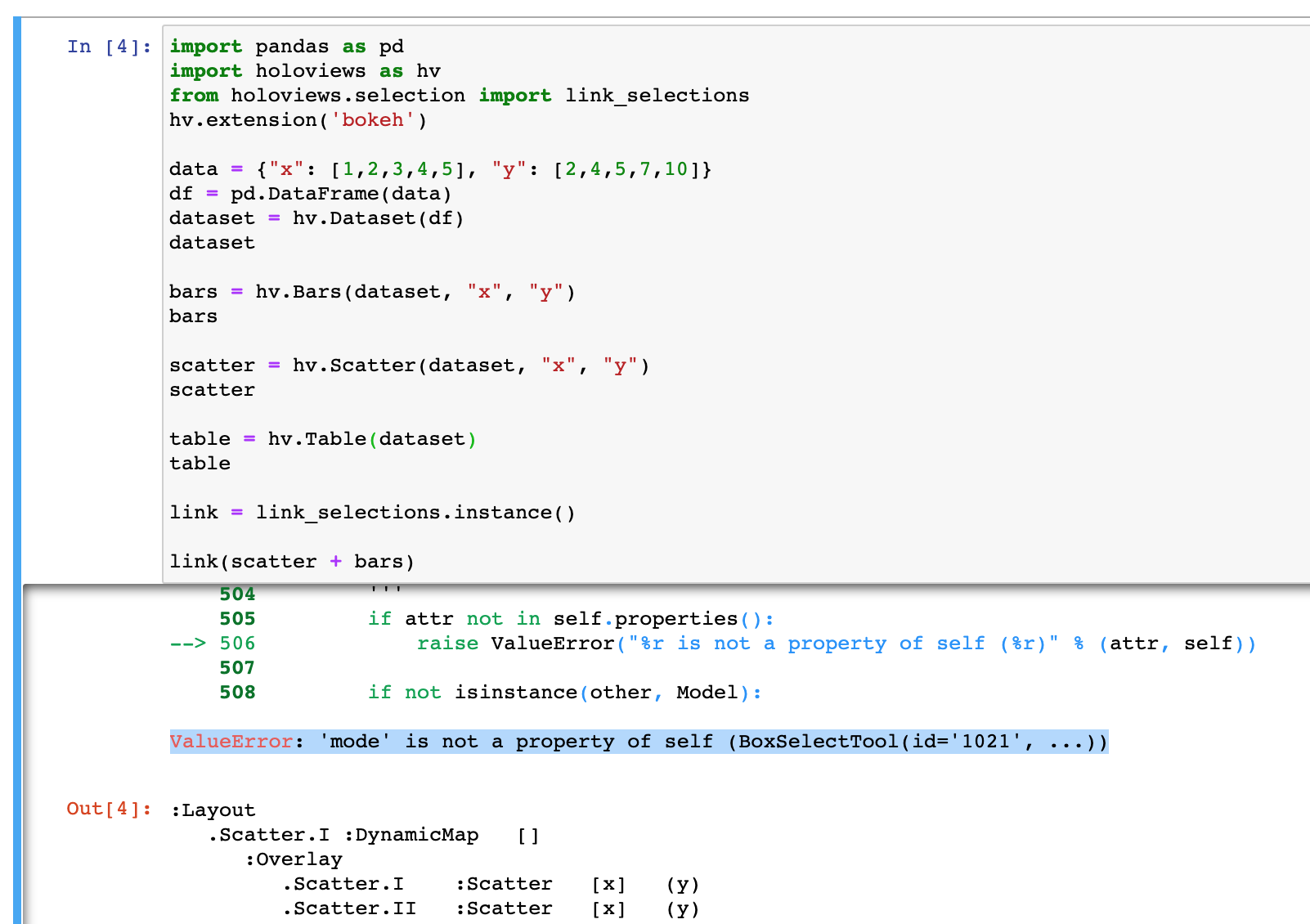
when I try to run the code above from @DGLaurits I get this error: ValueError: 'mode' is not a property of self (BoxSelectTool(id='1021', ...))
I also get the same error when running the Linked Brushing notebook: [https://holoviews.org/user_guide/Linked_Brushing.html
]
See attached screen grab.
Am I missing something obvious?
Any help / suggestions would be appreciated.
Best Jason
 Sidney-Bishop
on 17 Jan 2021
Sidney-Bishop
on 17 Jan 2021
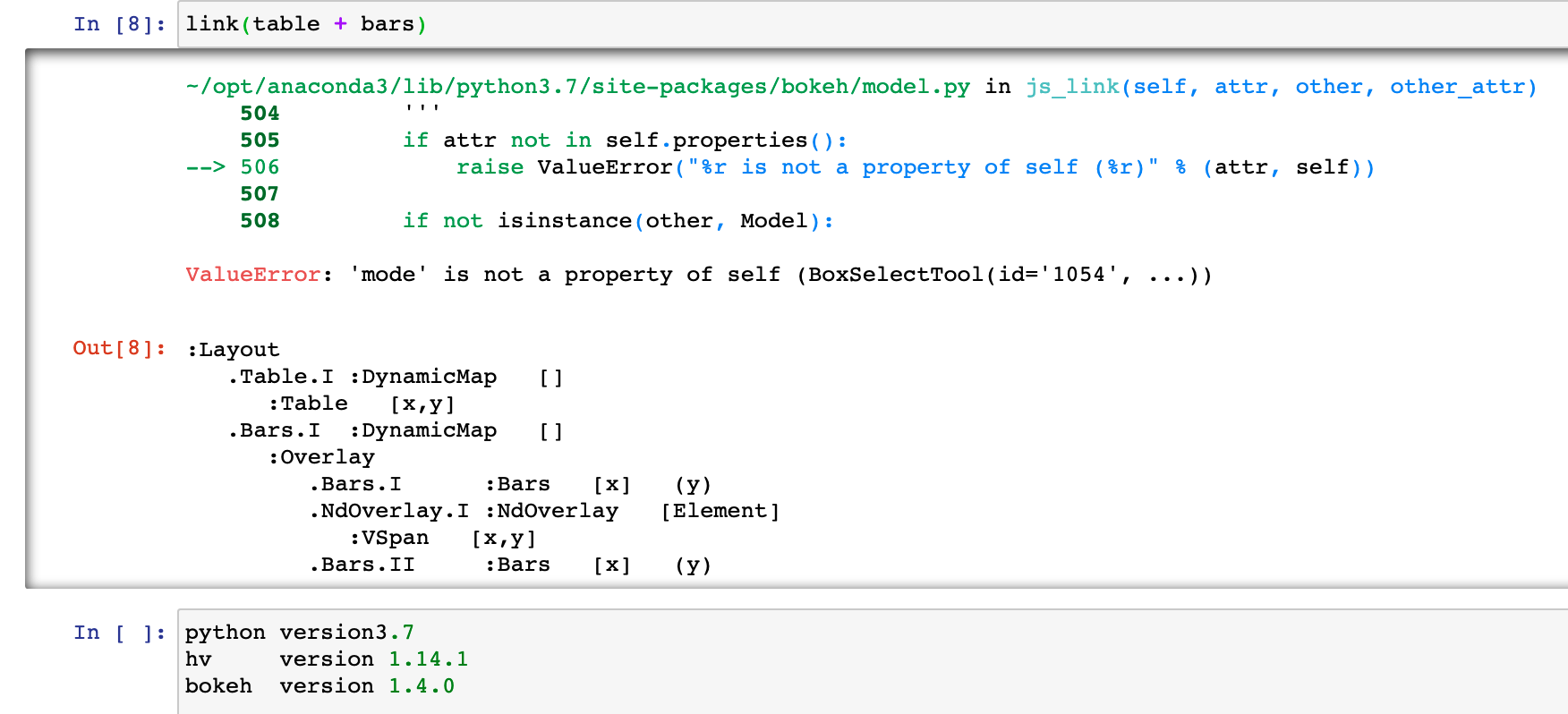
At a glance that might be a Bokeh version issue. What Bokeh version are you using?
jlstevens
on 26 Jan 2021
I have the same issue with following bokeh version
In [3]: bokeh.__version__
Out[3]: '2.0.2'
 khannaum
on 27 Jan 2021
khannaum
on 27 Jan 2021
At a glance that might be a Bokeh version issue. What Bokeh version are you using?
Sidney-Bishop
on 28 Jan 2021
HoloViews pins bokeh >=1.1.0 so that should work. It is possible that we missed something where the older version doesn't work anymore (in this case) so could you try to upgrade to bokeh 2.2 to see if that fixes the issue? If not, we'll investigate at the HoloViews level.
jlstevens
on 28 Jan 2021
Related issues
 rabernat
·
4Comments
rabernat
·
4Comments
 ahuang11
·
3Comments
ahuang11
·
3Comments
 ceh-creare
·
5Comments
jlstevens
·
6Comments
ceh-creare
·
5Comments
jlstevens
·
6Comments
 cristi-neagu
·
5Comments
cristi-neagu
·
5Comments
Most helpful comment
@MarcSkovMadsen Thanks for posting the workaround on discourse!
From what I can tell, this is a bug in holoviews as you shouldn't have to resort to using panel here. I don't see why the original code posted above shouldn't work. Do you agree @philippjfr ?
I've assigned it to the next milestone as I think we would all like to ensure linked selections is working for users as expected.