Heidisql: Wine can't delete connect settings, but windows 10 is normal behavior
To Reproduce
Steps to reproduce the behavior:
- Go to works manager
- delete any connection settings
- exception occur.
Expected behavior
delete the settings
Screenshots
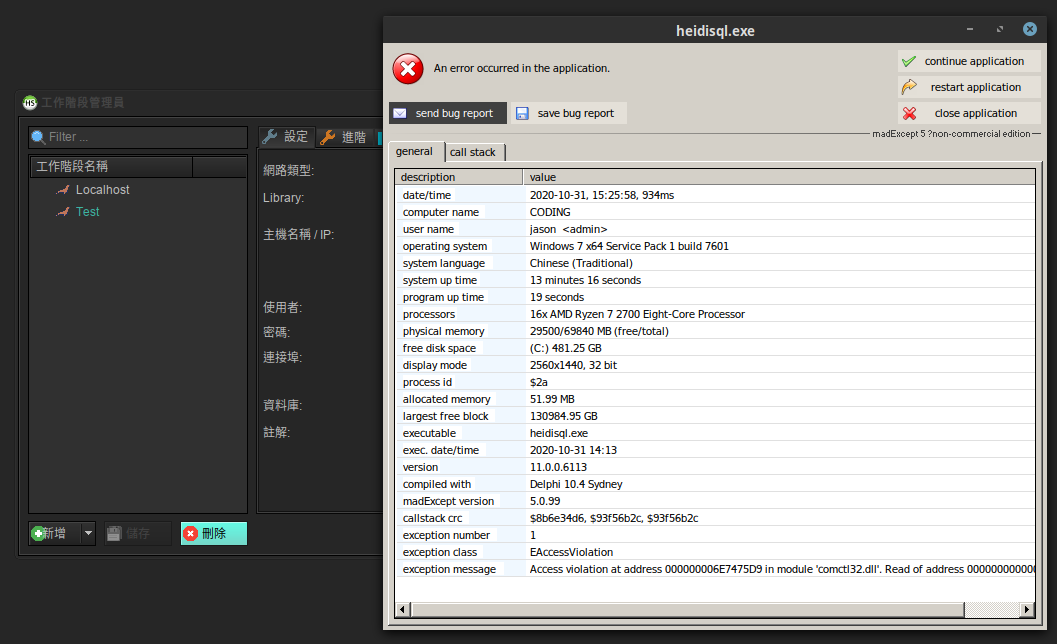
Environment:
- OS: fedora 33 wine 5.0
- HeidiSQL version [11.0.0.6113]
- Database type and version [MariaDB 10.5.5]
I tested it is not having relation with the db version.
 jjasoncool
All 8 comments
Please test whether this is happening as well with the default "Windows" theme. See Tools > Preferences > Style Theme. The location where the crash happens is suspicious for these themes.
In any case, please also attach the textfile with the whole bugreport in it (from the "save bug report" button)
 ansgarbecker
on 31 Oct 2020
ansgarbecker
on 31 Oct 2020
Ok, thank you
jjasoncool
on 3 Nov 2020
jjasoncool
on 4 Nov 2020
Ok, the crash is not very talkative:
exception class    : EAccessViolation
exception message  : Access violation at address 000000006E7475D9 in module 'comctl32.dll'. Read of address 0000000000000008.

main thread ($2b):
6e7475d9 comctl32.dll
7bcc70d1 ntdll.dll       NtWaitForMultipleObjects
7b058744 kernelbase.dll  WaitForMultipleObjectsEx
7fd790d2 winex11.drv     MsgWaitForMultipleObjectsEx
7fd791ec user32.dll      GetMessageW
Please retry once, using the default "Windows" theme. Thanks!
ansgarbecker
on 4 Nov 2020
I can't change windows default theme, too.
I have update the version to 11.1
bugreport.txt
jjasoncool
on 8 Nov 2020
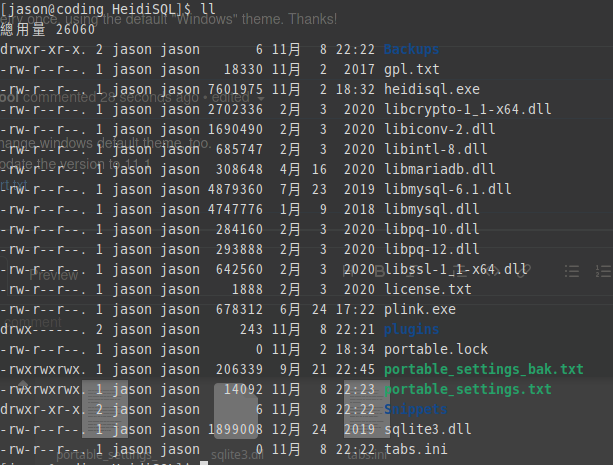
when I delete the protable_settings.txt
and add new connection, it will works normally.
So, can I using dark theme in wine?
jjasoncool
on 8 Nov 2020
I just tried that on Windows 10, in portable mode, with the Windows theme and once with the Material theme. But I get no such crash. It just works here.
ansgarbecker
on 8 Nov 2020
I just tried that on Windows 10, in portable mode, with the Windows theme and once with the Material theme. But I get no such crash. It just works here.
@ansgarbecker
This is fixed after update wine version to 6.0.0
jjasoncool
on 11 Jan 2021
Related issues
 yz778
·
4Comments
yz778
·
4Comments
 jorisrobijn
·
5Comments
jorisrobijn
·
5Comments
 cautionbug
·
4Comments
cautionbug
·
4Comments
 UnicornsRock420
·
4Comments
UnicornsRock420
·
4Comments
 rentalhost
·
5Comments
rentalhost
·
5Comments