Heidisql: Incomplete Chinese translation with auto-detected system language
Current behavior
The default state, does not specify the application language for simplified Chinese, that is: automatic detection
Expected behavior
When the system default language is detected to be simplified Chinese, the entire application USES simplified Chinese and does not need to be specified as: simplified Chinese
Environment
Application language: Auto detect
- HeidiSQL version:
10.0 Revision 5461 - Database system and version:
- Operating system:
Win 10 Chinese
 id0612
All 30 comments
You will need to explain again. I don't get if this is a bug. If your system default language is simplified Chinese, then why shouldn't HeidiSQL use exactly that language as its default?
 ansgarbecker
on 25 Jan 2019
ansgarbecker
on 25 Jan 2019
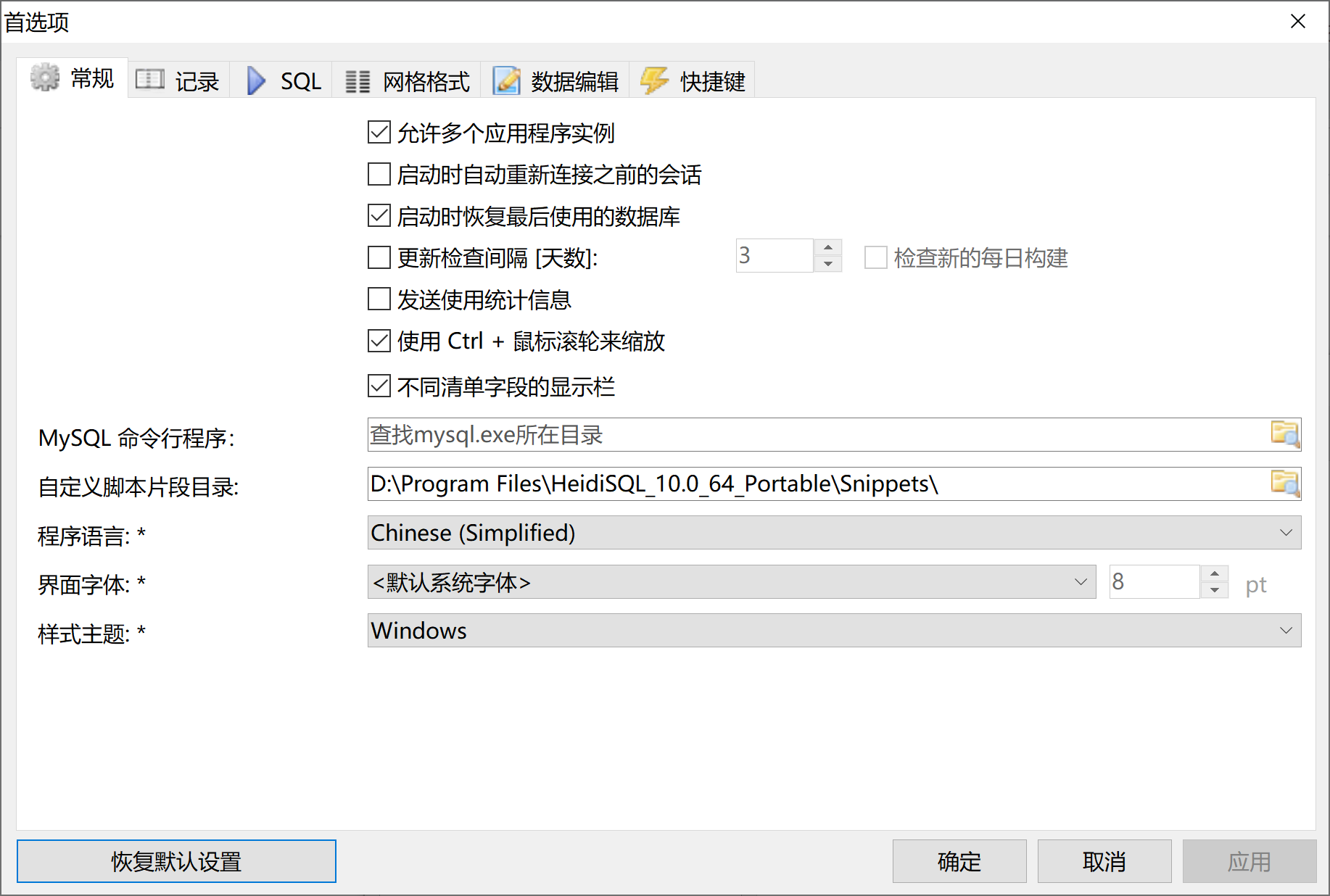
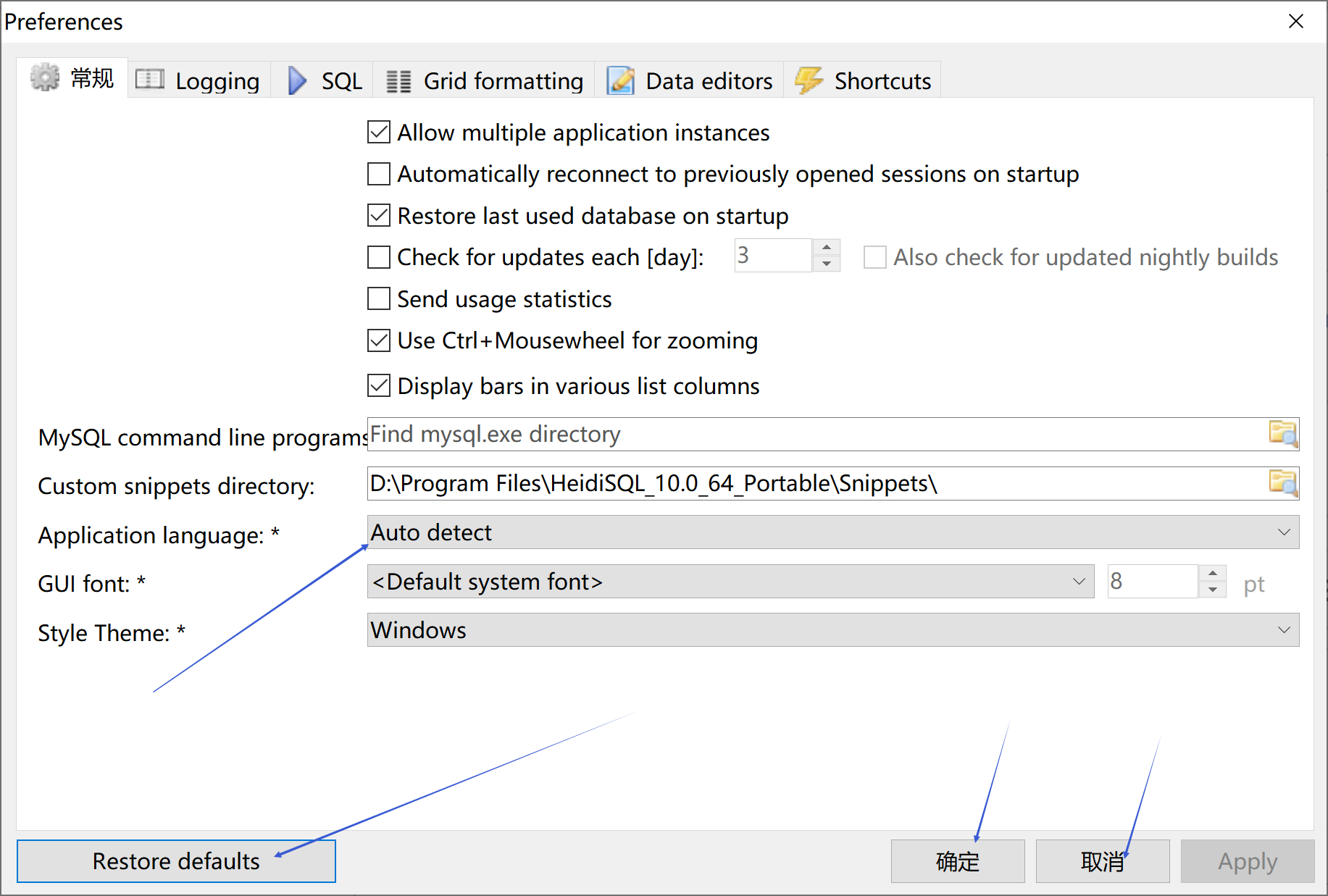

When set to auto detection, only a few are displayed in Chinese.
When set to Chinese, all are displayed as Chinese, indicating that the language package is complete.
id0612
on 25 Jan 2019
We have simplified and traditional Chinese in the language selector. Could it be that one of them is incomplete and you manually selected the other one which is translated completely? Please please test by selecting the other Chinese option.
ansgarbecker
on 25 Jan 2019
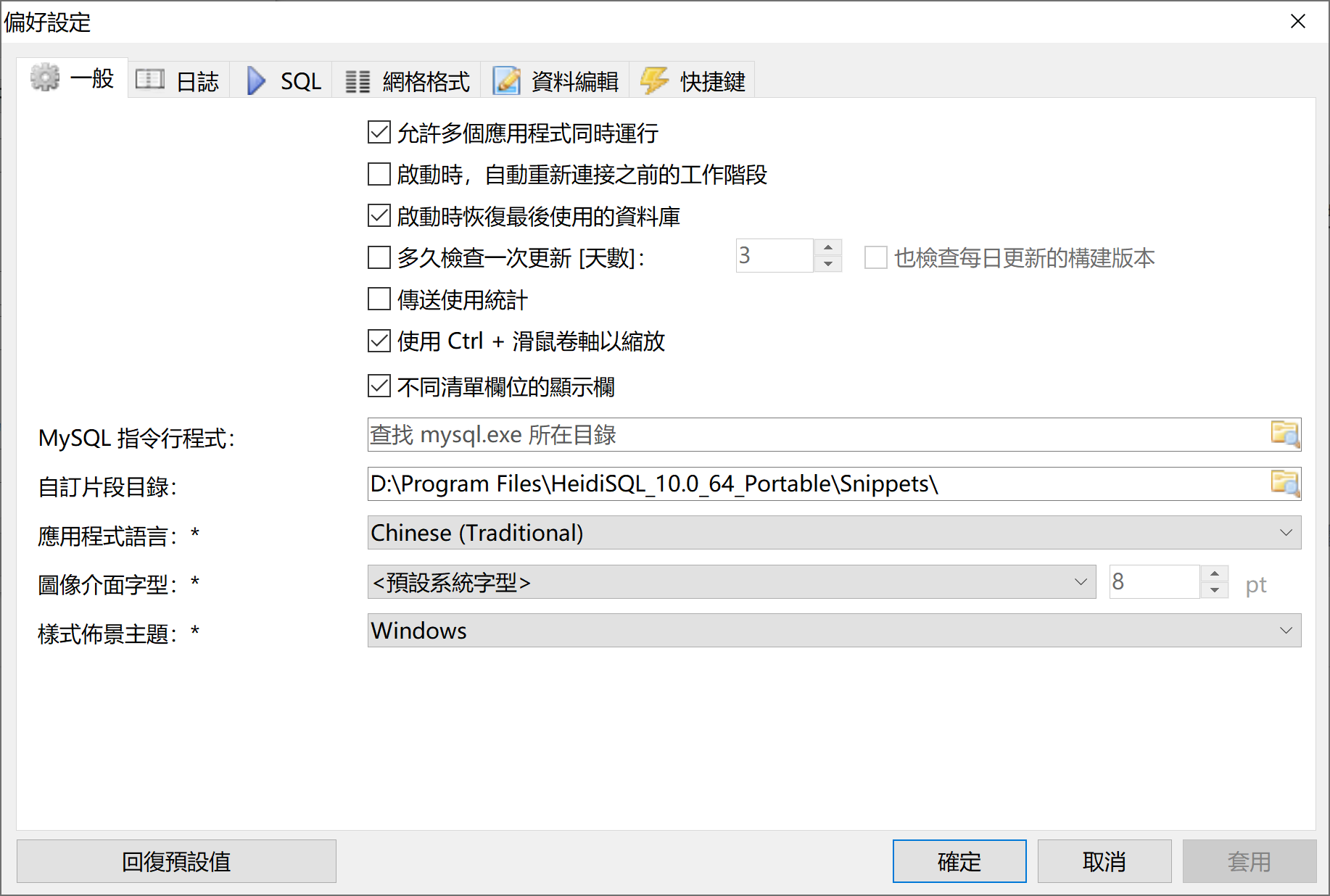

Traditional Chinese is also complete.
id0612
on 25 Jan 2019
The problem is that the previous version 9.5.0 does not exist, and it will be automatically upgraded. It started from one version, but I can't remember which version it is. All the way to 10.0. The question remains.
id0612
on 25 Jan 2019
I suppose a good idea for debugging is to find out what the auto-detection does in the back. Will try to add the detected language in the dropdown item.
ansgarbecker
on 25 Jan 2019
So the language drop down in the preferences dialog now shows the current locale abbreviation. For me it is "de_DE". Please update to the next build and post what you see there.
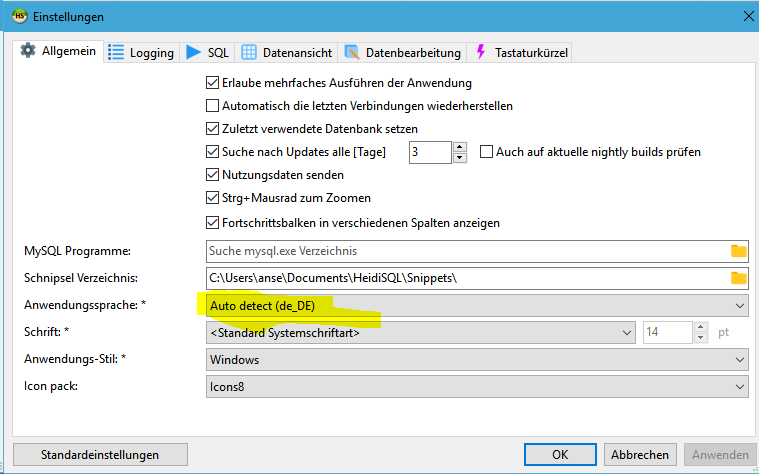
ansgarbecker
on 14 Mar 2019
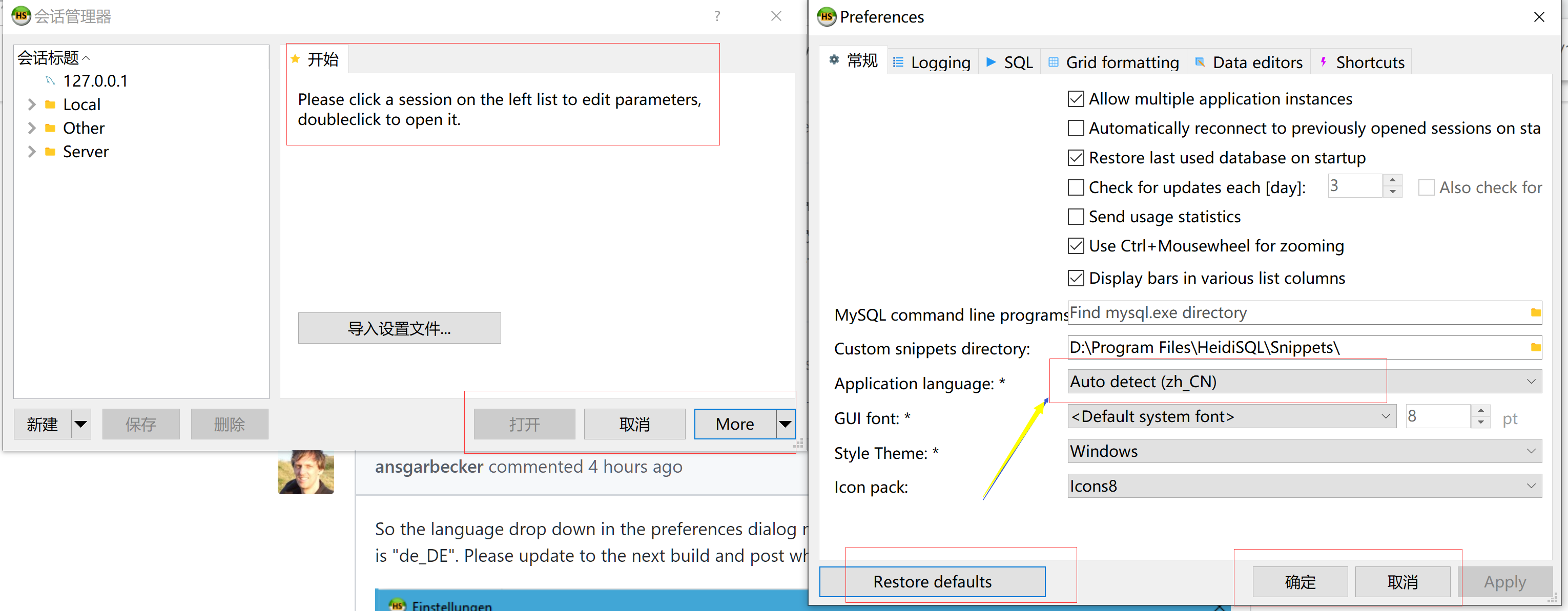
Auto detect (zh_CN)
id0612
on 15 Mar 2019
I just updated the translation unit from https://sourceforge.net/p/dxgettext/ , which should fix some potentially important missing compiler directives. Please test again with the next build.
ansgarbecker
on 15 Mar 2019
The defect is still in 5499

id0612
on 15 Mar 2019
Oh you tested exactly one build too early :) Sorry for the confusion. Please update again now, the relevant build is now downloadable.
ansgarbecker
on 15 Mar 2019
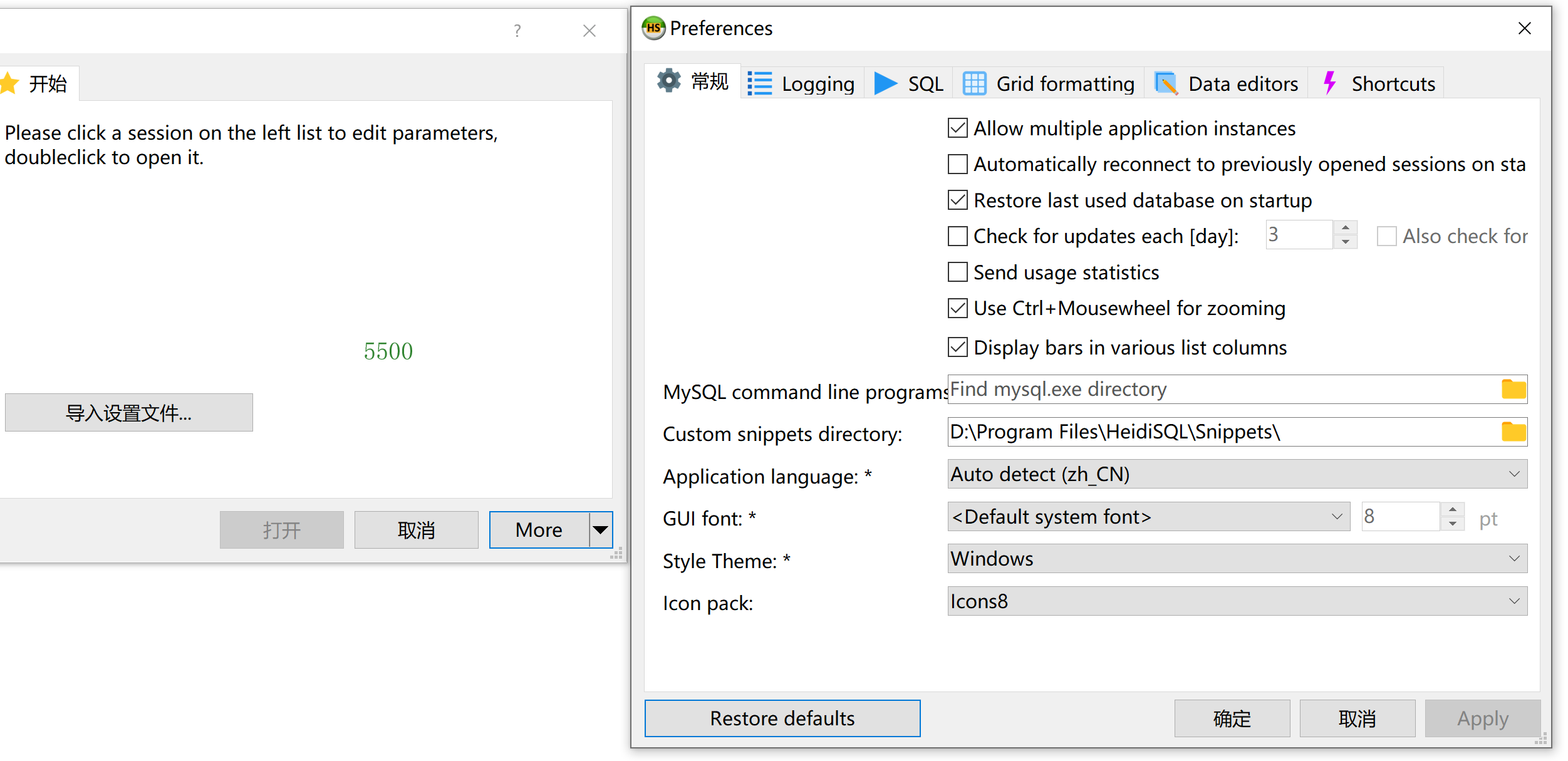
In 5500
id0612
on 15 Mar 2019
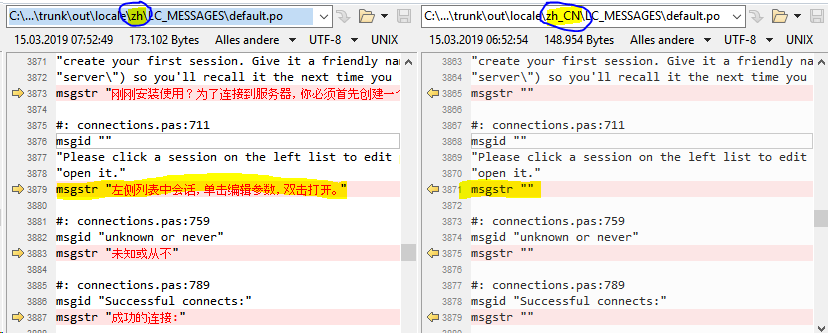
I just found that, besides zh_CN and zh_TW, we have a third language: "zh". I'm not sure why it's not listed in the language dropdown, but the translation file is there, and it is more complete than zh_CN:
ansgarbecker
on 15 Mar 2019
On Transifex, zh_CN is missing yet 1000 translations:

To me both zh and zh_CN look different, so zh_CN may be relevant, although it's just incomplete. In that case the translation should just be completed by anyone (feel free :). The other issue is to add zh_CN to the language selector in HeidiSQL's preferences dialog - this is just missing.
ansgarbecker
on 15 Mar 2019
Same here. Is there any possibility to redirect "zh-CN" to "zh"? Because it is meaningless as the different between "en" and "en-US".
 kotori2
on 19 Apr 2019
kotori2
on 19 Apr 2019
That's what I asked for, as I'm not aware of Chinese writing. If zh_CN is highly incomplete, and if it's the same language as zh which is translated completely, then I can remove zh_CN from Transifex. Or maybe there's a way to disable it.
ansgarbecker
on 19 Apr 2019
I just removed zh_CN, after making a local backup. So the next build should auto-detect zh instead of zh_CN which more exact but no longer there.
ansgarbecker
on 19 Apr 2019
@ansgarbecker I download the latest version which is 10.2.0.5999 but the system default language is still detected to be zh_CN instead of zh
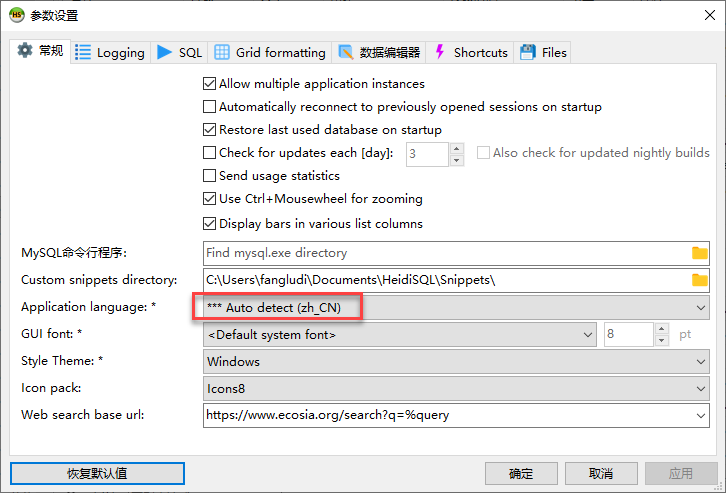
 fangludi
on 8 Jul 2019
fangludi
on 8 Jul 2019
Thanks for your feedback. I had the impression this is fixed as there was no more feedback until now.
ansgarbecker
on 8 Jul 2019
@ansgarbecker Hi, Ansgar Becker, zh: Chinese in general. It includes simplified Chinese and traditional Chinese in various regions. Perhaps because the language pack comes from contributors in multiple parts of the world, it is more complete. Before consulting my proposal, please refer to the following information:
1.
Locale | Description
zh-CN | Chinese (Simplified, PRC)
zh-SG | Chinese (Simplified, Singapore)
zh-TW | Chinese (Traditional, Taiwan)
zh-HK | Chinese (Traditional, Hong Kong S.A.R.)
zh-MO | Chinese (Traditional, Macao S.A.R.)
2.
Traditional Chinese, zh-Hant, it includes: zh-TW、zh-HK、zh-MO
Simplified Chinese, zh-Hans, it includes: zh-CN、zh-SG
3.
Reference: http://www.iana.org/assignments/language-subtag-registry/language-subtag-registry
%%
Type: language
Subtag: zh
Description: Chinese
Added: 2005-10-16
Scope: macrolanguage
%%
%%
Type: redundant
Tag: zh-Hant
Description: traditional Chinese
Added: 2003-05-30
%%
%%
Type: redundant
Tag: zh-Hans
Description: simplified Chinese
Added: 2003-05-30
%%
%%
Type: region
Subtag: CN
Description: China
Added: 2005-10-16
%%
zh-CN, which includes all Chinese in mainland China, such as big dialects, small dialects, traditional Chinese, simplified Chinese, not just simplified Chinese.
=================================
Based on the above information, I suggest making the following changes to the language options without emphasizing specific regions:
- zh: Chinese(Simplified) modified to zh: Chinese(China)
- zh_CN: Chinese(China) modified to zh-Hans: Chinese(Simplified)
- zh_TW: Chinese(Traditional) modified to zh-Hant: Chinese(Traditional)
For the problem of automatic detection of location language package, since zh is more complete, all Chinese is located to it by default. Zh_CN does not need to be deleted, and it may be complete in the near future.
id0612
on 9 Jul 2019
I think we should remove those unmaintained languages (like zh_CN) first.
fangludi
on 10 Jul 2019
zh_CN was previously recreated at some point in the recent weeks. And also, my build process did not delete translation files if they were left out by the download process. They just were not updated, and the old content got baken into heidisql.exe. Now I', firing a rmdir /Q /S out\locale to get rid of all translation files, and then pull fresh copies with tx.py35.exe pull -a -s.
Current build does not have zh_CN any longer.
ansgarbecker
on 10 Jul 2019
@ansgarbecker Good ,However, there are still some improvements to be made.
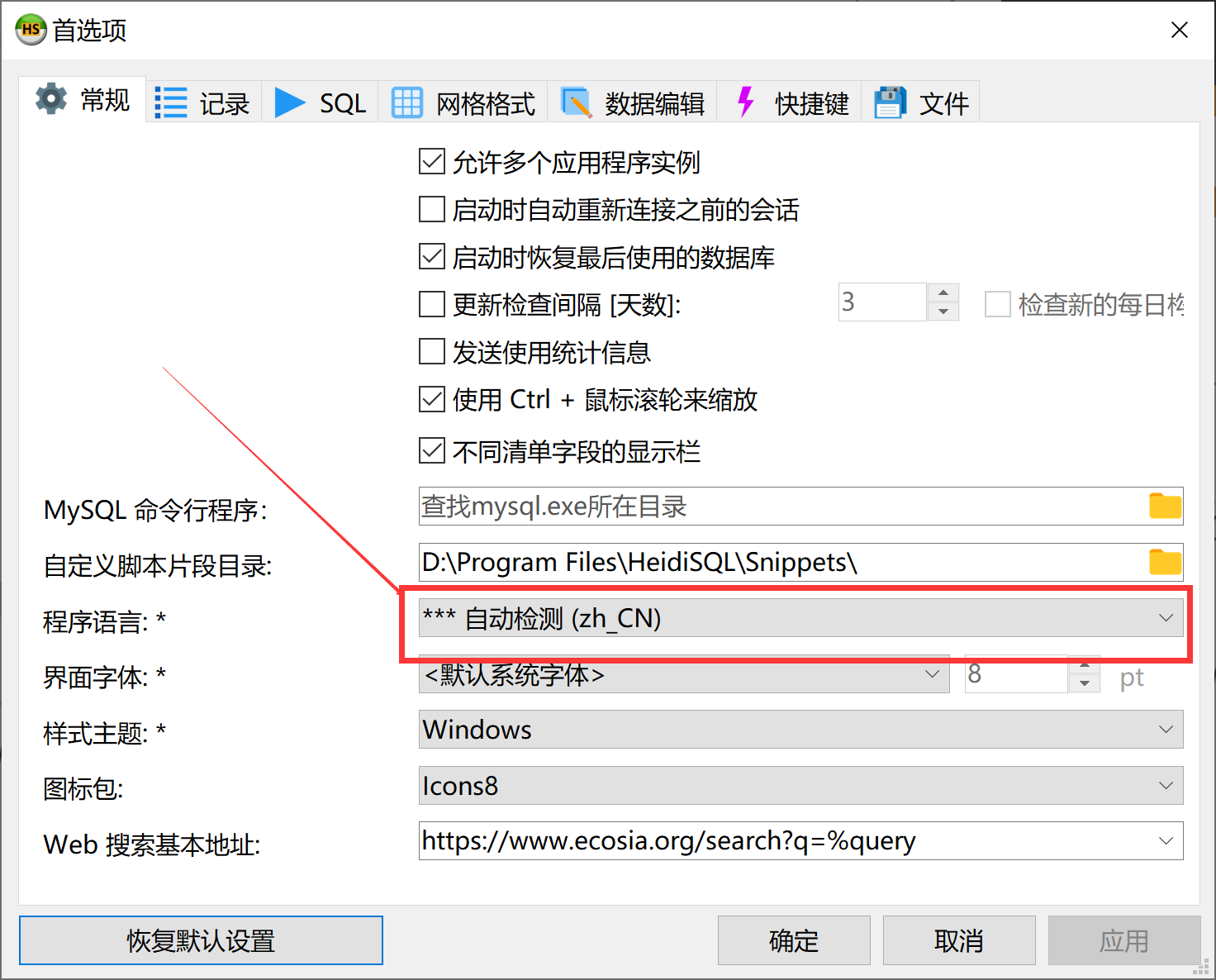
id0612
on 11 Jul 2019
You mean, the auto-detect still says "zh_CN", or ...?
Is that screen taken from a new build?
ansgarbecker
on 11 Jul 2019
Yes, it's the latest version, just a display problem.
in 5621
id0612
on 11 Jul 2019
If zh_CN is still there, then this is not just a display problem. Or am I misunderstanding you?
ansgarbecker
on 11 Jul 2019
The auto-detected language package is now zh and zh_CN is no longer in the language option. It's just that there's still a zh_CN after the automatic detection.
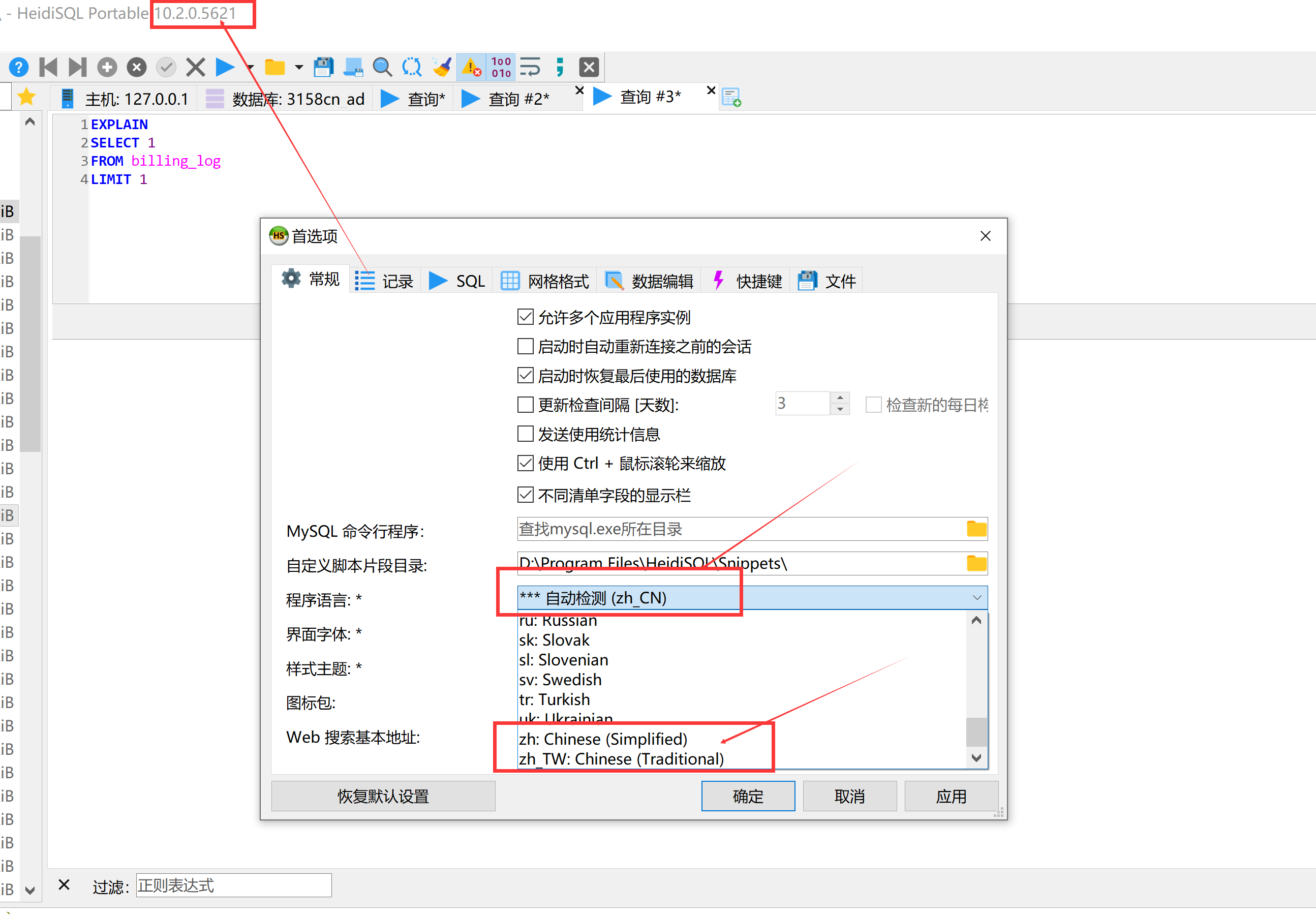
id0612
on 12 Jul 2019
Oh I see. The gettext unit detects this language code, while I can't fix it to the one which is offered as a language selection.
ansgarbecker
on 12 Jul 2019
Maybe it doesn't show it, after "Auto detect", like before I asked this issue, it just display "Auto detect".
id0612
on 12 Jul 2019
Zh_CN is shown, but it is not in the option, which is not very friendly.
id0612
on 12 Jul 2019
Related issues
 BraveOtter
·
4Comments
BraveOtter
·
4Comments
 naoma123
·
3Comments
naoma123
·
3Comments
 catamphetamine
·
3Comments
catamphetamine
·
3Comments
 slaFFik
·
3Comments
slaFFik
·
3Comments
 hkaraoglu
·
3Comments
hkaraoglu
·
3Comments