Heidisql: Bug resizing height of query editor
Hello !
Steps to reproduce this issue
- Go to query tab
- Open a new query tab
- Try to resize the height of the query editor
- You can't on the new tab but you can on the default tab
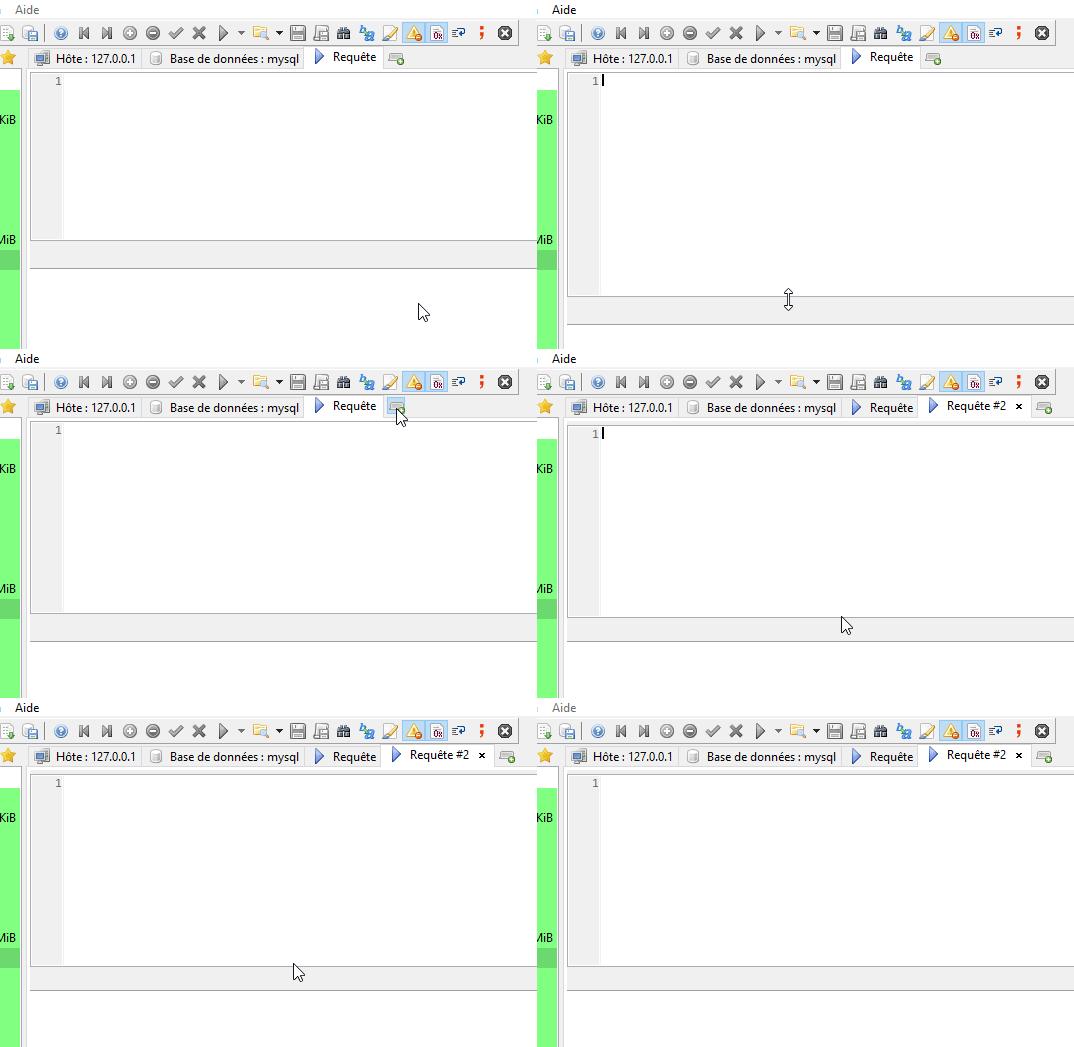
Current behavior
You can't resize the height of the query editor on a new tab.
Expected behavior
You can resize the height of the query editor on a new tab.
Environment
- HeidiSQL version: 9.5.0.5391
- Operating system: v10.0
 chrysler5798
👍1
All 5 comments
Confirmed... The splitter for dragging with the mouse should be below the editor, but it is on top of it. Watch out for the slightly increased border above the editor.
 ansgarbecker
on 12 Dec 2018
ansgarbecker
on 12 Dec 2018
this is a critical bug. Editor is broken in current build =\
11 hours ago
4 hours ago

Workaround for such situations:
- Win+R
- typing
regedit - Open
HKEY_CURRENT_USER\Software\HeidiSQL - Change
querymemoheight(this is size of editor)
 Arekusei
on 12 Dec 2018
Arekusei
on 12 Dec 2018
👍2
Is it something new? I do not have the issue on build 5385
 fifonik
on 12 Dec 2018
fifonik
on 12 Dec 2018
I have this bug in b5405 and no issue in b5382.
 doroshenkoiy
on 17 Dec 2018
doroshenkoiy
on 17 Dec 2018
I also have this bug in b5405, no issue before this build...
 tympapost
on 17 Dec 2018
tympapost
on 17 Dec 2018
Was this page helpful?
0 / 5 - 0 ratings
Related issues
 slaFFik
·
3Comments
slaFFik
·
3Comments
 mpaland
·
5Comments
mpaland
·
5Comments
 cautionbug
·
4Comments
cautionbug
·
4Comments
 magnetik
·
4Comments
magnetik
·
4Comments
 BraveOtter
·
4Comments
BraveOtter
·
4Comments
Most helpful comment
this is a critical bug. Editor is broken in current build =\

11 hours ago4 hours agoWorkaround for such situations:
regeditHKEY_CURRENT_USER\Software\HeidiSQLquerymemoheight(this is size of editor)