Haul: `haul start --port` not being used
Environment
$ react-native --version
react-native-cli: 2.0.1
react-native: 0.60.4
$ yarn haul --version
yarn run v1.17.3
$ haul start --version
0.9.0
✨  Done in 1.16s.
Description
Command: yarn haul start --port 3030 (https://github.com/callstack/haul/blob/64802a6174b4949c999397673af58ed1ad59ebe1/docs/CLI%20Commands.md#haul-start)
Expected behavior: haul should start on port 3030 and we should be able to open http://localhost:3030/.
Actual behavior: haul started on the default port 8081.
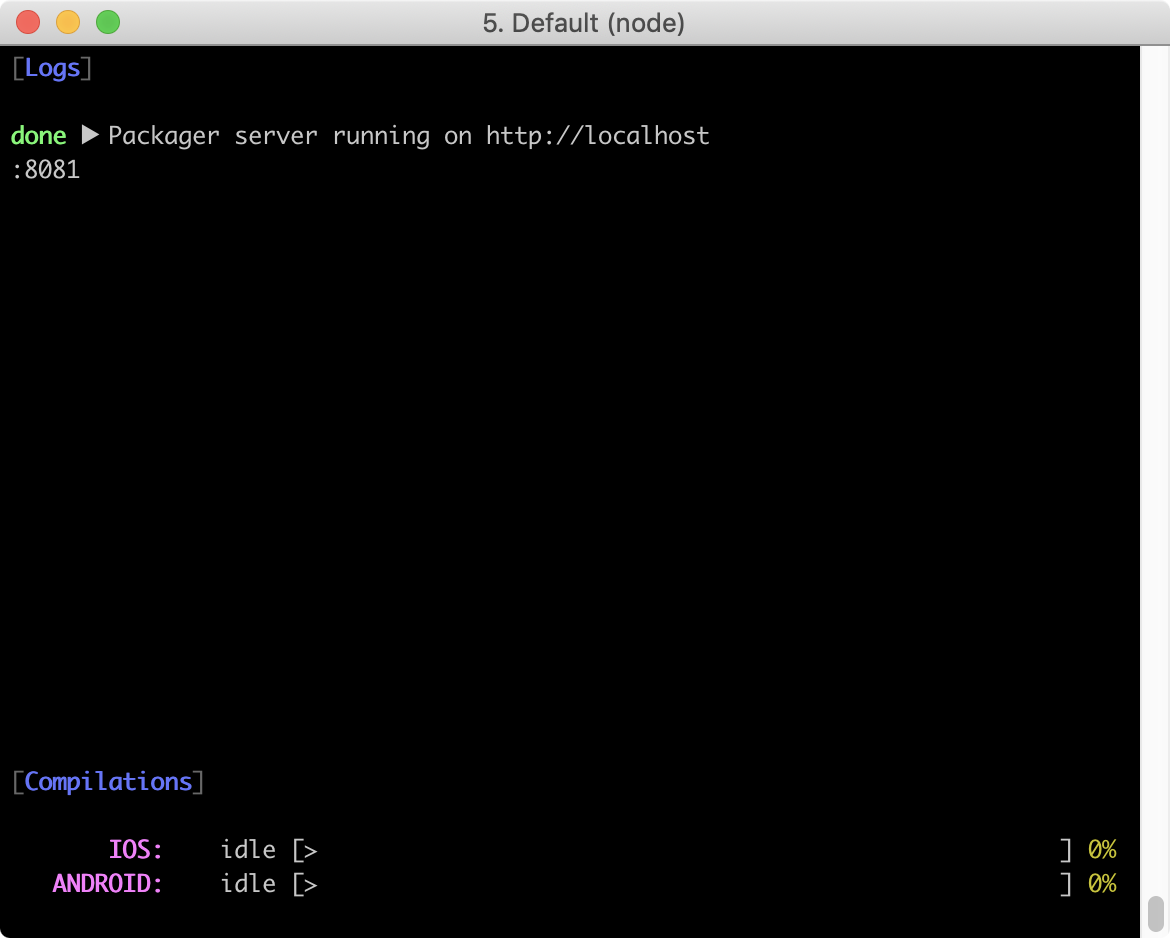
Similarly, yarn haul start --no-interactive true also doesn't work. It still displays the UI.
Reproducible Demo
next branch
react-native init MyProject
cd MyProject
yarn add --dev @haul-bundler/cli
yarn haul init
yarn haul start --port 3030
I have also tried yarn haul start --port=3030 and that doesn't work too.
 hesyifei
All 4 comments
The bug is fixed and will be released soon.
 zamotany
on 22 Jul 2019
zamotany
on 22 Jul 2019
@zamotany, thanks! yarn haul start --no-interactive true seems to be ignored too. Should we still see the full screen with logs if we set that to true?
hesyifei
on 22 Jul 2019
For now use --no-interactive=true. For some reason yargs is not properly handling this option. I'll look into it.
zamotany
on 22 Jul 2019
@hesyifei you might want to check #611
zamotany
on 23 Jul 2019
Related issues
 xareelee
·
5Comments
xareelee
·
5Comments
 MichelDiz
·
3Comments
MichelDiz
·
3Comments
 rtomchinsky
·
7Comments
rtomchinsky
·
7Comments
 EamonnLaffey
·
5Comments
EamonnLaffey
·
5Comments
 Traviskn
·
4Comments
Traviskn
·
4Comments
Most helpful comment
@hesyifei you might want to check #611