Handsontable: Clicking on cell in scroll-able region scrolls to top
Description
If you have a HT in a div with overflow-y set to scroll, and you click on a cell, it scrolls to the top of the div.
Steps to reproduce
- Open JSFiddle
- Scroll down to see the table
- Click on a cell in 2nd or 3rd row
Demo
http://jsfiddle.net/swLs6m4m/1/
Your environment
- Handsontable version: 35.0
- Browser Name and version: Chrome 62 and Firefox Quantum 57
- Operating System: Ubuntu 17.02 and Windows 10
 lewisjb
All 33 comments
Thank you for sharing @lewisjb
I have replicated this odd behavior.
 AMBudnik
on 8 Dec 2017
AMBudnik
on 8 Dec 2017
What does the removal of the 'priority' tag mean for this ticket?
lewisjb
on 16 Jan 2018
Hi @lewisjb
we have decided that only a developer after bug review can add a priority label. That's how we will be able to pick the issues that haven't been checked yet.
I am also doing a bigger issue check on all our issues on Github. Some of them may have been already fixed or the behavior has changed.
AMBudnik
on 16 Jan 2018
I have the same issue, and I am using pro edition.
 CoArrow
on 26 Feb 2018
CoArrow
on 26 Feb 2018
Hi @CoArrow
thank you for your feedback.
Most of the issues that are happening for CE is also visible in PRO.
As soon as the fix is made on the CE version it is merged to PRO.
AMBudnik
on 26 Feb 2018
@AMBudnik ,Got that, Thanks.
CoArrow
on 27 Feb 2018
I have the same behavior. Any update on this issue? Thanks a lot
 dymafr
on 12 Mar 2018
dymafr
on 12 Mar 2018
We are currently working on a fast and efficient way to scroll the table. Before that, we do not want to fix issues that are related to scrolling as after the changes they might not be applicable.
AMBudnik
on 12 Mar 2018
@AMBudnik is there a timeline on that?
lewisjb
on 13 Mar 2018
It will be discussed today as we need to set some mini-goals that will allow us to track progress.
The task will surely be mentioned in our ZenHub board
AMBudnik
on 13 Mar 2018
Hey, any update for this? It only appears in Pro
 nosir
on 9 Jul 2018
nosir
on 9 Jul 2018
I am sorry but there is no milestone attached to this issue yet.
AMBudnik
on 9 Jul 2018
@nosir it's happening outside of pro for us
 gricey432
on 11 Jul 2018
gricey432
on 11 Jul 2018
I also have this issue using Community version 5.0.1.
 melloware
on 7 Sep 2018
melloware
on 7 Sep 2018
I've been searching for a solution and this helped me: https://github.com/handsontable/handsontable/issues/7
Maybe it can help you as well.
 lucasncne
on 10 Sep 2018
lucasncne
on 10 Sep 2018
You mean this link: https://github.com/handsontable/handsontable/issues/7
melloware
on 10 Sep 2018
Looks like its fixed in the upcoming release: https://github.com/handsontable/handsontable/issues/5220
melloware
on 11 Sep 2018
You're right @melloware, I can't replicate the issue in 5.0.2-RC: http://jsfiddle.net/m0e5y3qg/
Can someone confirm?
 wojciechczerniak
on 11 Sep 2018
wojciechczerniak
on 11 Sep 2018
I just tested it with Firefox and Chrome and both are working properly for me on Windows 10. Firefox was the one having problems before.
melloware
on 11 Sep 2018
I still have the same issue in that jsfiddle @wojciechczerniak on Chrome 67.0.3396.99 and Firefox Quantum 57
lewisjb
on 12 Sep 2018
More testing:
Chrome 68.0.3440.106 (_works fine_)
Firefox 62.0 (_works fine_)
Microsoft Edge 42.17134.1.0 (fails by jumping to the top)
melloware
on 12 Sep 2018
Hi @melloware.
Can you check it with v 5.0.2 and let me know how it works for you?
AMBudnik
on 12 Sep 2018
OK just checked using this JSFiddle: http://jsfiddle.net/m0e5y3qg/4/
Looks like Microsoft Edge 42.17134.1.0 still has the issue.
melloware
on 12 Sep 2018
Can I ask you to record it @melloware ?
AMBudnik
on 12 Sep 2018
I have never recorded anything before do you have a recommended tool to screen record?
melloware
on 12 Sep 2018
I am using a small free tool called GifCam
AMBudnik
on 12 Sep 2018
@melloware JSDeliver in http://jsfiddle.net/m0e5y3qg/4/ demo loads Handsontable 5.0.1 as the latest version.
I had to add version number to jsdelivr links for 5.0.2: http://jsfiddle.net/m0e5y3qg/6/
wojciechczerniak
on 12 Sep 2018
Works fine on Firefox with version 5.0.2, but the issue still persists on the mobile version of chrome.
lucasncne
on 12 Sep 2018
@wojciechczerniak maybe we should add the mobile label?
AMBudnik
on 12 Sep 2018
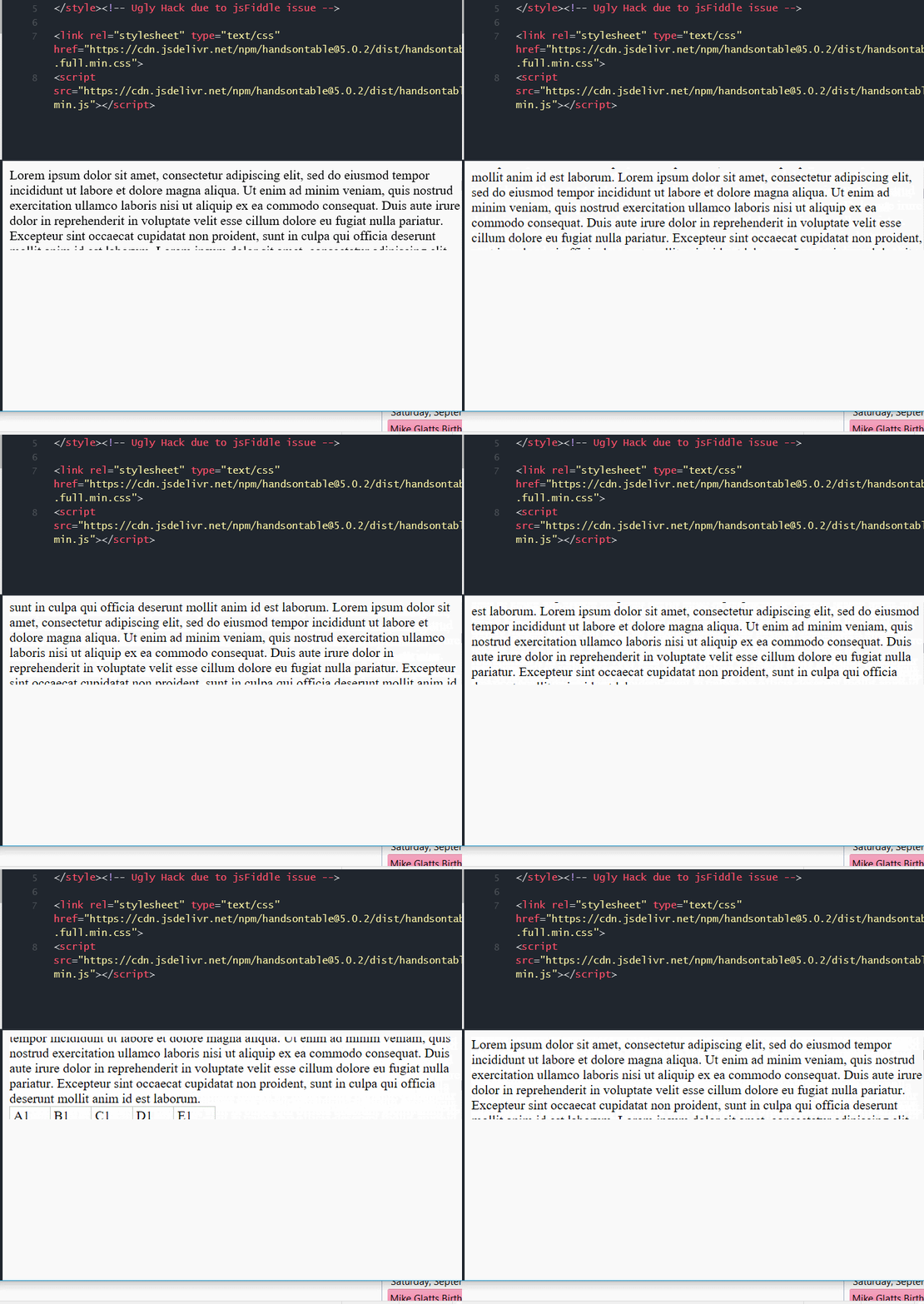
OK I used the fiddle from @wojciechczerniak using 5.0.2 and here is the capture of MS Edge.
melloware
on 12 Sep 2018
Welcome everyone.
I am happy to inform that this issue should be gone in version 6.1.0
Thank you again for all the effort and investigation that you have made to help us solve this issue.
AMBudnik
on 18 Oct 2018
Hello!
I have similar issue now in version 6.2.2. I can't provide demo.
When click button with scrollIntoView(myPoint) function handsontable fired hook 'afterScrollVertically' and my window leave on the same point, but should scroll to myPoint
How can I prevent the hook?
 sejcudet
on 1 Feb 2019
sejcudet
on 1 Feb 2019
I can't provide demo.
maybe you can share your settings? (can be a screenshot).
ps. as this report is already closed we can continue on emails. You can reach me at [email protected]
AMBudnik
on 4 Feb 2019
Related issues
 shivrajsa
·
23Comments
shivrajsa
·
23Comments
 kakabomba
·
27Comments
kakabomba
·
27Comments
 andrewQwer
·
23Comments
andrewQwer
·
23Comments
 helmutgranda
·
30Comments
wojciechczerniak
·
21Comments
helmutgranda
·
30Comments
wojciechczerniak
·
21Comments