Halflife: Add a cvar to increase console history limit.
I think we should be able to manage how console handle history limit, AFAIK there is no cvar to set a specific limit on when console will start clearing messages, this could be very useful to find a specific message (like a say).
cl_conlimit
 metita
All 9 comments
You can just use condebug and get full console log from file
 voed
on 27 Apr 2019
voed
on 27 Apr 2019
You can just use condebug and get full console log from file
Yep, that's a way but there should be a in-game solution for that without needing to access "qconsole.log", just looking at the in-game console.
metita
on 27 Apr 2019
A client CVar (or a command) in order to adjust the console size (width & height), mainly set in % compared to the users's screen will be welcomed too. So we won't need to "enlarge it" in a lot of situations (I personnaly enlarge it to the right of around x1.5 when I have to use it, due to some infos I have from some commands and which exceed the standard console width and make the display unpleasant with those return to the next line...
 StevenKal
on 28 Apr 2019
StevenKal
on 28 Apr 2019
@StevenKal That sounds reasonable. I’ll have to track down where we’re creating the console dialog now and see what determines its size but adding a cl_consize with a multiplier would be fine by me.
 mikela-valve
on 28 Apr 2019
mikela-valve
on 28 Apr 2019

But take care 'bout small resolutions too. Leave it as it is on 640x480.
 afwn90cj93201nixr2e1re
on 28 Apr 2019
afwn90cj93201nixr2e1re
on 28 Apr 2019
@mikela-valve condebug use strange write formating.
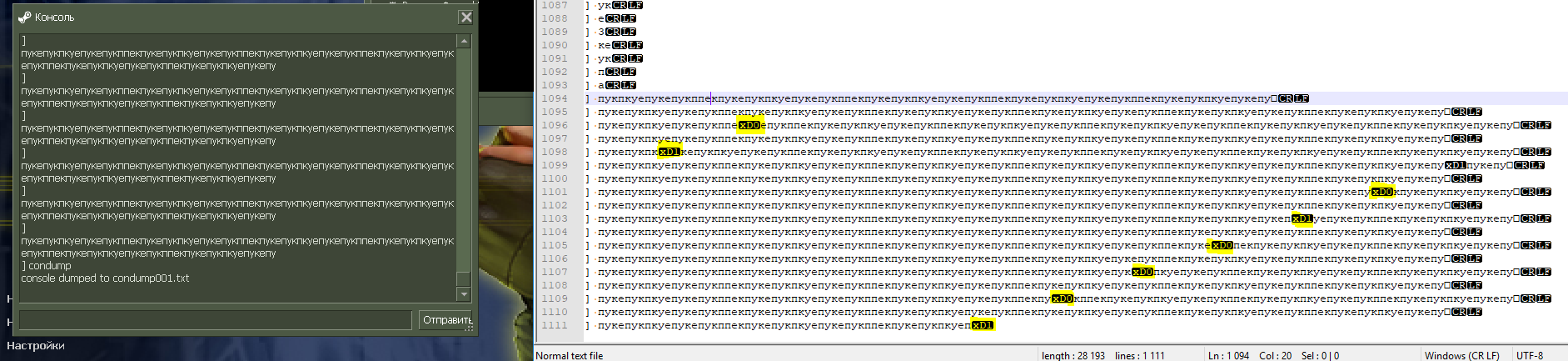
afwn90cj93201nixr2e1re
on 28 Apr 2019
@2010kohtep Если не сложно, объясни ему что при использовании кондебага с юникод символами в txt файле ерунда на некоторых строках ну и fix supposed, а то он ленивый. Там явно те же проблемы что и раньше. Пускай исправит и их заодно.
afwn90cj93201nixr2e1re
on 28 Apr 2019
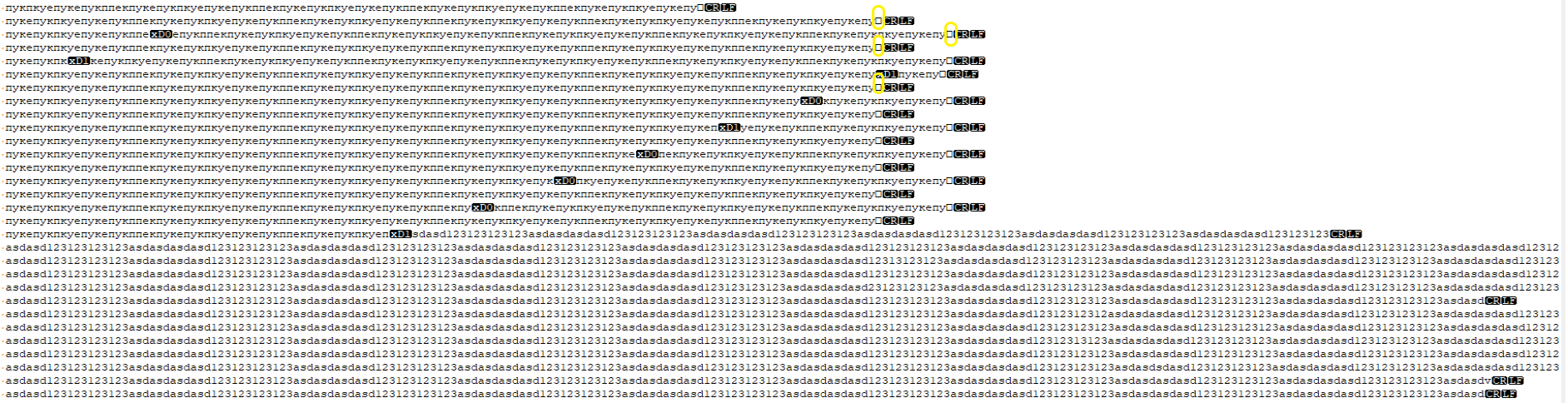
Also as you can see, there no problem's with ANSI symbols.
afwn90cj93201nixr2e1re
on 28 Apr 2019
@mikela-valve: Well, I'm glad to hear that!
But I think both values (width + height) should be controllable via % (0<->100 range), as suggested, and for the sake of the simplicity (and since it's not designed to be used freqently), both values should be in the same CVar (two parsed parameters, the same way the CVar "con_color" is designed with its three RGB parameters).
I also think min/max values should be defined like 20% min, and 80% max (this last for the height in order to still be able to see the game elements as "Find servers", "Options", etc.), to prevent too lower/bigger console size on game launch.
But those values should only be used on game launch (as default size), after that, the user should still be able to enlarge its console to the size he wants without limits (even if he wants a full screen console!).
Also, instead of having two parameters (only for width & height), it could (even should) contain two more, usually before, in order to set the console location (position of the top-left angle of it, you know, on the corner where there is the small Steam logo).
So for example, a default format & value should be something like:
Format:
cl_consize "5 5 40 40"
Note that "cl_consize" may not be a proper name for containing the start position, since it's not a "size-specific" setting, so feel free to use another name as "con_format/cl_conformat" or two CVars (cl_conposition + cl_consize) whatever you prefer!
StevenKal
on 28 Apr 2019
Related issues
 Solokiller
·
46Comments
Solokiller
·
46Comments
 Kremnev
·
32Comments
Kremnev
·
32Comments
 schoof
·
1694Comments
schoof
·
1694Comments
 amanda-santini
·
45Comments
amanda-santini
·
45Comments
 ghost
·
66Comments
ghost
·
66Comments
Most helpful comment
@StevenKal That sounds reasonable. I’ll have to track down where we’re creating the console dialog now and see what determines its size but adding a
cl_consizewith a multiplier would be fine by me.