Gvr-unity-sdk: ExoPlayer Plugin Source Code
Hi, I've been wondering if there's any way to get the source code for the ExoPlayer implementation used for this SDK. I'm required to render DRM secured content so I would like to extend/expose some methods in order to do so.
I already did part of it with the normal ExoPlayer implementation and I can run the Player Activity on top of Unity for full screen video playback, but now for VR, I need exactly what it's already included in this SDK for Video Texture but also sending the license URL.
The problem is that I have no idea how to expose the frames as textures for Unity on my current implementation, and since this one already does that, I would like to just add my exposed calls to DRM secured videos.
Thanks in advance for any help!
 nosmirck
All 18 comments
We are looking into open sourcing the video plugin. What is your timeframe? It might be faster to roughly outline how the video plugin works so you could implement it in your existing ExoPlayer codebase.
 rusmaxham
on 5 May 2017
rusmaxham
on 5 May 2017
Thanks @rusmaxham for getting back.
The current time frame for delivery is around mid July, so, there's not too much of a hurry, however, if you could outline how it works, that'd be great, since I can be trying to understand and get it ready for when you guys open source the implementation.
I've been reading some other repositories and implementations and as I understand, I can render the video in a "Surface" object and I should be able to take the texture from there and pass a pointer for this texture in GPU to Unity and use it to render in 3D. But I have no clue on how to even start, I have not much java experience and I'm still learning how to code plugins for Android. All I have right now in the plugin is an activity that plays the video in full screen (I just send the media url and license url to the plugin and it starts the activity with exoplayer)
nosmirck
on 8 May 2017
Let me write something up for you. I'll try to get that jotted down this week. This will definitely grow your Java and Android experience.
rusmaxham
on 8 May 2017
@rusmaxham you're the man!!
Thank you very much for the support! I'll wait, in the mean time, I'll keep working with the project, my full screen exoplayer and tuning other stuff.
nosmirck
on 9 May 2017
Hello @rusmaxham, I just happened across this comment thread and happen to be very curious about this as well. If you weren't planning on publicly posting that writeup, I would be very much indebted to you if I could get a copy of that as well. Otherwise, I can't wait to see what you have to say!
 MacGyver214-zz
on 10 May 2017
MacGyver214-zz
on 10 May 2017
+1 to this, I've got a project myself that could probably benefit from this info, would love to get a copy of said writeup if possible.
 SethGibson
on 20 Jul 2017
SethGibson
on 20 Jul 2017
@rusmaxham how is the current state of this? are you realeasing soon the source code?
I'm also in aproject where we would be very interested in having more details about how this llibrary works :)
 rocqetQueen
on 23 Apr 2018
rocqetQueen
on 23 Apr 2018
Source code will be available in the next release, coming soon.
rusmaxham
on 16 Jun 2018
The code is available in the latest release.
rusmaxham
on 4 Jul 2018
Hi @rusmaxham, It's really kind of you to share the plugin. I have tried GVR SDK for Unity v1.170.0, the obbVideoSample, dashVideoSample and panoVideoSample works pretty good. I was wondering the support of UDP protocol with this SDK. Hence, I have changed the video URL with "udp://ip:port" in the panoVideoSample, it seemed UDP not support.
In my existing ExoPlayer codebase, I have used UdpDataSource to support UDP streaming. Moreover, I added some tunings for low latency. I want to build plug-ins for Android with my ExoPlayer codebase, but it seems complicated with so many modules (eg. extension-ffmpeg, extension-okhttp).
In this SDK, I have found that there are several AAR files under "\Assets\GoogleVR\Plugins\Android" folder, including "exoplayer-r1.5.11.aar" and "gvr-exoplayersupport-release.aar". Under "\Assets\GoogleVR\Plugins\Android\libs\armeabi-v7a" folder, I found "libgvrvideo.so" and "libaudioplugingvrunity.so" as well.
I know there are AAR plug-ins and native plug-ins for Android, but the relationship of the plug-ins really confused me. Could you tell me how to build plug-ins like yours for Unity?
Thanks in advance for any help!
 dmvictor
on 26 Nov 2018
dmvictor
on 26 Nov 2018
Hi @rusmaxham, I'm sorry for not looking thoroughly into the project. I'll study the source codes in the "native_libs" folder first. And try to add the functionality for my requirement. Thank you!
dmvictor
on 27 Nov 2018
There are three binary pieces to the GVR video plugin:
- GoogleVR/Plugins/Android/gvr-exoplayersupport-release.aar is the Java portion of the GVR video plugin that interfaces with ExoPlayer. This is where the bulk of the plugin logic lives. This code lives in native_libs/gvr-exoplayersupport.
- GoogleVR/Plugins/Android/libs/armeabi-v7a/libgvrvideo.so is largely a C wrapper around the Java portion. This wrapper is a far more efficient way to access the Java portion from Unity, as Unity's Java integration is known to be quite slow and generates a fair amount of C# garbage that will trigger the garbage collector. This code lives in native_libs/video_plugin.
- exoplayer-r1.5.11.aar is the ExoPlayer library, pulled directly from JCenter.
If you want to change any behavior without changing any of the existing C# interfaces, you can do that just within the Java gvr-exoplayersupport. If you want to add or change any of the interfaces to C#, you will need to do that in the C/C++ video_plugin.
To add your udp support, you may likely be able to do that entirely in the Java gvr-exoplayersupport by parsing the url string passed through to it to handle it differently. I think that can be done here.
rusmaxham
on 27 Nov 2018
Hi @rusmaxham. Thanks for your clarification. May I ask is there some ways to develop this ExoPlayer plugin more efficiently? So far, when I need to make some modifications (eg. add some logs) for this project. I have to do the steps in the following, which is quite cumbersome.
- Write the code in Android studio.
- Compile the "gvr-exoplayersupport" module to an aar.
- Move the compiled aar to "\Assets\GoogleVR\Plugins\Android" folder.
- Build the apk by Unity.
- Push the apk to my Android phone.
- Start the demo app and press the corresponding button.
- Observe the result from Logcat in Android studio.
Could you share how you develop this plugin? I’m a newbie in Unity programming. I was wondering if there is a pure Android application which used "gvr-exoplayersupport-release.aar" as an Android library. So I can omit step 3 and step 4 for faster development at the earlier stage, which needs not to switch IDE and waiting for the compiling time in Unity. Some other way to speed up the development is really appreciated. Thank you!
dmvictor
on 28 Nov 2018
The steps you listed are the same steps I've used when working on the plugin. I wrote some scripts that automate some of that process to speed it up, but the steps are the same. We do not have a non-Unity Android app project to test the plugin.
rusmaxham
on 1 Dec 2018
Hi @rusmaxham. As your suggestion, I added the udp handling code like the following.
    if (uri.getScheme().startsWith("jar")) {
      dataSource = new ObbDataSource(bandwidthMeter);
    } else if (uri.getScheme().startsWith("udp")) {
      dataSource = new UdpDataSource(bandwidthMeter);
    } else {
      dataSource = new DefaultUriDataSource(context, bandwidthMeter, userAgent);
    }
But it came out the following exception
E/VideoExoPlayer: raising exception to listeners
    com.google.android.exoplayer.upstream.UdpDataSource$UdpDataSourceException: java.net.BindException: Address already in use
        at com.google.android.exoplayer.upstream.UdpDataSource.open(UdpDataSource.java:116)
        at com.google.android.exoplayer.extractor.ExtractorSampleSource$ExtractingLoadable.load(ExtractorSampleSource.java:823)
        at com.google.android.exoplayer.upstream.Loader$LoadTask.run(Loader.java:222)
        at java.util.concurrent.Executors$RunnableAdapter.call(Executors.java:428)
        at java.util.concurrent.FutureTask.run(FutureTask.java:237)
        at java.util.concurrent.ThreadPoolExecutor.runWorker(ThreadPoolExecutor.java:1133)
        at java.util.concurrent.ThreadPoolExecutor$Worker.run(ThreadPoolExecutor.java:607)
        at java.lang.Thread.run(Thread.java:761)
     Caused by: java.net.BindException: Address already in use
        at java.net.PlainDatagramSocketImpl.bind0(Native Method)
        at java.net.AbstractPlainDatagramSocketImpl.bind(AbstractPlainDatagramSocketImpl.java:96)
        at java.net.DatagramSocket.bind(DatagramSocket.java:387)
        at java.net.DatagramSocket.<init>(DatagramSocket.java:242)
        at com.google.android.exoplayer.upstream.UdpDataSource.open(UdpDataSource.java:113)
        at com.google.android.exoplayer.extractor.ExtractorSampleSource$ExtractingLoadable.load(ExtractorSampleSource.java:823)
        at com.google.android.exoplayer.upstream.Loader$LoadTask.run(Loader.java:222)
        at java.util.concurrent.Executors$RunnableAdapter.call(Executors.java:428)
        at java.util.concurrent.FutureTask.run(FutureTask.java:237)
        at java.util.concurrent.ThreadPoolExecutor.runWorker(ThreadPoolExecutor.java:1133)
        at java.util.concurrent.ThreadPoolExecutor$Worker.run(ThreadPoolExecutor.java:607)
        at java.lang.Thread.run(Thread.java:761)
Because this plugin has a dependency on exoplayer-r1.5.11, I pulled the source code to check if exoplayer-r1.5.11 supports UDP or not. I modified the DataSource from DefaultUriDataSource to UdpDataSource, and the player works well with my UDP URL. Is there something else I need to handle for UDP support in this plugin? Thank you!
dmvictor
on 1 Dec 2018
I'm not familiar enough with the UdpDataSource class to know what is going wrong here without reproducing it myself, which, unfortunately, I don't have the available resources to do. I'd add debugging code to see when these are created, with what url, and when they are released to see if the connections are closing properly. Looks like something (maybe a previous playback?) is still using some address?
rusmaxham
on 3 Dec 2018
Hi @rusmaxham. After I added the log in UdpDataSource's read function. I found that after the "java.net.BindException", the plugin got the packet as usual, just like the behavior in exoplayer-r1.5.11 DemoPlayer. I try to dump the packet to file in UdpDataSource to check if there is a difference between DemoPlayer and this plugin, but the permission since Marshmallow does not allow me to do so in the ExoPlayer library.
I have tried GVR SDK for Unity v1.180.0 with my UdpDataSource handling, it has been playing successfully for about 10 seconds. But it happened only once. I was wondering if there is some execution flows that is not handled correctly, that cause the player is always like below.
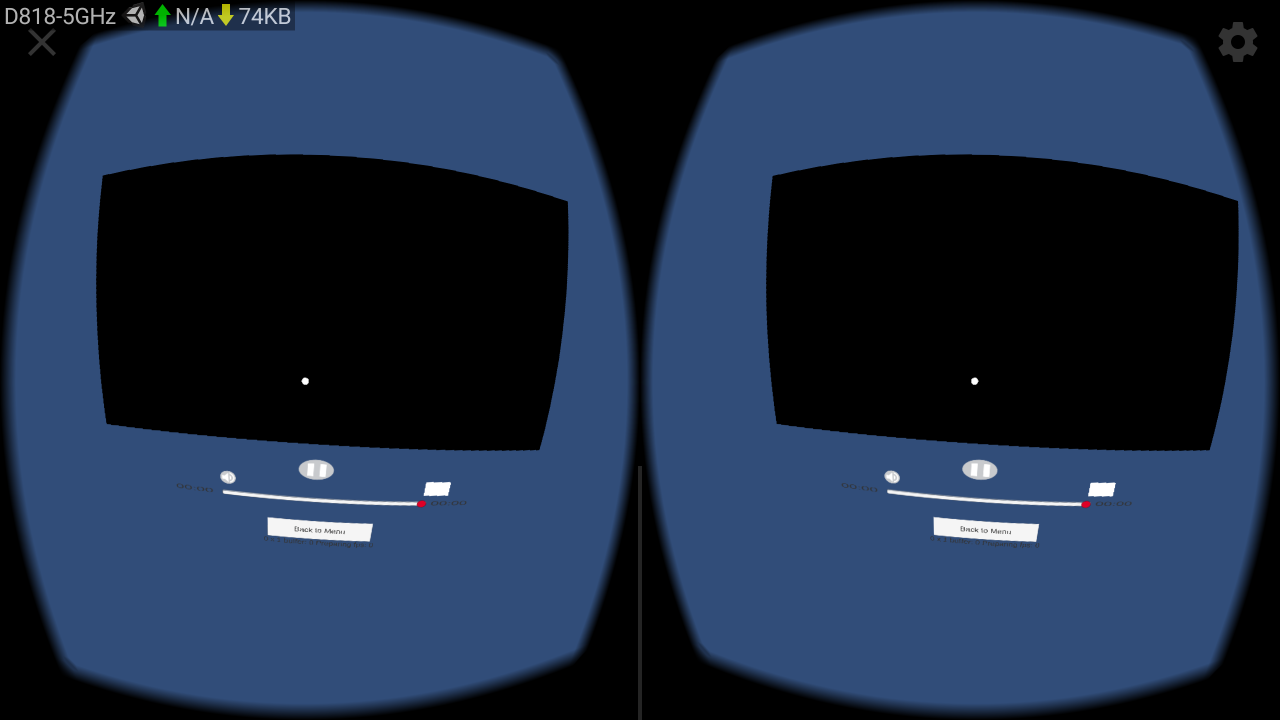
I have tried to trace the code to compare the flow between exoplayer-r1.5.11 DemoPlayer and this plugin. But I still can not figure out what is the root cause of the failure playback. Actually the implementation of the DemoPlayer and the VideoExoPlayer is quite different. Could you share the experience of the plugin's porting logic from the HLS, DASH and local file example? Or maybe you could reproduce the problem and check what is going on? Streaming a UDP source is one line of ffmpeg command like the following.
Reproduction steps
Make sure your Android phone can connect to your streaming server. In my case, I use my laptop for the streaming server. So my laptop and my Android phone connect to the same AP, for the purpose of locating under the same LAN.
Get the IP address of your Android phone, and use the command below with input file for UDP streaming on the server.
ffmpeg -re -i input.mp4 -codec copy -f mpegts udp://AndroidDeviceIP:port
If you want to check if the UDP stream is working properly, you could use mpv-android to check.
- Build the APP with GVR SDK for Unity v1.180.0 and UdpDataSource handling, remember to set the Video URL in Unity.
    if (uri.getScheme().startsWith("jar")) {
      dataSource = new ObbDataSource(bandwidthMeter);
    } else if (uri.getScheme().startsWith("udp")) {
      dataSource = new UdpDataSource(bandwidthMeter);
    } else {
      dataSource = new DefaultUriDataSource(context, bandwidthMeter, userAgent);
    }
Hi @rusmaxham. Finally, I found out the root cause of the failure playback is the "java.net.BindException" mentioned previously. From the log, I found that VideoPlayer created twice, and the UdpDataSource opened twice as well.
D/gvrvideo:: CreateVideoPlayer
D/videoplayerimpl::: Creating VideoPlayerImpl number 300
D/gvrvideo:: GetVideoPlayerEventBase
D/gvrvideo:: SetInitialResoluition: 4096
D/gvrvideo:: InitVideoPlayer
D/videoplayerimpl::: Creating factory initializer from com/google/gvr/exoplayersupport/DefaultVideoSupport
D/videoplayerimpl::: Creating video player of type 3
D/videosupportimpl::: player holder being created of type 3
E/DefaultVideoSupport: DefaultVideoSupport getPlayerFactory:3
E/DefaultVideoSupport: VideoPlayerFactory.OtherType localfactory
I/ExoPlayerImpl: Init 1.5.11
D/videoplayerimpl::: Adding native listener
E/videoplayerimpl::: video_texture_obj is null!
E/videoplayerimpl::: Surface texture is null!
E/DefaultVideoSupport: DefaultVideoSupport getPlayerFactory:3
E/DefaultVideoSupport: VideoPlayerFactory.OtherType localfactory
D/VideoExoPlayer: initializing player rendererBuilder: com.google.gvr.exoplayersupport.sample.ExtractorRendererBuilder@c07d08f
D/VideoExoPlayer: renderers set!
D/VideoExoPlayer: Surface Texture not set yet, so not beginning playback
D/DefaultUriDataSource: scheme:udp
D/gvrvideo:: CreateVideoPlayer
D/videoplayerimpl::: Creating VideoPlayerImpl number 400
D/gvrvideo:: GetVideoPlayerEventBase
D/gvrvideo:: SetInitialResoluition: 4096
D/gvrvideo:: InitVideoPlayer
D/videoplayerimpl::: Creating factory initializer from com/google/gvr/exoplayersupport/DefaultVideoSupport
D/videoplayerimpl::: Creating video player of type 3
D/videosupportimpl::: player holder being created of type 3
E/DefaultVideoSupport: DefaultVideoSupport getPlayerFactory:3
E/DefaultVideoSupport: VideoPlayerFactory.OtherType localfactory
I/ExoPlayerImpl: Init 1.5.11
D/videoplayerimpl::: Adding native listener
E/videoplayerimpl::: video_texture_obj is null!
E/videoplayerimpl::: Surface texture is null!
E/DefaultVideoSupport: DefaultVideoSupport getPlayerFactory:3
E/DefaultVideoSupport: VideoPlayerFactory.OtherType localfactory
D/VideoExoPlayer: initializing player rendererBuilder: com.google.gvr.exoplayersupport.sample.ExtractorRendererBuilder@f04a725
D/VideoExoPlayer: renderers set!
D/VideoExoPlayer: Surface Texture not set yet, so not beginning playback
D/DefaultUriDataSource: scheme:udp
D/gvrvideo:: --------- I N I T --------------------
I/VideoTexture: Video Texture created! 50
I/VideoExoPlayer: VideoEvent 4 sent!
D/VideoExoPlayer: Surface texture set to android.graphics.SurfaceTexture@8bae6ab  posting videoReady!
D/videoplayerimpl::: video Texture created!
I/VideoExoPlayer: VideoEvent 1 sent!
D/gvrvideo:: --------- I N I T --------------------
I/VideoTexture: Video Texture created! 51
I/VideoExoPlayer: VideoEvent 4 sent!
D/VideoExoPlayer: Surface texture set to android.graphics.SurfaceTexture@d1e8108  posting videoReady!
D/videoplayerimpl::: video Texture created!
I/VideoExoPlayer: VideoEvent 1 sent!
D/UdpDataSource: Open called: socketAddress.getHostName():192.168.0.154 port:10232 opened:false
D/UdpDataSource: Open called: unicast 1 socketAddress.getAddress():192.168.0.154/192.168.0.154 socketAddress.getHostName():192.168.0.154 port:10232
D/UdpDataSource: Open called: unicast 2 socketAddress.getAddress():192.168.0.154/192.168.0.154 socketAddress.getHostName():192.168.0.154 port:10232
D/ExtractorSampleSource: dataSource.open()
D/DefaultExtractorInput: readFromDataSource dataSource.read()
D/UdpDataSource: Open called: socketAddress.getHostName():192.168.0.154 port:10232 opened:false
D/UdpDataSource: Open called: unicast 1 socketAddress.getAddress():192.168.0.154/192.168.0.154 socketAddress.getHostName():192.168.0.154 port:10232
D/UdpDataSource: Open called: unicast 2 socketAddress.getAddress():192.168.0.154/192.168.0.154 socketAddress.getHostName():192.168.0.154 port:10233
D/ExtractorSampleSource: dataSource.open()
D/DefaultExtractorInput: readFromDataSource dataSource.read()
Hence, I made a manipulation like the following code over here.
        if(available(port)) {
          socket = new DatagramSocket(socketAddress);
        }else{
          socket = new DatagramSocket(new InetSocketAddress(address, ++port));
        }
I'm not sure if this is a good way to solve the problem. Because when I played the local file, HLS streaming and DASH streaming sample, the log also showed the VideoPlayer created twice. Could you share the reason for this design?
By the way, I tried to add some log in the C wrapper and build the "libgvrvideo.so". When I made the module "video_plugin", Android Studio had no response. My NDK bundle version is 18.1.5063045 and I could build the Hello JNI sample. Is there something I was missing for compiling this C/C++ video_plugin? Thank you!
dmvictor
on 10 Jan 2019
Related issues
 linglonglinglong
·
6Comments
linglonglinglong
·
6Comments
 Claus79
·
4Comments
Claus79
·
4Comments
 pandailing
·
4Comments
pandailing
·
4Comments
 FriskyBishop
·
3Comments
FriskyBishop
·
3Comments
 biezhihua
·
4Comments
biezhihua
·
4Comments
Most helpful comment
Source code will be available in the next release, coming soon.