Gutenberg: TinyMCE styling bleeding into editor for older themes
Describe the bug
I've noticed many of my sites now have a border in the block editor. After some digging with @richtabor, he found it may be related to some styles that target TinyMCE for older themes.
The culprit CSS for this issue is found here:
https://github.com/WordPress/gutenberg/blob/3130e85a217fc376102baaad18fdb6e07e1cb9c3/packages/edit-post/src/components/layout/style.scss#L109-L111
It appears this may be a conflict between TinyMCE editor styles with the block editor styles.
Expected behavior
There should not be a border around the block editor.
Screenshots
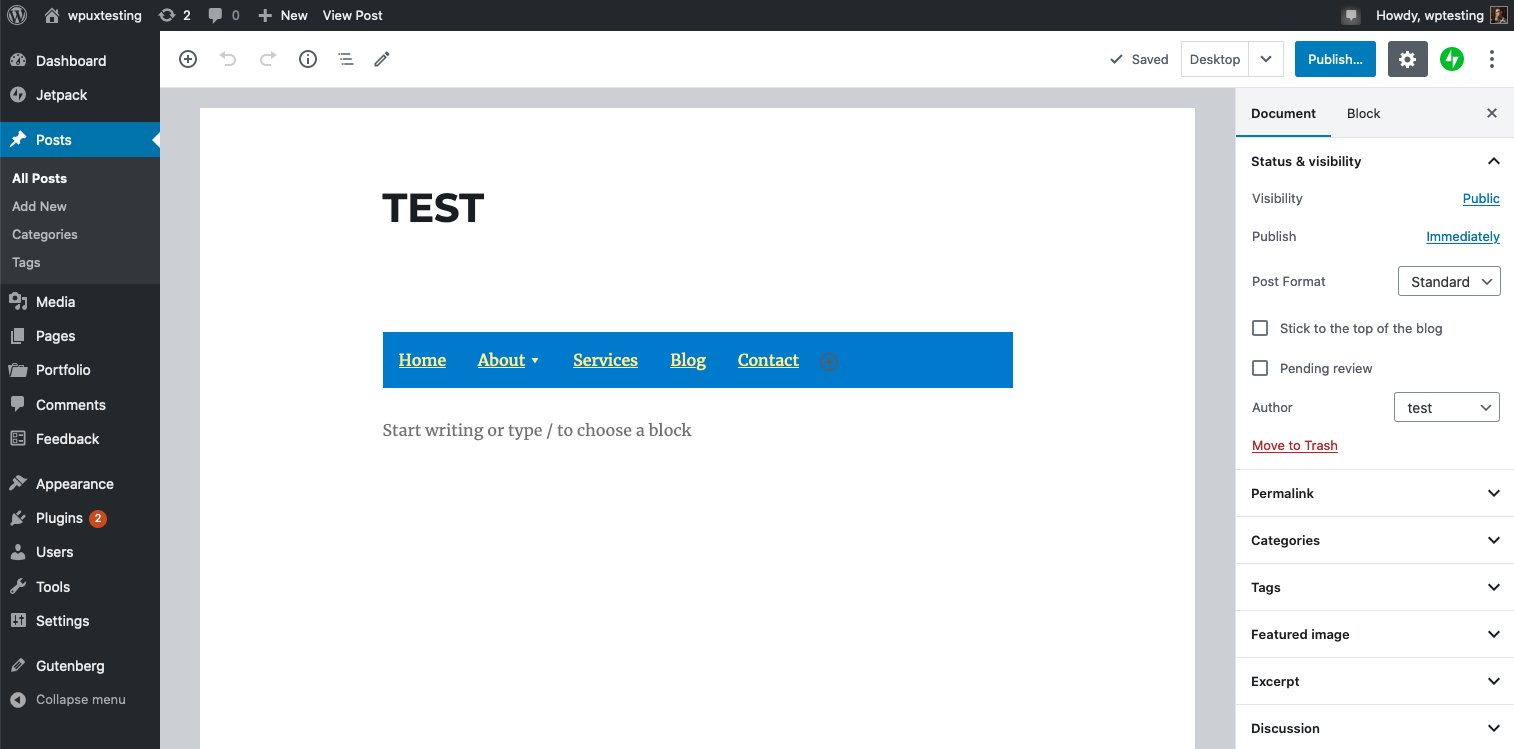
Desktop (please complete the following information):
- OS X
- FireFox & Chrome
- Gutenberg 7.8.1
Solution
I believe the solution might be to just remove these styles. I'll have a PR ready to go soon.
 mapk
mapk
All 11 comments
That style snipet above is not about tinymce IMO, it's more about the "device previews" but it shows up only for "mobile"/"tablet" previews in general. I wonder if the editor styles of these themes are adding margins or something like that.
 youknowriad
on 10 Apr 2020
youknowriad
on 10 Apr 2020
I think we should consider opening a trac ticket too as it's not certain that the issue is from Gutenberg itself. (Assuming it's about twenty* themes)
youknowriad
on 10 Apr 2020
I'm unclear there, but will follow your lead with this. I can recreate this by activating the Twenty Sixteen theme. @youknowriad, can you open the Trac ticket? I don't think I know how to properly word this issue...
mapk
on 10 Apr 2020
I want to ask first if it's specific to twenty* themes or not?
youknowriad
on 10 Apr 2020
Ok, so it looks some themes have a "margin" applied on the "body" for their editor styles. I'm not really sure why they do that but that's the origin of this issue. I'd recommend removing those margins.
youknowriad
on 10 Apr 2020
Ok, so it looks some themes have a "margin" applied on the "body" for their editor styles. I'm not really sure why they do that but that's the origin of this issue. I'd recommend removing those margins.
This is from an existing styles for TinyMCE. If a theme has set margin as so, it'll display with and without Gutenberg activated, though with the newly added background color - it's visible.
 richtabor
on 10 Apr 2020
richtabor
on 10 Apr 2020
Yes, it was visible before but it was "white" :)
Three choices:
- If that margin is not very important in the classic editor, just remove it.
- Try to write the style using a tinymce specific class so it applies only in the classic editor.
- Use a padding.
youknowriad
on 10 Apr 2020
This is from an existing styles for TinyMCE.
@richtabor What does this usually do in TinyMCE? Does it just set a margin around the content in the editor frame? If so, I'd just suggest themes strip that out. It'll perhaps look a little less great in the Classic Editor, but considering that's only available in a plugin anyway, I think that's fine.
 kjellr
on 10 Apr 2020
kjellr
on 10 Apr 2020
I opened a core trac issue for Twenty Fifteen, to nudge this along a little bit.
kjellr
on 4 May 2020
This is from an existing styles for TinyMCE.
@richtabor What does this usually do in TinyMCE? Does it just set a margin around the content in the editor frame? If so, I'd just suggest themes strip that out. It'll perhaps look a little less great in the Classic Editor, but considering that's only available in a plugin anyway, I think that's fine.
That's correct. It probably shouldn't be there.
richtabor
on 4 May 2020
I'm going to close this now. Thanks
youknowriad
on 5 May 2020
Related issues
 JohnPixle
·
3Comments
JohnPixle
·
3Comments
 pfefferle
·
3Comments
pfefferle
·
3Comments
 jasmussen
·
3Comments
jasmussen
·
3Comments
 spocke
·
3Comments
spocke
·
3Comments
 BE-Webdesign
·
3Comments
BE-Webdesign
·
3Comments
Most helpful comment
I opened a core trac issue for Twenty Fifteen, to nudge this along a little bit.
https://core.trac.wordpress.org/ticket/50086