Gutenberg: Support "Small Annotations" for Chinese & Japanese Text
Request Description
When writing kanji, it's helpful to offer "small annotations" (referred to as furigana in Japanese) to help readers read the characters -- especially if they're beginners to the language.
In markup, this is handled by using ruby markup (not to be confused with the Ruby programming language). W3's documentation here: https://www.w3.org/International/articles/ruby/markup.en
Solution
A way to highlight a kanji character, press "annotate," and then enter annotation would be perfect.
Alternative
The current "alternative" is to edit in HTML, write all the markup, and switch back to "edit visually." It works, but it's very time-consuming and error-prone.
And if you make a mistake in the markup, the block will "break," needing extra work to restore the block.
 Chaddeus
All 12 comments
Hi there!
Thanks for opening the issue. I wanted to ask if this is something that was previously supported in the classic editor?
Anyway, due to the fact that this is something that won't benefit most of the WordPress users, it seems like it would be best addressed as a plugin providing this as a custom RichText format.
See this tutorial for more details about the Format API https://developer.wordpress.org/block-editor/tutorials/format-api/
 youknowriad
on 25 Jan 2020
youknowriad
on 25 Jan 2020
@Chaddeus I'd love to build this plugin for block.garden unless you were planning to. It's a great way to showcase how powerful the new editor is.
 nickhamze
on 25 Jan 2020
nickhamze
on 25 Jan 2020
@Chaddeus Can you link an example of where this is used on a blog?
 danielpost
on 25 Jan 2020
danielpost
on 25 Jan 2020
Sorry @Chaddeus I couldn't wait for your reply, too excited. Hopefully you weren't planning on making this plugin. I love the Japanese WordPress community and would love to find a way to give back in a small way. They gave us wapuu, for that I can never repay them.
Me and Daniel have already begun work on this. We'll let you know when it's done. Shouldn't take long.
nickhamze
on 25 Jan 2020
@youknowriad Do you know if there's a way to use the Rich Text API to insert/remove HTML? I've been trying combinations of applyFormat, insert and apply for way too long now but can't figure it out.
Essentially what's needed:
- Add a custom RichText format similar to the Link format with a popover.
- On close/enter, add custom HTML to the selected text.
- Add ability to remove custom format if it's active.
I apologise if this is too far outside the scope of this issue—all I need is a tiny nudge in the right direction to get this working.
danielpost
on 26 Jan 2020
I think that's the right combination but that's not the area I'm most comfortable with. Maybe @ellatrix could help more.
Also according to this line, https://github.com/WordPress/gutenberg/blob/master/packages/format-library/src/link/index.js#L74
it seems the first argument is the content for the format (the content of your tag)
and the type of the second argument should be the "name" of your custom format that should also define the tag used.
youknowriad
on 26 Jan 2020
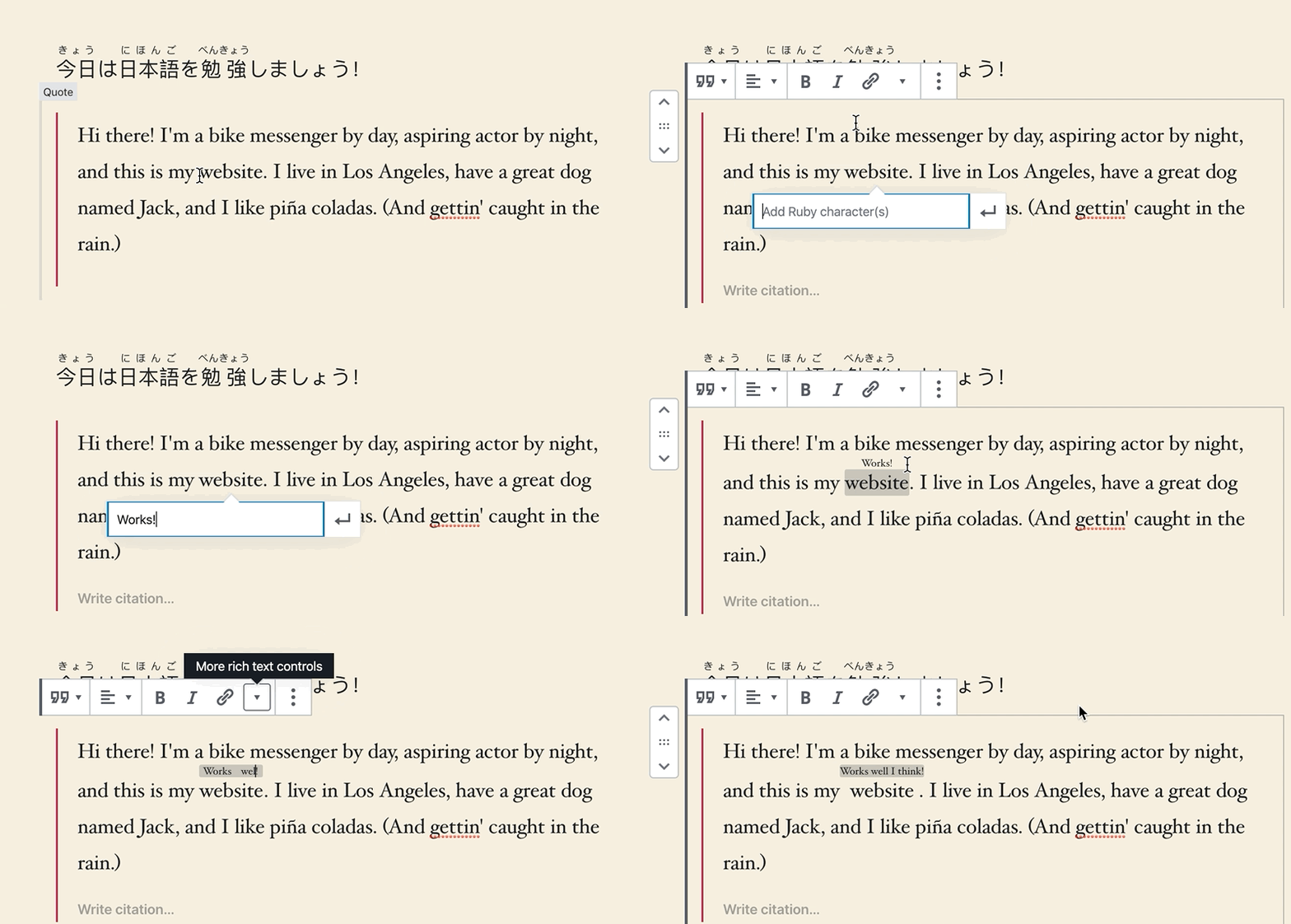
@youknowriad Thanks! I think I got it working in the end—code will be up soon.
@Chaddeus What do you think of this workflow?
danielpost
on 26 Jan 2020
@danielpost I'm guessing you figured it out in the meantime? The UI looks good. I recommend to always use the full ruby markup to avoid ambiguity, so no shortcuts. It's also been on my mind to add proper paste support. Currently the nested tags will be stripped out.
 ellatrix
on 27 Jan 2020
ellatrix
on 27 Jan 2020
@ellatrix I think I did? The code can be found here: https://github.com/sortabrilliant/rubi/blob/master/src/annotation-popover.js. I'm not 100% sure it's the best way to do it but it seems to work well. When you say no shortcuts, do you mean using all available tags (ruby, rb and rt)?
Also just want to add that I really appreciate all the work you and others have done on the block editor as well as the willingness to help here with something that is essentially not your "problem" at all. Love where WordPress is going these days.
danielpost
on 27 Jan 2020
Thanks all here, I'm going to close this issue now. Feel free to continue discussion if needed.
youknowriad
on 27 Jan 2020
@danielpost Yes, I think that is best, though I'm no expert. The most important thing is that you insert closing tags as well, but I see you've already done that. :)
ellatrix
on 27 Jan 2020
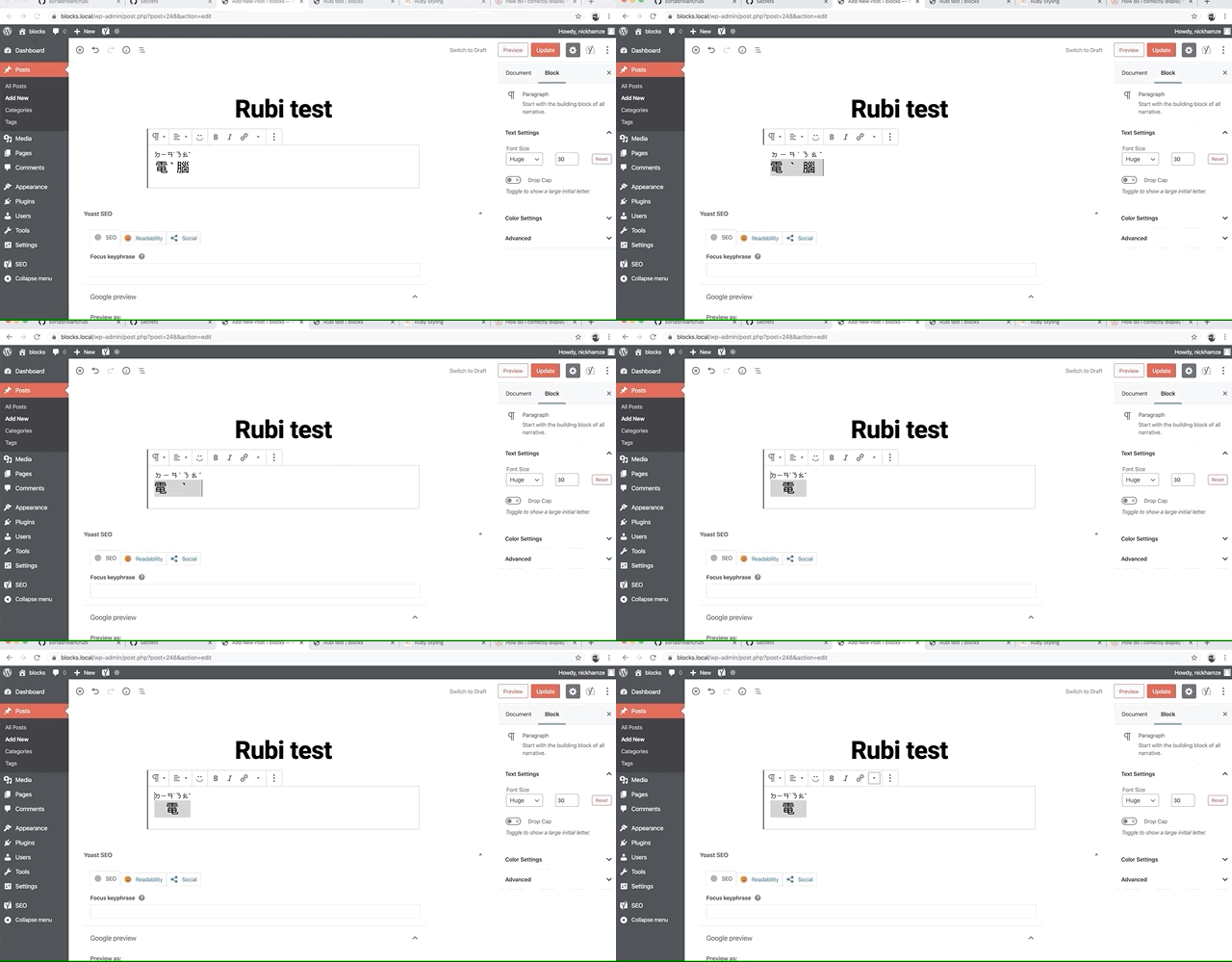
@ellatrix Great, thanks so much! We've discovered a bug with editing Ruby elements in the editor where it's basically impossible to leave the element (see this issue and the GIF) but I wouldn't be surprised if this has to do with how browsers handle contenteditable in combination with <ruby>. Will have to do some more testing.
danielpost
on 27 Jan 2020
Related issues
 jasmussen
·
3Comments
jasmussen
·
3Comments
 spocke
·
3Comments
ellatrix
·
3Comments
spocke
·
3Comments
ellatrix
·
3Comments
 BE-Webdesign
·
3Comments
BE-Webdesign
·
3Comments
 maddisondesigns
·
3Comments
maddisondesigns
·
3Comments
Most helpful comment
@youknowriad Thanks! I think I got it working in the end—code will be up soon.
@Chaddeus What do you think of this workflow?