Gutenberg: Start of week setting isn't being pulled in to Gutenberg editor
Describe the bug
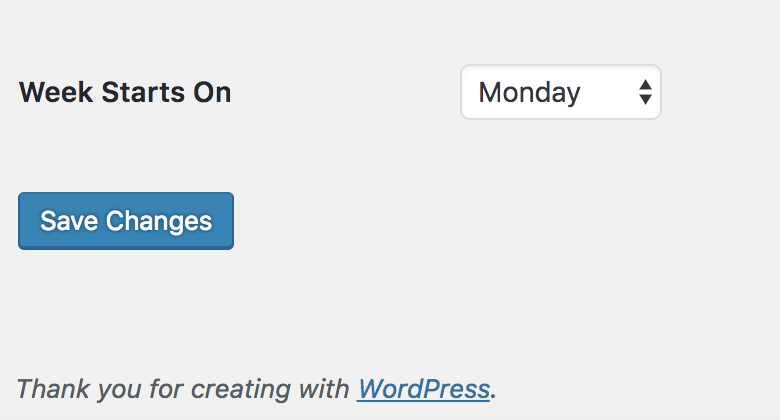
In my WordPress settings the start of week setting is set to Monday. This does not get incorporated in to the calendar when using Gutenberg.
Gutenberg 3.6.2
To Reproduce
Steps to reproduce the behavior:
- Go to Dashboard
- Click on Settings
- Scroll down to the bottom of page
Week Starts Onwith dropdown selector.
Next:
- Edit an existing post or create a new one.
- From the Document view choose the date link next to Publish.
- Note that the week starts on Sunday regardless of the settings set above.
Expected behavior
I would expect for the Week Starts On.. settings to be displayed in the publication date link from Gutenberg.
General Settings:
Gutenberg Calendar display when editing/creating a post:
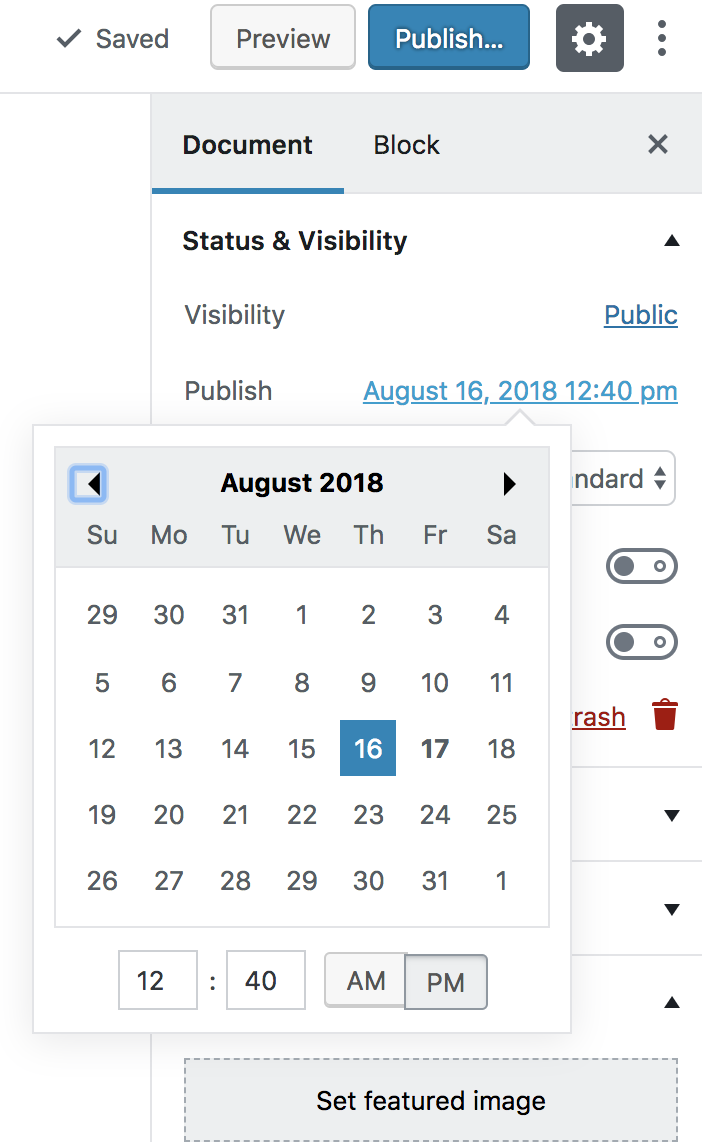
Note that the classic editor does not give a calendar display option for this. It's a manual entry of the date.
Desktop (please complete the following information):
- OS: Sierra
- Browser Chrome
- Version 67
There's an additional report of this in the Gutenberg support forums at:
https://wordpress.org/support/topic/calendar-for-posting-date-starts-week-always-on-sunday/
 lizkarkoski
All 7 comments
Can confirm this here. Browser Safari on Mac OS High Sierra.
 HonkXL
on 17 Aug 2018
HonkXL
on 17 Aug 2018
Probably worth closing this in favor of #4533, since there are other localization issues at play such as Date Format and Time Format as well.
 WPprodigy
on 26 Aug 2018
WPprodigy
on 26 Aug 2018
Tested and confirmed using WordPress 4.9.8 and Gutenberg 4.2.0-rc.1 and Firefox 63.0 on macOS 10.13.6 that if I go to Settings > General and set "Week Starts On" to "Wednesday", that change is not reflected in the editor's date picker under Settings > Document > Status & Visibility > Publish.
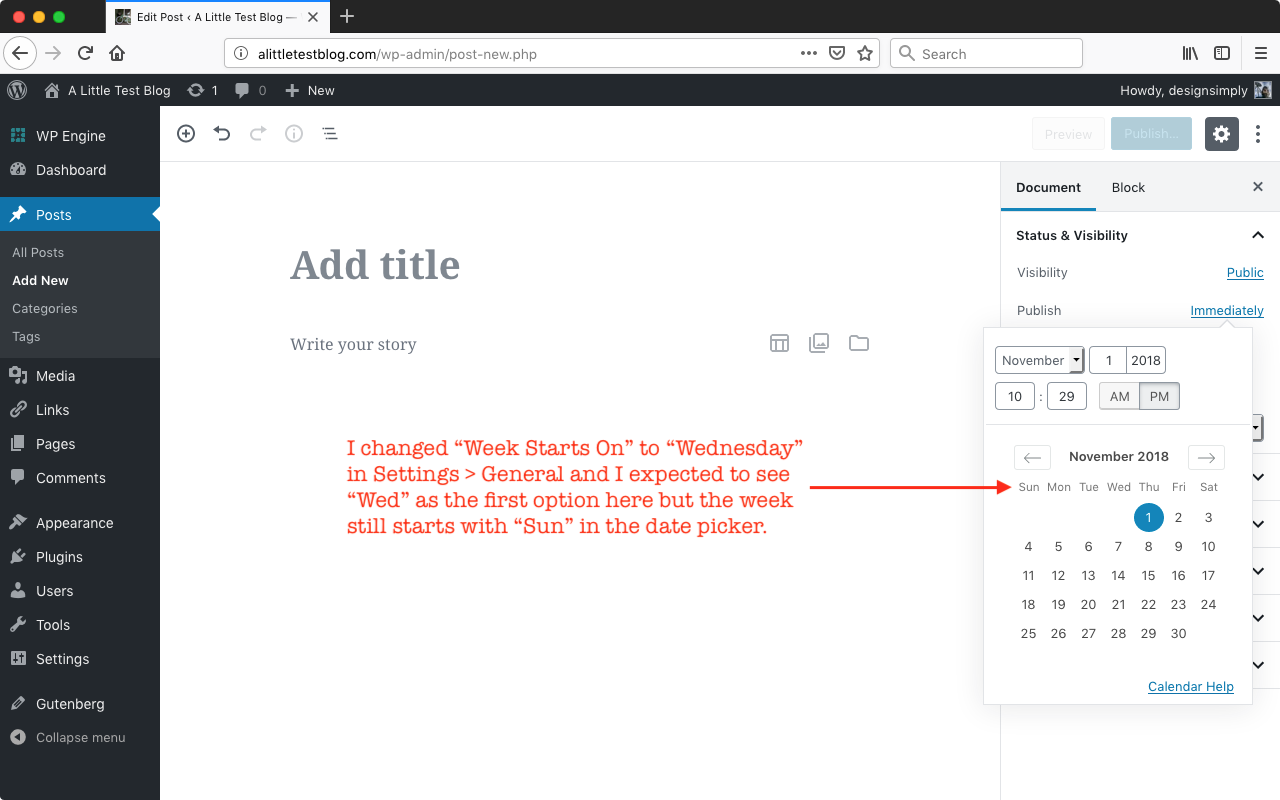
@WPprodigy I think #4533 is about localization but this issue is actually a settings issue so I _think_ it should stay separate.
 designsimply
on 1 Nov 2018
designsimply
on 1 Nov 2018
closed by #11938
 youknowriad
on 20 Nov 2018
youknowriad
on 20 Nov 2018
Can we re-open or triage this one again, please?
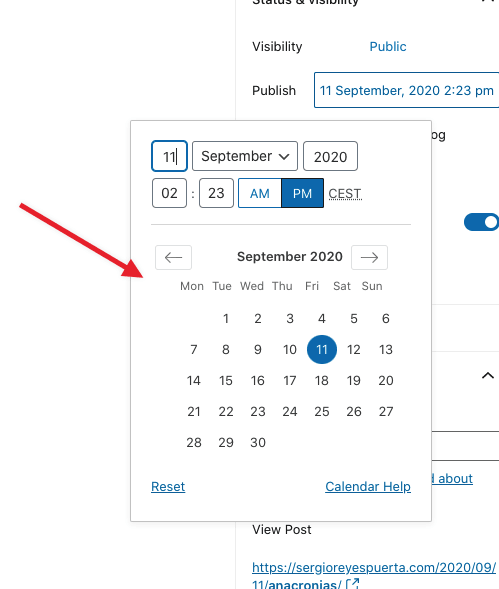
The issue with the Calendar date picker is still present if the user's dashboard Interface language is set to other than English.
To Reproduce
Steps to reproduce the behavior:
- Go to Me > Account Settings
- Under "Interface Language", choose Spanish, Italian or other than English
- Save account settings
- Go to WP-Admin > Settings > General
- Scroll down to the bottom of page
- On Week Starts On, choose "Monday" and save the changes
Next:
- Edit an existing post or create a new one.
- From the Document view choose the date link next to Publish.
- Note that the week starts on Sunday regardless of the settings set above (Monday in the example).
Examples:
With Language set to Spanish (doesn't honor Week Starts On setting):
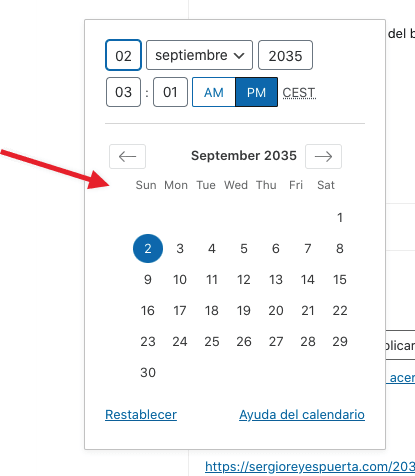
With Language set to English (works as expected):
Expected behavior
I would expect for the Week Starts On.. settings to be displayed in the publication date link from Gutenberg regardless of the user's Interface language settings. Also, the calendar string does not appear to be translated either.
 nellofn
on 10 Sep 2020
nellofn
on 10 Sep 2020
Reopening so we can test whether it regressed.
youknowriad
on 14 Sep 2020
The issue still there. Just tested.
 shohanhossainnab
on 18 Nov 2020
shohanhossainnab
on 18 Nov 2020
Related issues
 mtias
·
83Comments
mtias
·
83Comments
 mapk
·
80Comments
mapk
·
80Comments
 ahmadawais
·
271Comments
ahmadawais
·
271Comments
 melchoyce
·
95Comments
mapk
·
84Comments
melchoyce
·
95Comments
mapk
·
84Comments
Most helpful comment
Tested and confirmed using WordPress 4.9.8 and Gutenberg 4.2.0-rc.1 and Firefox 63.0 on macOS 10.13.6 that if I go to Settings > General and set "Week Starts On" to "Wednesday", that change is not reflected in the editor's date picker under Settings > Document > Status & Visibility > Publish.
@WPprodigy I think #4533 is about localization but this issue is actually a settings issue so I _think_ it should stay separate.