Gutenberg: Color picker inside a modal components goes below the modal dialog
If you put a ColorPalette component inside a Modal component, once you click on the "Custom color picker" button, the color picker displays below the modal dialog.

To Reproduce
Here's a simple block to demonstrate this issue:
const { Fragment } = wp.element;
const { PanelBody, Modal, ColorPalette } = wp.components;
const { InspectorControls, RichText } = wp.editor;
const { __ } = wp.i18n;
const { registerBlockType } = wp.blocks;

registerBlockType( 'thesaas/issues', {
  title: __( 'Issues' ),
  icon: 'universal-access-alt',

  edit() {
    return (
      <Fragment>
        <InspectorControls>
          <PanelBody title={ __( 'Panel' ) }>
            <Modal title="My Modal">
              <ColorPalette />
            </Modal>
          </PanelBody>
        </InspectorControls>

        <div>None</div>
      </Fragment>
    );
  },

  save() {
    return <div>None</div>;
  },
} );
 hos-shams
All 9 comments
Still exists in the latest release which is v3.6.2 ...
P.S. @designsimply , I guess you should add "[Type] Bug" instead of "[Type] Help Request".
hos-shams
on 21 Aug 2018
Sorry for not catching back up with this one sooner! I have updated the labels and appreciate the nudge.
 designsimply
on 28 Jan 2019
designsimply
on 28 Jan 2019
@ShaMSofT am I reading this correctly that it is only a problem when creating a custom modal component with a color picker inside it? I ask because I was trying to think of a place where I could test it in the plugin directly without custom code but I can't think of a spot that has a color picker inside a modal.
designsimply
on 28 Jan 2019
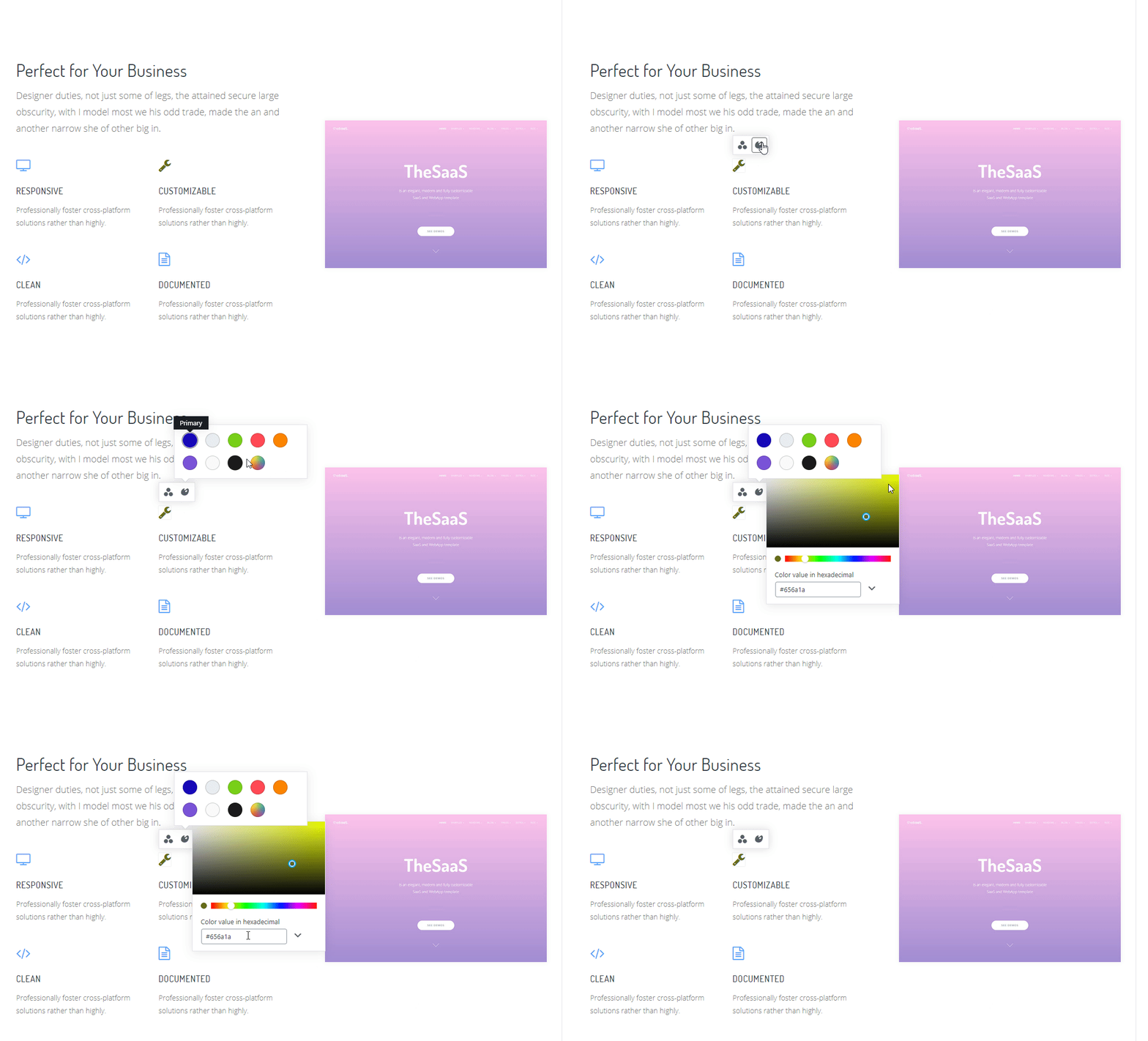
@designsimply probably only Modal and Dropdown, because I don't have such an issue in block settings panel. I haven't tried it with Modal in past months, but a similar problem exist if I put the ColorPalette inside a Dropdown component. It goes below the Dropdown and if I click on the color value input, both the Dropdown and ColorPalette close. I guess that's because of a click outside of Dropdown area.
See the GIF for better understanding.
hos-shams
on 1 Feb 2019
@ShaMSofT Have you found any workaround for this issue ?
 AbanobAkram
on 27 Jun 2019
AbanobAkram
on 27 Jun 2019
@AbanobAkram No.
hos-shams
on 1 Jul 2019
The same issue here, both the Dropdown and ColorPalette close if I click on the ColorIndicator and color value.
 alpezed
on 2 Aug 2019
alpezed
on 2 Aug 2019
It seems it's just z-index issues.. This CSS "fixed" it for me:
.components-popover {
    z-index: auto;
}
.components-popover.components-color-palette__picker{
    z-index: 100001;
}
But I also noticed some odd behaviour in terms of clicking outside and the ColorPicker not going away...
So, I'm resorting to using the ColorPalette with
disableCustomColors = {true}
And then adding in a ColorPicker and wrapping that in a new component with some sort of auto hide on click outside for the ColorPicker.
 rmorse
on 20 Nov 2019
rmorse
on 20 Nov 2019
I can no longer reproduce this issue with a ColorPalette inside a Modal or a Dropdown. Closing as it seems to be fixed; feel free to reopen if it's still an issue.
 tellthemachines
on 21 Apr 2020
tellthemachines
on 21 Apr 2020
Related issues
 azaozz
·
91Comments
azaozz
·
91Comments
 DeveloperWil
·
102Comments
DeveloperWil
·
102Comments
 ahmadawais
·
101Comments
ahmadawais
·
101Comments
 mtias
·
83Comments
mtias
·
83Comments
 maddisondesigns
·
79Comments
maddisondesigns
·
79Comments