Gutenberg: Permalink incorrect for Scheduled Posts
Issue Overview
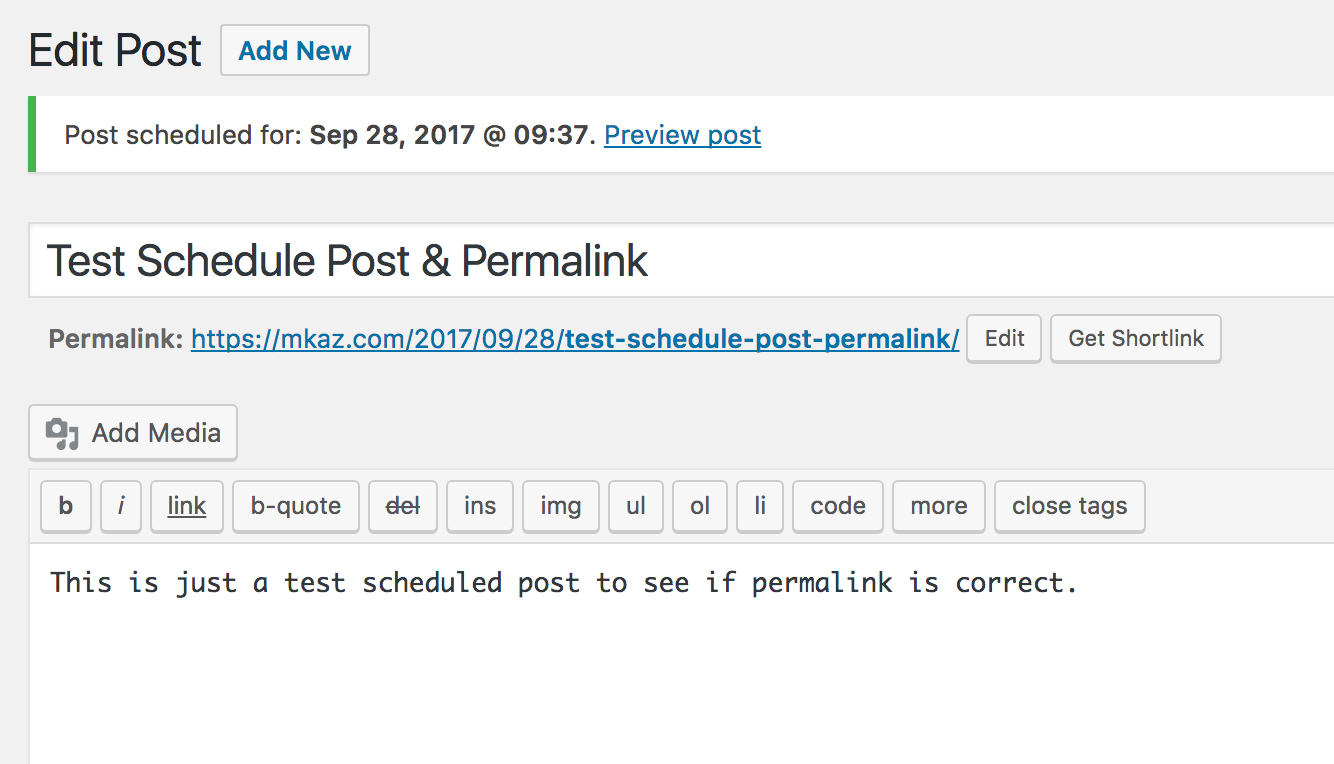
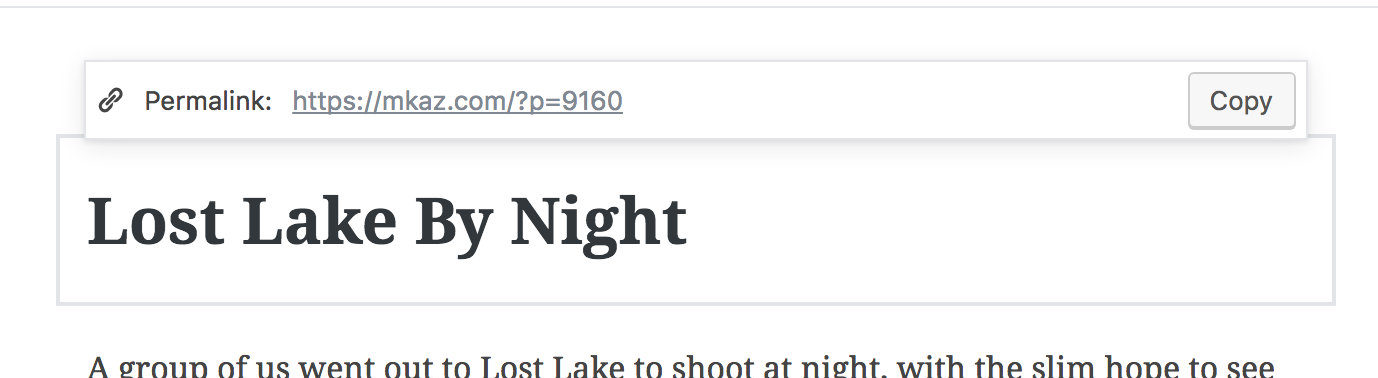
When creating a schedule post the permalink that shows is incorrect. It is showing as /?p=9160 but when published it will become a pretty permalink /2017/09/23/title
Tested out in the old editor because I thought it might of been an issue there and it works as expected, see screenshots below. The old editor updates the permalink after you type the detail and then updates it again after clicking "Schedule". Note it did not get updated when changing the date.
I have two scheduled posts. I want to add a link in the second post to the first post. I can not copy and paste the permalink from the first.
Steps to Reproduce (for bugs)
- Create post
- Change Publish date
- Click Schedule
- Check permalink, should be pretty permalink
Old Editor Permalink
Gutenberg Permalink
 mkaz
mkaz
👍1
All 2 comments
Closing in favor of #1285.
 mtias
on 20 Nov 2017
mtias
on 20 Nov 2017
👎1
To correct permalinks on frontend:
// post, page post type
add_filter( 'post_link', 'future_permalink', 10, 3 );
// custom post types
add_filter( 'post_type_link', 'future_permalink', 10, 4 );

function future_permalink( $permalink, $post, $leavename, $sample = false ) {
    /* for filter recursion (infinite loop) */
    static $recursing = false;

    if ( empty( $post->ID ) ) {
        return $permalink;
    }

    if ( !$recursing ) {
        if ( isset( $post->post_status ) && ( 'future' === $post->post_status ) ) {
            // set the post status to publish to get the 'publish' permalink
            $post->post_status = 'publish';
            $recursing = true;
            return get_permalink( $post, $leavename ) ;
        }
    }

    $recursing = false;
    return $permalink;
}
To make scheduled posts published:
add_action( 'pre_get_posts', function ( $q )
{
    if (!is_admin()) {
        $q->set( 'post_status', ['publish', 'future'] );
    }
});
 steffanhalv
on 2 Apr 2019
steffanhalv
on 2 Apr 2019
😄1
👍1
Was this page helpful?
0 / 5 - 0 ratings
Related issues
 BE-Webdesign
·
3Comments
BE-Webdesign
·
3Comments
 maddisondesigns
·
3Comments
maddisondesigns
·
3Comments
 jasmussen
·
3Comments
jasmussen
·
3Comments
 franz-josef-kaiser
·
3Comments
franz-josef-kaiser
·
3Comments
 aaronjorbin
·
3Comments
aaronjorbin
·
3Comments
Most helpful comment
To correct permalinks on frontend:
To make scheduled posts published: