Gutenberg: No way to stop text content wrapping floated content
Gutenberg has a Button block which is great, as it will allow people to easily add buttons into their content without having to use shortcodes. One issue with this though, is if you left or right align the button and then try to add a text block after it, the text wraps around the button. This means that you can't have a button on it's own line. You end up with something like this...

People are going to want to be able to insert buttons without having the following paragraph content wrap around the button. There needs to be a way to set a block to automatically clear so that you can end up with something like...
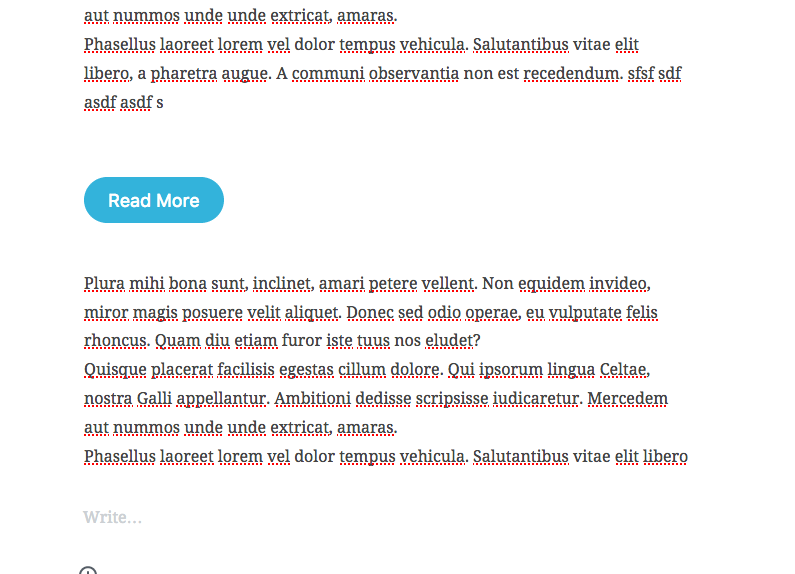
The only way I could do the above is by adding a adding a blank Text block and inserting half a dozen empty lines into it, which is extremely messy.
 maddisondesigns
All 18 comments
Same with the image. I think should have a style option for image, button... to choose between Block and Inline.
 truongwp
on 27 Jun 2017
truongwp
on 27 Jun 2017
@truongwp Agreed. That sounds like a good solution 👍🏼
maddisondesigns
on 27 Jun 2017
I created a pull request for adding that option for Image block because I meet another error with Button block.
truongwp
on 27 Jun 2017
We can add a clear toggle on the button inspector. @jasmussen thoughts?
 mtias
on 27 Jun 2017
mtias
on 27 Jun 2017
We can add a clear toggle on the button inspector. @jasmussen thoughts?
Yep, I think so. Need a good label for it. I can't think of any. But yes, it feels like an advanced layout task, and so the inspector is good for it.
 jasmussen
on 27 Jun 2017
jasmussen
on 27 Jun 2017
Need a good label for it. I can't think of any.
So anytime I left/right align an inline object (buttons, images, etc) would we then conditionally have the new "clear" toggle appear in the inspector? Or would it be present at all times?
Would this be the steps a user could follow once it's implemented?
- A. Click on button
- B. Align left
- C. Click on gear next to button to open inspector
- D. Switch toggle to "clear" it.
- Maybe we could call it something like:
- Start this block on a new line
- Clear block onto new line
- Clearfix ;)
 jwold
on 27 Jun 2017
jwold
on 27 Jun 2017
"Start this block on a new line" is good but too long. I will try and hope that the UI is still ok.
truongwp
on 27 Jun 2017
"Start this block on a new line" is good but too long. I will try and hope that the UI is still ok.
What if we tried "force new line"?
jwold
on 27 Jun 2017
I used the text "Start on a new line". But I think there will be some discussions for this problem.
truongwp
on 27 Jun 2017
Another option is a "Clear" block ;)
jasmussen
on 28 Jun 2017
Another option is a "Clear" block ;)
Pretty sure that was in jest, but in reality that would solve the problem :D
jwold
on 28 Jun 2017
Oh sorry I see you already suggested this. I think Matías also suggested this in a DM with me ;)
The point is, to me this feels like a somewhat advanced layouting issue. Which is cool, I like those. But if you're doing something this advanced, then perhaps you either already know what "clearing floats" means, or you might be able to learn it from tinkering.
The key is finding a balance here that doesn't overload the interface. A clear block would mean we didn't need a "clear preceeding blocks" toggle in the inspector for all blocks, or indeed a "self clear floats" or "Start next block on a new line" as @truongwp inspired.
jasmussen
on 28 Jun 2017
The point is, to me this feels like a somewhat advanced layouting issue. Which is cool, I like those. But if you're doing something this advanced, then perhaps you either already know what "clearing floats" means, or you might be able to learn it from tinkering.
Great thoughts. If someone understands they have this problem, tinkering around to solve it wouldn't be the worst thing. I think you're suggesting that either having the "clear" block in the inserter or adding the setting to post settings could work?
jwold
on 28 Jun 2017
Relooking at this issue:
I see no way to wrap around an image today. Version 0.6.
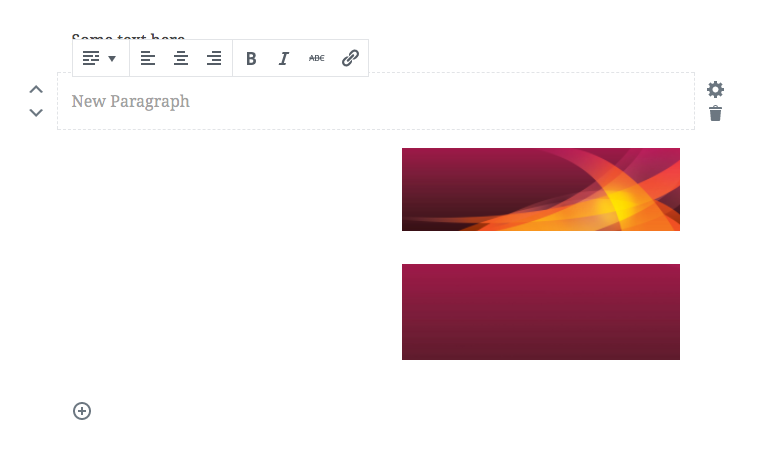
There is mention of adding some wrap controls it seems to the settings area. As it would be good to have a toogle in the Block that says wrap. Turn it on or turn it off.
 paaljoachim
on 4 Aug 2017
paaljoachim
on 4 Aug 2017
@paaljoachim this works for me in master.
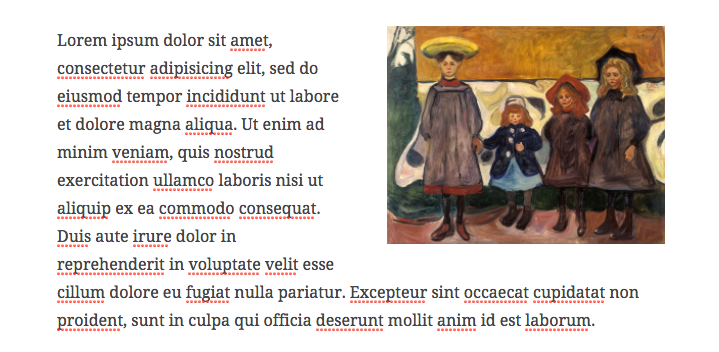
mtias
on 4 Aug 2017
I got two things going here. The two images are aligned either left or right have no move up or down arrows beside them.
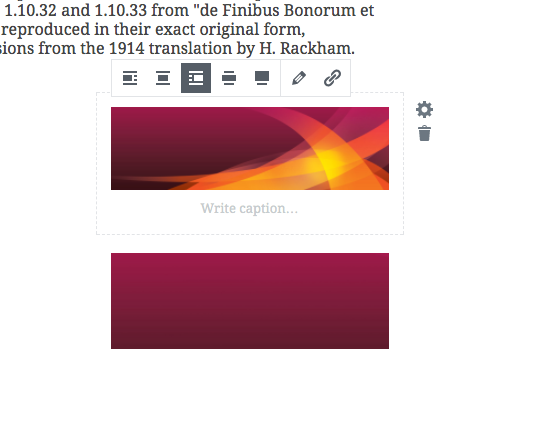
Clicking center icon the up/down arrows show up again.
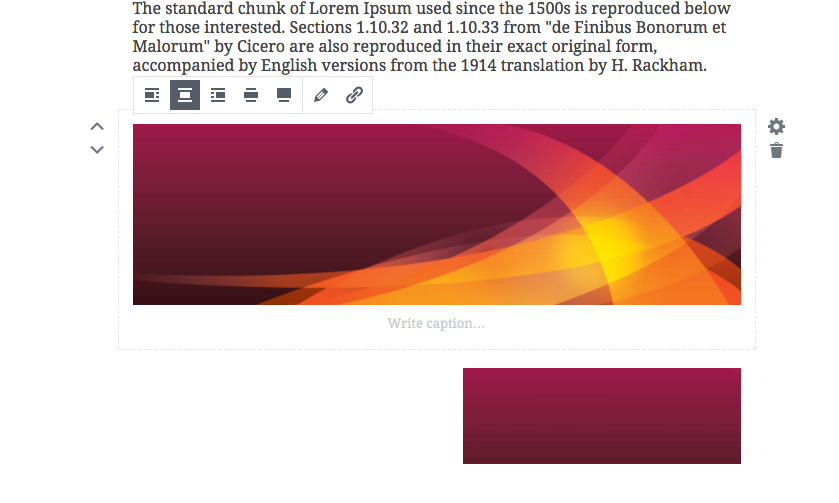
Clicking down arrow in a paragraph filled with text. It then moves down and the image is wrapped.
Moving the text down to wrap around the images. Then clicking the text makes it show up like this.
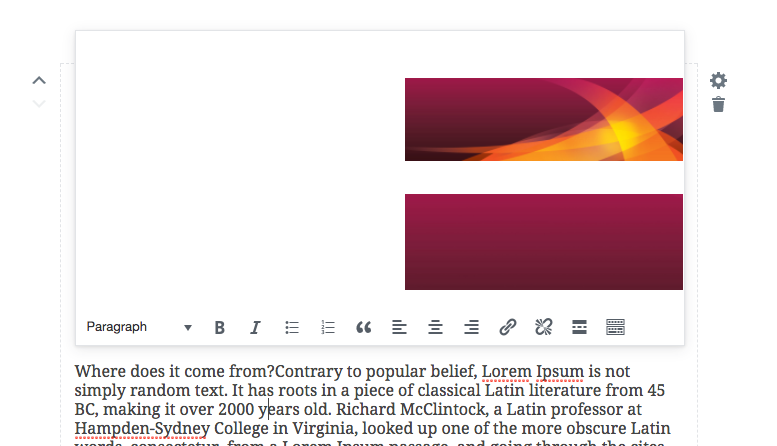
It feels kinda flaky at the moment.
paaljoachim
on 4 Aug 2017
Looks like your text at the bottom is classic text. Images are meant to float around the paragraph block (previous text block).
mtias
on 4 Aug 2017
It's fixed for the button with #1512.
 gziolo
on 6 Oct 2017
gziolo
on 6 Oct 2017
Related issues
 aduth
·
3Comments
aduth
·
3Comments
 BE-Webdesign
·
3Comments
maddisondesigns
·
3Comments
jasmussen
·
3Comments
BE-Webdesign
·
3Comments
maddisondesigns
·
3Comments
jasmussen
·
3Comments
 spocke
·
3Comments
spocke
·
3Comments
Most helpful comment
Yep, I think so. Need a good label for it. I can't think of any. But yes, it feels like an advanced layout task, and so the inspector is good for it.