Group-income-simple: Implement updates to the User Settings page
Problem
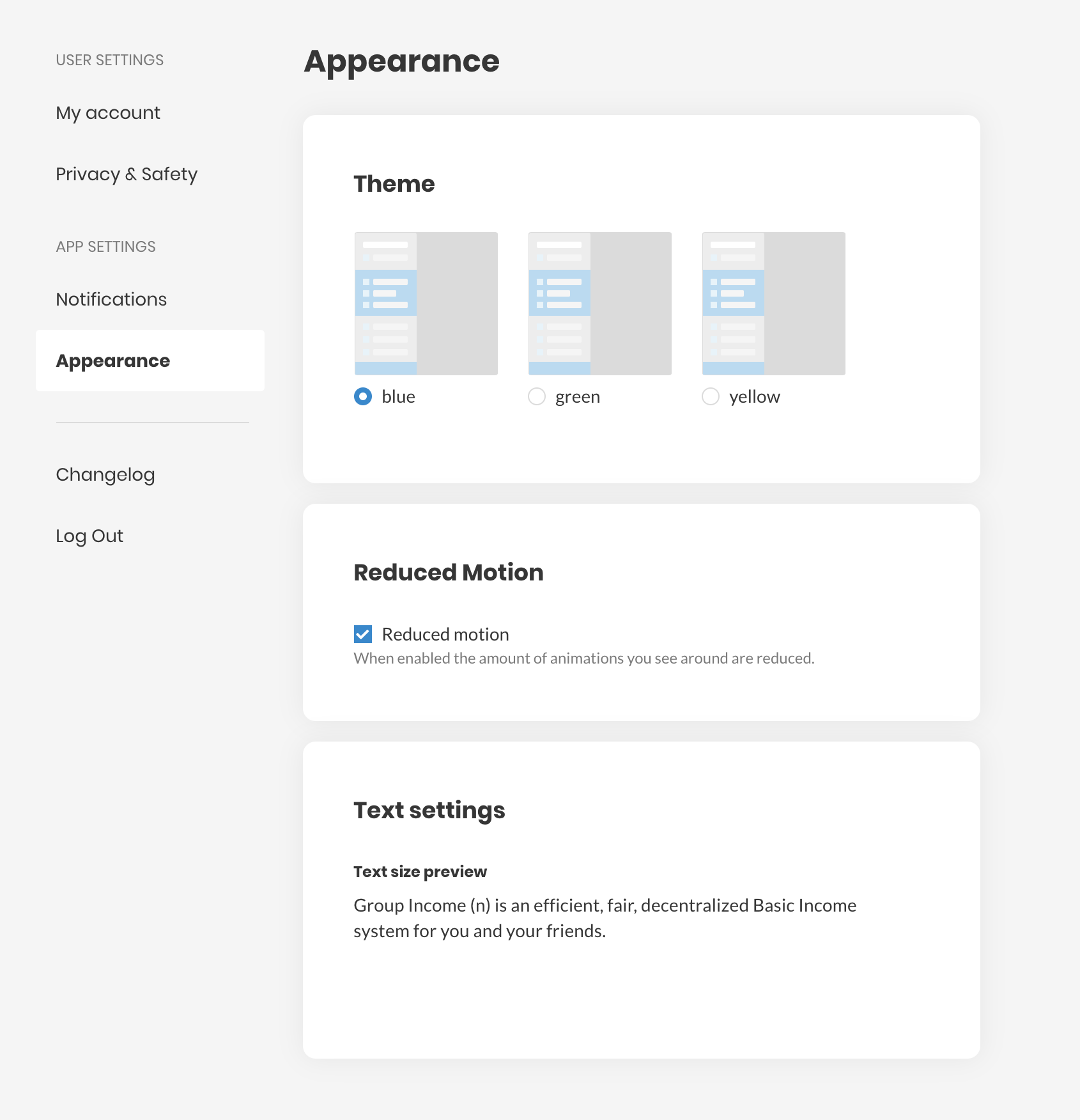
In order to address the issues #825 and #637 , I have made some changes to the User Settings / Appearance page. Here's how it looks now:
Solution
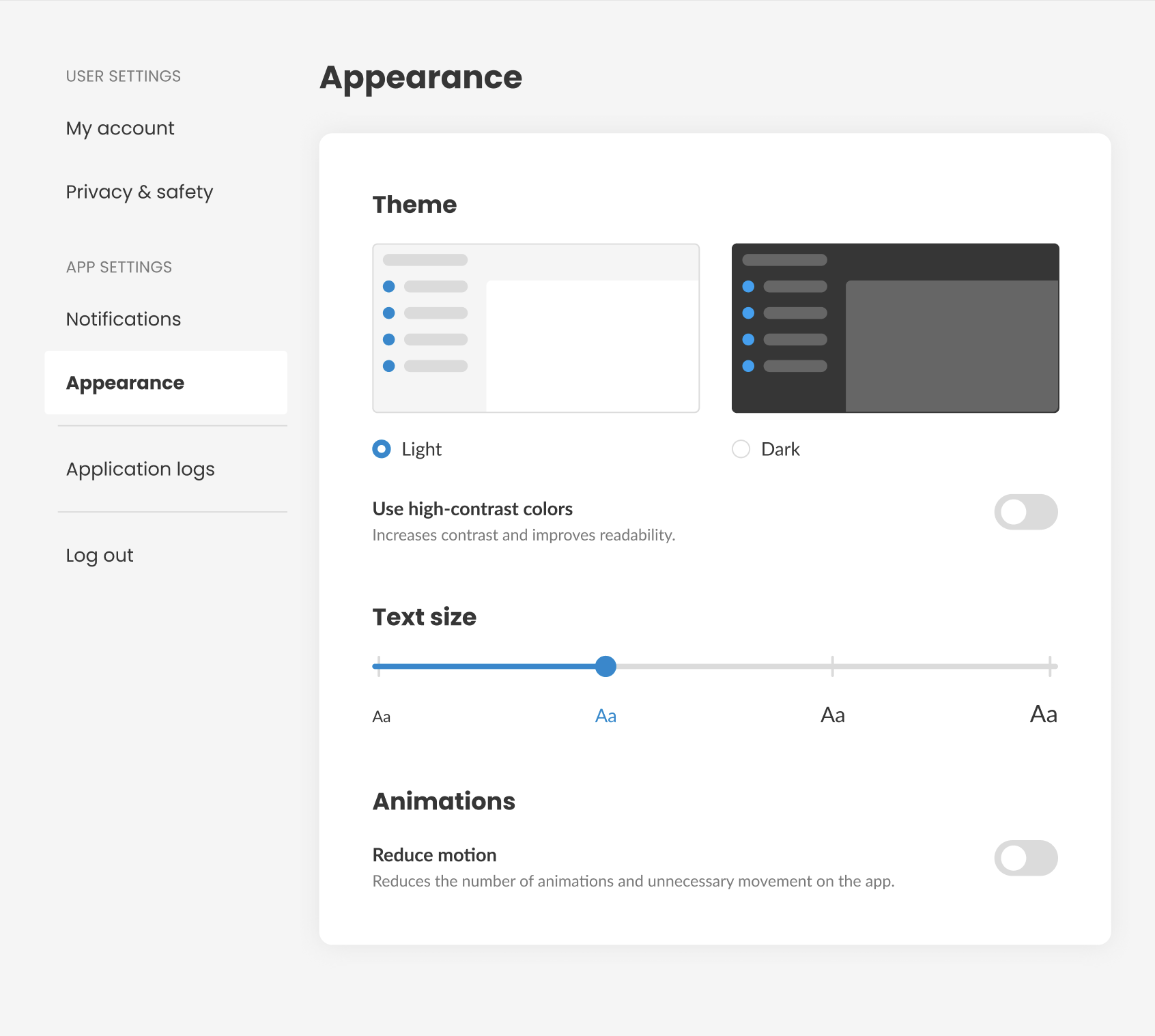
Here are the changes made:
- Updated the theme thumbnails;
- Added the option to reduce motion;
- Added the option to enable high-contrast colors, for users with low vision. _Note: ATM, it's not clear what these colors will look like, so for now, the toggle will not do anything._
Here are the Figma mockups fo the page.
Here's how it looks now:
 mmbotelho
All 8 comments
@taoeffect and @mmbotelho, I have 2 questions:
Should the default setting match the OS setting? (theme and reduced motion)
This is a common pattern in some other apps (ex: Slack and Discord).Do you prefer to save these settings locally or globally?
- If it's locally: the user will need to set them again when they login from a different browser or device. (it's stored in localStorage)
- If it's global: the user will have the same settings everywhere, regardless of the device. (it's stored in the database)
I checked some other apps and this is what they do (browser and app):
- Discord:
- Theme: global
- Text size: global (N/A on mobile app)
- Reduced motion: global
*
Twitter:
- Theme: global
* - Text size: global (N/A on mobile app)
- Reduced motion: N/A
- Theme: global
Slack:
- Theme: global
* - Text size: global
* - Reduced motion: global
*
*It's global within the environment. Browser/Desktop app settings don't affect the mobile app settings and vice-versa.- Theme: global
To start simple for the prototype (browser only) I think we should save everything globally.
 sandrina-p
on 15 Apr 2020
sandrina-p
on 15 Apr 2020
Should the default setting match the OS setting? (theme and reduced motion)
This is a common pattern in some other apps (ex: Slack and Discord).
Yes, and I think we should consider whether if there is an OS setting we can detect, whether we offer a potentially conflicting setting in the app.
E.g. if we can detect that "reduced motion" is enabled by the OS, then maybe we shouldn't display a toggle to modify that.
Or, if we decide to offer a conflicting setting, we should maybe update its value when we detect a change in the OS setting, so that they match. Not sure. Thoughts about this welcome, cc @dotmacro.
Do you prefer to save these settings locally or globally?
I think locally. Different devices have different performance characteristics, and users will get annoyed if adjusting the app to one device causes a degradation in another app.
Twitter:
Theme: global *
In my experience it's local. On iOS I have dark mode, and in the browser I have light mode. I like being able to have this choice across my phone and my laptop.
 taoeffect
on 15 Apr 2020
taoeffect
on 15 Apr 2020
E.g. if we can detect that "reduced motion" is enabled by the OS, then maybe we shouldn't display a toggle to modify that.
No. There are apps where I prefer the light theme, even if my OS theme is dark. The same can happen for reduced motion. The pattern I saw around (ex: Slack and Discord browser app) is to show a checkbox "Sync with OS setting". If true it disables the custom setting.
In my experience it's local.
I added * next to the global explaining exactly that.
sandrina-p
on 15 Apr 2020
No. There are apps where I prefer the light theme, even if my OS theme is dark. The same can happen for reduced motion. The pattern I saw around (ex: Slack and Discord browser app) is to show a checkbox "Sync with OS setting". If true it disables the custom setting.
Ah, ok, that makes sense. Let's do it that way then 👍
EDIT: but my preference is to also keep the settings local, not global, so that when you change something on your computer, it doesn't change it on your phone.
taoeffect
on 15 Apr 2020
I agree with everything so far, but I have a suggestion: What if we make everything synced with the OS by default, and if the user changes one of those settings, it's no longer synced? It's the most simple and effective solution I can find.
mmbotelho
on 15 Apr 2020
Totally agree @mmbotelho.
So a recap we’ll implement local settings where the default value match the OS settings. Once the user changes it, it’s independent.
sandrina-p
on 15 Apr 2020
Sounds good @sandrina-p
mmbotelho
on 15 Apr 2020
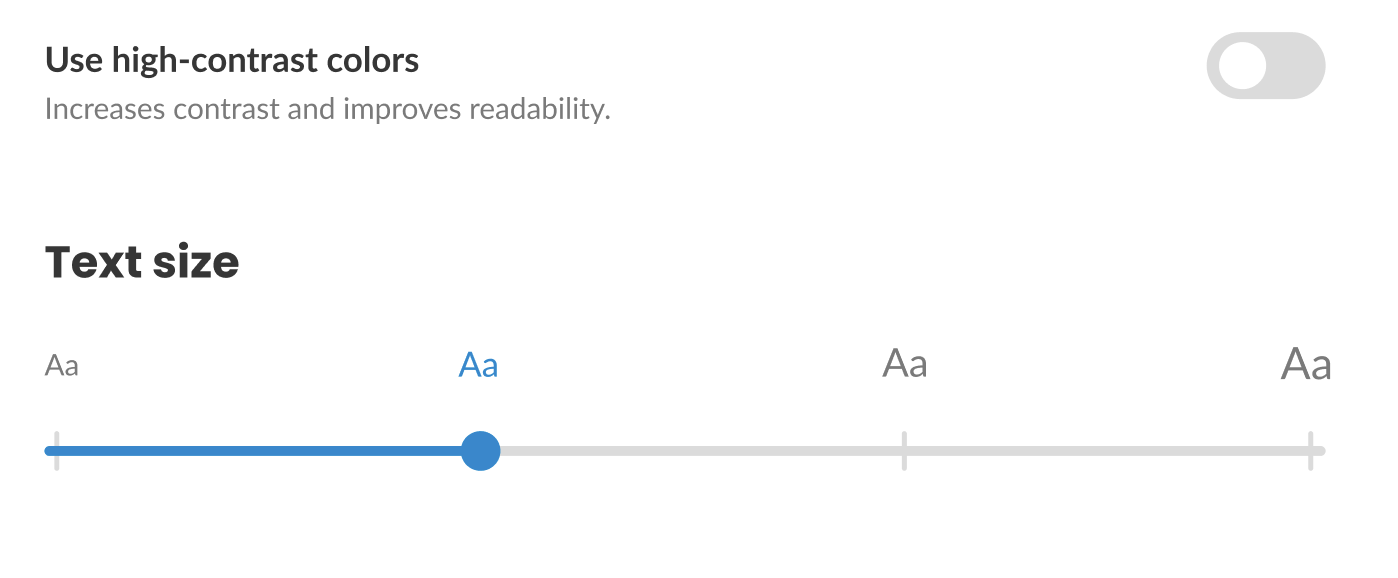
Quick note on this one @sandrina-p:
After researching sliders on mobile (for the voting rules sliders), I decided to place the text labels on top of the slider so that they are not covered by a finger when used in handheld and touch devices. The Figma mockups are updated accordingly.
mmbotelho
on 15 Apr 2020
Related issues
sandrina-p
·
6Comments
 hubudibu
·
8Comments
sandrina-p
·
8Comments
taoeffect
·
8Comments
taoeffect
·
5Comments
hubudibu
·
8Comments
sandrina-p
·
8Comments
taoeffect
·
8Comments
taoeffect
·
5Comments
Most helpful comment
Quick note on this one @sandrina-p:
After researching sliders on mobile (for the voting rules sliders), I decided to place the text labels on top of the slider so that they are not covered by a finger when used in handheld and touch devices. The Figma mockups are updated accordingly.