Godot: Light 2D causes ERROR: affine_invert: Condition ' det == 0 ' is true to spam the console.
Godot version:
Godot 3.2.3 RC5 Non-Mono Build
Godot 3.2.3 RC5 Mono Build
OS/device including version:
Windows 10 64-bit
Open GL ES 3 Renderer
Geforce GTX 1050 Ti
Intel UHD Graphics 630
Issue description:
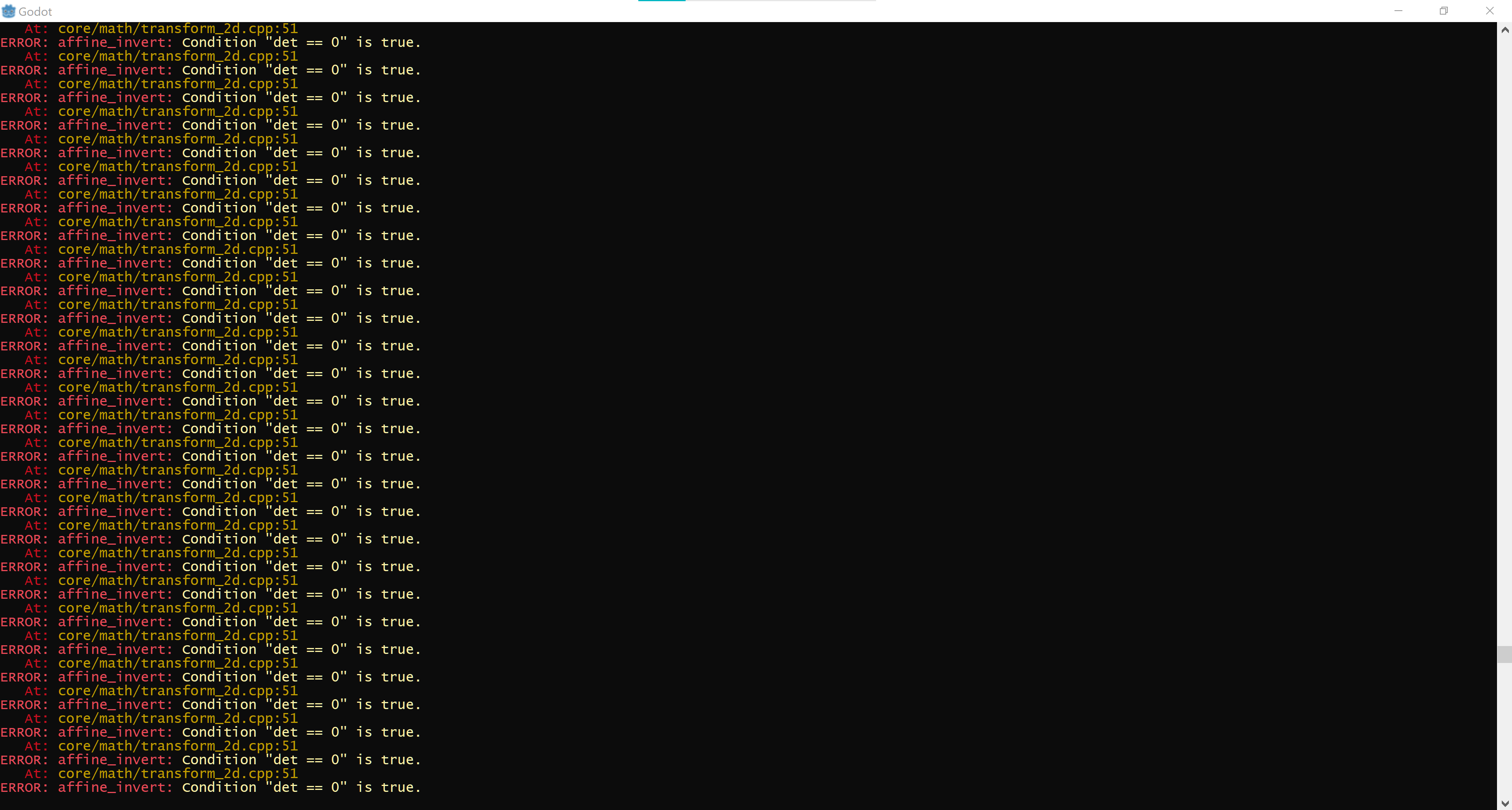
An error with Transform 2D occurs and is visible in the Output Console as soon as the Project is opened - the project does not need to be run to see this error.
When the project is run the 2D graphics performance is choppy, it's not smooth like it was in RC4.
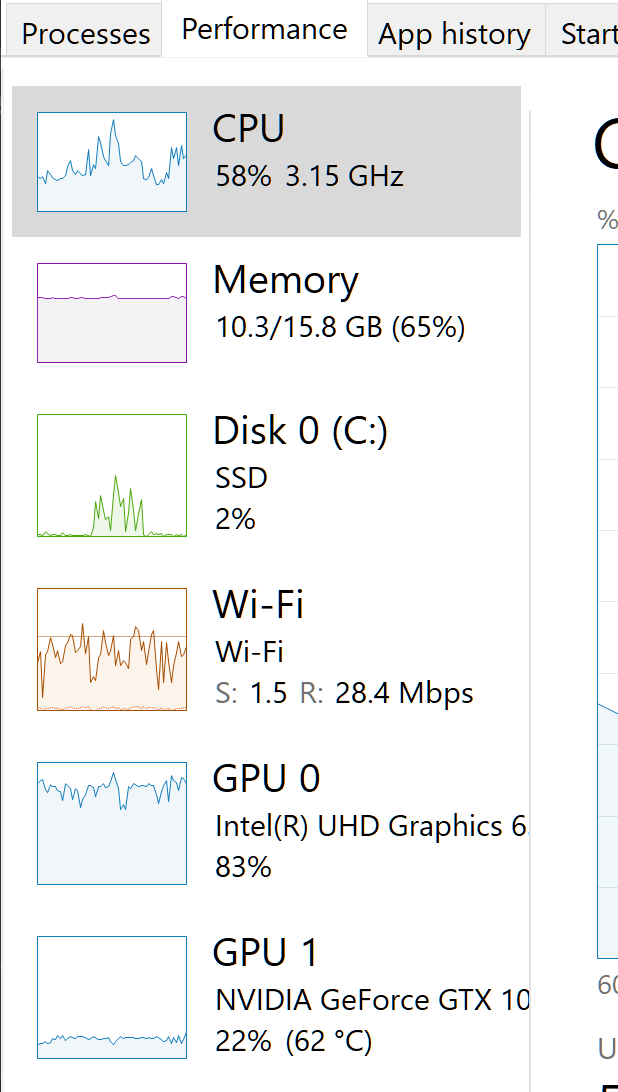
The fan also kicks into high volume with CPU utilization up to 58% and GPU utilization at 83% and Geforce GTX at 22% utilization.
Performance degrades.
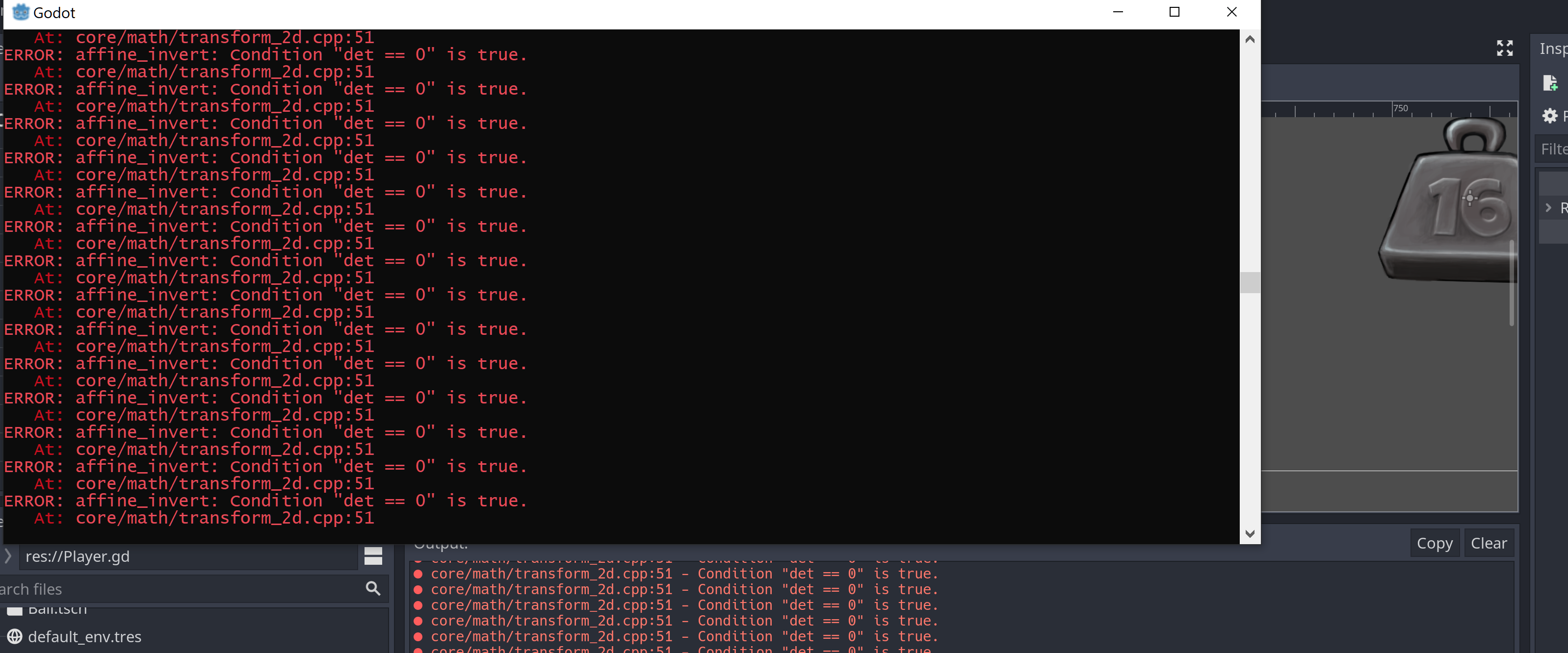
High CPU/GPU utilization (with Godot's processes on):
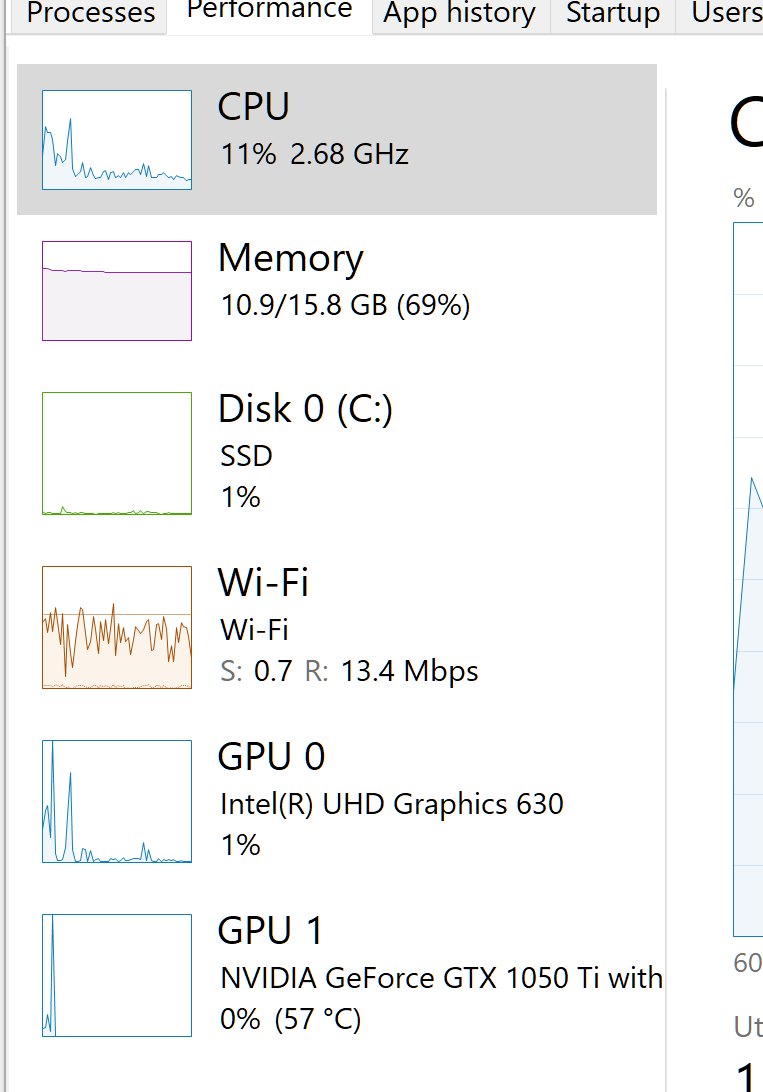
Normal CPU/GPU Utilization (with Godot's processes killed):
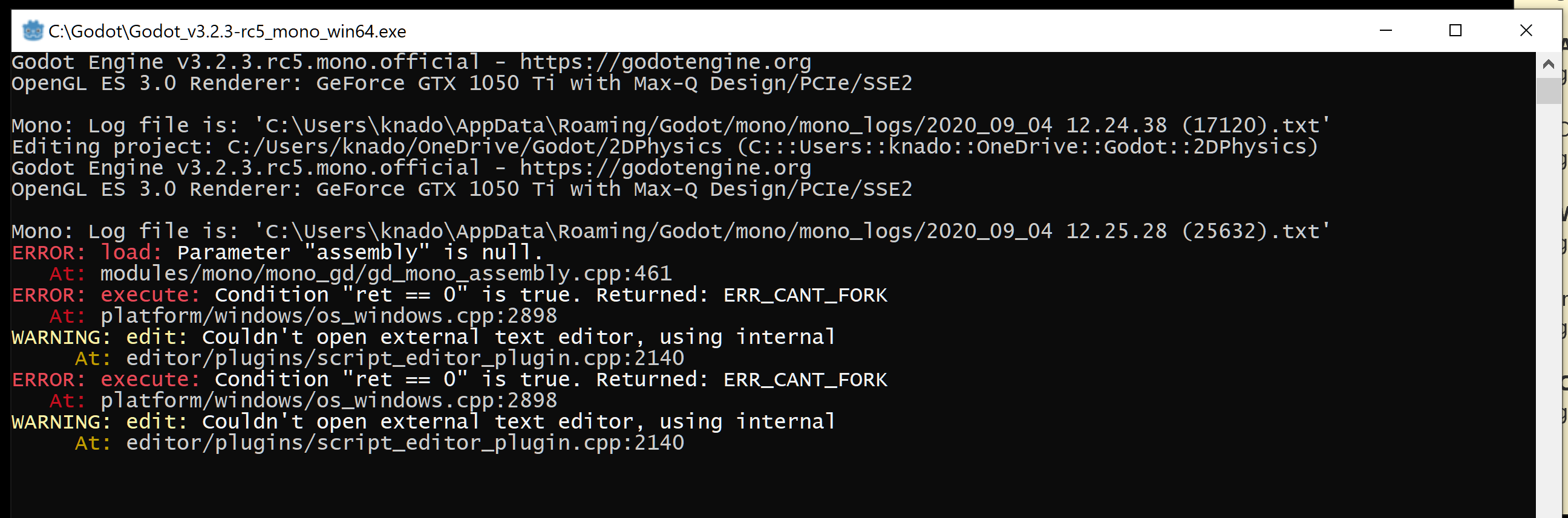
When loading the project using the Mono Build:
Steps to reproduce:
1) Open the included reproduction project and check the output console.
2) Then run the game and use arrow keys to see the 2D performance is affected.
3) Use CTRL+ALT+DEL, go to the Task Manager's Performance Tab and check your PCs CPU/GPU utilization.
Note: The video also shows another bug with RC4/RC5 where you cannot open GDScript using an external editor such as VS Code.
Videos:
Steps to reproduce:
https://youtu.be/c6y4EXST08M
High fan speed:
https://youtu.be/LTNcfi1Iw9k
Minimal reproduction project:
2DPhysics.zip
 knadoor
All 11 comments
Are you sure it's different between RC 4 and RC 5? There's no change related to physics between the two, the changes were only Mono-related fixes, a couple regression fixes and documentation updates: https://github.com/godotengine/godot/compare/dbb0ad3b59e4d9150d41a0f5177069224cb2f837...d773de6d244116c3ad26f0506a10038cc11019ff
I can confirm the det == 0 issue in both RC 4 and RC 5, though on Linux it doesn't seem to lead to slowdown. The errors being spammed to the console/output panel might be a cause of high CPU usage on Windows indeed. CC @madmiraal
The ERR_CANT_FORK issue with the external editor might be fixed by a reboot, this typically happens if Windows can't spawn processes for a reason. This reboot might also help with the perceived RC 5 regression on performance?
 akien-mga
on 4 Sep 2020
akien-mga
on 4 Sep 2020
I took a quick look at your project, some comments:
An error with Transform 2D occurs and is visible in the Output Console as soon as
the Project is opened - the project does not need to be run to see this error.
The noise texture in your Light2D is empty. Unfortunately, this triggers spam in the output with this error. After this is fixed, the project works fine on Linux.
Note: The video also shows another bug with RC4/RC5 where you cannot open GDScript using an external editor such as VS Code.
The VSCode addon currently appears to be broken. You can try installing the vsix version form here:
https://github.com/capnm/godot-vscode-plugin/releases/tag/v1.1.2
This currently works for me with VSCodium on Linux ...
 capnm
on 4 Sep 2020
capnm
on 4 Sep 2020
The ERROR: affine_invert: Condition ' det == 0 ' is true.
At: core/math/transform_2d.cpp:51 errors are caused by the Light2D, and more specifically the Noise Texture not having Noise defined. This issue exists in 3.1.2-stable and 3.2.2-stable too; so it's not new, and it's probably a duplicate #31090. It's easily resolved by defining the Noise.
@knadoor If the performance issues remain after rebooting, the issue may be the Light2D. Please test it without the Light2D. If there are no performance issues without the Light2D, it may be related to #23593.
 madmiraal
on 4 Sep 2020
madmiraal
on 4 Sep 2020
I took a quick look at your project, some comments:
An error with Transform 2D occurs and is visible in the Output Console as soon as
the Project is opened - the project does not need to be run to see this error.The noise texture in your Light2D is empty. Unfortunately, this triggers spam in the output with this error. After this is fixed, the project works fine on Linux.
Note: The video also shows another bug with RC4/RC5 where you cannot open GDScript using an external editor such as VS Code.
The VSCode addon currently appears to be broken. You can try installing the vsix version form here:
https://github.com/capnm/godot-vscode-plugin/releases/tag/v1.1.2
This currently works for me with VSCodium on Linux ...
Thanks to everyone here on the thread 👍
Yes removing the Light2D texture has stopped the Output console from being filled with that error.
I can confirm that removing the texture (Light2D still present) and re-running the project resolves the choppy performance issue.
However this is seems more of a workaround...it would be helpful to have console messages to indicate if a texture is missing as the current console message does not inform that.
knadoor
on 5 Sep 2020
I took a quick look at your project, some comments:
An error with Transform 2D occurs and is visible in the Output Console as soon as
the Project is opened - the project does not need to be run to see this error.The noise texture in your Light2D is empty. Unfortunately, this triggers spam in the output with this error. After this is fixed, the project works fine on Linux.
Note: The video also shows another bug with RC4/RC5 where you cannot open GDScript using an external editor such as VS Code.
The VSCode addon currently appears to be broken. You can try installing the vsix version form here:
https://github.com/capnm/godot-vscode-plugin/releases/tag/v1.1.2
This currently works for me with VSCodium on Linux ...
Thanks! I tried this but still get the same error:

I don't recall having this error in RC2/RC3 without having any additional VS Code plugins - I think the bug is on the Godot end.
knadoor
on 5 Sep 2020
Thanks! I tried this but still get the same error:
That means Godot can't start your external editor. Looks like your path is wrong or something windows related.
Ask someone on discord ;) or fill an another bug.
capnm
on 5 Sep 2020
I can confirm that removing the texture (Light2D still present) and re-running the project resolves the choppy performance issue.
Do you experience the performance issue with the NoiseTexture and Noise defined, or only with a Noise Texture and no Noise defined? i.e. is this an issue with NoiseTexture (or any other (properly defined) texture)?
madmiraal
on 6 Sep 2020
I can confirm that removing the texture (Light2D still present) and re-running the project resolves the choppy performance issue.
Do you experience the performance issue with the
NoiseTextureandNoisedefined, or only with aNoise Textureand noNoisedefined? i.e. is this an issue withNoiseTexture(or any other (properly defined) texture)?
As soon as NoiseTexture is added and Light2D = Enabled, this issue occurs - but when a Noise is defined then the issue stops.
Also would like to add I tested with the following other textures and can confirm I get the same error:
- AnimatedTexture
- CurveTexture
- GradientTexture
- ImageTexture
- ProxyTexture
- StreamTexture
knadoor
on 6 Sep 2020
I just tried debugging and the error is coming from these lines (VisualServerViewport::_draw_viewport, line 150):
for (Set<RasterizerCanvas::Light *>::Element *F = canvas->lights.front(); F; F = F->next()) {
RasterizerCanvas::Light *cl = F->get();
if (cl->enabled && cl->texture.is_valid()) {
//not super efficient..
Size2 tsize = VSG::storage->texture_size_with_proxy(cl->texture);
tsize *= cl->scale;
Vector2 offset = tsize / 2.0;
cl->rect_cache = Rect2(-offset + cl->texture_offset, tsize);
cl->xform_cache = xf * cl->xform;
if (clip_rect.intersects_transformed(cl->xform_cache, cl->rect_cache)) {
cl->filter_next_ptr = lights;
lights = cl;
cl->texture_cache = NULL;
Transform2D scale;
scale.scale(cl->rect_cache.size);
scale.elements[2] = cl->rect_cache.position;
// THIS LINE
cl->light_shader_xform = (cl->xform_cache * scale).affine_inverse();
Unfortunately even in debug I'm getting a lot of variables optimized out, so it's hard to say precisely, but I suspect that Size2 tsize = VSG::storage->texture_size_with_proxy(cl->texture) may be returning 0. scale certainly seems to be zero, which would flag the error.
So it ties in with the idea that it expects a non-zero sized texture. And it arguably is indicating a bug in the project (a zero sized light texture), although the error message isn't very specific.
We could put arguably put in a specific error message for this condition, however until I can get it to debug without things being optimized out I can't say much more on this.
 lawnjelly
on 20 Sep 2020
lawnjelly
on 20 Sep 2020
Unfortunately even in debug I'm getting a lot of variables optimized out, so it's hard to say precisely
For other people stumbling upon this issue, see https://github.com/godotengine/godot/issues/42205 for a fix/workaround.
 Calinou
on 20 Sep 2020
Calinou
on 20 Sep 2020
Hi. continuing from the above - I found something interesting that might help in resolving this?
Another way to prevent this error of " core/math/transform_2d.cpp:51 - Condition "det == 0" is true." repeating constantly is to do the following:
1) When the console is being spammed with the message, uncheck the "Enabled" button for the Light 2D that does not have a Noise Texture - the message stops (of course re-enabling this brings back the spam to console)
2) Add any texture (you'll notice that the spamming to console stops)
3) Remove that texture.
4) Now there won't be any spamming to the console regardless of the Light2D being enabled or not.
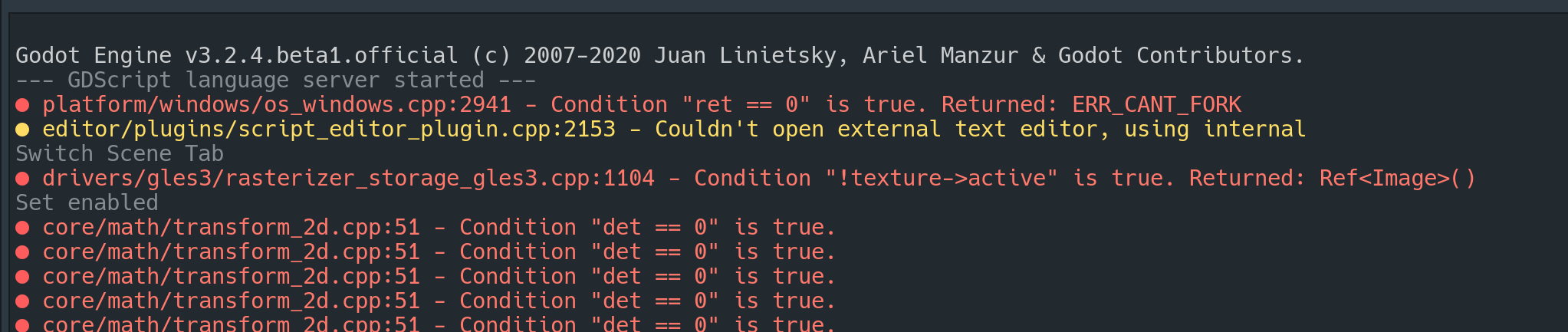
Unfortunately saving the project and reloading it does not persist this workaround - however the following error message appears in the console related to gles3.cpp upon reloading the project after performing the above steps:
Link to video:
https://youtu.be/SCBsoY3-7_4
knadoor
on 22 Oct 2020
Related issues
 mooseyfaith
·
3Comments
mooseyfaith
·
3Comments
 blurymind
·
3Comments
blurymind
·
3Comments
 rgrams
·
3Comments
rgrams
·
3Comments
 RayKoopa
·
3Comments
RayKoopa
·
3Comments
 timoschwarzer
·
3Comments
timoschwarzer
·
3Comments
Most helpful comment
The
ERROR: affine_invert: Condition ' det == 0 ' is true.
   At: core/math/transform_2d.cpp:51
errors are caused by theLight2D, and more specifically theNoise Texturenot havingNoisedefined. This issue exists in 3.1.2-stable and 3.2.2-stable too; so it's not new, and it's probably a duplicate #31090. It's easily resolved by defining theNoise.@knadoor If the performance issues remain after rebooting, the issue may be the Light2D. Please test it without the Light2D. If there are no performance issues without the Light2D, it may be related to #23593.