Godot: Visual Shader does not display Specular reflection from light source
Godot version:
3.2.2 stable
OS/device including version:
Windows 10 v2004
Lenovo y710 Cube
Intel i7 6700
Nvidia GTX1080
16GB RAM
Issue description:
Visual Shader will not show a specular reflection caused by directional, omni or spotlight. A Spatial Material with identical properties (Roughness 0.2, Specular 0.5 for example) will show the specular just fine.
I have experimented with roughness maps and assigning values to Albedo/Specular/Roughness/Metalness via scalar constants and uniforms, along with checking the light, world and project settings. Nothing seems to allow specular to appear on a VisualShader material.
Steps to reproduce:
- Load the attached project
- Load "Main Scene"
- The "VisualShader" object DOES NOT show a specular for the directional light
- The "Spatial Material" object DOES show a specular for the directional light
- Both materials have identical settings for Specular and Roughness
- Both materials reflect the default world environment just fine
Minimal reproduction project:
VisualShaderSpecular_Bug.zip
 WickedInsignia
All 7 comments
Update:
Blinn, Phong and other specular modes appear to work. SchlickGGX does not show a specular in any diffuse modes, whereas the others will.
It's also worth taking note that the default diffuse mode for VisualShaders is Lambert, whereas the default for PBR workflows and SpatialMaterial is Burley.
WickedInsignia
on 26 Aug 2020
It looks like when you set diffuse to burley or specular to schlick_ggx the visual shader does not insert the render mode at all. However, the shader assumes that you will have at least one specular render mode set.
Im guessing something in the logic here is rejecting the first render_mode in the list:
CC @Chaosus
 clayjohn
on 26 Aug 2020
clayjohn
on 26 Aug 2020
I've no idea about shader code so I won't be much help on that front, but very happy to test things if anyone takes a shot at a fix.
WickedInsignia
on 26 Aug 2020
This looks like its related to this
https://github.com/godotengine/godot/pull/12091
 mohammedzero43
on 26 Aug 2020
mohammedzero43
on 26 Aug 2020
Ok, I take a look
 Chaosus
on 26 Aug 2020
Chaosus
on 26 Aug 2020
@WickedInsignia
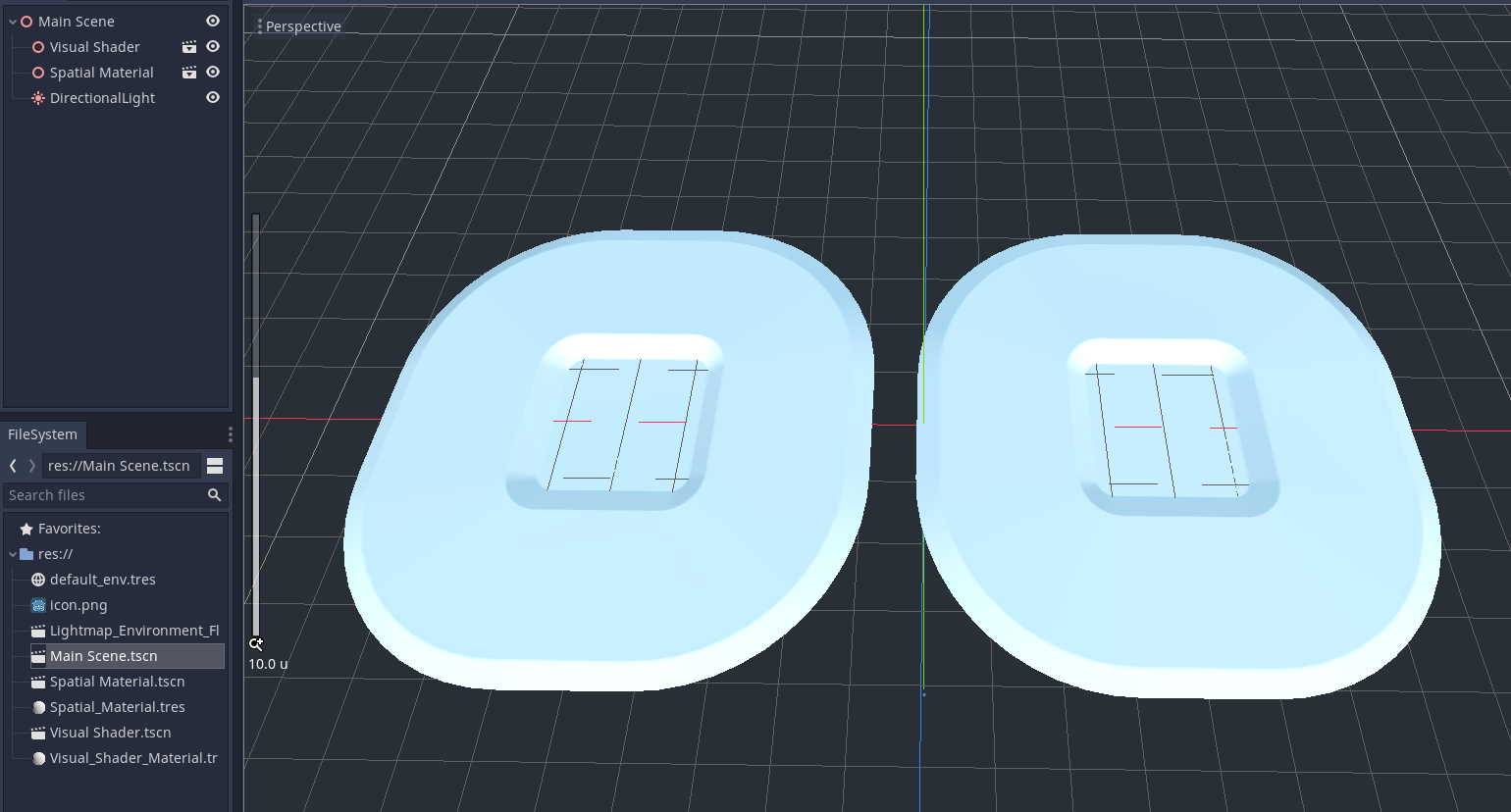
To be honest, I don't see a difference between those two (Windows10/GTX1060), maybe a problem somewhere else?
Chaosus
on 26 Aug 2020
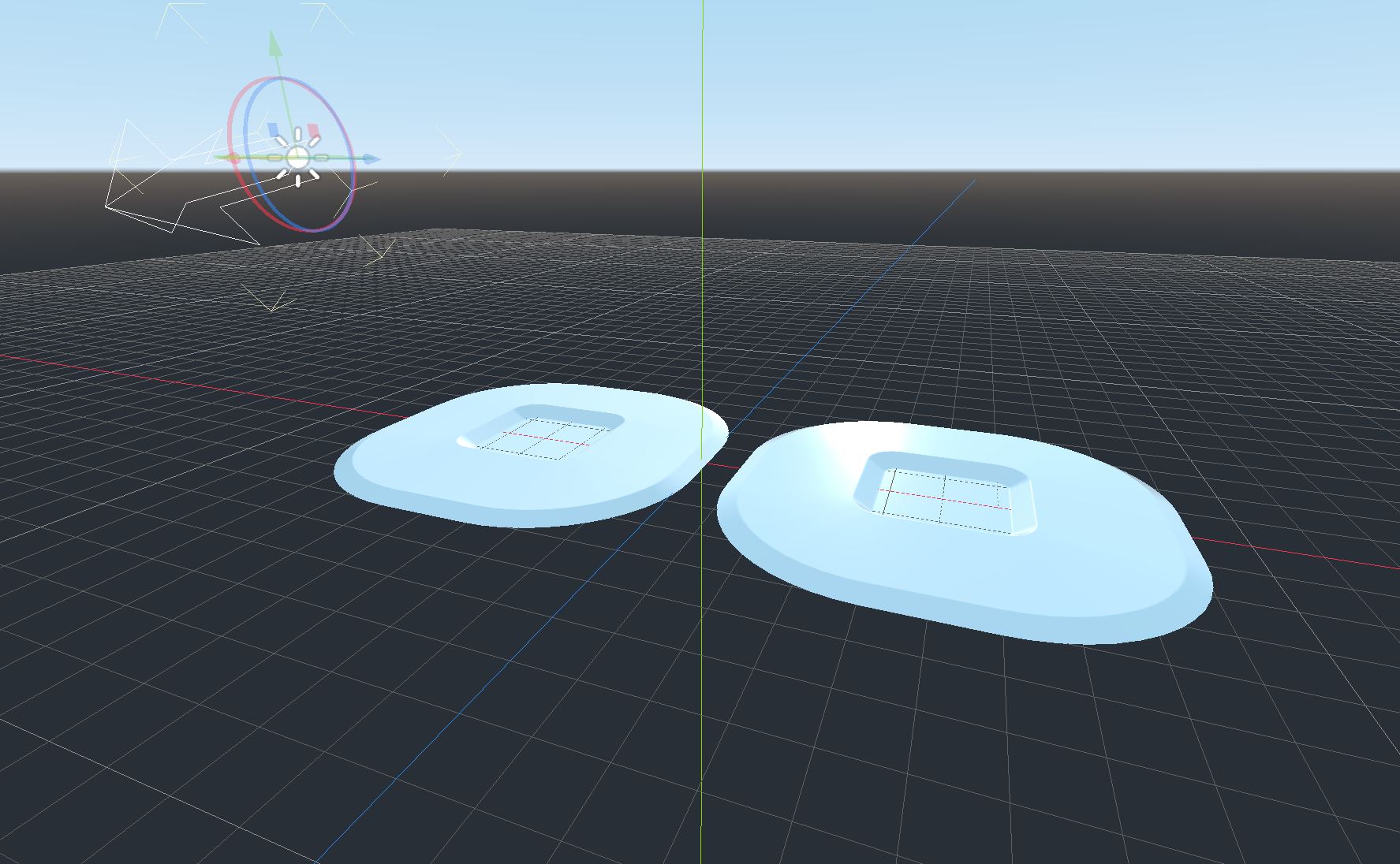
@Chaosus You need to rotate the scene around so the directional light is facing the camera.
The object on the right (SpatialMaterial) will show a specular for the directional light. The object on the left (VisualShader) will not.
Something is not initiating the specular in Visual Shaders with GGX.
WickedInsignia
on 26 Aug 2020
Related issues
 blurymind
·
3Comments
blurymind
·
3Comments
 testman42
·
3Comments
testman42
·
3Comments
 kirilledelman
·
3Comments
kirilledelman
·
3Comments
 Spooner
·
3Comments
Spooner
·
3Comments
 RayKoopa
·
3Comments
RayKoopa
·
3Comments