Godot version:
godot 3.2.3 beta1
OS/device including version:
OS: Solus Linux GPU: RX480 Backend: GLES3
Issue description:
SkeletonIk in godot 3.2.3 beta1 still doesnt work correctly when any node in the scene has a scaling other then 1.0
Steps to reproduce:
- i downloaded a model from mixamo, a collada, and weapon.
- then i added the scene containing the weapon to the scene of the character model, under the bone attachment node for the right hand.
- then under the weapon model i added a position3D.
- to the skeleton node i added a SkeletonIk( sometimes it crashes when adding the SkeletonIK node)
- then i selected the root and tip bone as left shoulder and left hand
- as the target node i selected the position3D
- it works fine when there is no scaling in the scene
Minimal reproduction project:
as soon as there is any scaling in the scene on any node, the model behaves really weird, sometimes it makes the root and tip bone smaller or larger and never goes to the point specified
 barbaros83
All 13 comments
without scaling
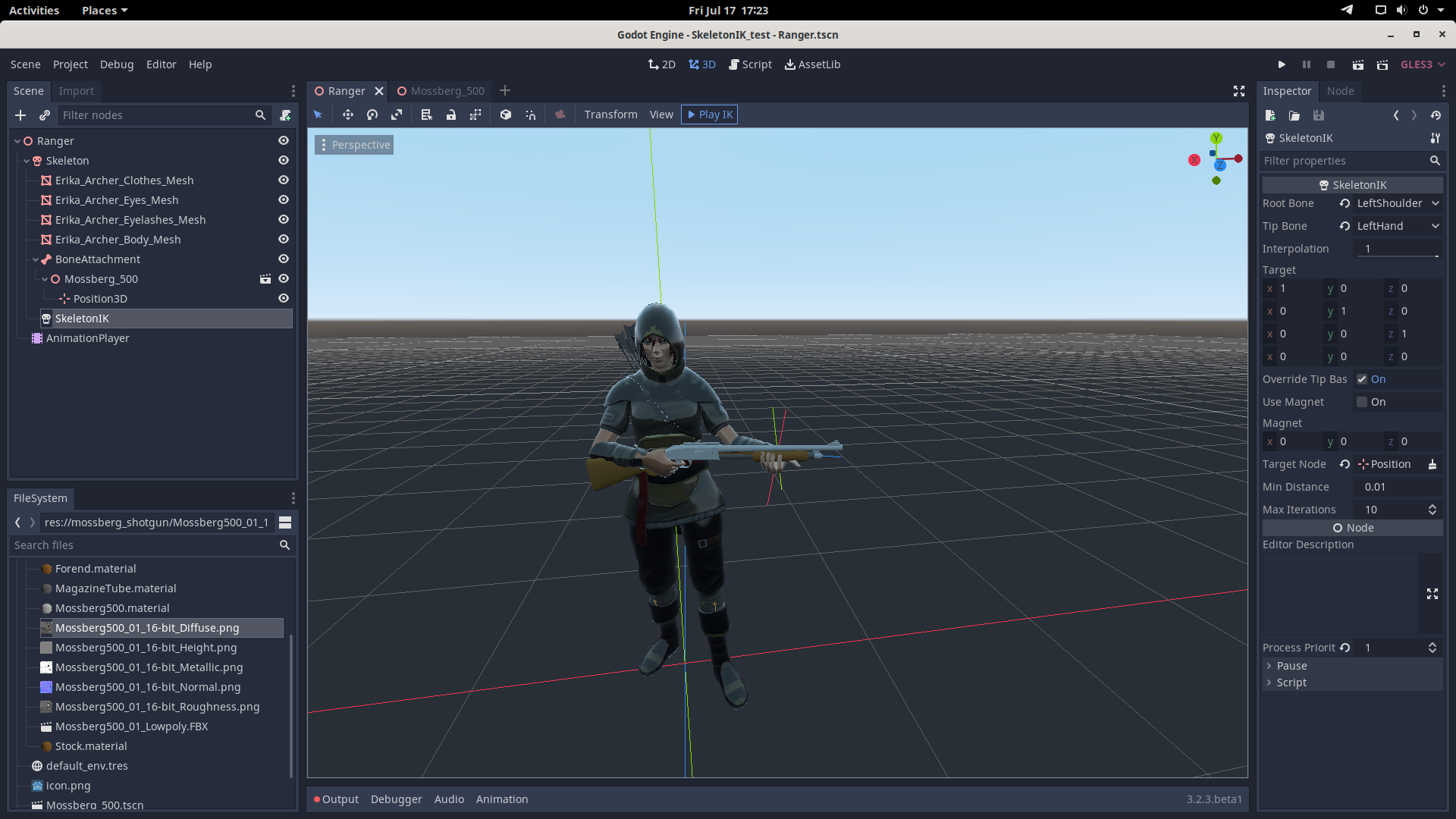
barbaros83
on 17 Jul 2020
with scaling
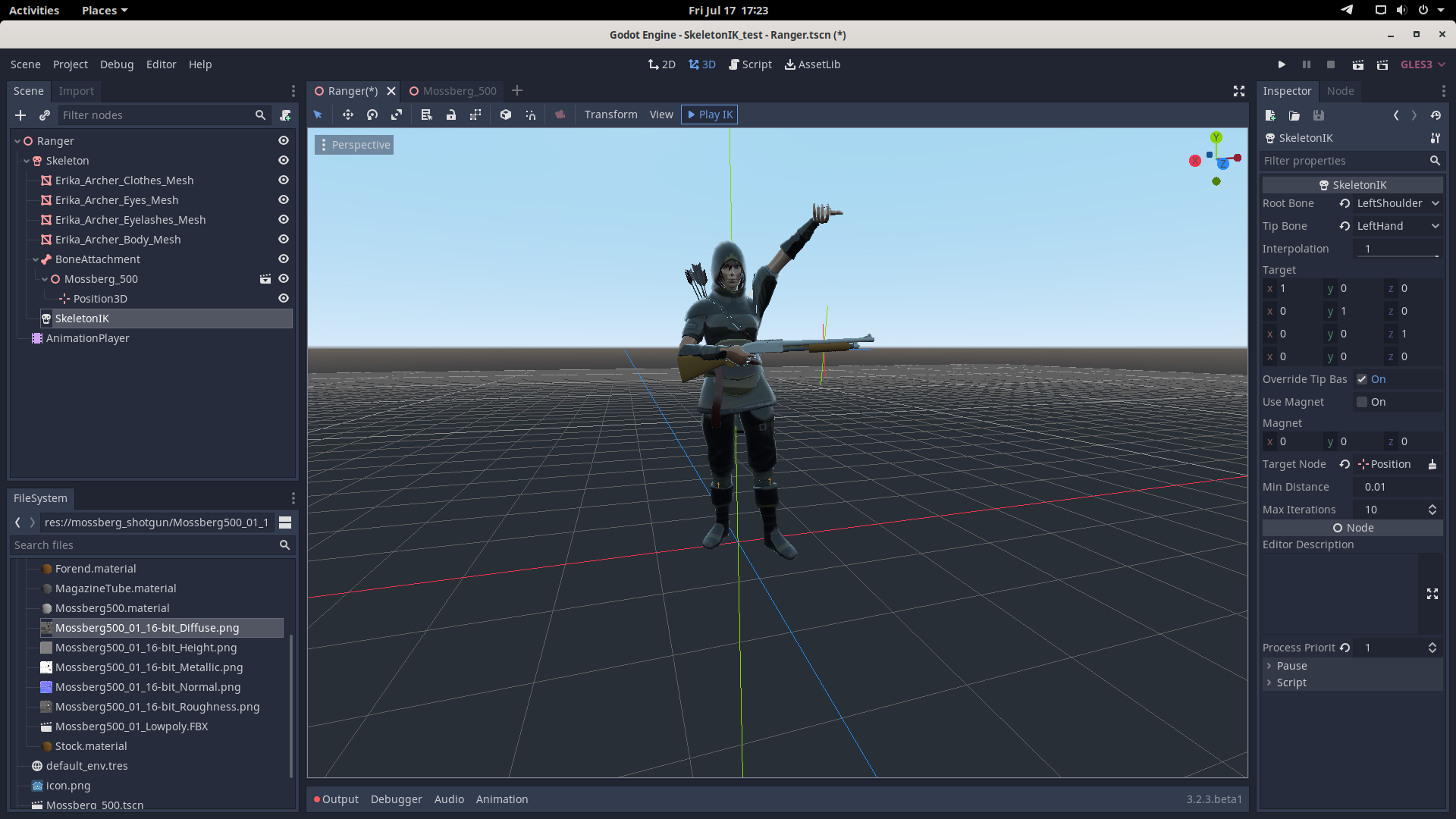
barbaros83
on 17 Jul 2020
It looks like the issue is that the SkeletonIK is not correctly getting the target position, which could be related to scale, but it could also be related to something else entirely. I might rename the issue to something like "SkeletonIK - Wrong target position used when scaling" or something similar, since the issue seems to be the target position being offset when there is scaling in the scene.
Regardless, this issue is definitely different than #25544, as that issue was the tip bone itself was being scaled incorrectly when using the Override Basis property. Here, the hand appears to be the correct scale, but the target position is not being handled correctly.
If possible, can you provide a download to a minimum project that shows the issue? A project already setup and showing the issue would be very helpful for debugging the issue and checking potential solutions.
One thing to try, and I have no idea if this will help or not, is moving the SkeletonIK node further up in the scene tree, so its code gets execute before the BoneAttachment. It is possible that the BoneAttachement being before the SkeletonIK is messing up how the SkeletonIK node gets the position, leading it to being offset.
Also, when you say it works fine with no scaling in the scene, which node do you mean? Is the ranger node being scaled or the Skeleton?
Edit: Also, in the description, you say the SkeletonIK node doesn't work when any other node has a scale other than 1. Does that mean this issue also occurs when the Position3D used for the target is scaled?
 TwistedTwigleg
on 17 Jul 2020
TwistedTwigleg
on 17 Jul 2020
moving it up didnt work
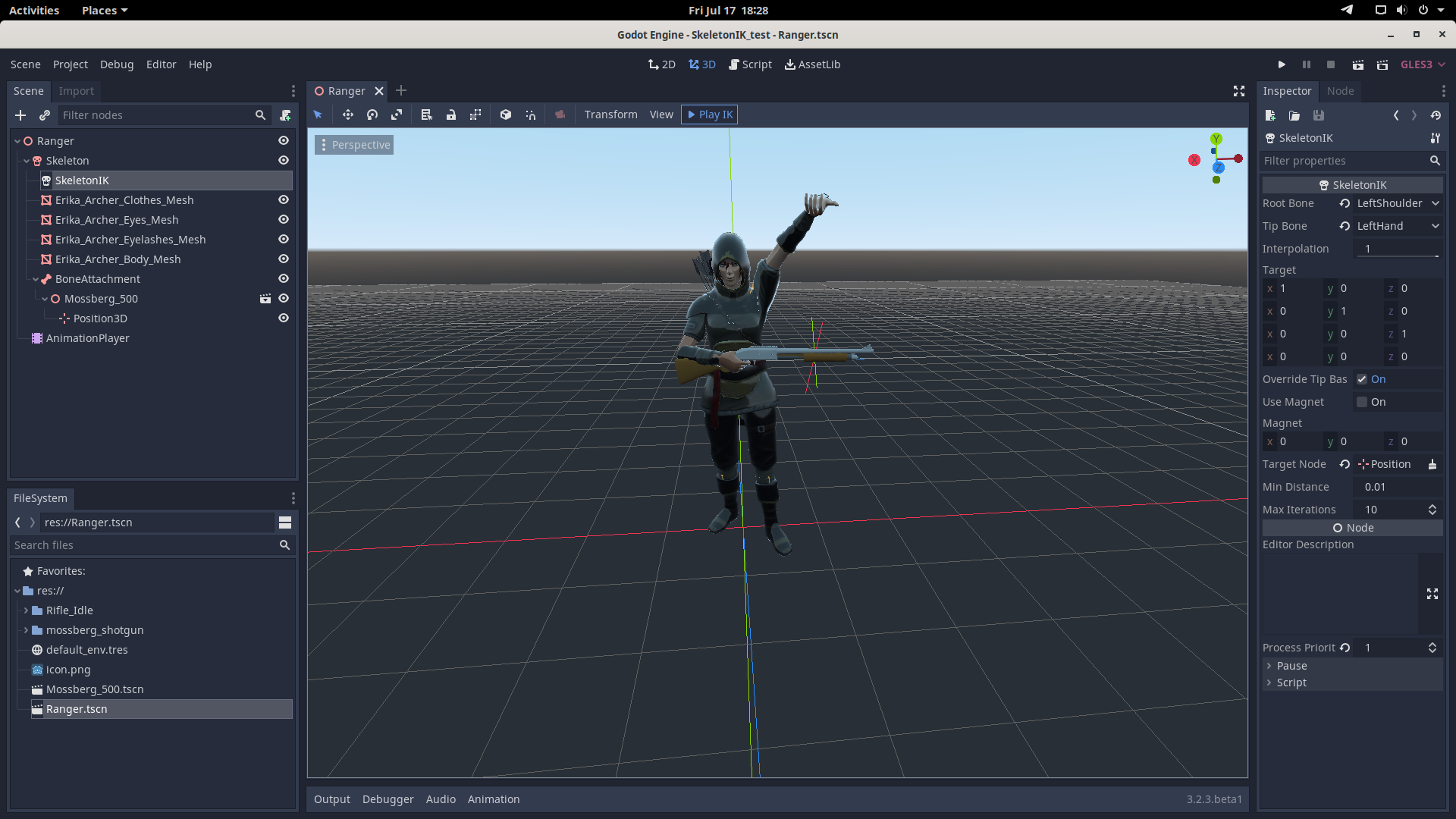
barbaros83
on 17 Jul 2020
github doesnt allow me to upload the project, because its size is larger then 10mb, where do you prefer i should upload the project ?
barbaros83
on 17 Jul 2020
Something like Google drive or Dropbox is fine.
TwistedTwigleg
on 17 Jul 2020
by scaling i mean a parent node, something that eventualy touches the skeletonIk, if the scaling of the node doesnt touch skeletonIK, then its fine, maybe some other node in the same branch, or something on a diffrent node entirely
barbaros83
on 17 Jul 2020
Hmm, interesting. I wonder if the BoneAttachement is causing the issue, the Skeleton, or the SkeletonIK node, since they'd all be affected. Does scaling the SkeletonIK node itself do anything?
TwistedTwigleg
on 17 Jul 2020
barbaros83
on 17 Jul 2020
the skeletonIk node does not inherit from spatial, how would i scale it ?
barbaros83
on 17 Jul 2020
Ah, right, I forgot, its just a normal Node, so it doesn't have a scale.
I'll mess around with the test project and see if I can figure out what is going on.
Edit: Some things I've figured out
- It is not the BoneAttachment node that is causing the issue. The scale of the BoneAttachement does not change the SkeletonIK results in my testing.
- The scale of the Skeleton appears to be what is causing the issue.
- It seems that the target position is having the scale applied twice, leading to an increased offset and causing the arm not to reach the target. Using a scale of
1.1on the Skeleton or Root node causing it to be just slightly off, while a scale of2.0causes it to be twice the offset away.
TwistedTwigleg
on 17 Jul 2020
is it an easy fix ?
barbaros83
on 17 Jul 2020
is it an easy fix ?
I don't know, to be honest. I haven't poked around in the SkeletonIK code and tried to fix it, and with many things, "easy" is relative. I do not expect it to be too difficult, since it seems to just be a position issue, but without having tried to fix the issue, I don't know.
I'll take a look at the source code and see if I can find a solution next week.
TwistedTwigleg
on 17 Jul 2020
Related issues
 ivanskodje
·
3Comments
ivanskodje
·
3Comments
 RayKoopa
·
3Comments
RayKoopa
·
3Comments
 gonzo191
·
3Comments
gonzo191
·
3Comments
 EdwardAngeles
·
3Comments
EdwardAngeles
·
3Comments
 ndee85
·
3Comments
ndee85
·
3Comments