Godot version:
3.2.1.stable.official
OS/device including version:
Android 4.4 Samsung S3 Note Samsung Galaxy Tab 3 8.0 SM-T311, GLES 2
Issue description:
In GLES 2 on a standard 3d-plane, the texture is stretched
Steps to reproduce:
Create a standard 3d-plane, standard material (I use unshaded), assign any texture (I used .png with standard export settings).
Editor (windows 10):
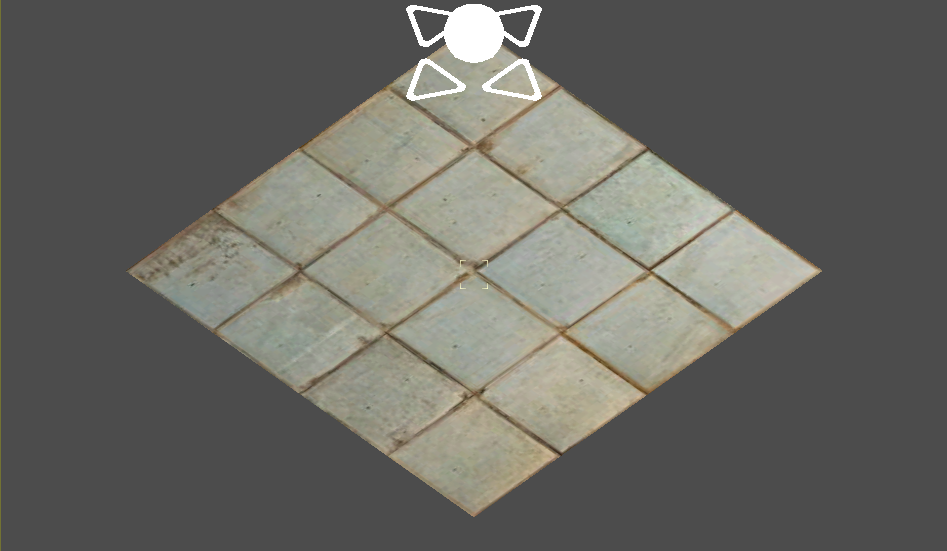
Android 4.4
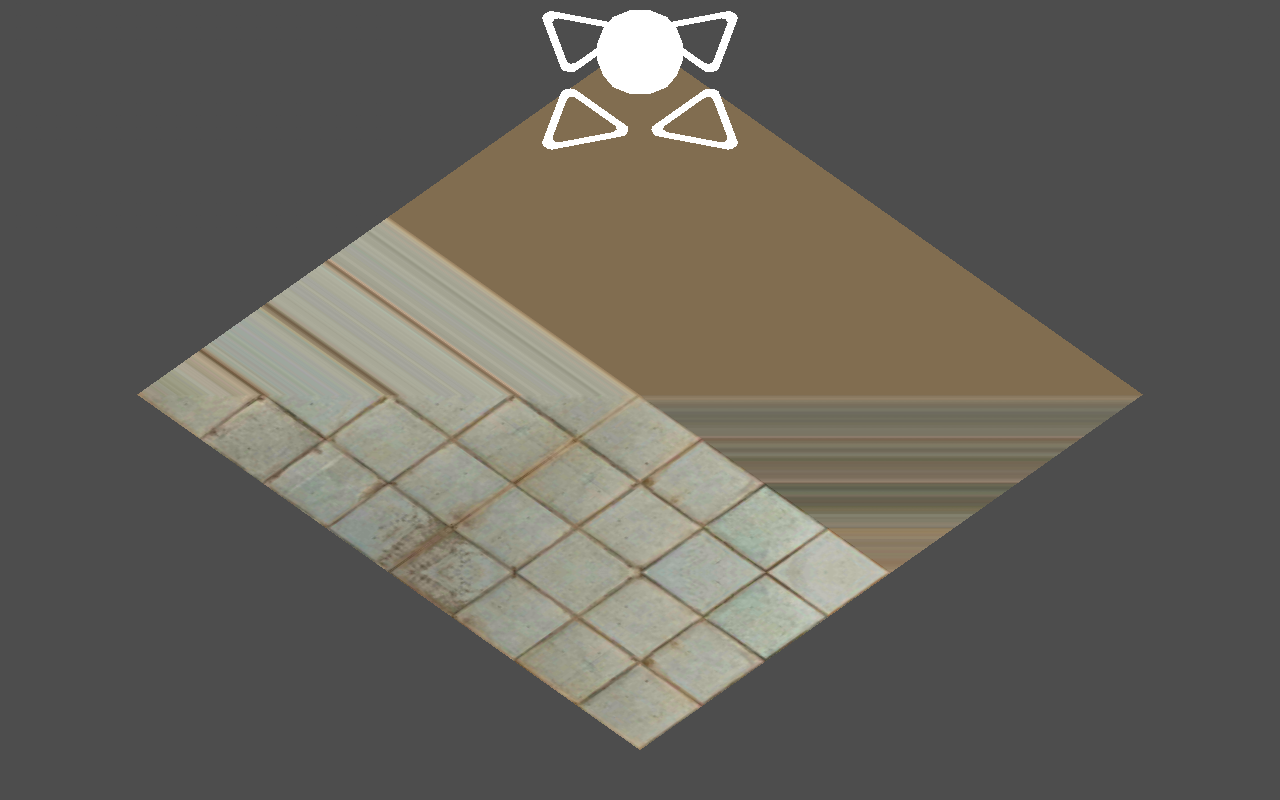
 DDru
DDru
All 15 comments
@DDru Please upload a minimal reproduction project to make this easier to troubleshoot.
 Calinou
on 16 Apr 2020
Calinou
on 16 Apr 2020
@Calinou bug proj.zip
DDru
on 17 Apr 2020
This is how it looks on Galaxy S8+ / Android 9
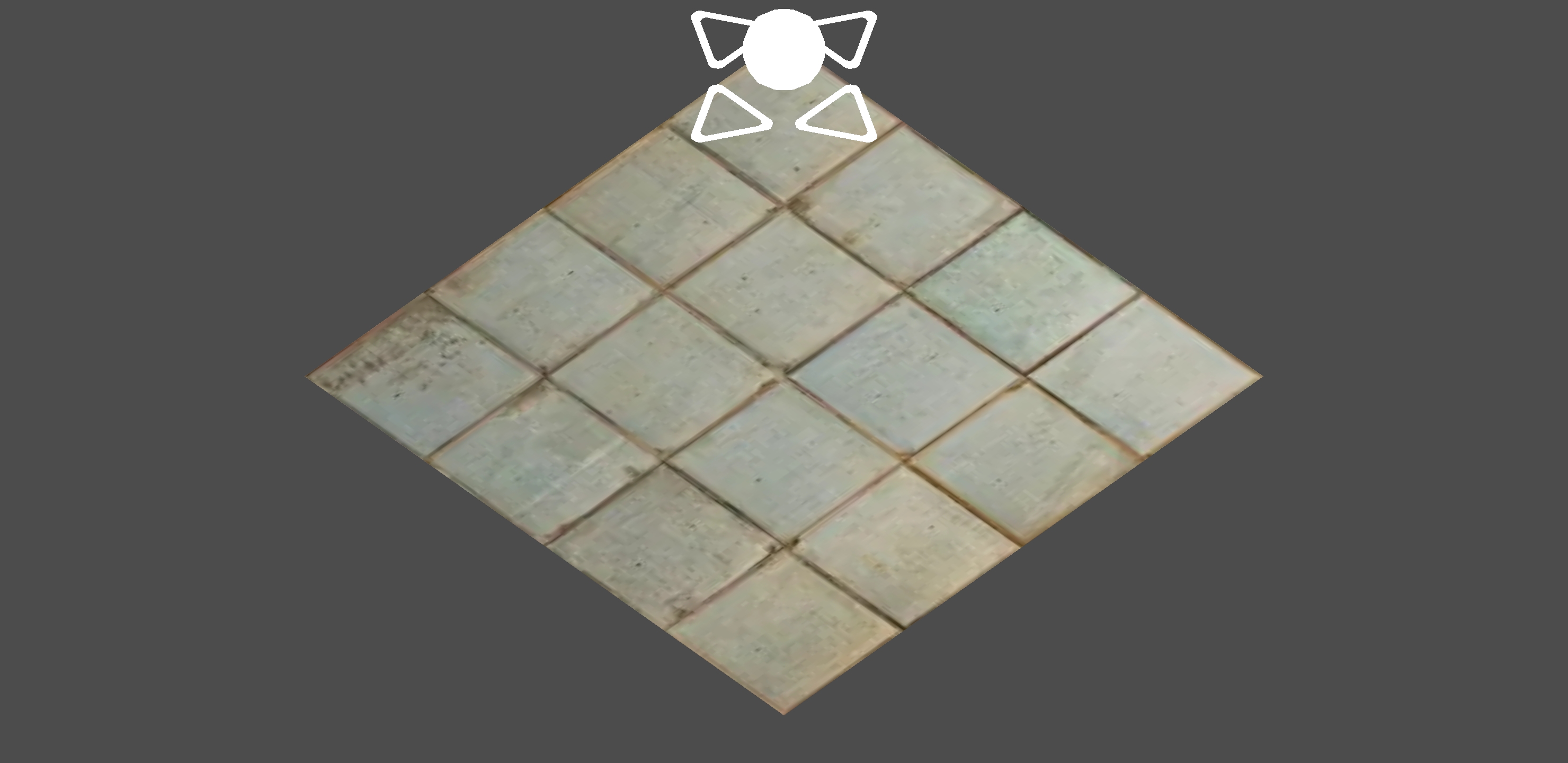
 volzhs
on 17 Apr 2020
volzhs
on 17 Apr 2020
Android 4.4
GLES: ARM, Mali-450 MP, OpenGL ES 2.0
GL_EXT_debug_marker GL_OES_texture_npot GL_OES_compressed_ETC1_RGB8_texture GL_OES_standard_derivatives GL_OES_EGL_image GL_OES_depth24 GL_ARM_rgba8 GL_ARM_mali_shader_binary GL_OES_depth_texture GL_OES_packed_depth_stencil GL_EXT_texture_format_BGRA8888 GL_OES_vertex_half_float GL_EXT_blend_minmax GL_OES_EGL_image_external GL_OES_EGL_sync GL_OES_rgb8_rgba8 GL_EXT_multisampled_render_to_texture GL_EXT_discard_framebuffer GL_OES_get_program_binary GL_ARM_mali_program_binary GL_EXT_shader_texture_lod GL_EXT_robustness GL_OES_depth_texture_cube_map GL_KHR_debug
EGL:
EGL_KHR_image EGL_KHR_image_base EGL_KHR_image_pixmap EGL_KHR_gl_texture_2D_image EGL_KHR_gl_texture_cubemap_image EGL_KHR_gl_renderbuffer_image EGL_KHR_fence_sync EGL_ANDROID_image_native_buffer EGL_ANDROID_recordable EGL_ANDROID_native_fence_sync EGL_ANDROID_framebuffer_target EGL_EXT_create_context_robustness EGL_ANDROID_blob_cache
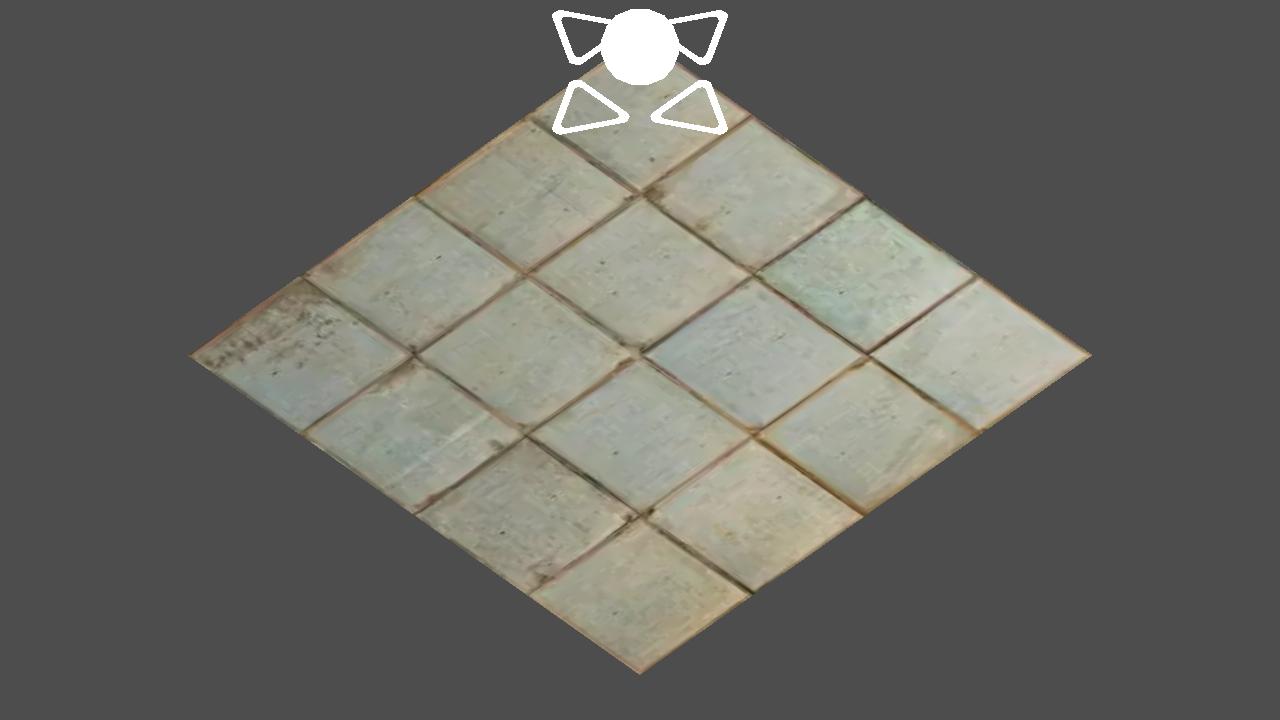
 avril-gh
on 17 Apr 2020
avril-gh
on 17 Apr 2020
@avril-gh tested device has Mali-400 MP4 and Android: 4.4.2
Also i made mistake about device name. Correct name is Samsung Galaxy Tab 3 8.0 SM-T311
DDru
on 17 Apr 2020
@DDru
Try to enable debug and see if there's anything '_interesting_' in log file
project settings - > debug -> settings -> verbose stdout - enable
project settings - > logging -> file logging -> enable file logging - enable
(_log path, is where your log will be on android device, by default its in data/data/yourappname/logs_)
also, my image is from latest v3.2.2.rc, would you like to try out on v3.2.2.rc perhaps ?
avril-gh
on 17 Apr 2020
@avril-gh
also, my image is from latest v3.2.2.rc, would you like to try out on v3.2.2.rc perhaps ?
in 3.2.2.rc.official no any changes
Try to enable debug and see if there's anything 'interesting' in log file
I found logs only in editor. And they had some strange lines:
...
ADDING: res/mipmap/icon_background.png
ADDING: res/mipmap/icon_foreground.png
Unicode error: invalid skip
Unicode error: invalid skip
Unicode error: invalid skip
Unicode error: invalid skip
Unicode error: invalid skip
Unicode error: no space left
ADDING: resources.arsc
0 param: --xr_mode_regular
1 param: --use_depth_32
2 param: --use_immersive
Installing to device (please wait...): Samsung SM-T311
Project directory and path to Godot.exe has only latin-symbols.
DDru
on 17 Apr 2020
Just a hunch, do you get the same problem with a power of 2 texture size? (i.e. 256x256, 512x512 etc)
Actually seeing as it isn't tiling, it's less likely to be that but worth a try (a lot of android devices won't tile correctly except with power of 2 textures).
Other things to try, is make a custom shader with the red and blue colours varying with the u and v coords respectively, to ensure that uv are being interpolated correctly. If that works, it's likely a texture reading issue.
There are some driver bugs in the Mali 400 MP it seems:
https://gamedev.stackexchange.com/questions/83644/weird-texture-binding-bug-on-mali-400-mp
It might need someone with the offending hardware to track it down if it isn't something simple.
 lawnjelly
on 18 Apr 2020
lawnjelly
on 18 Apr 2020
@DDru , @lawnjelly is very true, your texture is 340px. Try texture with something like x8 let it be 320x320px. ( _and btw, what a smart debug idea with this UV, im impressed_ :smile: )
avril-gh
on 18 Apr 2020
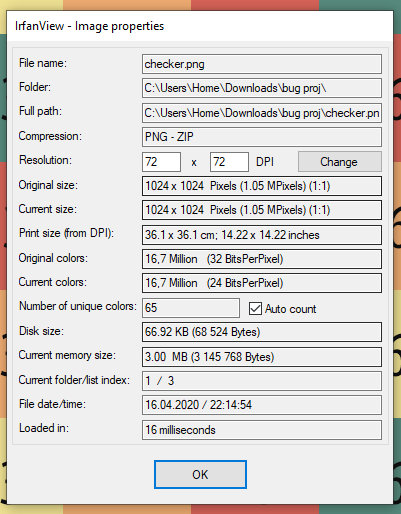
@avril-gh, @lawnjelly no. At first I used the neighboring texture "checker.png", which is 1024x1024 size and I saw an error on it.
DDru
on 19 Apr 2020
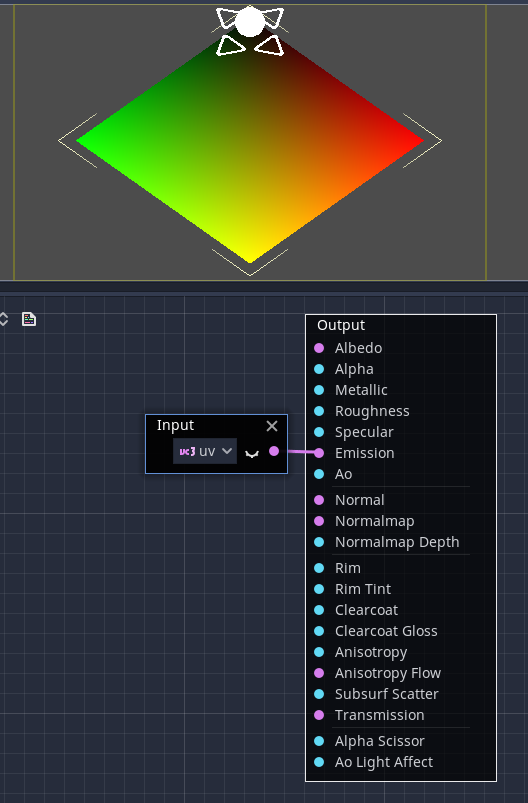
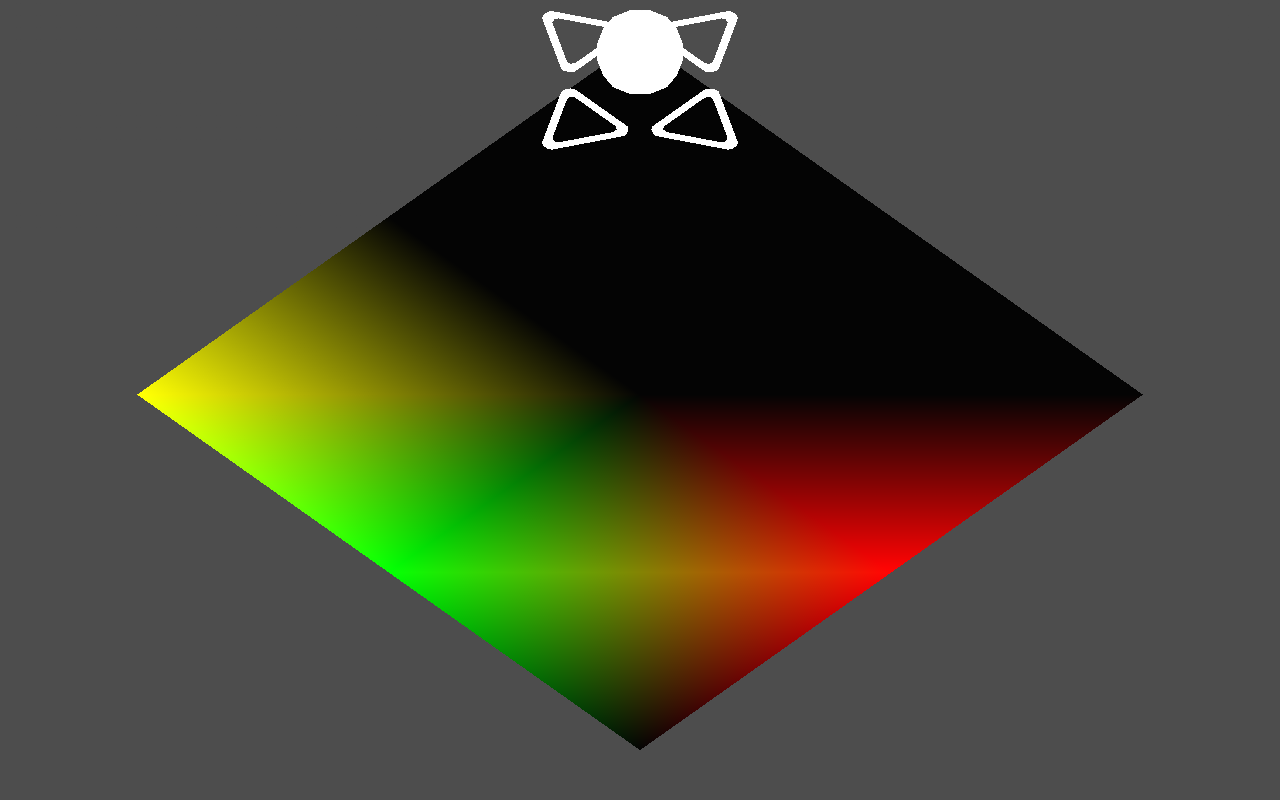
@lawnjelly, visualization UV-coordinates really shows error.
Editor:
Android:
DDru
on 19 Apr 2020
This is because vertex shading is forced by default on mobile. You can disable it in the Project Settings (search for "vertex" and uncheck the setting for the .mobile override). Alternatively, you can use a tesselated plane using PlaneMesh so it's more precise.
Calinou
on 19 Apr 2020
I think even with vertex shading these should interpolate correctly (this is basic texture mapping).
From what I can see it looks like the vertex UVs are incorrect in the vertex shader. It would be helpful to see the glsl shaders (rather than uber shader) that are produced to get an idea of what might be causing a problem on this hardware. I'll print these here if I have time to look at the issue. (or @clayjohn)
It's almost as if it is passing 8 triangles and not enough uv coords (the primary colors are there, but lots of black, so maybe 0, 0 uv).
It could be off the top of my head:
- the mesh data generated is incorrect
- the mesh data is uploaded incorrectly
- the uvs are processed incorrectly in the shader (some precision, normalization, wraparound, polarity type thing)
- GPU bug (like the one I referenced earlier for array access)
It would be nice to verify that the vertex data being uploaded was actually correct on the offending hardware too, and the upload process like the stride, although I'm not sure how easy this would be logistically.
Do you get any other strange texture behaviour on other meshes (i.e. does this only occur on plane)? Especially default ones like cube. It would be useful to know whether those display correctly, or how they go wrong.
Also, if you create a similar plane in blender, then load as an .obj rather than create a plane in godot, does it behave in the same way (could be something in the godot plane generation code)? Normally though if it was CPU side (due to things like sizeof being different to on desktop), you'd get the same behaviour on other hardware with similar CPU.
lawnjelly
on 19 Apr 2020
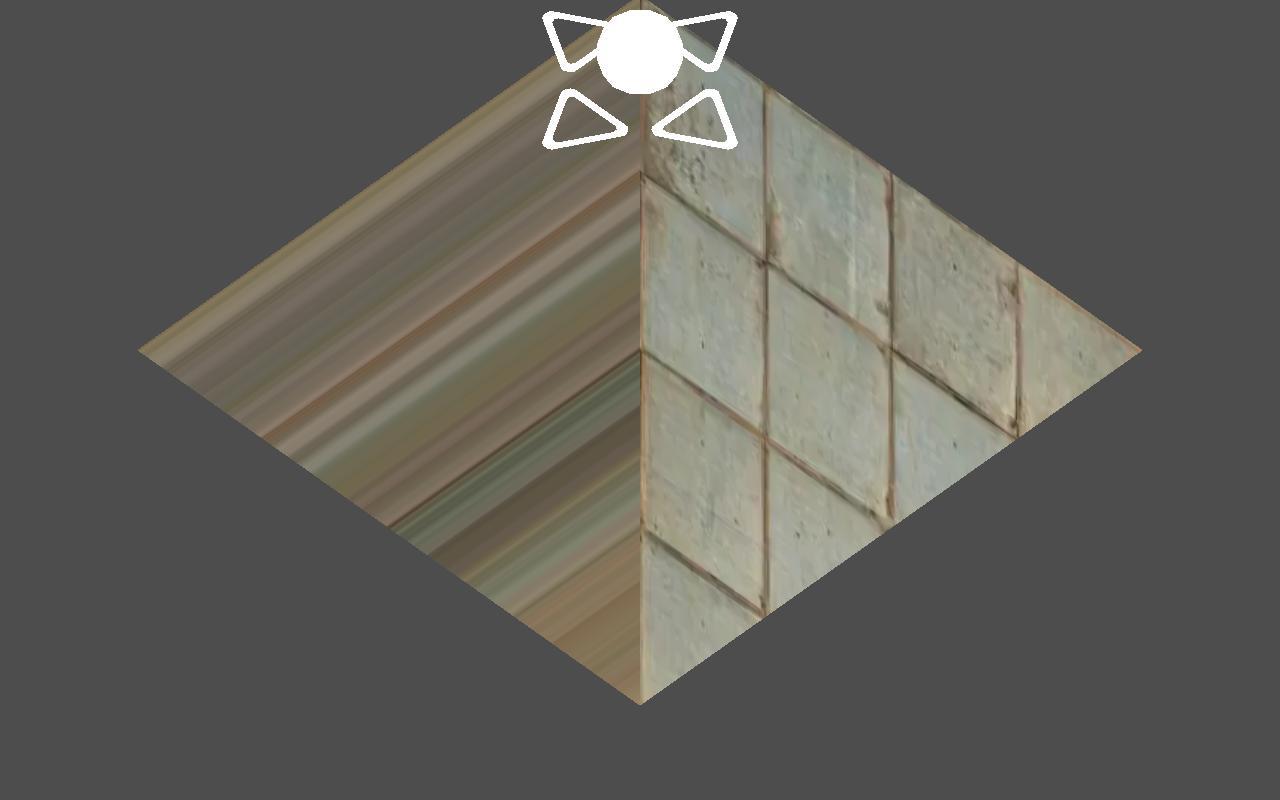
@lawnjelly, standart CubeMesh, and plane from Blender get bug too.
But on model from Blender it look different.
DDru
on 20 Apr 2020
Hmm, thanks for the extra tests. Have to admit I can't immediately think of an easy way to pin this down remotely. There are a lot of possibilities. It might be one of those cases where one of the rendering team would need access to this hardware.
There's also no high precision available on the Mali 400 MP4 in the fragment shader if the UVs are touched, but I don't think this is fragment shader problem (the texture would presumably look more pixellated if it was).
It is very likely to be a hardware / driver bug or peculiarity, but we could also be doing something like godot accessing the wrong attribute location for the UVs.
lawnjelly
on 20 Apr 2020
Related issues
 blurymind
·
3Comments
blurymind
·
3Comments
 testman42
·
3Comments
testman42
·
3Comments
 ducdetronquito
·
3Comments
ducdetronquito
·
3Comments
 RebelliousX
·
3Comments
RebelliousX
·
3Comments
 Zylann
·
3Comments
Zylann
·
3Comments
Most helpful comment
Just a hunch, do you get the same problem with a power of 2 texture size? (i.e. 256x256, 512x512 etc)
Actually seeing as it isn't tiling, it's less likely to be that but worth a try (a lot of android devices won't tile correctly except with power of 2 textures).
Other things to try, is make a custom shader with the red and blue colours varying with the u and v coords respectively, to ensure that uv are being interpolated correctly. If that works, it's likely a texture reading issue.
There are some driver bugs in the Mali 400 MP it seems:
https://gamedev.stackexchange.com/questions/83644/weird-texture-binding-bug-on-mali-400-mp
It might need someone with the offending hardware to track it down if it isn't something simple.