I have updated the project for the minimum possible code
Godot version:
3.2.1 mono
OS/device including version:
win10 64
Issue description:
The scaling is different from 3.2. rc2, this includes las version 3.2.1.
I am not sure how I should describe this.
The position of the object during scaling seems to use integers and that is why these movements occur on the X and Y axes, this does not happen in 3.2 rc1.
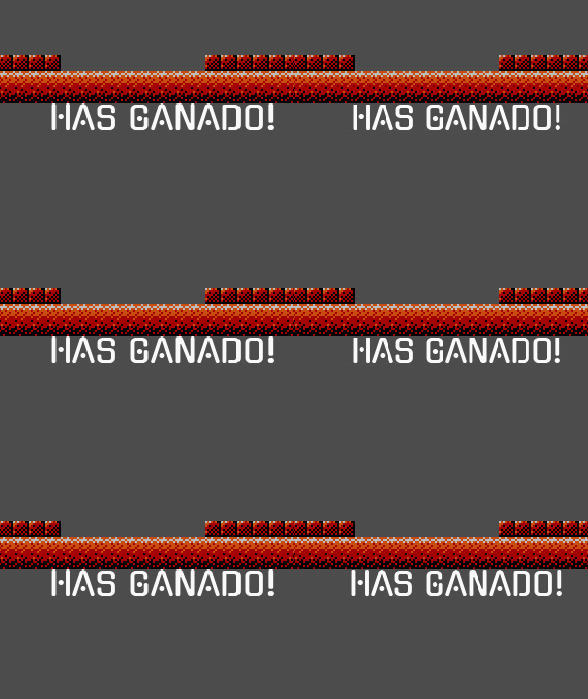
In this gif the scaling is nice and apparently correct with 3.2 rc1
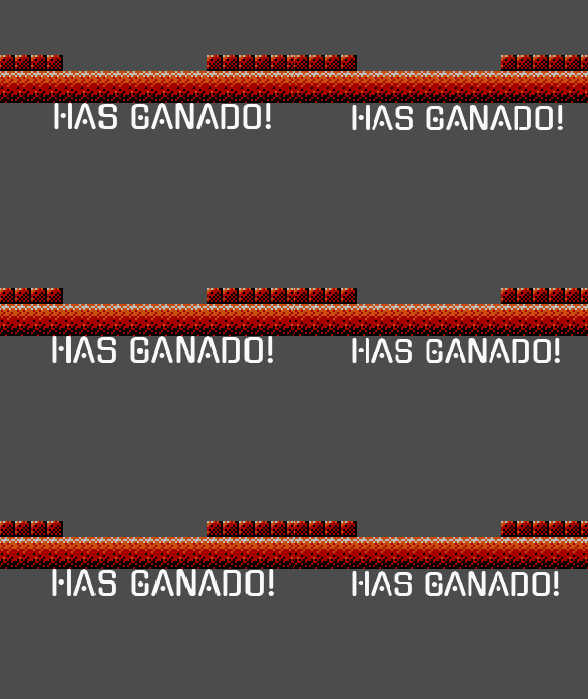
In this gif the label object has more abrupt movements, it seems that its position is changed and it is located again with integer values, this happens from 3.2 rc2
Steps to reproduce:
Open the Node2D scene and run the scene.
Minimal reproduction project:
testGenerales.zip
 Torguen
All 10 comments
I tested 3.2 beta 6, RC 1 and RC 2 but it behaves the same (abrupt, like second GIF) in both versions. Edit: Same behavior in 3.2 beta 1 and beta 4.
 akien-mga
on 11 Mar 2020
akien-mga
on 11 Mar 2020
Note that you probably want to enable Filter on the DynamicFont when changing its scale at runtime. This will make the font look a bit less sharp, but it will look much better when its scale changes.
 Calinou
on 11 Mar 2020
Calinou
on 11 Mar 2020
I tried the versions: 3.1.2 stable - 3.2 alpha 1 and 3.2.1 stable, but all of them behave as in the 2nd GIF.
 dankan1890
on 11 Mar 2020
dankan1890
on 11 Mar 2020
I have tested on my laptop and on my desktop computer.
The difference occurs as I previously put in the GIF.
In 3.2.1 rc1 everything happens correctly (first GIF)
In 3.2.1 stable abrupt scaling happens (second GIF)
Torguen
on 11 Mar 2020
I think it's related to https://github.com/godotengine/godot/pull/32959
dankan1890
on 11 Mar 2020
I think it's related to #32959
I think the same, it's the same problem.
Torguen
on 11 Mar 2020
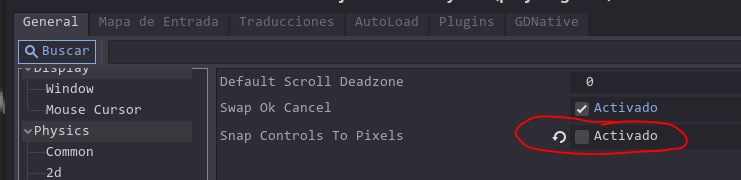
It seems that this problem (in my case) is due to the activation of the "Snap Control to Pixels" option.
When you deactivate it the problem disappears, I do not know what is the use of this option, why would someone activate it?
I would recommend that it be disabled by default, don't you think?
Torguen
on 29 Mar 2020
@Torguen "Snap Controls To Pixels" is basically "Use Pixel Snap", but for Control-derived nodes instead of Node2D-derived nodes. You generally want to leave it on as disabling it will make controls look less crisp.
Calinou
on 29 Mar 2020
@Torguen "Snap Controls To Pixels" is basically "Use Pixel Snap", but for Control-derived nodes instead of Node2D-derived nodes. You generally want to leave it on as disabling it will make controls look less crisp.
So there is a conflict here.
Activating the option reduces the quality of the scaling as we have already seen.
Torguen
on 29 Mar 2020
Well, it’s more a bug than a conflict, the "snap controls to pixels" option’s behaviour is suspicious here
 pwnorbitals
on 7 Oct 2020
pwnorbitals
on 7 Oct 2020
Related issues
 testman42
·
3Comments
testman42
·
3Comments
 bojidar-bg
·
3Comments
bojidar-bg
·
3Comments
 Spooner
·
3Comments
Spooner
·
3Comments
 SleepProgger
·
3Comments
SleepProgger
·
3Comments
 timoschwarzer
·
3Comments
timoschwarzer
·
3Comments
Most helpful comment
So there is a conflict here.
Activating the option reduces the quality of the scaling as we have already seen.