Godot version: 3.2 RC 2
OS/device including version: Windows 10
Issue description: Build failing on Windows Developer Powershell for VS2019 and normal powershell, with vsproj=yes. without vsproj=yes build works but uses mingw instead of msvc
Steps to reproduce:
scons -j12 platform=windows vsproj=yes
scons: Reading SConscript files ...
Configuring for Windows: target=debug, bits=default
Using MinGW
UnsupportedVersion: Unknown version None:
  File "D:\godot\SConstruct", line 529:
    methods.generate_vs_project(env, GetOption("num_jobs"))
  File "D:\godot\methods.py", line 528:
    batch_file = find_visual_c_batch_file(env)
  File "D:\godot\methods.py", line 514:
    return find_batch_file(env, version, host_platform, target_platform)[0]
  File "C:\Users\senpai\scoop\apps\scons\3.1.2\scons-local-3.1.2\SCons\Tool\MSCommon\vc.py", line 407:
    pdir = find_vc_pdir(msvc_version)
  File "C:\Users\senpai\scoop\apps\scons\3.1.2\scons-local-3.1.2\SCons\Tool\MSCommon\vc.py", line 368:
    raise UnsupportedVersion("Unknown version %s" % msvc_version)
Minimal reproduction project:
Vanilla
 sin3point14
All 29 comments
If it tries to use MinGW, it means that it couldn't find the C/C++ compiler from Visual Studio. Did you install the C/C++ build tools?
 akien-mga
on 22 Jan 2020
akien-mga
on 22 Jan 2020
Yes, i have been using VS for C++ for some time
sin3point14
on 22 Jan 2020
What Scons version do you have? Make sure to use the latest release.
akien-mga
on 22 Jan 2020
i think that i do have the latest version
PS D:\godot> scons --version
SCons by Steven Knight et al.:
        script: v3.1.2.bee7caf9defd6e108fc2998a2520ddb36a967691, 2019-12-17 02:07:09, by bdeegan on octodog
        engine: v3.1.2.bee7caf9defd6e108fc2998a2520ddb36a967691, 2019-12-17 02:07:09, by bdeegan on octodog
        engine path: ['C:\\Users\\senpai\\scoop\\apps\\scons\\3.1.2\\scons-local-3.1.2\\SCons']
Copyright (c) 2001 - 2019 The SCons Foundation
EDIT: found some issue on Scons regarding VS 2019 so I installed VS 2017 but build still fails in the same manner
sin3point14
on 26 Jan 2020
after removing mingw and referring a lot of github issues/so answers I still am not able to build
Error:
D:\godot>scons -j12 vsproj=yes p=windows
scons: Reading SConscript files ...

scons: warning: No version of Visual Studio compiler found - C/C++ compilers most likely not set correctly
File "D:\godot\SConstruct", line 3, in <module>

scons: warning: No version of Visual Studio compiler found - C/C++ compilers most likely not set correctly
File "D:\godot\SConstruct", line 65, in <module>
Configuring for Windows: target=debug, bits=default
Found MSVC compiler: amd64
Compiled program architecture will be a 64 bit executable (forcing bits=64).
KeyError: 'MSVC_VERSION':
  File "D:\godot\SConstruct", line 316:
    detect.configure(env)
  File "./platform/windows\detect.py", line 388:
    configure_msvc(env, manual_msvc_config)
  File "./platform/windows\detect.py", line 201:
    if int(env['MSVC_VERSION'].split('.')[0]) >= 14: #vs2015 and later
  File "D:\Python27\scons\SCons\Environment.py", line 410:
    return self._dict[key]
This output is from x64 Native Tools Command Prompt for VS 2017, I am getting the same output from Native Tools for VS 2019 and Developer Command Prompt for VS 2019 and VS 2017
I have godot cloned, Visual Studio(both 2019 and 2017) installed, python 2.7 installed all in my D: drive if that may be of any use
sin3point14
on 28 Jan 2020
Do you have "VCINSTALLDIR" defined in the environment and if so what does it point to?
I'd suggest opening platform/windows/detect.py and trying to debug what's happening with print statements. It starts in configure(), and uses either manual or automated setup for MSVC depending on the environment. I guess it's using an invalid manual setup in your case.
akien-mga
on 28 Jan 2020
x64 Native Tools Command Prompt for VS 2017-
D:\Program Files (x86)\Microsoft Visual Studio\2017\Community>echo %VCINSTALLDIR%
D:\Program Files (x86)\Microsoft Visual Studio\2017\Community\VC\
seems right to me-
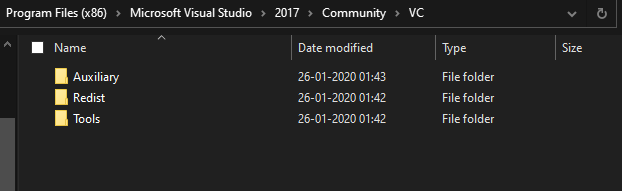
I'll try to debug as you said
sin3point14
on 28 Jan 2020
I tried debugging and found that environment variable MSVC_VERSION wasn't being set in any of the command prompts that visual studio provides which is somewhat apparent by-
  File "./platform/windows\detect.py", line 201:
    if int(env['MSVC_VERSION'].split('.')[0]) >= 14: #vs2015 and later
  File "d:\python38\lib\site-packages\scons\SCons\Environment.py", line 405:
    return self._dict[key]
I still am not able to find the cause for this-
scons: warning: No version of Visual Studio compiler found - C/C++ compilers most likely not set correctly
File "D:\godot\SConstruct", line 3, in <module>

scons: warning: No version of Visual Studio compiler found - C/C++ compilers most likely not set correctly
File "D:\godot\SConstruct", line 65, in <module>
I reinstalled VS in hopes of getting some progress but am still getting the same errors
sin3point14
on 28 Jan 2020
MSVC_VERSION should be set by SCons itself if it's not pre-defined, but it's erroring out earlier with the warning shown above.
Which means that this is failing:
https://github.com/SCons/scons/blob/fcd61891956b059b0810272fd5e1d236594ce5d4/src/engine/SCons/Tool/MSCommon/vc.py#L566-L587
There should be some debug statements that can be enabled, I'm not sure what's the switch for that. Maybe try scons p=windows --debug=explain (and if it doesn't work try other flags for the debug type from scons -H).
akien-mga
on 28 Jan 2020
There should be some debug statements that can be enabled, I'm not sure what's the switch for that. Maybe try
scons p=windows --debug=explain(and if it doesn't work try other flags for the debug type fromscons -H).
Actually that's not how it's done, I got advice from SCons devs on IRC:
19:26 <mwichmann> you set an environment var before invoking scons
19:28 <mwichmann> SCONS_MSCOMMON_DEBUG   if set to a string, it logs to that filename, if set to "-" it spews on the terminal
19:28 <mwichmann> it spews a *lot* so the file is probably the better choice
19:28 <mwichmann> that logging logic is in Tool/MSCommon/common.py, fwiw
the logs say this-
00013ms:pid04048:MSCommon/vc.py:trying to find VC 14.2
00013ms:pid04048:MSCommon/vc.py:find_vc_pdir_vswhere(): no VC found for version '14.2'
00013ms:pid04048:MSCommon/vc.py:find_vc_dir(): no VC registry key ''
00013ms:pid04048:MSCommon/vc.py:find_vc_pdir return None for ver 14.2
00013ms:pid04048:MSCommon/vc.py:trying to find VC 14.1
00013ms:pid04048:MSCommon/vc.py:find_vc_pdir_vswhere(): no VC found for version '14.1'
00013ms:pid04048:MSCommon/vc.py:find_vc_dir(): no VC registry key ''
00013ms:pid04048:MSCommon/vc.py:find_vc_pdir return None for ver 14.1
00013ms:pid04048:MSCommon/vc.py:trying to find VC 14.0
00013ms:pid04048:MSCommon/vc.py:find_vc_dir(): no VC registry key 'Microsoft\\VisualStudio\\14.0\\Setup\\VC\\ProductDir'
00013ms:pid04048:MSCommon/vc.py:find_vc_pdir return None for ver 14.0
00014ms:pid04048:MSCommon/vc.py:trying to find VC 14.0Exp
00014ms:pid04048:MSCommon/vc.py:find_vc_dir(): no VC registry key 'Microsoft\\VCExpress\\14.0\\Setup\\VC\\ProductDir'
00014ms:pid04048:MSCommon/vc.py:find_vc_pdir return None for ver 14.0Exp
00014ms:pid04048:MSCommon/vc.py:trying to find VC 12.0
00014ms:pid04048:MSCommon/vc.py:find_vc_dir(): no VC registry key 'Microsoft\\VisualStudio\\12.0\\Setup\\VC\\ProductDir'
00014ms:pid04048:MSCommon/vc.py:find_vc_pdir return None for ver 12.0
00014ms:pid04048:MSCommon/vc.py:trying to find VC 12.0Exp
00014ms:pid04048:MSCommon/vc.py:find_vc_dir(): no VC registry key 'Microsoft\\VCExpress\\12.0\\Setup\\VC\\ProductDir'
00014ms:pid04048:MSCommon/vc.py:find_vc_pdir return None for ver 12.0Exp
00014ms:pid04048:MSCommon/vc.py:trying to find VC 11.0
00014ms:pid04048:MSCommon/vc.py:find_vc_dir(): no VC registry key 'Microsoft\\VisualStudio\\11.0\\Setup\\VC\\ProductDir'
00014ms:pid04048:MSCommon/vc.py:find_vc_pdir return None for ver 11.0
00014ms:pid04048:MSCommon/vc.py:trying to find VC 11.0Exp
00014ms:pid04048:MSCommon/vc.py:find_vc_dir(): no VC registry key 'Microsoft\\VCExpress\\11.0\\Setup\\VC\\ProductDir'
00014ms:pid04048:MSCommon/vc.py:find_vc_pdir return None for ver 11.0Exp
00014ms:pid04048:MSCommon/vc.py:trying to find VC 10.0
00014ms:pid04048:MSCommon/vc.py:find_vc_dir(): no VC registry key 'Microsoft\\VisualStudio\\10.0\\Setup\\VC\\ProductDir'
00014ms:pid04048:MSCommon/vc.py:find_vc_pdir return None for ver 10.0
00014ms:pid04048:MSCommon/vc.py:trying to find VC 10.0Exp
00015ms:pid04048:MSCommon/vc.py:find_vc_dir(): no VC registry key 'Microsoft\\VCExpress\\10.0\\Setup\\VC\\ProductDir'
00015ms:pid04048:MSCommon/vc.py:find_vc_pdir return None for ver 10.0Exp
00015ms:pid04048:MSCommon/vc.py:trying to find VC 9.0
00015ms:pid04048:MSCommon/vc.py:find_vc_dir(): no VC registry key 'Microsoft\\DevDiv\\VCForPython\\9.0\\installdir'
00015ms:pid04048:MSCommon/vc.py:find_vc_dir(): no VC registry key 'Microsoft\\VisualStudio\\9.0\\Setup\\VC\\ProductDir'
00015ms:pid04048:MSCommon/vc.py:find_vc_pdir return None for ver 9.0
00015ms:pid04048:MSCommon/vc.py:trying to find VC 9.0Exp
00015ms:pid04048:MSCommon/vc.py:find_vc_dir(): no VC registry key 'Microsoft\\VCExpress\\9.0\\Setup\\VC\\ProductDir'
00015ms:pid04048:MSCommon/vc.py:find_vc_pdir return None for ver 9.0Exp
00015ms:pid04048:MSCommon/vc.py:trying to find VC 8.0
00015ms:pid04048:MSCommon/vc.py:find_vc_dir(): no VC registry key 'Microsoft\\VisualStudio\\8.0\\Setup\\VC\\ProductDir'
00015ms:pid04048:MSCommon/vc.py:find_vc_pdir return None for ver 8.0
00015ms:pid04048:MSCommon/vc.py:trying to find VC 8.0Exp
00015ms:pid04048:MSCommon/vc.py:find_vc_dir(): no VC registry key 'Microsoft\\VCExpress\\8.0\\Setup\\VC\\ProductDir'
00015ms:pid04048:MSCommon/vc.py:find_vc_pdir return None for ver 8.0Exp
00015ms:pid04048:MSCommon/vc.py:trying to find VC 7.1
00015ms:pid04048:MSCommon/vc.py:find_vc_dir(): no VC registry key 'Microsoft\\VisualStudio\\7.1\\Setup\\VC\\ProductDir'
00015ms:pid04048:MSCommon/vc.py:find_vc_pdir return None for ver 7.1
00016ms:pid04048:MSCommon/vc.py:trying to find VC 7.0
00016ms:pid04048:MSCommon/vc.py:find_vc_dir(): no VC registry key 'Microsoft\\VisualStudio\\7.0\\Setup\\VC\\ProductDir'
00016ms:pid04048:MSCommon/vc.py:find_vc_pdir return None for ver 7.0
00016ms:pid04048:MSCommon/vc.py:trying to find VC 6.0
00016ms:pid04048:MSCommon/vc.py:find_vc_dir(): no VC registry key 'Microsoft\\VisualStudio\\6.0\\Setup\\Microsoft Visual C++\\ProductDir'
00016ms:pid04048:MSCommon/vc.py:find_vc_pdir return None for ver 6.0
I seem to have VC14 on my system but don't have a clue to why the registry entry isn't there-
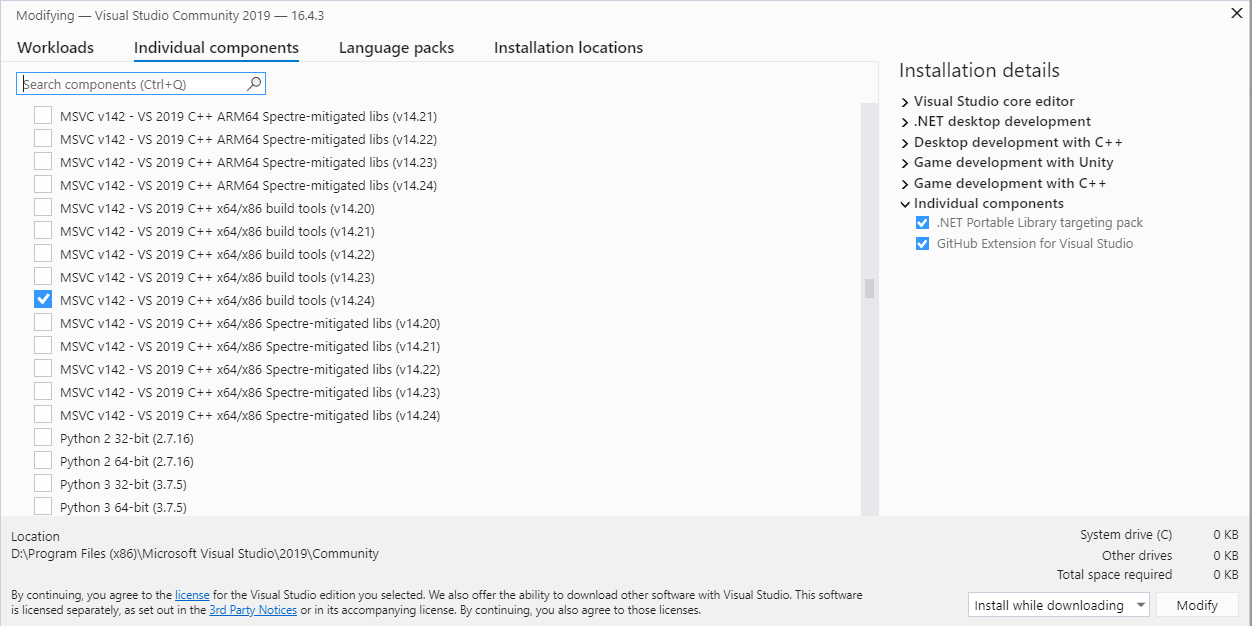
Relevant Registry entries-
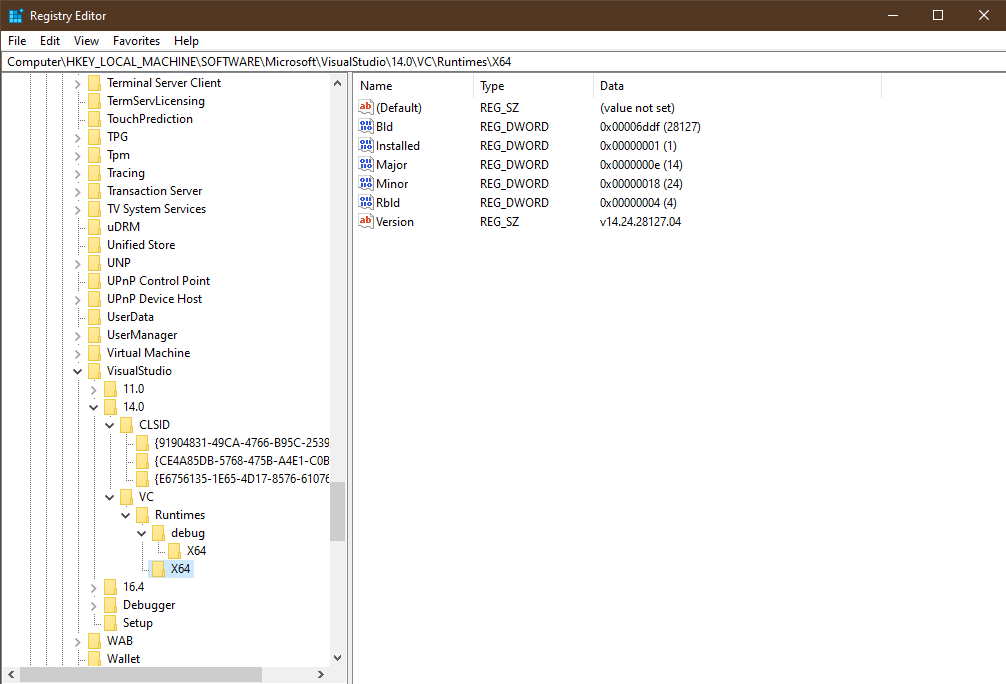
Can't seem to find the entries being looked up in the SCons log :/
sin3point14
on 29 Jan 2020
Found the solution
The issue was that SCons checks hardcoded default installation location for visual studio installation in C: drive while I had my installation in D: drive
https://github.com/SCons/scons/blob/fcd61891956b059b0810272fd5e1d236594ce5d4/src/engine/SCons/Tool/MSCommon/vc.py#L304-L311
Solution-
- Download the source - https://sourceforge.net/projects/scons/
- Changed
C://toD://in the file pip install setuptools, wheelpip install .(assumed to be in the root of the repo)
Then all works normally
sin3point14
on 29 Jan 2020
Though it is technically an SCons issue, but this wasted a lot of precious time for me with futile googling(and others could stumble upon it as well). So I feel it should be added somewhere to the docs as a caution/warning.
If so, perhaps I could do that as I am looking for something to start working on in Godot :)
sin3point14
on 29 Jan 2020
That might be worth reporting to SCons upstream to see if they'd consider making the logic more flexible to detect MSVC also outside of C:\.
Note that it's also possible to override the auto-detection by specifying the VCINSTALLDIR environment variable manually to point to your setup in D:\.
akien-mga
on 29 Jan 2020
I did try manually setting VCINSTALLDIR but it showed other errors and at that point i gave up and decided to use mingw
but thankfully I have it running on VS now
sin3point14
on 29 Jan 2020
2017 & 2019's locations are determined via MS's vswhere.exe. The default install location for such is supposed to be:
c:\Program Files\Microsoft Visual Studio\Installer\vswhere.exe
or
c:\Program Files (x86)\Microsoft Visual Studio\Installer\vswhere.exe
Is it installed there? or in your case is it d:.... ?
 bdbaddog
on 29 Jan 2020
bdbaddog
on 29 Jan 2020
I have a small SSD therefore installed VS on hdd on D drive, so vswhere.exe was also in D
sin3point14
on 29 Jan 2020
@sin3point14 - so same as C paths above, but just D ? the path to vswhere?
bdbaddog
on 29 Jan 2020
D:\Program Files (x86)\Microsoft Visual Studio\Installer\vswhere.exe
this is the path on my stsrem
sin3point14
on 30 Jan 2020
@sin3point14 and vswhere's not in your default shell PATH?
bdbaddog
on 30 Jan 2020
I have D://Program Files and D://Program Files (x86) on my PATH but not vswhere.exe
sin3point14
on 30 Jan 2020
@sin3point14 what's the value of your shell variable %ProgramFiles(x86)%
bdbaddog
on 30 Jan 2020
C:\Users\sin3point14>echo %ProgramFiles(x86)%
D:\Program Files (x86)
C:\Users\sin3point14>echo %ProgramFiles(x86)%
D:\Program Files (x86)
That's good news. O.k. I think we can fix this in SCons. I was hoping we wouldn't have to look at all available drives for any/all ProgramFiles(x86)
bdbaddog
on 30 Jan 2020
I've filed a bug on SCons (and assigned it to me).
We should have a fix in the next release.
bdbaddog
on 30 Jan 2020
@sin3point14 - Can you try the devel scons build I just posted on testpypi? It should resolve this issue. Note you need python 3.5+
pip install --index-url https://test.pypi.org/simple/ scons==3.1.3.dev20200205165450
bdbaddog
on 6 Feb 2020
@sin3point14 @bdbaddog @akien-mga
should'nt just simply run vcvars64.bat before scons to set all required vars ?
example for building x64 godot on x64 Windows 10 host machine
call "C:\Program Files (x86)\Microsoft Visual Studio\2019\Community\VC\Auxiliary\Build\vcvars64.bat"
cd godot-3.2
call scons -j5 platform=windows tools=yes target=release_debug vsproj=yes
VS have all scripts ready for it in c:\Program Files (x86)\Microsoft Visual Studio\2019\Community\VC\Auxiliary\Build\
You can chose from these scripts if you want x86 arc or x64 or even cross build 64 from x86 host ect.
Additionally vars are set temporarly, just for this build without messing up machine's global settings.
 avril-gh
on 6 Feb 2020
avril-gh
on 6 Feb 2020
Install VS again and the problem will be solved. Please read further for the rationale.
I had this exact scons+vs2019 problem (UnsupportedVersion: Unknown version None:) some days ago. Microsoft Visual Studio 2019 has the terrible habit of "hidding itself" from the system. Even though it is installed, even if you can launch it successfully, for several other purposes (like scons) it will count as if it where not installed. I couldn't get what triggers this to happen, but it always happens after some time. You can see if this has happened if you execute the visual studio installer and it gives you the option to "install" (instead of update") visual studio. Usually I just install it again to solve the problem, just delete the old visual studio folder (because you won't be able to install if the expected install folder already exists) and install again. Probably it could be solved by reverting whatever visual studio made, probably it changed a registry key or environment variable, but I have yet to find what it does do hide itself.
 Gnumaru
on 6 Feb 2020
Gnumaru
on 6 Feb 2020
Related issues
 mooseyfaith
·
3Comments
mooseyfaith
·
3Comments
 mefihl
·
3Comments
mefihl
·
3Comments
 bojidar-bg
·
3Comments
bojidar-bg
·
3Comments
 RebelliousX
·
3Comments
RebelliousX
·
3Comments
 EdwardAngeles
·
3Comments
EdwardAngeles
·
3Comments
Most helpful comment
I've filed a bug on SCons (and assigned it to me).
We should have a fix in the next release.