Godot: Is there any problem with the option Billboard Mode of Particles 3D?
Godot version:
All versions
OS/device including version:
Windows 10 Home Single Language
Issue description:
I have been trying to make the particles visualizing the same way from all angles (always looking at camera) with the option "Billboard Mode" set to "Enabled" but nothing seems to work, it keeps up looking the same as with that option "Disabled", I mean nothing change. I tried all versions including 3.2b, but nothing. What am I doing wrong?. Kind regards.
Steps to reproduce:
- Create New Project - GLES3
- Create 3D scene.
- Add Partcles Node.
Options Particles Node
- Create NewProcessMaterial
- Assign NewQuadMesh to Draw Passes
- In Geometry Instance - Create NewSpatialMaterial
Options Spatial Material
- In Parameters set Billboard Mode to Enabled
- In Albedo assign a texture.
End
Minimal reproduction project:
 jhojantobonm
All 12 comments
Strange, in the provided example it looks correct...
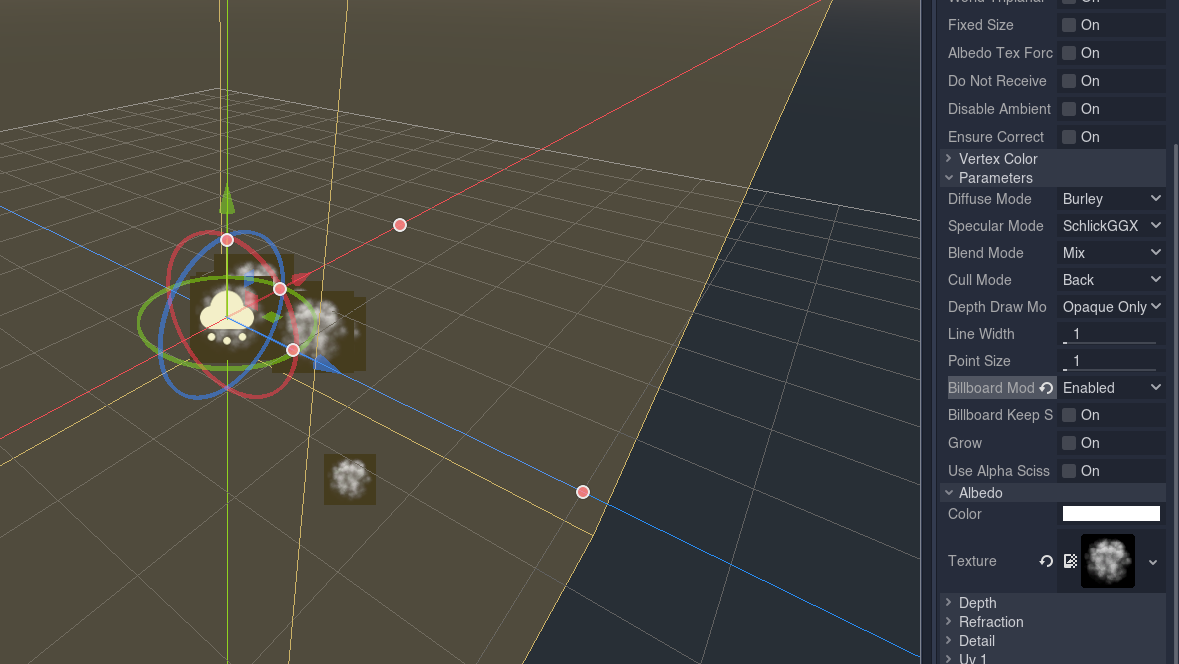
 Chaosus
on 7 Dec 2019
Chaosus
on 7 Dec 2019
Yes, It looks correct. Will it be the CPU? I have AMD in both my laptop and PC.
And this is what I see. I really do not know what happen.
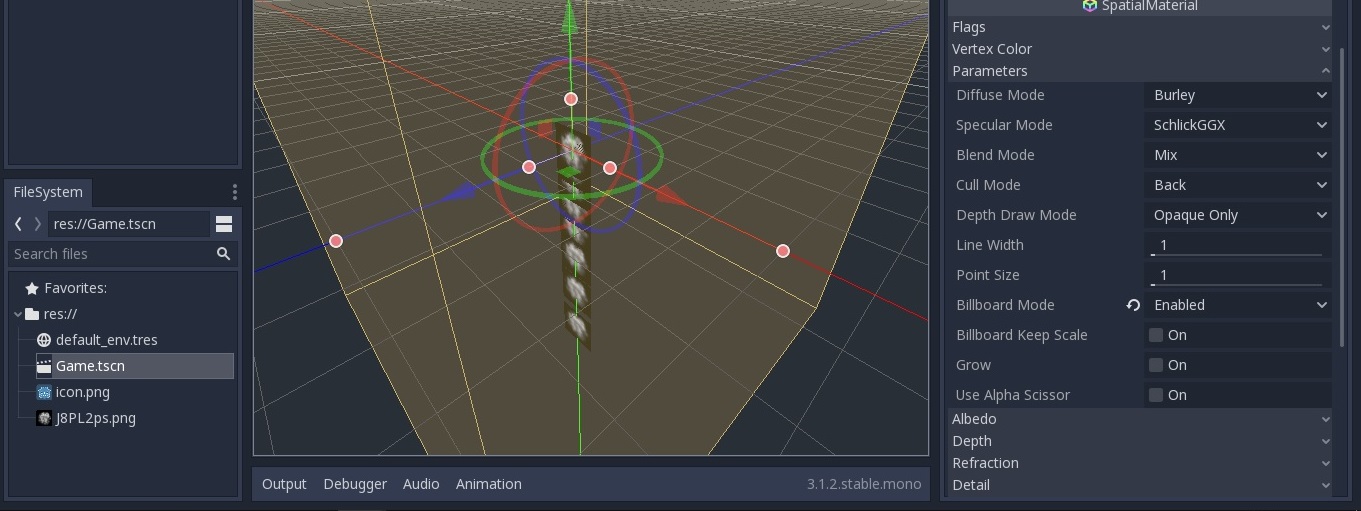
jhojantobonm
on 7 Dec 2019
Particles are GPU-accelerated, for the CPU you should use CPUParticles. I have an NVidia card so it may be a driver related problem.
Chaosus
on 7 Dec 2019
Please post information about your card and driver, so developers can fix your problem
Chaosus
on 7 Dec 2019
This is strange, I have to say the Unity3D Particle System works well in both my PC and laptop.
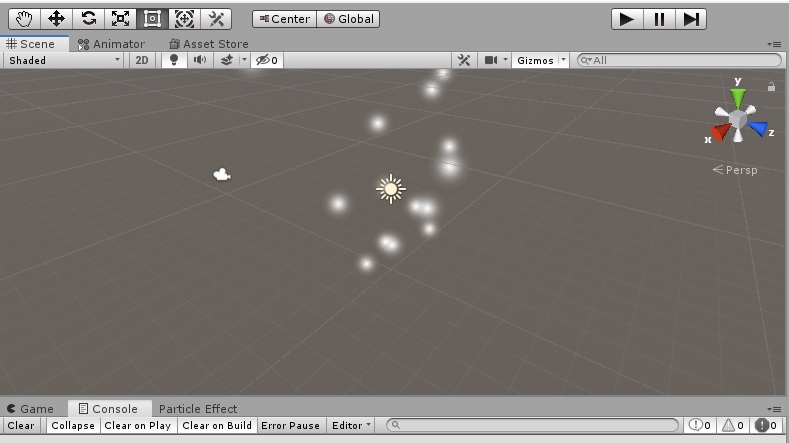
I think Godot should bihave of similar way without any special GPU or CPU.
These are the specifications of my PC
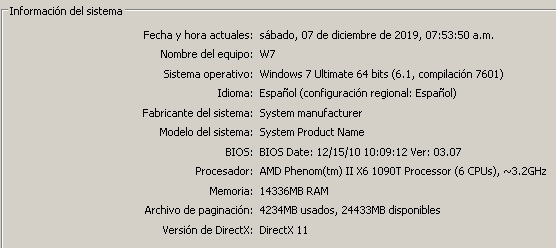
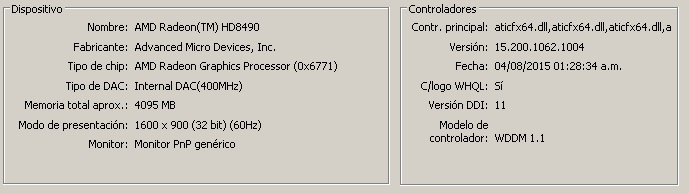
And these are from my laptop.
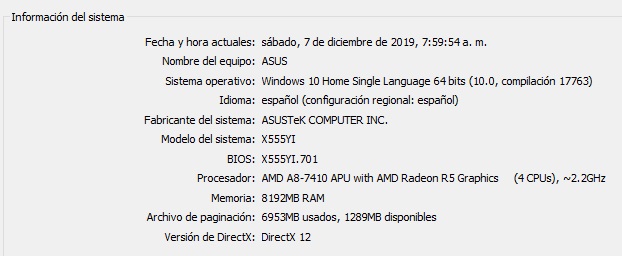
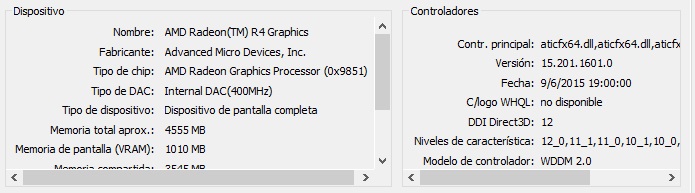
Kind regards.
jhojantobonm
on 7 Dec 2019
@jhojantobonm For most use cases, you can use the CPUParticles node which will work the same regardless of driver support. It also works when using the GLES2 renderer.
Unfortunately, AMD's graphics drivers on Windows have a poor OpenGL implementation, especially on older/low-end cards like the one you have. We don't have the resources to fix this bug, as most contributors don't even have access to such hardware.
I'll close this as a duplicate of #31612 then, as it was reported on the same GPU.
 Calinou
on 7 Dec 2019
Calinou
on 7 Dec 2019
Bad news, So I need to have a PC with Intel CPU for running this particles well? What a shame.
jhojantobonm
on 7 Dec 2019
I wondering How does Unity to not have this problem.
jhojantobonm
on 7 Dec 2019
Well, I tried. Thanks.
jhojantobonm
on 7 Dec 2019
@jhojantobonm It's not about the CPU, but about the GPU (graphics card).
I wondering How does Unity to not have this problem.
Maybe Unity's particles always run on the CPU? I don't know for sure, but they have more resources dedicated to fixing driver-specific bugs.
Calinou
on 7 Dec 2019
I wondering How does Unity to not have this problem.
Either their particles are CPU based as @Calinou mentioned, or if they're GPU-based, keep in mind that Unity uses DirectX on Windows, while we use OpenGL. So bad OpenGL drivers on older cards is not a problem for them as long as the DirectX drivers work ok (which they typically do, as GPU vendors spend a lot more resources on DirectX than OpenGL on Windows).
 akien-mga
on 7 Dec 2019
akien-mga
on 7 Dec 2019
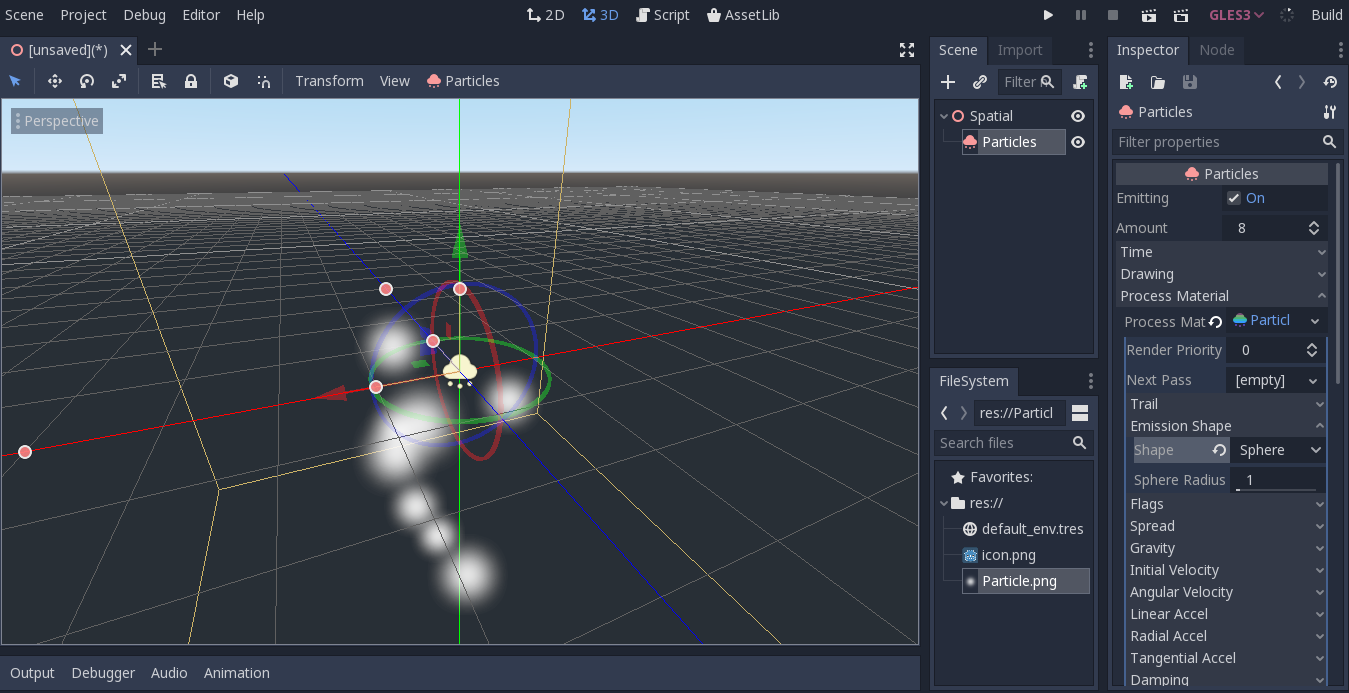
Hello guys, I am very happy because I was be able to solve this problem simply just by updating my AMD controller. This is the result.
jhojantobonm
on 12 Dec 2019
Related issues
 mefihl
·
3Comments
mefihl
·
3Comments
 RayKoopa
·
3Comments
RayKoopa
·
3Comments
 ndee85
·
3Comments
ndee85
·
3Comments
 Zylann
·
3Comments
Zylann
·
3Comments
 RebelliousX
·
3Comments
RebelliousX
·
3Comments
Most helpful comment
Hello guys, I am very happy because I was be able to solve this problem simply just by updating my AMD controller. This is the result.