Godot: GLES2 Editor crash when attempting to show thumbnail in inspector
Godot version:
godot 3.2 master 1d9233c3882afe888b9396f7f2aac917d4dcac4d 2019-oct-05
compiled with most recent version of VS 2019 at 2019 oct 05
OS/device including version:
Windows 10 x64 Pro 1903 18362.388 2019 oct 04
GT720 GL4.6 nvidia drivers 436.48 2019 oct 01
Issue description:
in GLES2 mode, editor will crash when attempting to display thumbnail in inspector
it seems to not happen in GLES3 on simple tests
Steps to reproduce:
create GLES2 project
add spatial node
add camera node
add world environment node
add meshinstance node or csg node
within inspector click mesh -> new cube mesh
editor will crash here before cube thumbnail is drawn in inspector
in more complex projects there are behavior's like thumbnails might be drawn at once in inspector and in other places like editor window (main scene window) and then crash.
or whole scene might be drawn in material preview thumbnail.
strangely, sometime project might not crash,
if nothing happens, close editor, reopen and try again.
commit which introduced this bug
tested commit which does not show this behavior a6eeb1a38e1c3e7990f5f236d045f7ff39d72be8
tested commit at which this behavior has appeared first 1f40117caa6ad25340261969d377e1b398cd5349
tested most recent commit which still have this behavior 1d9233c3882afe888b9396f7f2aac917d4dcac4d
Minimal reproduction project:
a simple project where you might add mesh instance or csg mesh then add new mesh.
gles2-crash.zip
 avril-gh
All 11 comments
Can you post the backtrace you are getting?
I cant reproduce, but I may still be able to figure it out from the backtrace.
 clayjohn
on 5 Oct 2019
clayjohn
on 5 Oct 2019
just switched to head and started compiling 😉 will try when it finish, just a sec...
avril-gh
on 5 Oct 2019
@clayjohn
this is tested on most recent commit 1d9233c3882afe888b9396f7f2aac917d4dcac4d
... so i added mesh instance node, then new cube mesh and...
it did not crashed this time, the thumbnail has came out - but it shows some random memory...
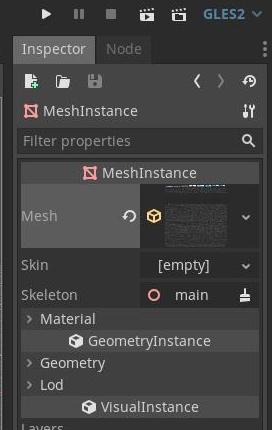
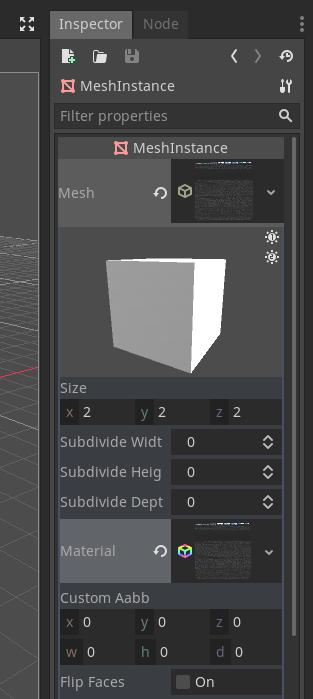
then i added material to it and again it shows broken thumbnail of material but not crashed yet
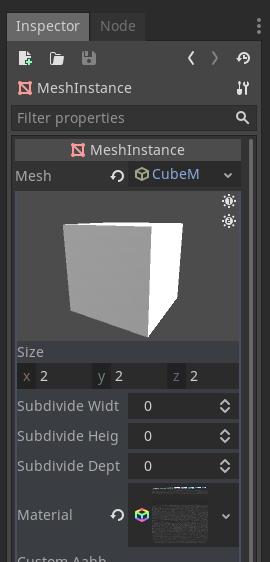
then i click on scene tree and you can see this time thumbnail has not came out and it crashed
the stack trace has been
    godot.windows.tools.64.exe!_realloc_base(void * block=0x00000234e6685010, unsigned __int64 size=65552) Line 46  C++
>   godot.windows.tools.64.exe!Memory::realloc_static(void * p_memory=0x00000234e6685020, unsigned __int64 p_bytes=65536, bool p_pad_align=false) Line 140  C++
    godot.windows.tools.64.exe!PoolVector<unsigned char>::resize(int p_size=65536) Line 618 C++
    godot.windows.tools.64.exe!RasterizerStorageGLES2::texture_get_data(RID p_texture={...}, int p_layer=0) Line 816    C++
    godot.windows.tools.64.exe!VisualServerRaster::texture_get_data(RID arg1={...}, int arg2=0) Line 149    C++
    godot.windows.tools.64.exe!CommandQueueMT::CommandRet2<VisualServer,Ref<Image> (__cdecl VisualServer::*)(RID,int)const ,RID,int,Ref<Image>>::call() Line 305    C++
    godot.windows.tools.64.exe!CommandQueueMT::flush_one(bool p_lock=false) Line 427    C++
    godot.windows.tools.64.exe!CommandQueueMT::flush_all() Line 466 C++
    godot.windows.tools.64.exe!VisualServerWrapMT::sync() Line 92   C++
    godot.windows.tools.64.exe!Main::iteration() Line 1985  C++
    godot.windows.tools.64.exe!OS_Windows::run() Line 3015  C++
    godot.windows.tools.64.exe!widechar_main(int argc=4, wchar_t * * argv=0x00000234c806f9b0) Line 162  C++
    godot.windows.tools.64.exe!_main() Line 184 C++
    godot.windows.tools.64.exe!main(int _argc=4, char * * _argv=0x00000234c8058d00) Line 196    C++
also, i seen earlier in more complex projects like inspector shows whole scene within inspector in place where cube is on above screenshots, or for a change this cube has been shown in all places around editor including main scene window.
avril-gh
on 5 Oct 2019
Im not getting the same results, but I am also getting something similar now. I am getting the thumbnail duplicated over the entire screen at times.
clayjohn
on 5 Oct 2019
I am getting the thumbnail duplicated over the entire screen at times.
yes exactly, i get this also.
or whole scene rendered within inspector instead of just one object ect.
avril-gh
on 5 Oct 2019
This is gonna be really hard to fix as the issue goes away when running Godot through NVidia Nsights.
Seems to be the same underlying issue as, https://github.com/godotengine/godot/issues/32465.
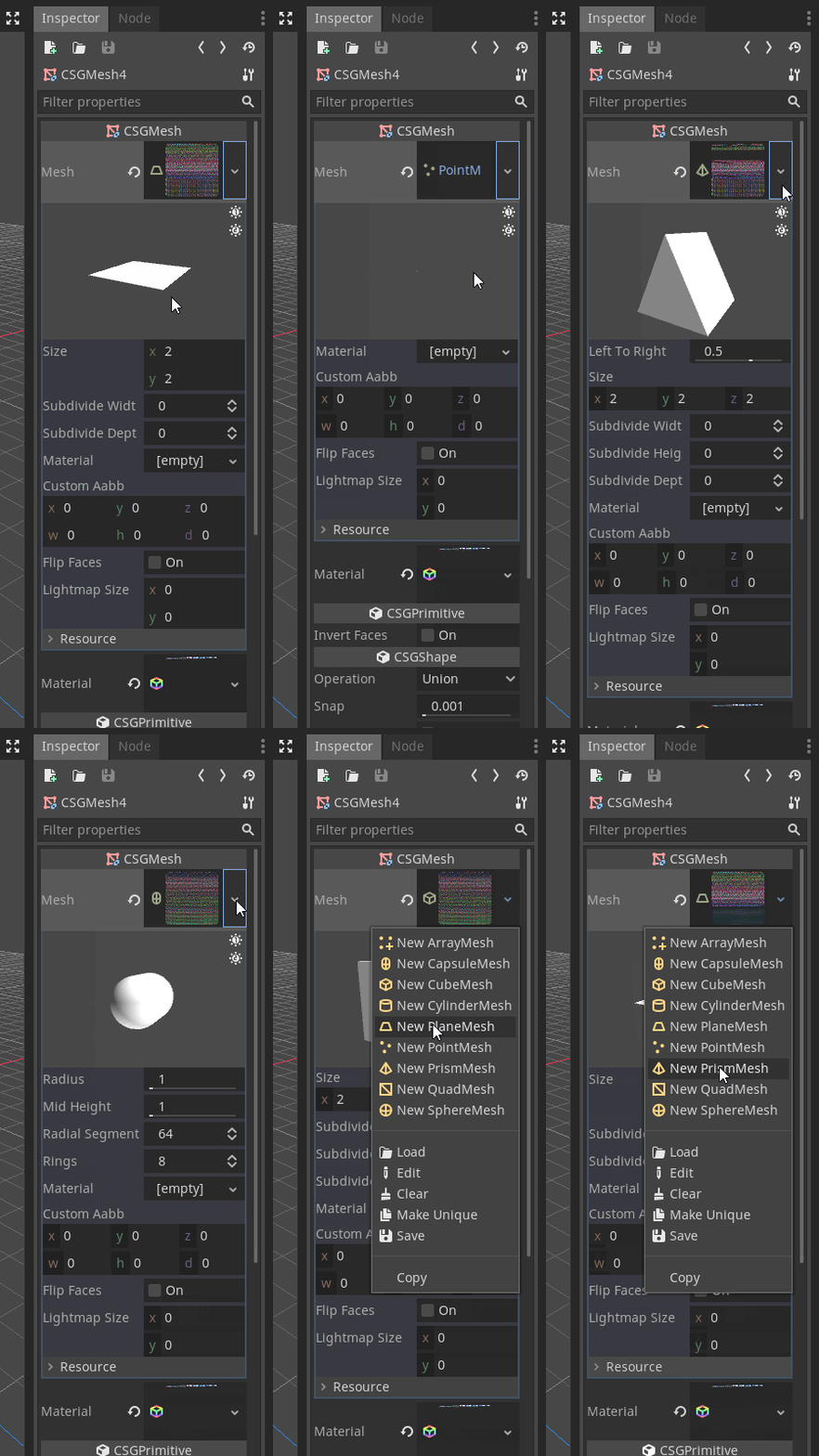
It looks like there is something going on where textures for the mesh thumbnails are somehow pointing at the texture for post-processing. This also happens to the textures in the editor at large.
The crash itself is coming from:
But I have no idea why that would be related to the post-process mip_maps...
clayjohn
on 6 Oct 2019
avril-gh
on 6 Oct 2019
Okay, So this appears to be a Windows specific issue. It may also be NVidia specific. I can't reproduce on my ubuntu machine with intel HD graphics.
Further, it seems to be a driver bug where allocating a texture with mipmaps is messing up the later call to glGetTexImage. It is easy to work around the issue by using non-mipmapped textures for the post processing effects, however, that will keep us from making a mipmapped SCREEN_TEXTURE in the future.
clayjohn
on 6 Oct 2019
@clayjohn
tested https://github.com/godotengine/godot/pull/32603 on Windows 10 pro x64 1903 nVidia GT720 on many projects,
seems like corrupted thumbnails do not show anymore and there are no crashes. 👍
avril-gh
on 7 Oct 2019
@avril-gh Thanks for checking! I'm pretty sure it will be our best solution until I can spend some time and figure out what is bugging out the drivers. I already spent over 8 hours on this and I have gotten nowhere and I won't have much more free time before the release of 3.2.
clayjohn
on 7 Oct 2019
Fixed by #32603.
 akien-mga
on 7 Oct 2019
akien-mga
on 7 Oct 2019
Related issues
 gonzo191
·
3Comments
gonzo191
·
3Comments
 mooseyfaith
·
3Comments
mooseyfaith
·
3Comments
 SleepProgger
·
3Comments
SleepProgger
·
3Comments
 testman42
·
3Comments
testman42
·
3Comments
 blurymind
·
3Comments
blurymind
·
3Comments