Godot: Exported executable shows "Godot Engine editor" in task manger.
Godot version:
3.1.1 Stable
OS/device including version:
Windows 10
Issue description:
Exported projects show up as "Godot engine editor" in task manager.
Steps to reproduce:
- Export a project with "Release" export mode.
- Run the executable and check task manager. There is a main process called "Godot engine editor" and a child process with the name of the project.
- Also if you right click the executable and go to properties > details, the details are about the egine.

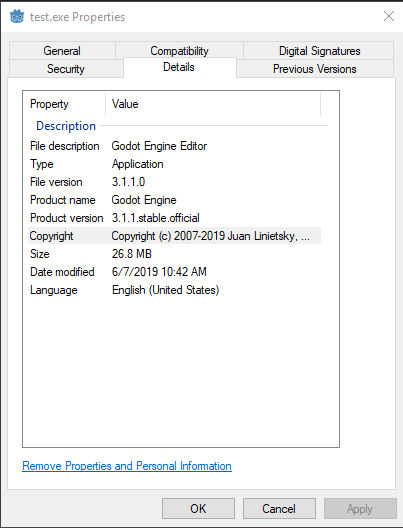
Seems to be the same as #3686 which might have been fixed with 2.0.1 build system but then got broken again with 3.0?
 zaksnet
All 7 comments
Try following the instructions in Changing application icon for Windows, as rcedit is also used to set other executable metadata such as the file description.
To improve the current situation a bit, we could at least rename "Godot Engine Editor" to "Godot Engine" in export template executables.
 Calinou
on 7 Jun 2019
Calinou
on 7 Jun 2019
I might be misunderstanding but i expected these:
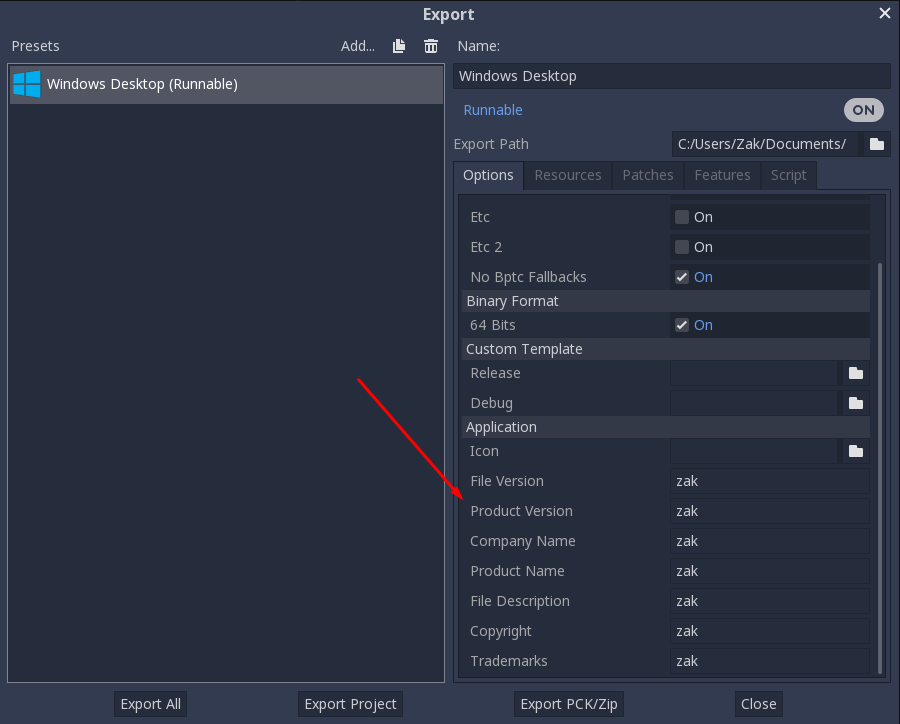
To be in here:
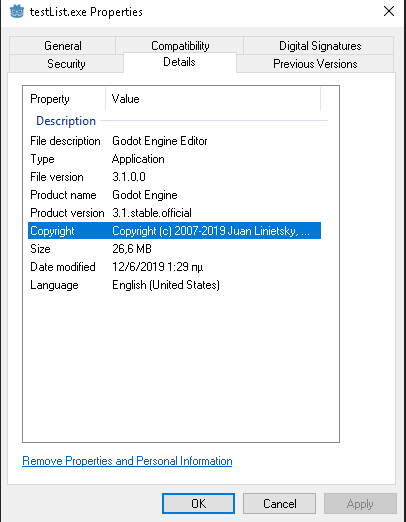
I have set rcedit path as @Calinou pointed out but the exported executable still has godot's details.
zaksnet
on 12 Jun 2019
@zaksnet Do you see anything in the command prompt after exporting? Maybe rcedit isn't running correctly.
Calinou
on 12 Jun 2019
@zaksnet Do you see anything in the command prompt after exporting? Maybe rcedit isn't running correctly.
@Calinou "Fatal error: Unable to parse version string for FileVersion". I have tried both rcedit-x86 and x64 if that helps.
zaksnet
on 12 Jun 2019
Seems like rcedit doesn't like your invalid FileVersion "zak". Try with real values and see if it works.
 akien-mga
on 12 Jun 2019
akien-mga
on 12 Jun 2019
@Calinou Using rcedit from cmd seems to work fine.
rcedit-x64 "someFile" --set-version-string "FileDescription" "Some Description"
successfully changed the file description.
zaksnet
on 12 Jun 2019
Seems like rcedit doesn't like your invalid FileVersion "zak". Try with real values and see if it works.
You'r right @akien-mga ! after changing "File version" and "Product version" it looks good, thank you! I will try to implement a check at the export dialog before closing this.
zaksnet
on 12 Jun 2019
Related issues
 timoschwarzer
·
3Comments
timoschwarzer
·
3Comments
 EdwardAngeles
·
3Comments
EdwardAngeles
·
3Comments
 ducdetronquito
·
3Comments
ducdetronquito
·
3Comments
 Spooner
·
3Comments
Spooner
·
3Comments
 rgrams
·
3Comments
rgrams
·
3Comments
Most helpful comment
Try following the instructions in Changing application icon for Windows, as
rceditis also used to set other executable metadata such as the file description.To improve the current situation a bit, we could at least rename "Godot Engine Editor" to "Godot Engine" in export template executables.