Godot: Tileset Editor scroll not appearing / working
Godot version:
3.1 stable
OS/device including version:
Mac 10.14.4 Mojave
Issue description:
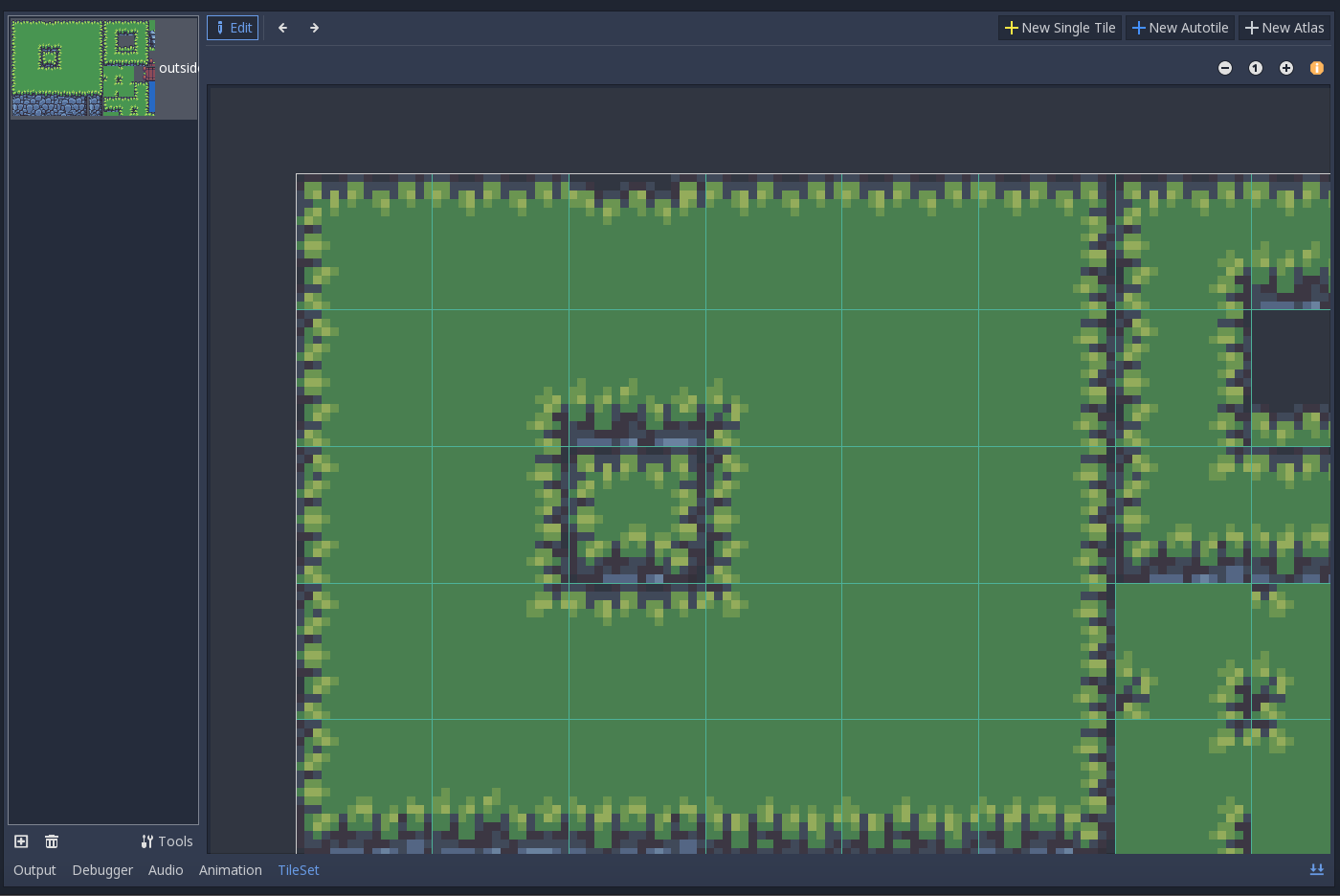
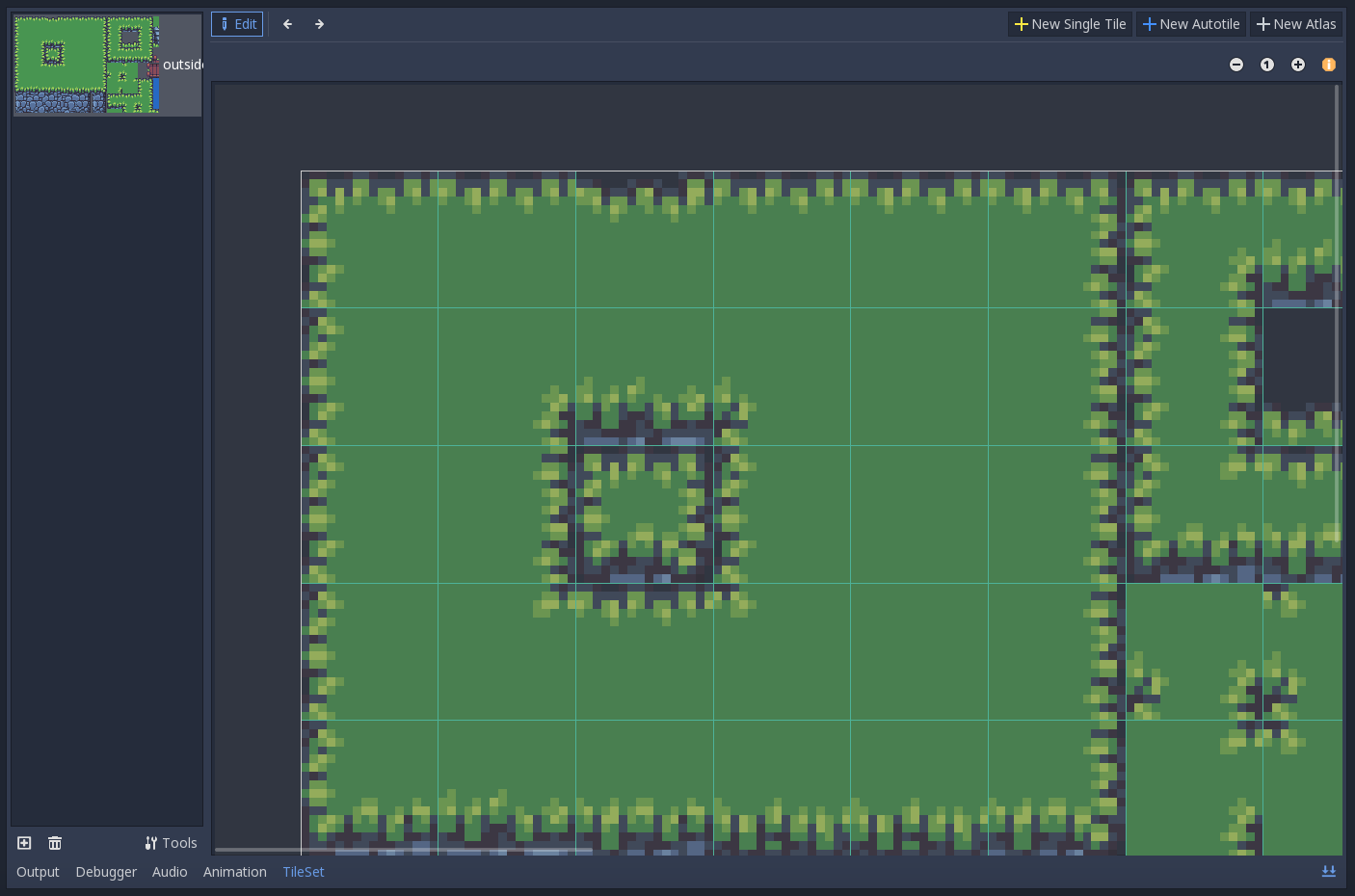
Tile Editor scrollbar doesn't appear until zoom in / out has been clicked, regardless of whether there is content out of view
Steps to reproduce:
- Create a tilemap and load any tileset
- Click on the tileset to bring up the tileset editor
- Select a / the only texture (ensure the texture is large enough to be scrollable)
- Click on the main window of the tileset editor (click to expand if not expanded) and try to scroll - scroll doesn't work and scrollbar doesn't appear in expanded mode
- Click on the zoom in or zoom out button - scrollbar appears and will now work (temporarily)
Minimal reproduction project:
tileset.zip
- Open scene.tscn
- Click on Tilemap node and then on the tileset to bring up the tileset editor
- Zoom in so the scrollbar appears
- Click on the Node2D node and repeat steps 1 and 2.
- Scrollbar doesn't appear or work.
 yesitsmattharris
All 7 comments
Doesn't seem to want to replicate on a new project, but it happens in my existing projects:
No scrollbar:
Scrollbar after editing zoom and returning to previous zoom level:
yesitsmattharris
on 18 Apr 2019
Please provide a minimal reproduction project so contributors can test it.
If you can't repro from a blank project then neither will others.
Thank you!
 clayjohn
on 18 Apr 2019
clayjohn
on 18 Apr 2019
Hi @clayjohn - I've added a minimal reproduction project and additional steps in how to reproduce the bug within it. Thanks!
yesitsmattharris
on 18 Apr 2019
I tried reproducing it with the provided project and it doesn't seem to happen. Can someone affected confirm it?
 KoBeWi
on 11 Jun 2019
KoBeWi
on 11 Jun 2019
Posted a video detailing the steps and what to look for.
 jbwyatt4
on 27 Jun 2019
jbwyatt4
on 27 Jun 2019
I am looking at possibly solving this.
Where is the code for the 'Expand Bottom Panel' button?
I already have the repo downloaded and compiled.
jbwyatt4
on 17 Jul 2019
Where is the code for the 'Expand Bottom Panel' button?
The simplest way to find it is to use a grepping tool:
$ rg "Expand Bottom Panel"
editor/editor_node.cpp
6206:   bottom_panel_raise->set_shortcut(ED_SHORTCUT("editor/bottom_panel_expand", TTR("Expand Bottom Panel"), KEY_MASK_SHIFT | KEY_F12));
Then search in this file for other occurrences of bottom_panel_raise and editor/bottom_panel_expand.
 akien-mga
on 18 Jul 2019
akien-mga
on 18 Jul 2019
Related issues
 mefihl
·
3Comments
mefihl
·
3Comments
 Zylann
·
3Comments
Zylann
·
3Comments
 blurymind
·
3Comments
blurymind
·
3Comments
 timoschwarzer
·
3Comments
timoschwarzer
·
3Comments
 ndee85
·
3Comments
ndee85
·
3Comments