Godot: Display version number on the interface at all times by default
As a beginner, I'm having trouble following tutorials because subtle differences between versions create errors and uncertainty that could be easily avoided if I were able to reproduce their exact environment. This is a problem for noobs because our debugging skills are not very high yet. I posted on Reddit about this and the thread got some traction. Ideally, tutorial makers should inform the version of Godot they are using, but if the version number was displayed by default the problem would be instantaneously solved.
 mrbig033
All 8 comments
What would be a good location in the editor window to display the version number? Any mockup suggestions? :slightly_smiling_face:
 Calinou
on 17 May 2019
Calinou
on 17 May 2019
As per #28946 The editor title.
 Megalomaniak
on 18 May 2019
Megalomaniak
on 18 May 2019
@Megalomaniak I thought about it as well, but I'm not sure if it's the best location since the window title can be hidden in many cases (e.g. if the window is made fullscreen or borderless by the user, which might be the case when people record tutorials).
Calinou
on 18 May 2019
Then perhaps in front of the renderer selection, so it would say for an example Godot 3.2 GLES2 With GLES2 being the selector menu?
Megalomaniak
on 18 May 2019
What would be a good location in the editor window to display the version number? Any mockup suggestions?
Maybe around here:

mrbig033
on 1 Jun 2019
What about here? (with clip_contents on, so that it won't cause size-related bugs on small screens)
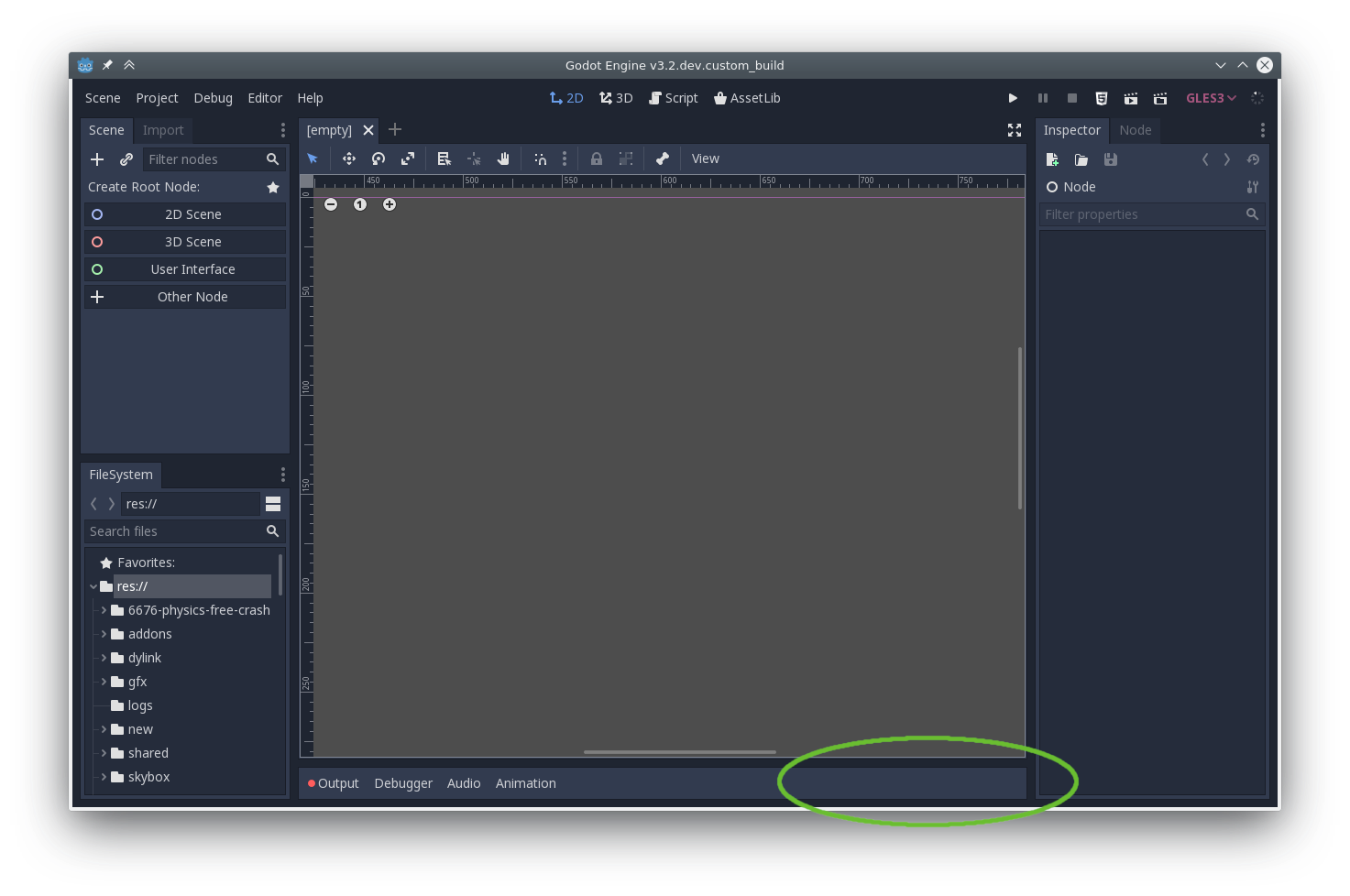
 bojidar-bg
on 4 Jun 2019
bojidar-bg
on 4 Jun 2019
I'd like to use the top-right corner to display the version number, as it's the same location as in Blender (so people know where to look at).
Calinou
on 4 Jun 2019
- So Blender users know where to look.
(But yes, I agree)
Megalomaniak
on 4 Jun 2019
Related issues
 nunodonato
·
143Comments
nunodonato
·
143Comments
 NullNeska
·
191Comments
NullNeska
·
191Comments
 RyanBram
·
101Comments
RyanBram
·
101Comments
 alelepd
·
187Comments
alelepd
·
187Comments
 RiverMesa
·
142Comments
RiverMesa
·
142Comments
Most helpful comment
(But yes, I agree)