Godot version:
3.2 dev
OS/device including version:
Windows 10 x64 / NVIDIA GeForce GTX 1060 6GB / Intel Core i7 4790K
Issue description:
I want the front face of the cube to look_at the camera.
So I did:
$Cube.look_at($Camera.translation, Vector3(0, 1, 0))
But for some reason, when this is executed, it shows the rear face , like rotating the cube 180 degress horizontally before running the look_at.

Whitout look_at:

... and with:
extends Spatial

func _ready() -> void:
    $Cube.look_at($Camera.translation, Vector3(0, 1, 0))

Minimal reproduction project:
 rogeriodec
All 17 comments
-Z is forward. If anything, the problem is that "Front View" looks at the back of things.
 isnt-alice
on 31 Mar 2019
isnt-alice
on 31 Mar 2019
The front direction is negative Z in Godot, so you need to swap your textures for "Front" and "Rear".
 aaronfranke
on 31 Mar 2019
aaronfranke
on 31 Mar 2019
Ok, now with a known mesh from blender:

and...
$StaticBody/Suzanne.look_at($Camera.translation, Vector3(0, 1, 0))
Suzanne doesn't like me! I say: "look at me, Suzanne!" and she turns her back...
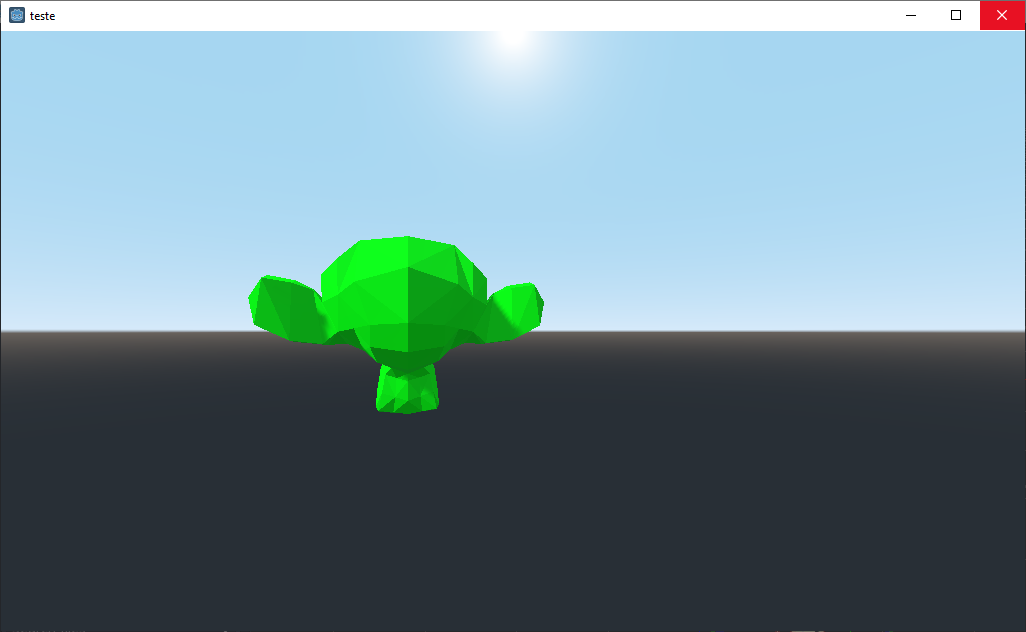
Do you think it's correct?
rogeriodec
on 31 Mar 2019
Yes, that's the correct behavior. The model you imported is looking back. Forward in Godot is negative Z, so the back of Suzanne's head is treated as the forward direction.
You will also notice that the camera's default direction is this way - the camera looks forward by default, such that if you offset an unrotated camera by Vector3.FORWARD, it moves forward.
To fix the problem, rotate the model in Blender before exporting.
aaronfranke
on 31 Mar 2019
Yes, this is correct behavior, you should turn your model 180° in blender, so that they face the opposite direction.
Closing as this this expected.
 groud
on 31 Mar 2019
groud
on 31 Mar 2019
Yes, that's the correct behavior. The model you imported is looking back.
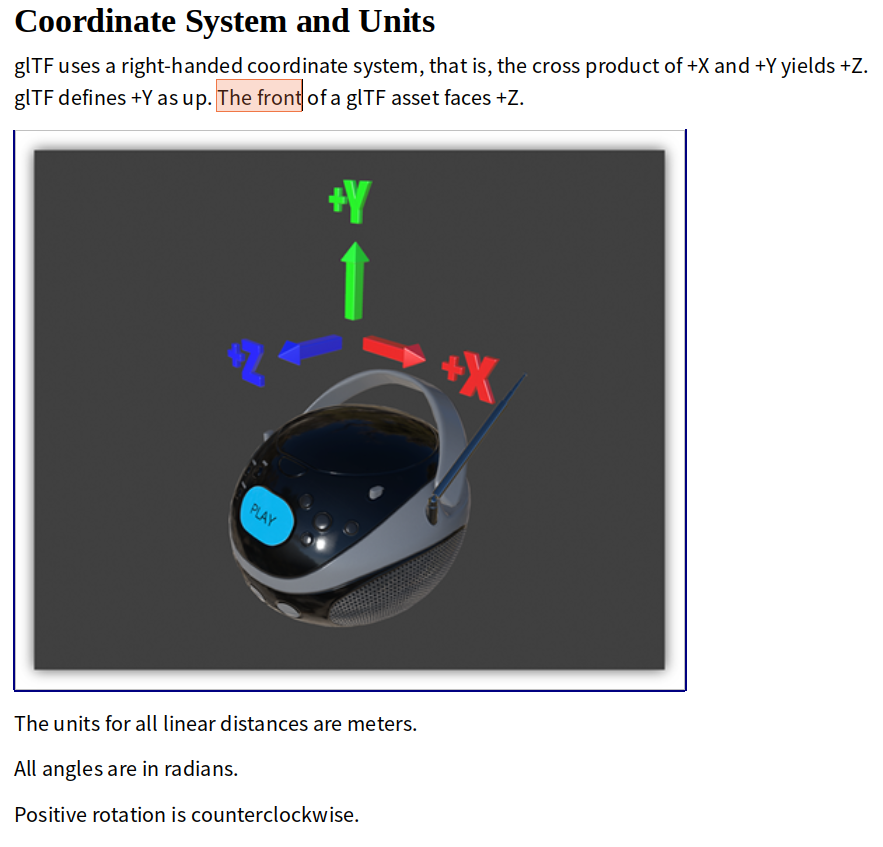
The model is by all means correct. I think he is right, Godots look_at() got it right for the camera but backwards for another objects. Check it yourself:
https://github.com/KhronosGroup/glTF/tree/master/specification/2.0#coordinate-system-and-units
 capnm
on 1 Apr 2019
capnm
on 1 Apr 2019
Godot uses OpenGL conventions, and in those -Z is forward. The look_at method is working fine.
This is at most an issue with the glTF importer, which could transform imported scenes to make both conventions match.
 JFonS
on 1 Apr 2019
JFonS
on 1 Apr 2019
This is at most an issue with the glTF importer, which could transform imported scenes to make both conventions match.
It's pretty much the same convention of all Godot supported import formats, good luck with that;)
capnm
on 1 Apr 2019
@capnm Godot only supports collada, glTF and wavefront OBJ formats as far as I know.
Collada uses -Z as the forward direction and OBJ seems to not specify any forward direction (even though in Blender it uses -Z as forward by default).
So if you are going to add some witty comment, at least try to check you are actually right.
JFonS
on 1 Apr 2019
So if you are going to add some witty comment, at least try to check you are actually right.
Whatever, I personally (and the OP) found that funny, of course we can turn the object back ...
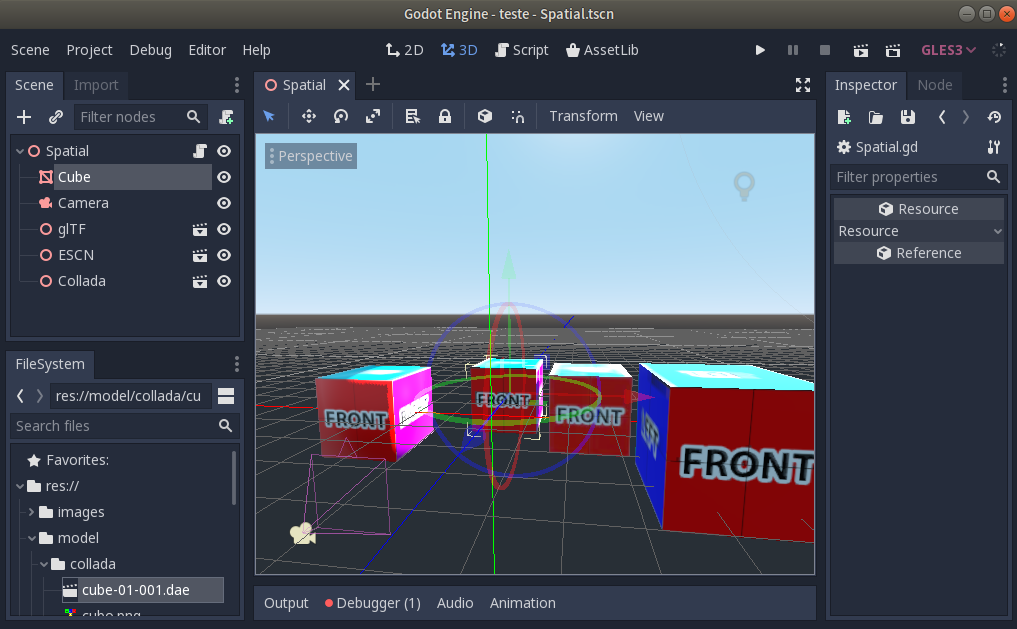
The import of the same model in glTF, escn and collada and the results seem to be clear:
capnm
on 1 Apr 2019
Doesn't matter if it is an OpenGL convention.
The fact is that this counter-intuitive, so much that it has generated this confusion with me (and certainly will generate more confusion in the future).
Everything may have a logical explanation, but not necessarily justifiable.
I leave here my suggestion to rethink this aspect (or eventually create an additional look_at command that behaves in the traditional way).
rogeriodec
on 1 Apr 2019
@rogeriodec That's a great idea. I was not aware of the glTF standard, which has forward as +Z (and facing back towards the camera), since it's the opposite of forward on objects in both Godot and Unity.
I don't see any reason why we can't add a look_at_gltf method as well.
aaronfranke
on 1 Apr 2019
I don't see any reason why we can't add a
look_at_gltfmethod as well.
Great. How to put this suggestion for development?
rogeriodec
on 2 Apr 2019
I don't see any reason why we can't add a look_at_gltf method as well.
Because it is bloat.
We are not going to provide a function for each existing convention. After what? We define a Vector3.FORWARD_GLTF ? That 's not reasonable.
Godot follows opengl convention, that' s it.
groud
on 2 Apr 2019
Actually it's just one line code to rotate the model back or you could parent the model in a backwards rotated empty. I would probably just improve the documentation https://docs.godotengine.org/en/latest/tutorials/3d/using_transforms.html#introducing-transforms
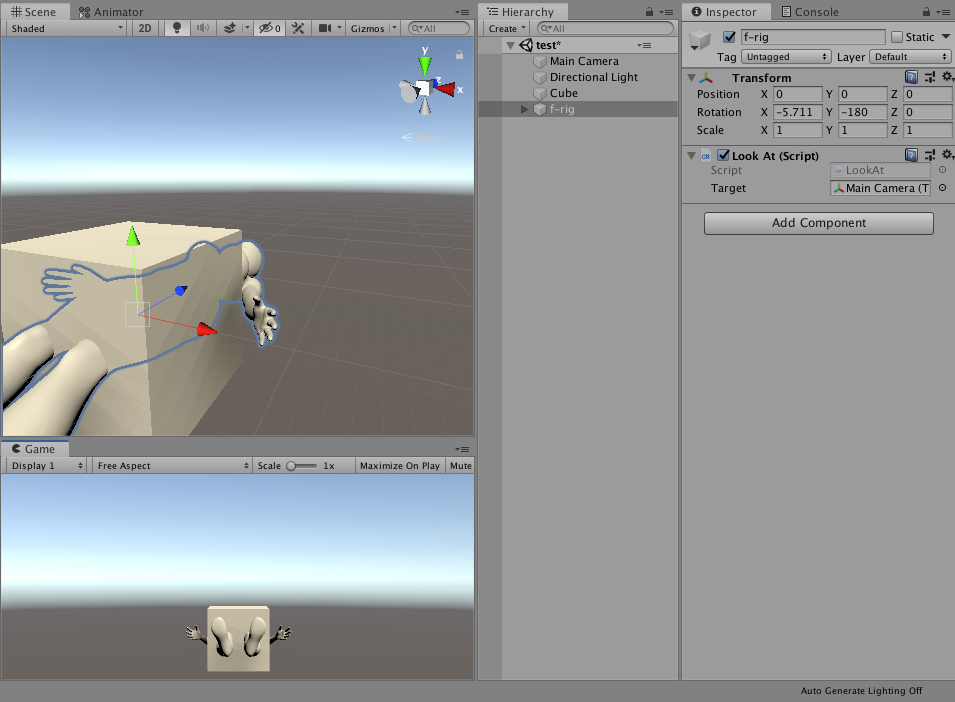
At least now, all importers visually match the view of Blender and Godot, without having to adjust any options. Guess what happens, if you call imported-glTF-model.lookAt(me) in an other engine:
capnm
on 4 Apr 2019
Actually, I just had a much better idea. What if there was simply a way to pass in a vector that indicated which direction of the object is "forward"? For example, this could be useful if I wanted to make a game where characters walk around on spheres, and I want their legs to point inward.
aaronfranke
on 16 Apr 2019
This is extremely counterintuitive, especially considering that the front view is viewing an object from the "normal" side, the one that's considered "front" in most 3d packages. You find so many identical questions on reddit and godot formus, people keep getting confused by this.
Any change it would be possible to add a checkbox to the project settings that would reverse z axis?
 lumenwrites
on 20 Nov 2019
lumenwrites
on 20 Nov 2019
Related issues
 Zylann
·
3Comments
Zylann
·
3Comments
 mooseyfaith
·
3Comments
mooseyfaith
·
3Comments
 n-pigeon
·
3Comments
n-pigeon
·
3Comments
 bojidar-bg
·
3Comments
bojidar-bg
·
3Comments
 nunodonato
·
3Comments
nunodonato
·
3Comments
Most helpful comment
This is extremely counterintuitive, especially considering that the front view is viewing an object from the "normal" side, the one that's considered "front" in most 3d packages. You find so many identical questions on reddit and godot formus, people keep getting confused by this.
Any change it would be possible to add a checkbox to the project settings that would reverse z axis?