Godot: Remove TextureRegion popping when Sprite is Selected
Godot version: 3.1-stable
OS/device including version: Solus 4.0
Issue description:
This is a huge decrease in usability. Every single time you select a Sprite the TextureRegion panel will pop on the screen and take focus, so if you were animating some Sprites, switching from one to another, you would have to switch back the AnimationPlayer every-single-time, the Pin option on AnimationPlayer doesn't seem to make any difference. It gets even worse if you are just trying to to setup the rest position of a character composed on many sprites.
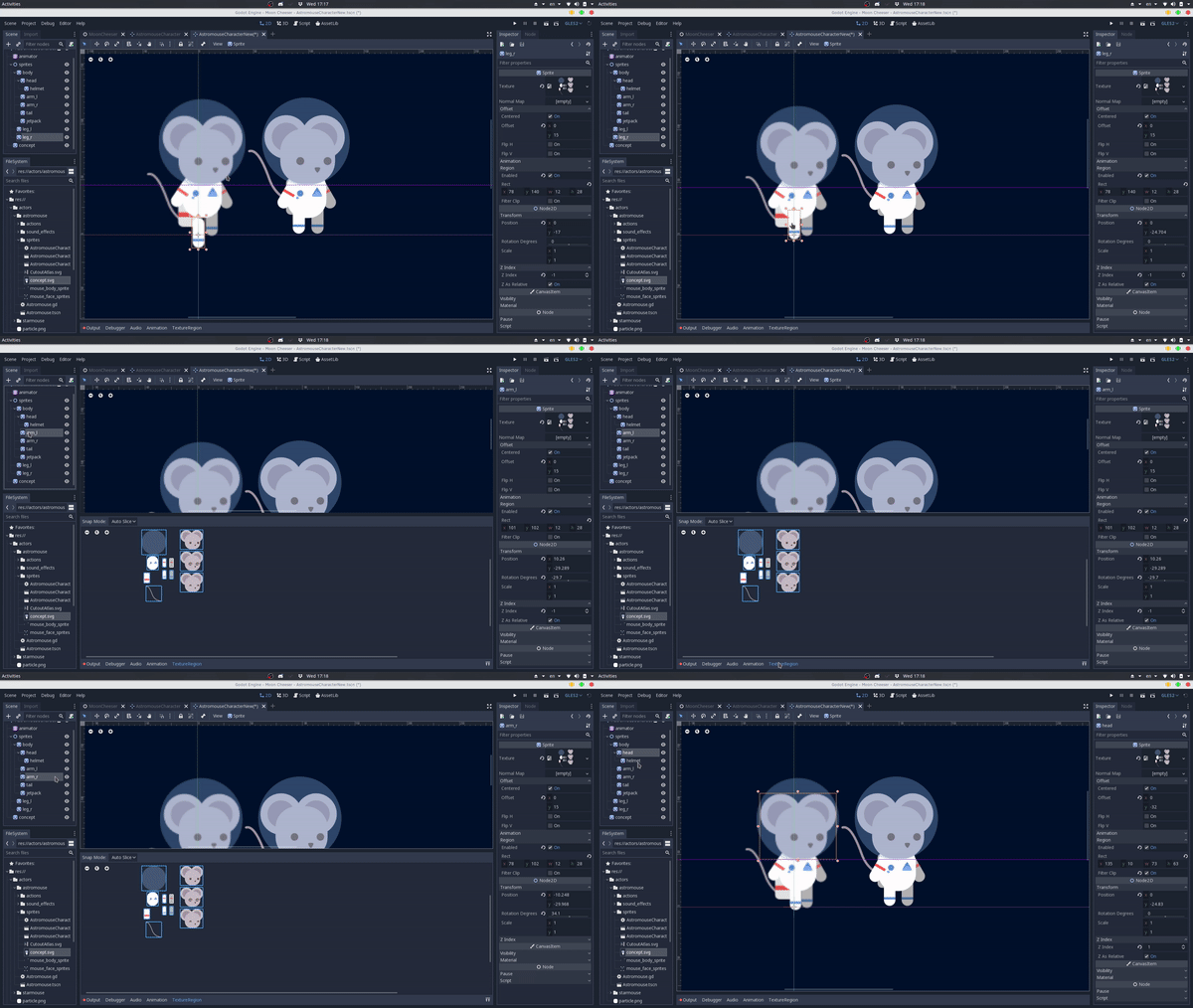
Steps to reproduce:
- Create a scene
- Add some Sprite nodes (3+)
- Add a Texture to the Sprites
- Set
region_enabledtotrue - Add an AnimationPlayer
- Try to animate the Sprites without getting super mad about the TextureRegion Panel popping every time
 henriiquecampos
All 20 comments
I agree, it also annoys me very much
 arkology
on 10 Apr 2019
arkology
on 10 Apr 2019
@akien-mga this is not fixed on Godot 3.2.beta
Could you reopen the issue?
henriiquecampos
on 12 Nov 2019
CC @bojidar-bg
 akien-mga
on 12 Nov 2019
akien-mga
on 12 Nov 2019
@henriiquecampos Would be nice if you could prepare a quick gif, so that I can guess the error faster :smiley:
 bojidar-bg
on 13 Nov 2019
bojidar-bg
on 13 Nov 2019
@bojidar-bg here:
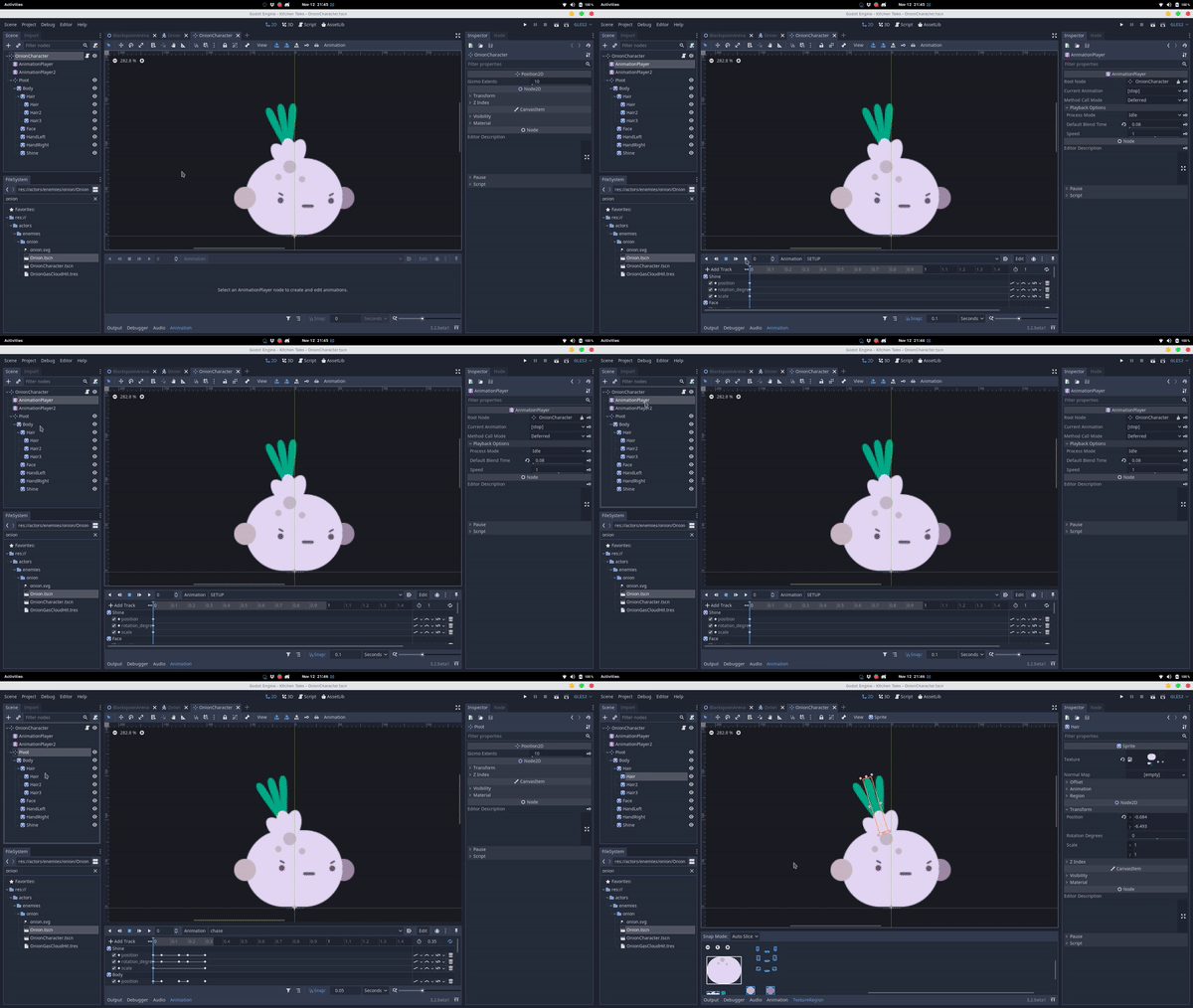
A smoother workflow, what we had in 3.0 iirc, is:
- You click on the AnimationPlayer
- You click on the Node, e.g. Sprite
- You key the properties you want
Currently the workflow is
- You click on the AnimationPlayer
- You click on the Node
- If it is a Sprite you lose the Animation context and you are into the TextureRegion context
- You can either click back on the Animation tab or (what I was doing before I remembered just today that you can change back to the Animation tab) repeat the process and instead of clicking you CTRL+LMB on the Node
henriiquecampos
on 13 Nov 2019
I think the issue might be a bit deeper, since this happens (albeit less obnoxiously) with the Shader editor context tab as well.
Indeed the issue is not present in 3.0, probably because there most context tabs do not popup automatically whenever you select a node matching them (and Animation is the exception rather than the norm there).
bojidar-bg
on 13 Nov 2019
Hm, can you confirm that step 3 does not occur any more after either closing the TextureRegion tab or opening the Animation tab manually from the buttons on the bottom row?
bojidar-bg
on 2 Dec 2019
@bojidar-bg yep in 3.2.beta2 the workflow is:
- Click on the AnimationPlayer
- Click on a Sprite node
- TextureRect tab will pop
- Click on the Animation tab
- After that you can select Sprite nodes normally without the TextureRect popping.
henriiquecampos
on 3 Dec 2019
So it would be working as intended after my last PR. I'm not sure how to handle things better, without changing how bottom docks work. Maybe if TextureRegion never popped up automatically?
bojidar-bg
on 3 Dec 2019
I think it could pop when you enable the "region_enabled", but like, literally right when it is turned true, so that this context is explicit to the user. And it can pop whenever region_enabled becomes true.
Otherwise, it doesn't pop, but is there. Wachu think?
This way the workflow to enable the region is:
- Select the Sprite
- Enabled
region_enabled - TextureRegion pops
- You draw the rect
henriiquecampos
on 4 Dec 2019
Consider making the tabs draggable, whichever is furthest to the right is active.
 Hargbratch
on 4 Dec 2019
Hargbratch
on 4 Dec 2019
@henriiquecampos That's a good idea indeed, but while Sprite and Sprite3D have a region_enabled property, NinePatchRect, StyleBoxTexture, and AtlasTexture do not.
StyleBoxTexture, and AtlasTexture are resources, so the editor can freely pop up for them (similar as other resource editors).
So, NinePatchRect is odd with this proposal.
bojidar-bg
on 4 Dec 2019
Should there not be a variable that remembers the last bottom panel sorted on top?
- So if I last had the Animation Panel on top, and I click on a Sprite with Region, it should show the Animation Panel on top.
- Elif I had the Region Panel on top last, and click on a Sprite with Region, it should show the Region Panel on top.
- Elif the Node I click on has no Region, but the Region was the last panel on top, it would show the second last panel that was on top
- Elif the second last is also not applicable to the Node I click on (maybe the second last Panel on top was a Shader and the Node has no material assigned), then the third last panel is shown on top .... and so on.
Exceptions I can think of right now is when you enable/add something new, like a Shader or Region, the corresponding panel pops up immediately, as well as if you click on the AnimationPlayer Node in the Scene Panel, the Animation Bottom Panel should pop on top. There may be more exceptions, maybe clicking on Material in the Inspector should pop up Shader Bottom Panel if a shader is already assigned ...
 golddotasksquestions
on 4 Dec 2019
golddotasksquestions
on 4 Dec 2019
@bojidar-bg I think that with the exception of Sprite (which need the region_rect_enabled == true first) all other could pop the TextureRegion every time they are being inspected (i.e. opened in the inspector) and region_rect == Rect(0, 0, 0, 0).
This comes from the assumption that if region_rect == Rect(0, 0, 0, 0) the region rect wasn't set yet, the TextureRegion pops as kinda of a "reminder". But once you set it, you don't need it to pop again, because you don't need to be reminded again, since you already defined it. If you need to redesign the region_rect you can either manually click on the TextureRegion tab and define the Rect or you can reset region_rect to the default value (Rect(0, 0, 0, 0)) in the later case the TextureRegion tab would automatically pop again.
So the "popping" of the TextureRegion acts as a handful reminder that only pops when you need to be reminded that, currently, rect_region isn't defined. And this principle is true to every thing that has region_rect property. In the case of the Sprite node you just need region_rect_enabled == true first.
What do you think?
henriiquecampos
on 4 Dec 2019
@henriiquecampos This sounds like a good suggestion (even for sprite, where it could again pop up only for Rect(0,0,0,0)). I will try to implement it one of those days :smiley:
bojidar-bg
on 4 Dec 2019
Very dificult to control. If one has a sprite a texture region and a shader at the same time and the editor insists on showing only the shader, there is no way to edit the region.
 securas
on 22 Dec 2019
securas
on 22 Dec 2019
There are other problems:
- If the sprite as a region and a shader and the editor insists on showing the shader, there seems to be no way to edit the region
- If the sprite has a shader, the shortcut keys act on the shader. As an example, to duplicate a sprite, its necessary to close the shader and then press Ctrl+D. Otherwise, the editor duplicates a code line from the shader.
securas
on 22 Dec 2019
There are other problems:
1. If the sprite as a region and a shader and the editor insists on showing the shader, there seems to be no way to edit the region

2. If the sprite has a shader, the shortcut keys act on the shader. As an example, to duplicate a sprite, its necessary to close the shader and then press Ctrl+D. Otherwise, the editor duplicates a code line from the shader.
I really think we should just integrate the shader editor in the Script Editor for once.
henriiquecampos
on 27 Dec 2019
@henriiquecampos This means one wouldn't be able to preview the shader in real-time anymore, though.
 Calinou
on 27 Dec 2019
Calinou
on 27 Dec 2019
Hmm that's true, it would need to be saved and to switch to the 3d/2d view, right? 🤔
henriiquecampos
on 27 Dec 2019
Related issues
 Spooner
·
3Comments
Spooner
·
3Comments
 ndee85
·
3Comments
ndee85
·
3Comments
 timoschwarzer
·
3Comments
timoschwarzer
·
3Comments
 RebelliousX
·
3Comments
RebelliousX
·
3Comments
 Zylann
·
3Comments
Zylann
·
3Comments
Most helpful comment
I agree, it also annoys me very much