Godot: Color "stripes" when displacing SCREEN_UV, even if the whole screen has the same color (GLES3 only)
Godot 3.0.6
Godot 3.1 beta2
Windows 10 64 bits
OpenGL ES 3.0 Renderer: GeForce GTX 1060 6GB/PCIe/SSE2
This is a very strange one that occurred when I tried to write a shader that tears the screen in stripes of a given length, by slightly displacing SCREEN_UV:
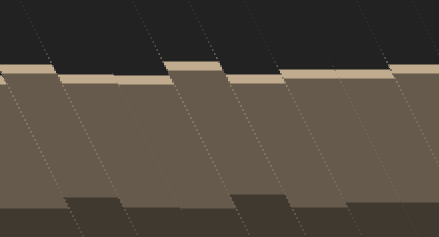
However, I noticed that between each stripe, there is a very noticeable line of pixels that seems to come from nowhere, which ruins the effect. I tried to figure out where they come from. And it turns out, after trying in a simpler project and simplified shader, it STILL happens even if the whole screen has the same color Oo

Why are there such lines? Isn't the color supposed to be the same no matter where you sample the texture in this case? This is why I came reporting this as potential bug.
Test project:
ShaderStripesBug.zip
Notes
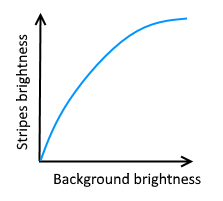
Those stripes can't be seen if the color is white or black, or if dir is horizontal or vertical, and their brightness appears to follow this kind of curve:
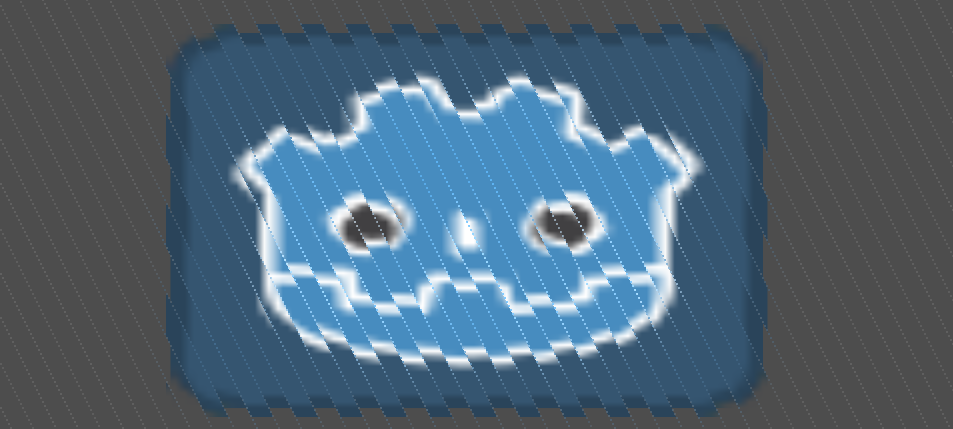
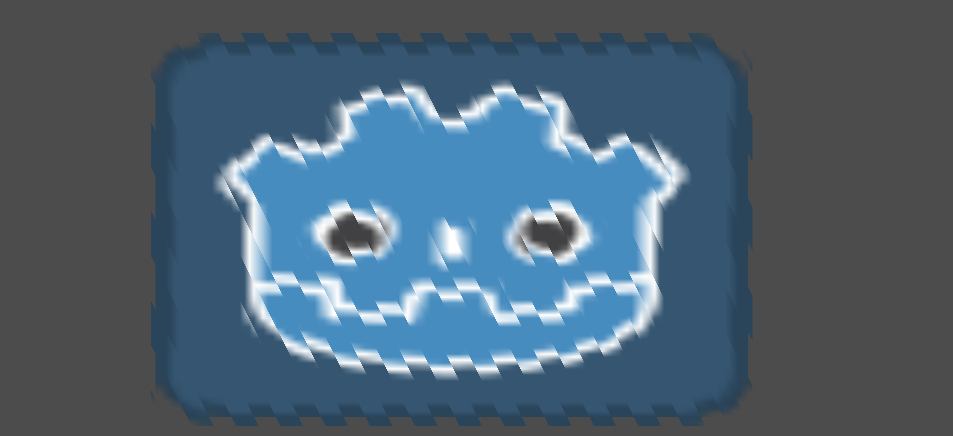
The bug also doesn't reproduce when applying the same shader on a texture, although there doesn't seem to be a sampling filter in action:

This bug does not reproduce with GLES2.
GLES3:
GLES2:
Shader:
shader_type canvas_item;

void fragment() {
    vec2 dir = normalize(vec2(1, 2));
    vec2 pos = SCREEN_UV / SCREEN_PIXEL_SIZE;
    float s = floor((pos.x * dir.y + pos.y * dir.x) * 0.05);
    float h = fract(s * 0.5);
    float sh = 2.0 * h - 1.0;
    vec2 displacement = (dir * SCREEN_PIXEL_SIZE) * (sh * 10.0);
    COLOR = texture(SCREEN_TEXTURE, SCREEN_UV + displacement);
}
 Zylann
All 13 comments
This is a mip-map error. For some reason each successive mip-map is brighter than the last. At the edges of your displacement, the call to texture is automatically using a higher mip level resulting in those lines. You can avoid this by specifying the mip level explicitly by using
COLOR = textureLod(SCREEN_TEXTURE, SCREEN_UV + displacement, 0.0);
or by setting a mip bias in the third parameter of texture of -5.0 or so.
Also SCREEN_TEXTURE wasn't implemented in GLES2 until a few days again. You would have to check master to see if it is present in GLES2.
edit: I have confirmed that the issue is not present in GLES2.
edit2: It is not present in GLES2 because in GLES2 the screen_texture has no mip-maps.
 clayjohn
on 27 Jan 2019
clayjohn
on 27 Jan 2019
Forcing to use the first LOD fixed it, thanks @clayjohn :)
I wonder why mip maps have higher brightness though.
Zylann
on 27 Jan 2019
It is an bug. @reduz
clayjohn
on 27 Jan 2019
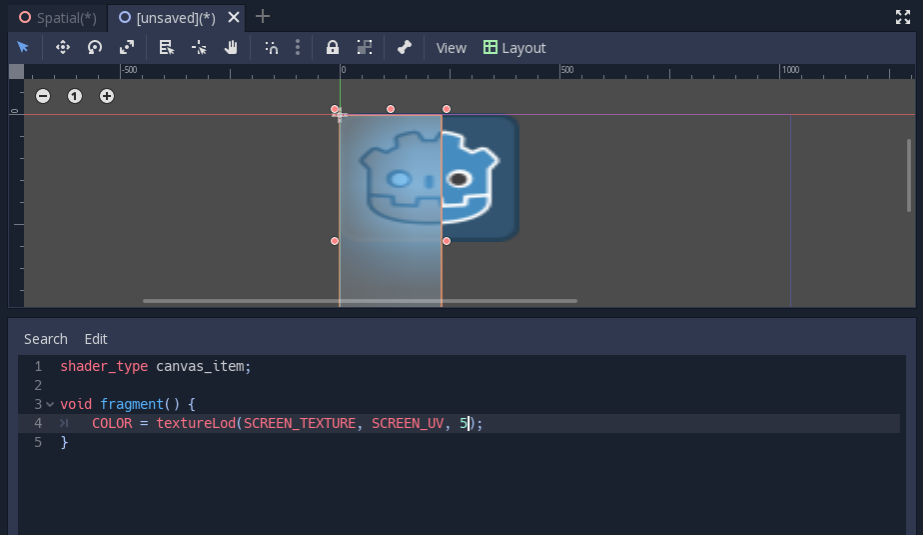
This is a scene with a sprite displayed normally and a ColorRect displayed overtop with the corresponding shader code underneath.
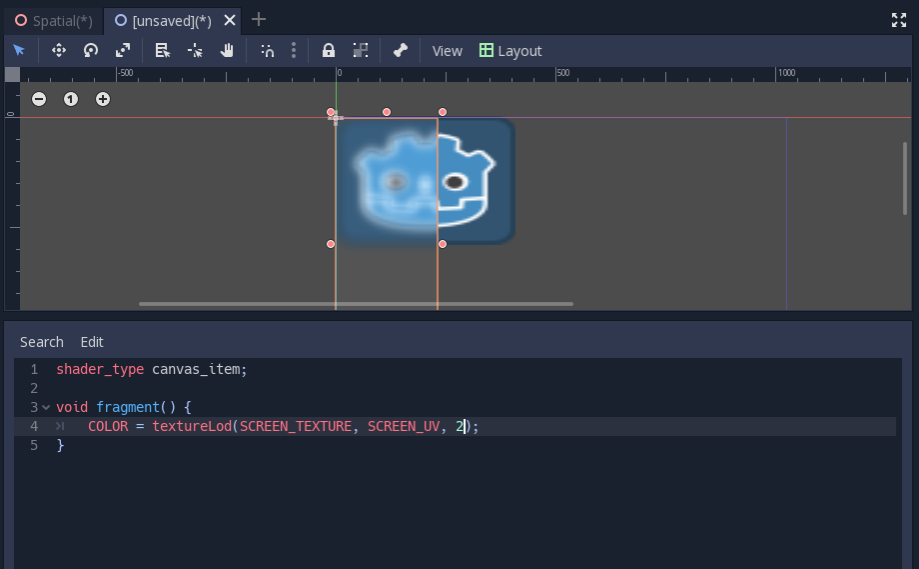
As you can see, as you increase the mip-level the brightness gets even worse and some colors end up inverting.
clayjohn
on 27 Jan 2019
The last screenshot looks like the last mip has better resolution than previous ones Oo
Zylann
on 29 Jan 2019
I believe I have found a workaround to this bug. Setting Framebuffer Allocation to "2D" within the project settings fixes the blurry artefacts showcased in clayjohn's screenshot.
Before:

After:

My shader code is functionally identical to the example above.
However, this workaround does not work in the editor, only when the game is actually running. The editor still showcases the bug irrelevant of the selected Framebuffer Allocation.
 tiniuclx
on 19 Mar 2019
tiniuclx
on 19 Mar 2019
I think I have identified the error in the source code. It can be found in
effect_blur.glsl (gles3) and in effect_blur.glsl (gles2). It is in the #ifdef GAUSSIAN_HORIZONTAL part. The coefficients do not add up to 1, but to 1,051581. When I tried to code something to counteract the brightness before, I used a factor of 0.95^miplevel. This rougly matches and counteracts that factor I now found in the code, so I am pretty sure that this is the error. However, I have no dev environment setup for the engine and thus I could not verify it.
Theoretically, normalising these coefficients would be enough. But it would be better to actually think about which sigma was meant to be used here, which I do not know. It has to match the vertical blur. If we just renormalise, we might introduce a new, but way more subtle bug.
 Clocktown
on 13 Apr 2019
Clocktown
on 13 Apr 2019
I have a feeling this is a bug introduced in 22a90e8f I have never seen a Gaussian blur where the vertical and horizontal used a different number of samples. Also it is strange that reduz would add the Glow blur and then make it the exact same as the Gaussian blur.
@reduz Do you have any input on this?
clayjohn
on 13 Apr 2019
Vertical and Horizontal dimensions are different because the first pass fills the smaller mip-level using the higher resolution mip level. But the second pass needs to work with the result of that, so it now runs on the reduced mip-level, hence less samples. It's downsampling and filtering merged together.
Clocktown
on 13 Apr 2019
That makes sense.
Here is a seven sample Gaussian blur with sigma 2.0
0.071303 | 0.131514 | 0.189879 | 0.214607 | 0.189879 | 0.131514 | 0.071303
Eerily similar to Godot's code except Godot uses 0.157305 in the 2nd and 6th samples.
clayjohn
on 13 Apr 2019
Then I think it is highly likely that a 2 sigma gaussian was supposed to be used there. It adds up, because the 5 sample vertical one is a sigma of 1. It has to be half because it works on the lower resolution.
Clocktown
on 13 Apr 2019
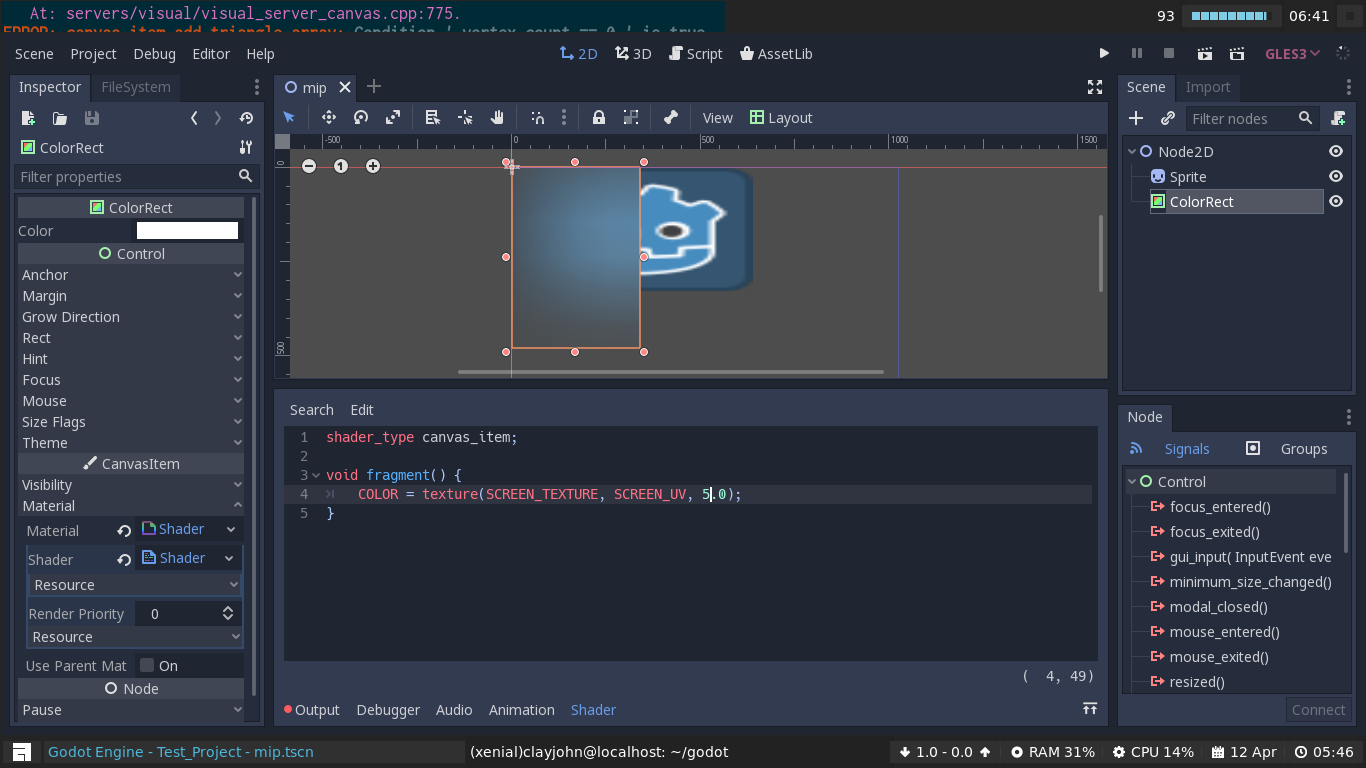
You were right! Looks great now.
clayjohn
on 13 Apr 2019
Nice! Thanks for fixing it.
Clocktown
on 13 Apr 2019
Related issues
 alelepd
·
187Comments
alelepd
·
187Comments
 reduz
·
111Comments
reduz
·
111Comments
 ghost
·
117Comments
ghost
·
117Comments
 karroffel
·
144Comments
karroffel
·
144Comments
 nicklunt
·
107Comments
nicklunt
·
107Comments
Most helpful comment
You were right! Looks great now.