Godot: GLES2: "World Triplanar" in SpatialMaterial is broken
Godot version:
Built from master (b77a411)
OS/device including version:
Manjaro Linux, Radeon RX 560
Issue description:
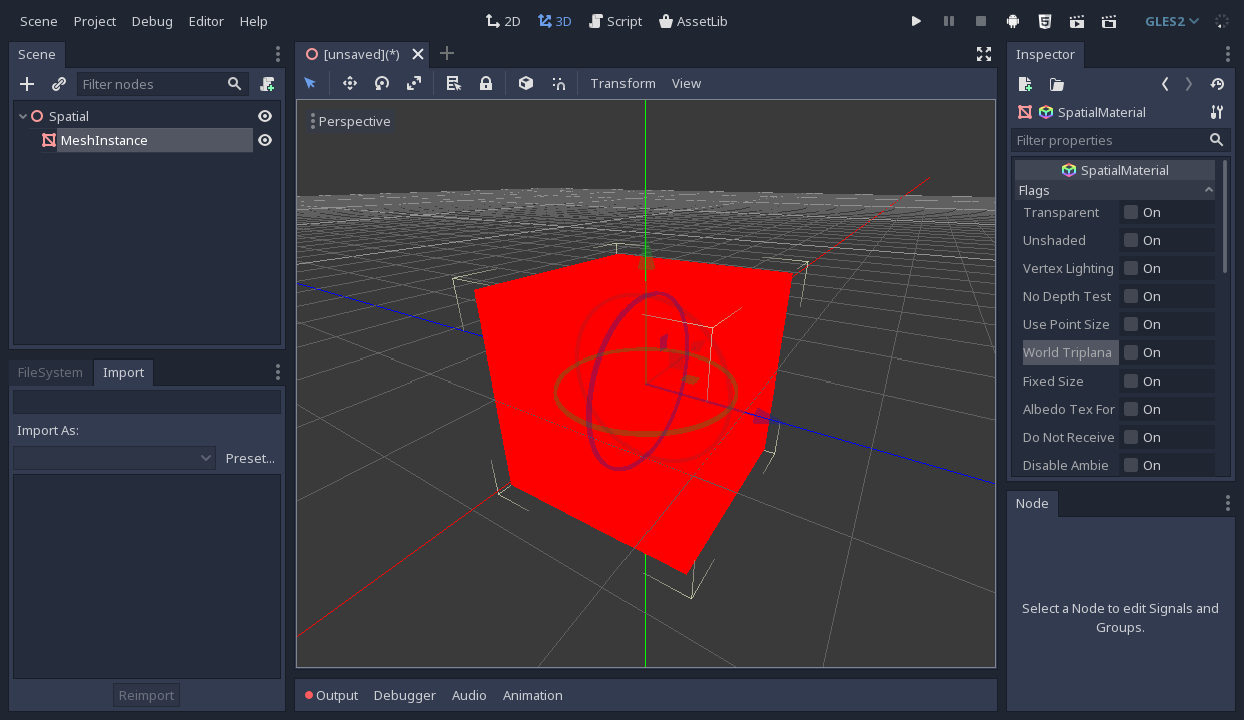
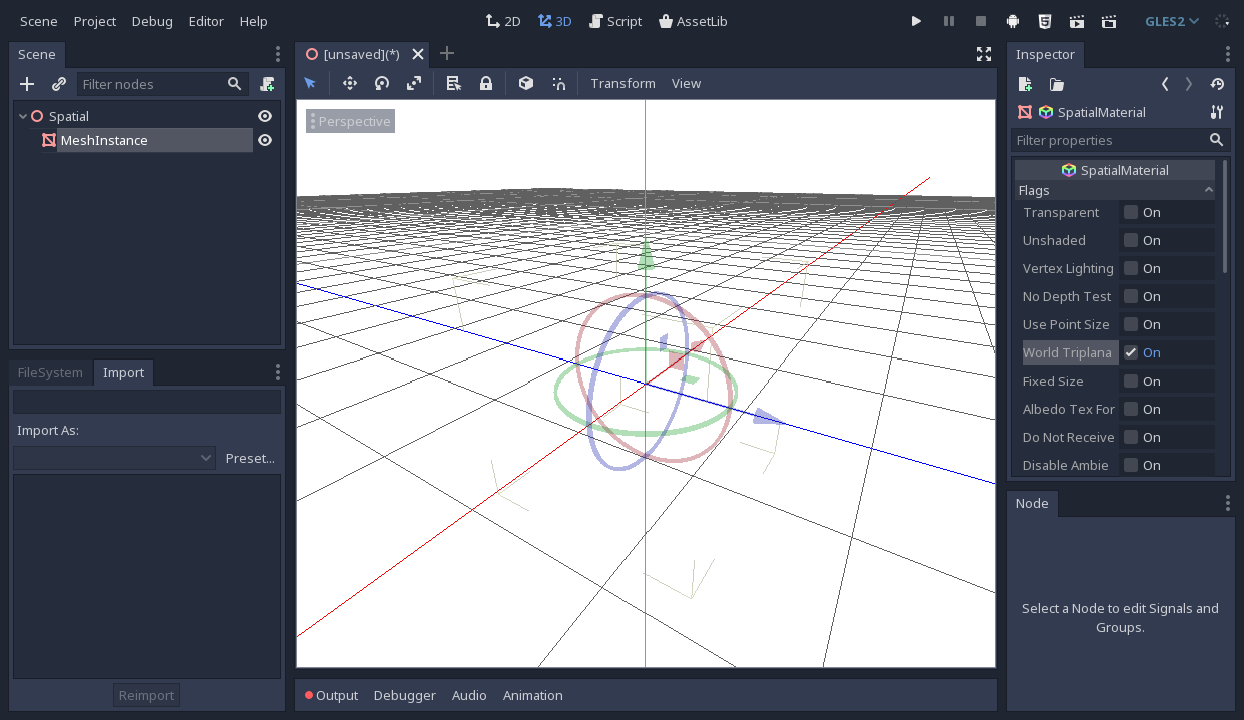
I tested my game in Godot 3.1 with the new GLES2 renderer and noticed the whole (3D) screen turning white. After some tinkering with the materials I found the cause. It happens when I use triplanar materials and check the "World Triplanar" flag. I'm using that a lot, and it seems to break the whole 3D view. Unchecking "World Triplanar" seems to fix it.
Steps to reproduce:
- Create a MeshInstance with a CubeMesh (or anything else).
- Assign a new SpatialMaterial.
- Check "Triplanar" for UV1.
- Check the "World Triplanar" flag.
 ProbDenis
👍1
All 2 comments
You can fix it by changing line 359 in drivers/gles2/shaders/scene.glsl
-       tangent = normalize((world_matrix * vec4(tangent, 0.0)), xyz);
+       tangent = normalize((world_matrix * vec4(tangent, 0.0)).xyz);
 tagcup
on 24 Oct 2018
tagcup
on 24 Oct 2018
👍3
😄1
Thanks @tagcup, I'm pushing a PR with this fix.
 akien-mga
on 24 Oct 2018
akien-mga
on 24 Oct 2018
Was this page helpful?
0 / 5 - 0 ratings
Related issues
 mefihl
·
3Comments
mefihl
·
3Comments
 testman42
·
3Comments
testman42
·
3Comments
 rgrams
·
3Comments
rgrams
·
3Comments
 bojidar-bg
·
3Comments
bojidar-bg
·
3Comments
 n-pigeon
·
3Comments
n-pigeon
·
3Comments
Most helpful comment
You can fix it by changing line 359 in drivers/gles2/shaders/scene.glsl