Godot: Make Inspector bigger by default
Godot version:
3.1 5df9109
Issue description:
Inspector is one of the most important and the most used panel in editor but at the same time is one of smallest.
Inspector should look like in Unity, should have all vertical space to work. It is very unintuitive to scroll small Inspector Panel to find the right property.
This is my Editor Layout:
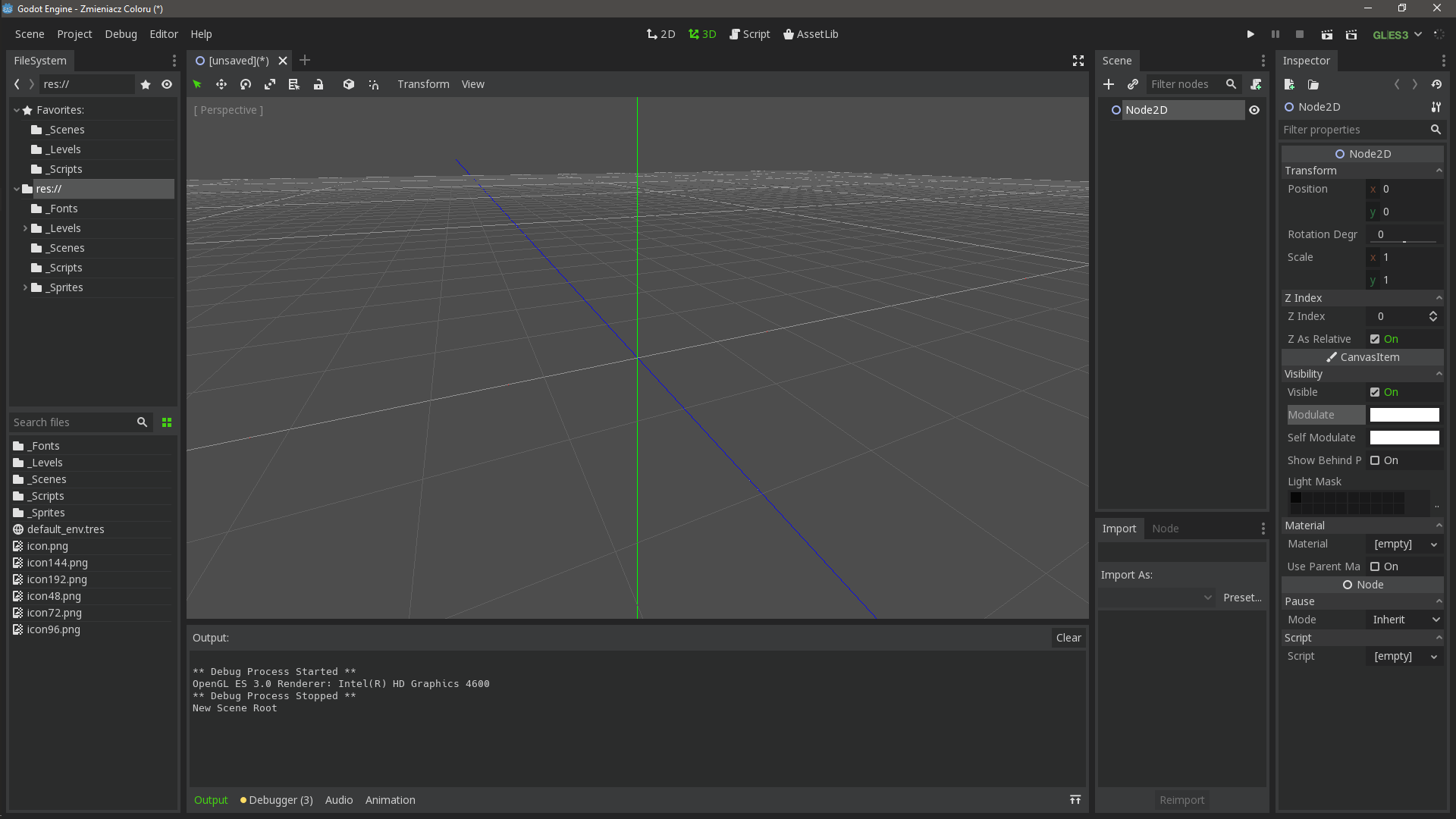
Panel also should have smaller minimum size because that layout may be a little to big on small resolution screens or Godot should detect, on first opening, the resolution and choose right layout.
 qarmin
All 7 comments
I disagree.
Vast majority of users keep their Inspectors small. Youtube proves that. Those few who wants it bigger can create a layout.
Let's not handhold developers.
I'd rather have an option to set layout as default for all projects. If such option already exists i'd like to know.
 hilfazer
on 27 Aug 2018
hilfazer
on 27 Aug 2018
Inspector is the same size I expect a properties window to be. Coming from Visual Studio, the default size is about the same.
 nobuyukinyuu
on 27 Aug 2018
nobuyukinyuu
on 27 Aug 2018
As you see, people in youtube don't change Inspector size, maybe because they like small Inspector or maybe they just don't wanna change what works. I think they also will do nothing with Inspector size when Inspector would fill vertical panel and that would be useful for users.
qarmin
on 27 Aug 2018
I think they also will do nothing with Inspector size when Inspector would fill vertical panel and that would be useful for users
They will do nothing because they are lazy or because they are conformists who will roll with whatever is offered as default? Or maybe because idea of resizing windows, feature present in most software, didn't cross their mind?
I believe users aren't lazy, conformist nor ... unsmart and will adjust Godot to their needs. And everyone has hers/his own perfect size of Inspector let alone other windows. For example, my Inspector is almost twice as big as yours.
Edit:
I'd rather reduce the need for Inspector to be big. For example those x,y,z values - maybe put them in same line?
Or that pencil icon of dictionaries - it could be thinner, with nested dictionaries width of this icon adds up quicky and even my rather wide Inspector needs to resize because it's not wide enough :(
hilfazer
on 27 Aug 2018
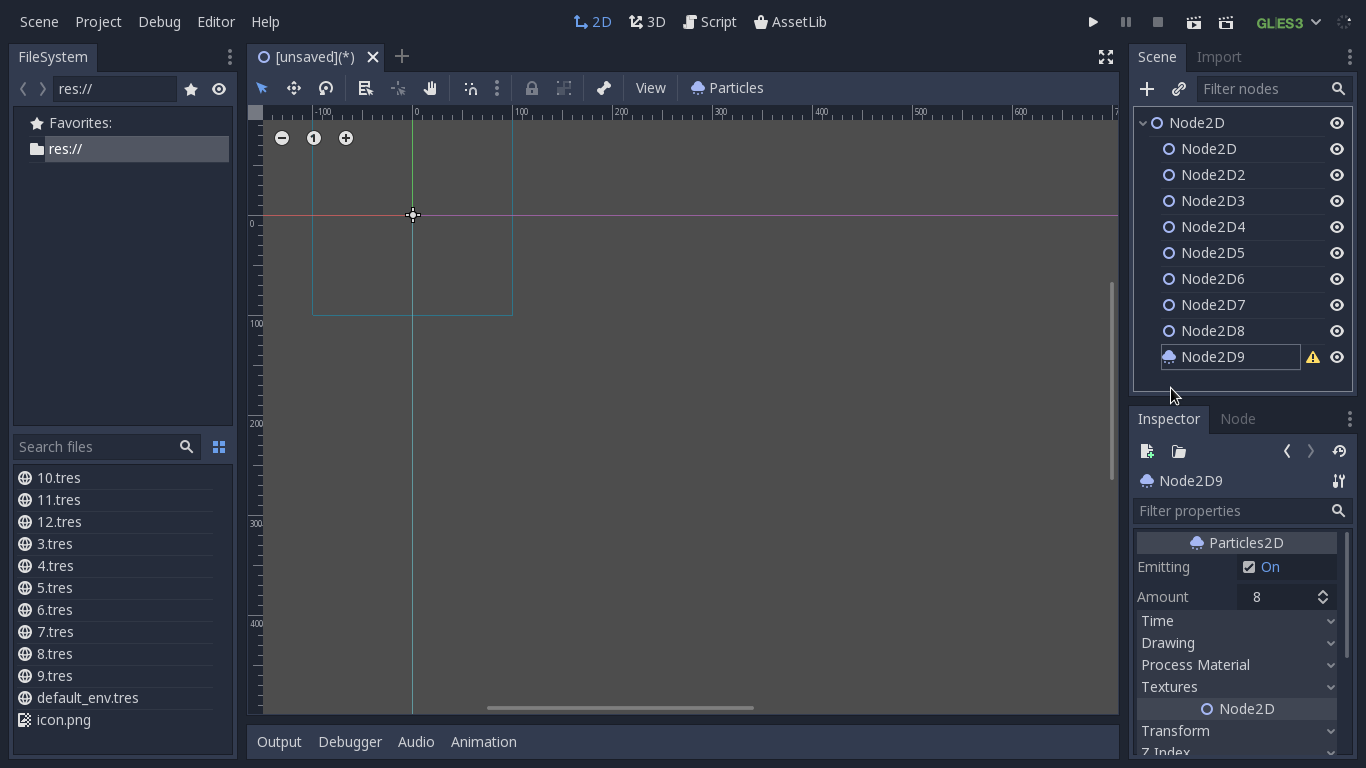
On my screen resolution of 1366x768, which is still used by many people, the inspector shows only a few properties. Only after adding the second panel, godot seems to be really useful and does not take up too much space.
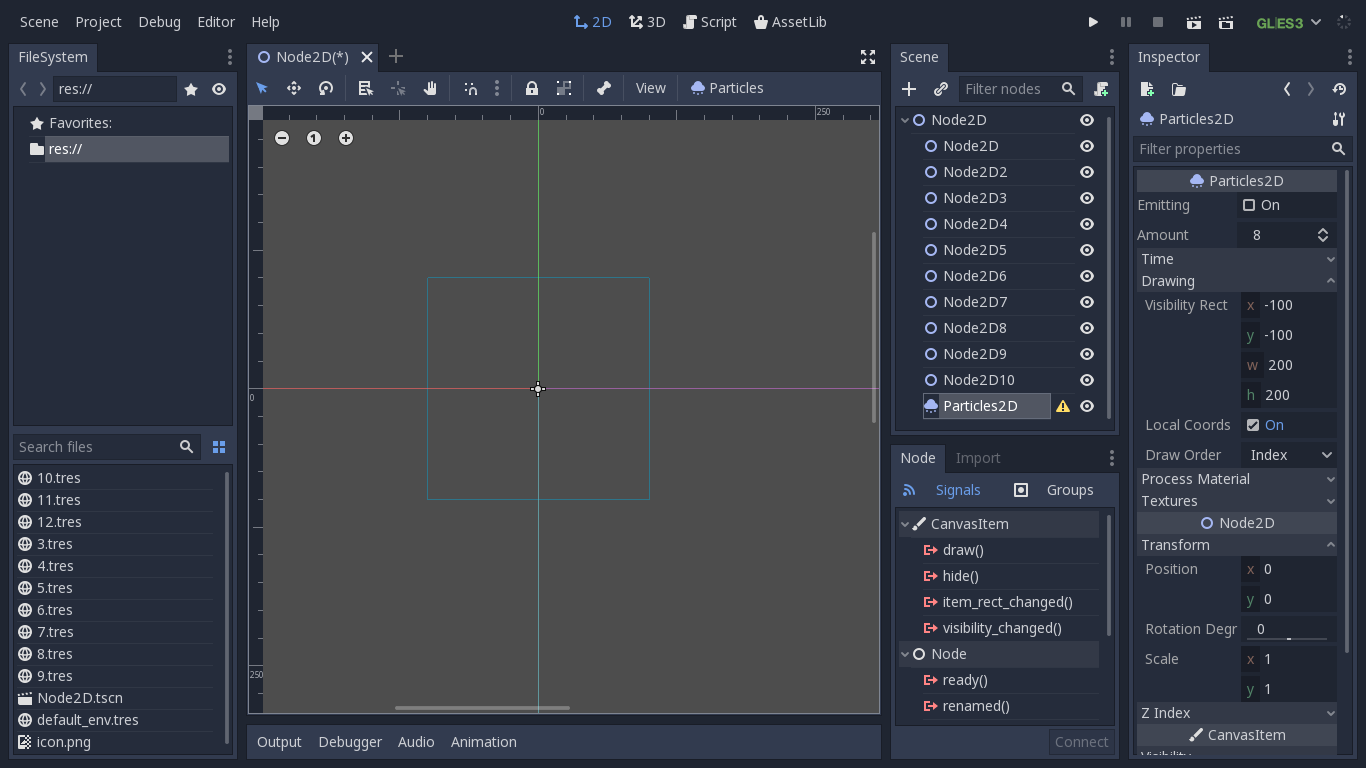
I also think that some properties should be smaller and with bigger inspector it should be really good layout from beginners to professionals
Default panel with full screen Godot (1366x768)
My suggestion with the second panel has more space that not need to be scrolled.
qarmin
on 2 Sep 2018
This is a matter of taste, and bigger panels by default means less space on the central one which may not be desirable.
Also video tutorials may not be a valid reference because content creators need particular things to show the details they want to show.
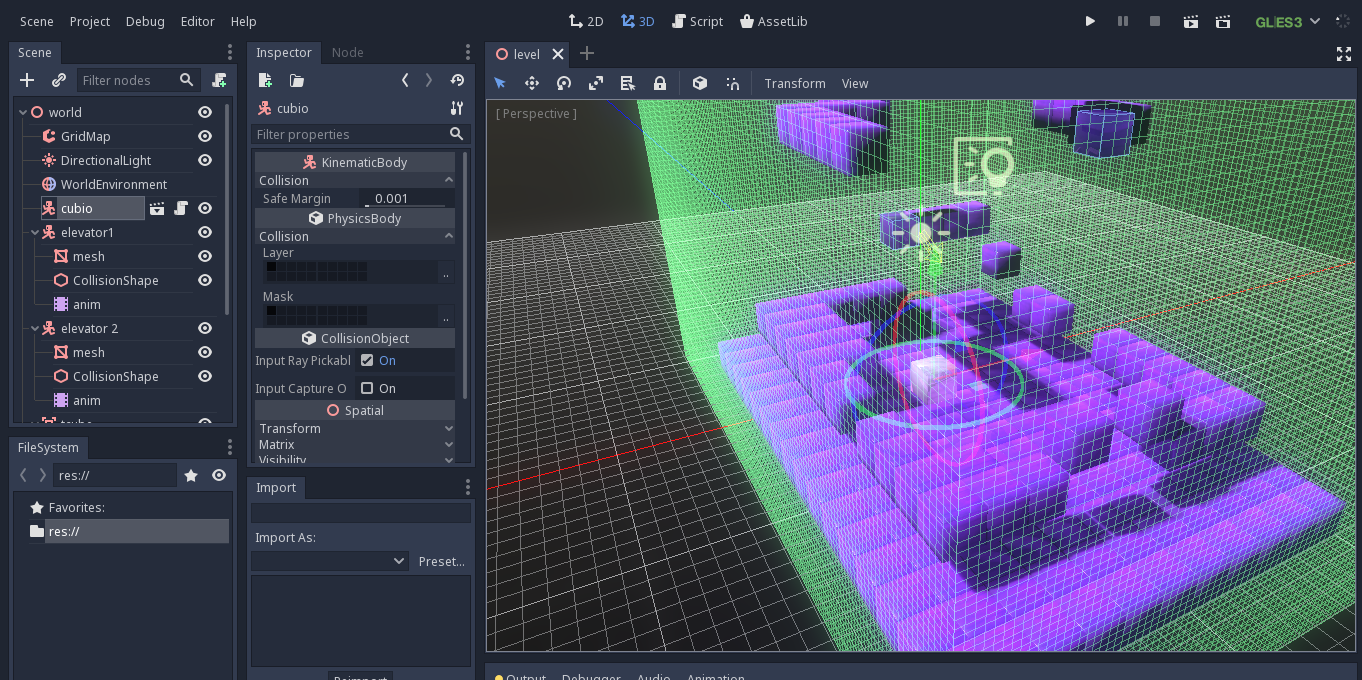
On small resolutions, setting the font on size 12 looks better without changing sizes of panels.
 eon-s
on 3 Sep 2018
eon-s
on 3 Sep 2018
Font with size 12 still looks good and I think godot should automatic choose layout for different resolution at first launch
e.g. <1366x768 should have font size 12, two panels - left FileSystem, right Inspector, Scene etc.
.>1366x768 should have font size 14, three panels - left FileSystem, right left Scene Import and Node, right right Inspector
qarmin
on 3 Sep 2018
Related issues
 ivanskodje
·
3Comments
ivanskodje
·
3Comments
 mooseyfaith
·
3Comments
mooseyfaith
·
3Comments
 RayKoopa
·
3Comments
RayKoopa
·
3Comments
 bojidar-bg
·
3Comments
bojidar-bg
·
3Comments
 rgrams
·
3Comments
rgrams
·
3Comments
Most helpful comment
I disagree.
Vast majority of users keep their Inspectors small. Youtube proves that. Those few who wants it bigger can create a layout.
Let's not handhold developers.
I'd rather have an option to set layout as default for all projects. If such option already exists i'd like to know.