Godot: TabContainer children can overflow on tab switch (e.g. Export and Project dialogs)
Godot version:
3.1.dev-1
OS/device including version:
Arch Linux
Issue description:
Export manager has too long textboxes: https://i.imgur.com/HvjGhzF.png
Steps to reproduce:
Open export window and enter resources menu.
_Bugsquad edit:_

 saranvdev
All 10 comments
FYI you can attach images to your issue directly, no need to use an external provider.
 vnen
on 25 Aug 2018
vnen
on 25 Aug 2018
No idea why this is going on, but export Window is here:
https://github.com/godotengine/godot/blob/master/editor/project_export.cpp
 reduz
on 8 Sep 2018
reduz
on 8 Sep 2018
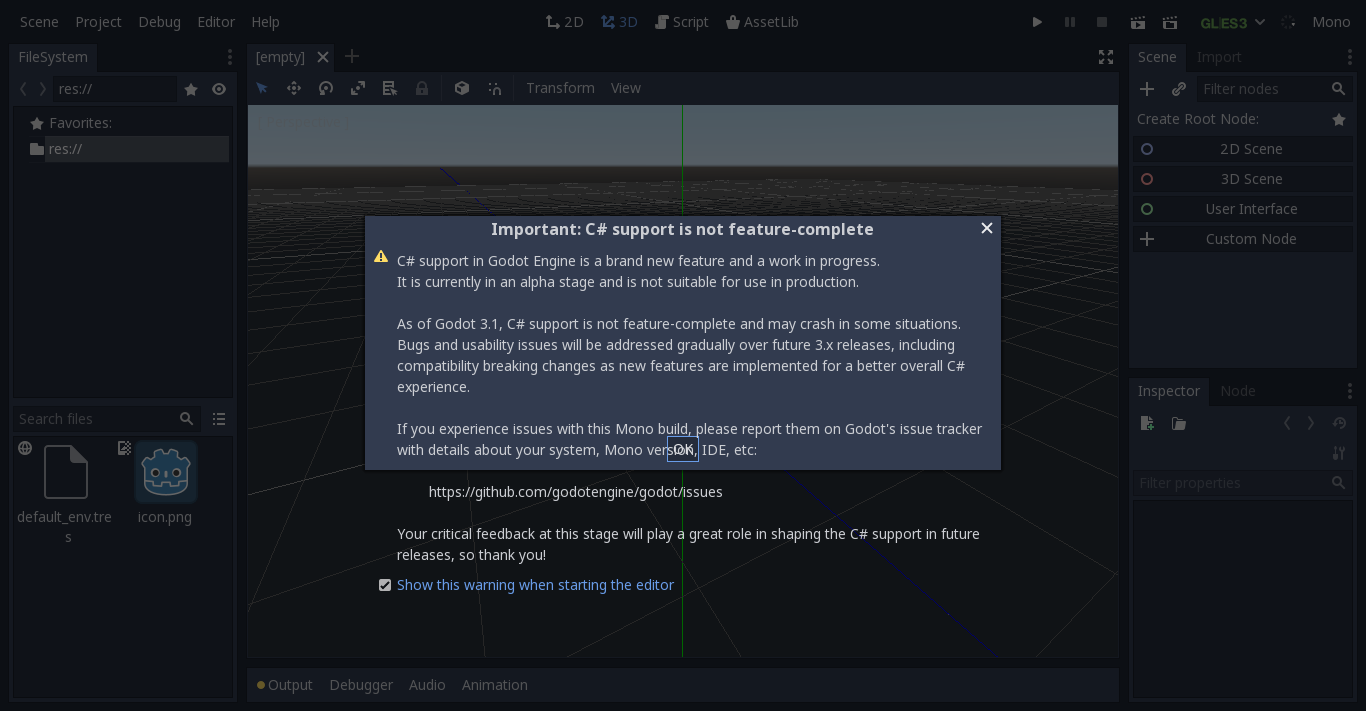
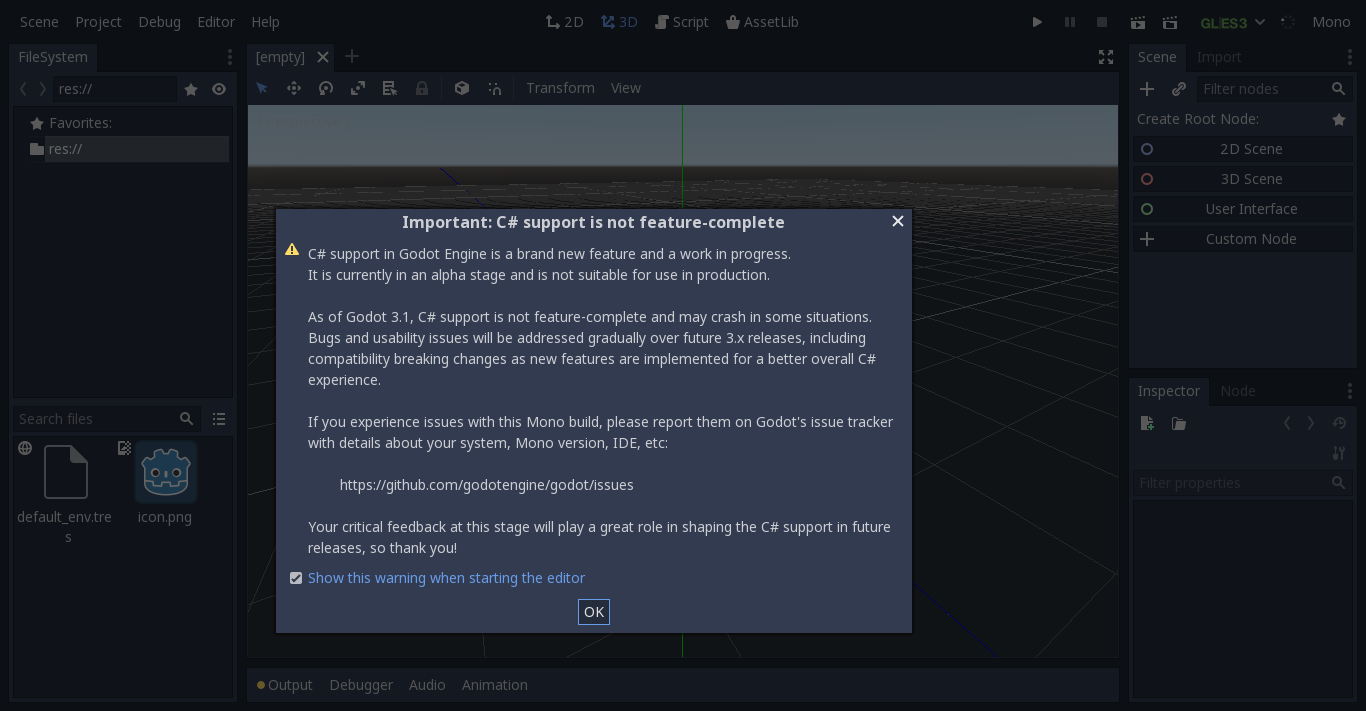
I reproduced the issue. The textboxes get so big because the localization string of their label is larger than the one in english. But in that case the window should also resize, but it doesn't. If I move or resize the window it gets fixed.
While testing this I found a very similar issue with the dialog box saying C# is in beta and again it gets fixed when it is resized.
I am guessing the issue is more general and related to redrawing controls or something. I will try to look for similar issues.
 nikibobi
on 9 Sep 2018
nikibobi
on 9 Sep 2018
Hey! I'm new here (and in contributing to FOSS too), and I'd like to make this my first bugfix. As I can see, there's no one working on it, so I'd like to give it a try.
 ghost
on 22 Oct 2018
ghost
on 22 Oct 2018
I just checked, and i cannot reproduce this on my machine (Linux official 3.0.6)
 toger5
on 22 Oct 2018
toger5
on 22 Oct 2018
I was able to reproduce the bug in the export manager once, with polish language, but after dragging the right side of the window, it snapped back to normal, and ever since, even with restarting the application or making a new project or switching between languages, it's been working correctly.
ghost
on 22 Oct 2018
maybe it's an issue with some cached value in the config?
you could still look through the file posted by @reduz. Ill notify you when I'm able to reproduce and under which circumstances.
toger5
on 22 Oct 2018
Alright, I'm gonna go do that.
ghost
on 22 Oct 2018
I have found a reliable way to reproduce the bug: increase the size of the string on this line in project_export.cpp (around line 962)
resources_vb->add_margin_child(TTR("Filters to export non-resource files (comma separated, e.g: *.json, *.txt)"), include_filters);
If you increase it with at least a couple of characters, the box will be messed up, but will adjust back if you resize the window, move the window, or exit from the window and reopen it. As @nikibobi mentioned this must be a more general issue, I think too.
ghost
on 30 Oct 2018
could be the min_size function that is broken
toger5
on 31 Oct 2018
Related issues
 timoschwarzer
·
3Comments
timoschwarzer
·
3Comments
 RayKoopa
·
3Comments
RayKoopa
·
3Comments
 mefihl
·
3Comments
mefihl
·
3Comments
 testman42
·
3Comments
testman42
·
3Comments
 Zylann
·
3Comments
Zylann
·
3Comments
Most helpful comment
FYI you can attach images to your issue directly, no need to use an external provider.