Godot: Make default mesh materials more flat or less reflective.
https://github.com/godotengine/godot/issues/20780
When Creating a cube mesh or others, the materials looks weird.
The cube reflects all the light like it is shiny and weird looking.
Cubes are generally used for floors, boxes or walls. None of these are metallic generally.
It is like niegther real nor good looking. If there were one and not the other it would be just preference.
For example Unity has better default materials.
Maybe it's time we changed the default materials to something that is not so shiny and more good looking.
 Logmytech
All 6 comments
its easy to change, perhaps to make things easier to discuss and evaluate, why dont you create a material that you think is nice as a default one, and then screenshot the differences and put it here so everyone else can have their say?
 nunodonato
on 7 Aug 2018
nunodonato
on 7 Aug 2018
Looks like the default editor material, the material that is used when no material is set on a mesh, has a roughness of 1 and a slightly grey color.
The default Spatial Material is white with a roughness of 0. I think the only thing that needs to be changed is the roughness. Using 0.5 or 1 would look better by default, I think.
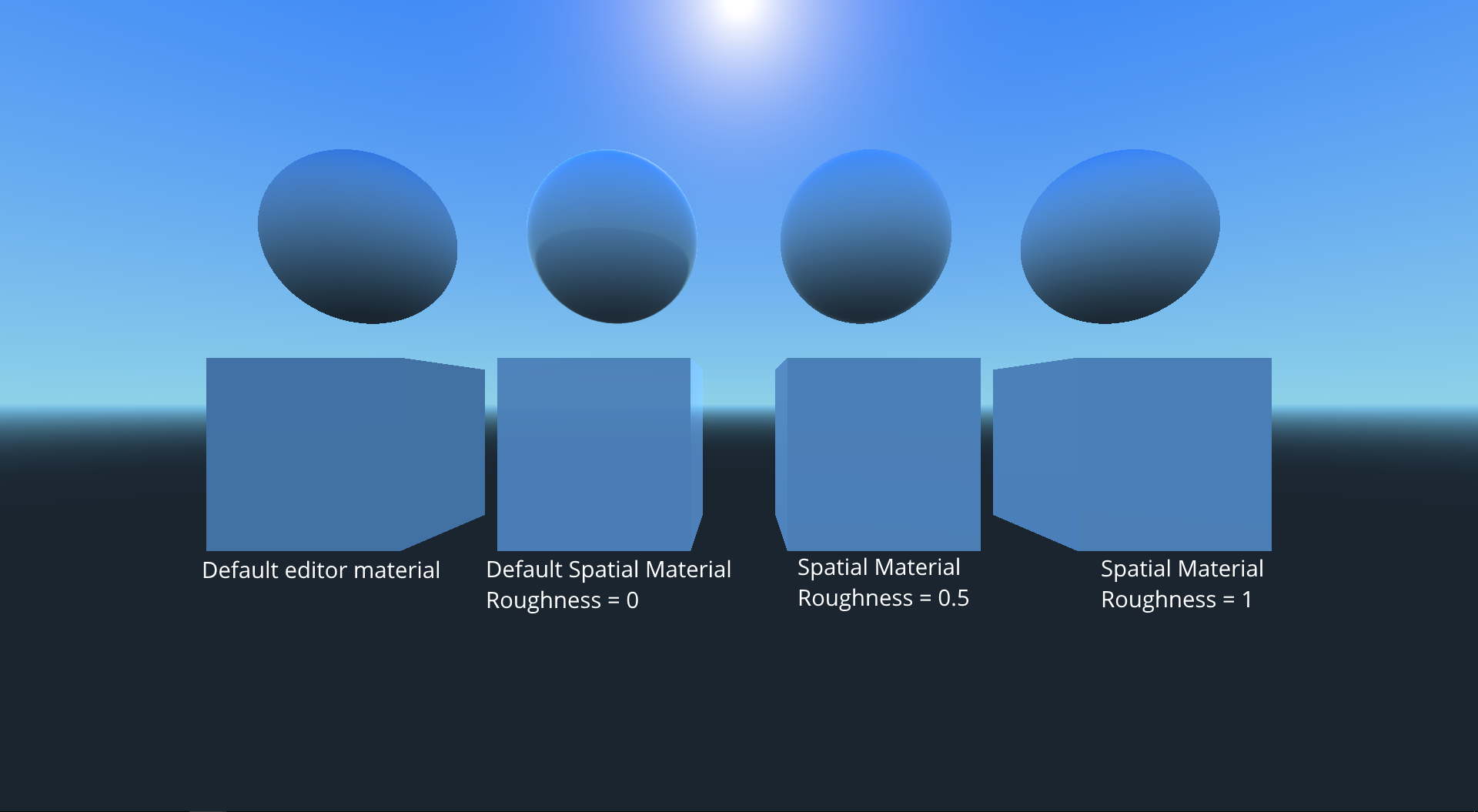
 CowThing
on 7 Aug 2018
CowThing
on 7 Aug 2018
Lighting changes the looks drastically.
The Default Spatial material is especially shiny.
You can see the reflection clearly in the following image.
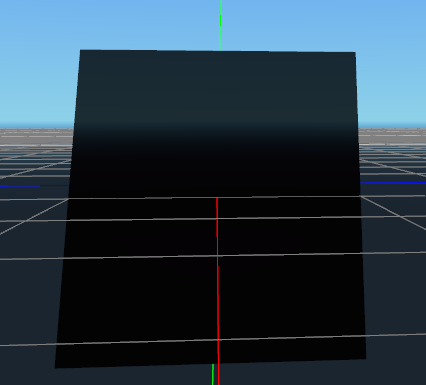
And this is the default Editor material. See the change in different faces.
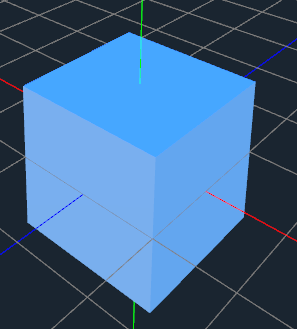
Logmytech
on 8 Aug 2018
this still happens in 3.1 Any plans for 3.2 to fix this or do I have to recompile my editor just to change this. A setting to change the default values would be nice tbh so I don't have to de-shine stuff every time i place it in the world
 ConnorBP
on 1 Apr 2019
ConnorBP
on 1 Apr 2019
This was fixed in the default environment, if you created yours before the change, it won't be modified. Check in a new projects and you should see the difference. You can then replace your default environment with the one from a new project.
A setting to change the default values would be nice tbh so I don't have to de-shine stuff every time i place it in the world
You can change your default environment for that.
 akien-mga
on 9 Apr 2019
akien-mga
on 9 Apr 2019
This was fixed in the default environment, if you created yours before the change, it won't be modified. Check in a new projects and you should see the difference. You can then replace your default environment with the one from a new project.
A setting to change the default values would be nice tbh so I don't have to de-shine stuff every time i place it in the world
You can change your default environment for that.
thanks :)
ConnorBP
on 9 Apr 2019
Related issues
 bojidar-bg
·
3Comments
bojidar-bg
·
3Comments
 mooseyfaith
·
3Comments
mooseyfaith
·
3Comments
 testman42
·
3Comments
testman42
·
3Comments
 ndee85
·
3Comments
ndee85
·
3Comments
 RayKoopa
·
3Comments
RayKoopa
·
3Comments
Most helpful comment
its easy to change, perhaps to make things easier to discuss and evaluate, why dont you create a material that you think is nice as a default one, and then screenshot the differences and put it here so everyone else can have their say?