Godot: Importing animations doesn't work correctly after recent changes
Godot version:
master / b003b7d84
OS/device including version:
_Manjaro Linux 17.1_
Issue description:
When I import animations from Collada, a few keyframes in each animation have wrong bone positions, making the character's legs to bend in weird directions or even making them disappear.
If I roll back to 224d5371f revision, and reimport the animations the problem disappears while I can consistently reproduce the issue with b003b7d84 revision.
 mysticfall
All 19 comments
Does anyone have the same problem as mine? I think this issue should be put on the 3.1 milestone if confirmed, since it makes Godot pretty much unusable for any project which relies on external animations.
I'll try to narrow down to a specific commit that introduced this behavior on this weekend.
mysticfall
on 25 May 2018
I just did a bisect and found ed7aadcd87a64cde70febc8ee313860e8c67dcaf from #18804 to be the offending commit.
mysticfall
on 25 May 2018
Can you upload an example dae file?
 tagcup
on 25 May 2018
tagcup
on 25 May 2018
Sure, here it is:
example.zip
If you import it to Godot and select the animation player to advance frames slowly, you'll notice the problem that I described in the description.
mysticfall
on 25 May 2018
Thanks, I'll check it during the weekend
tagcup
on 25 May 2018
Are you sure that ed7aadc is the commit that broke it?
I just tried undoing all changes in quat.cpp, quat.h and matrix.cpp, and your .dae file was still broken.
(I kept newly added functions though since they're not used at that point)
tagcup
on 26 May 2018
I could consistently reproduce the problem with b003b7d, but not 224d537. So I did git bisect to pinpoint the commit and found it to be ed7aadc.
By the way, the animation might look weird if viewed as it is. Just ignore everything and look for a sudden abrupt leg movements in the middle of the animation and you'd find it.
mysticfall
on 26 May 2018
Just recompiled and reimported, and this is what I'm getting with 430d847, which is the commit prior to ed7aadc
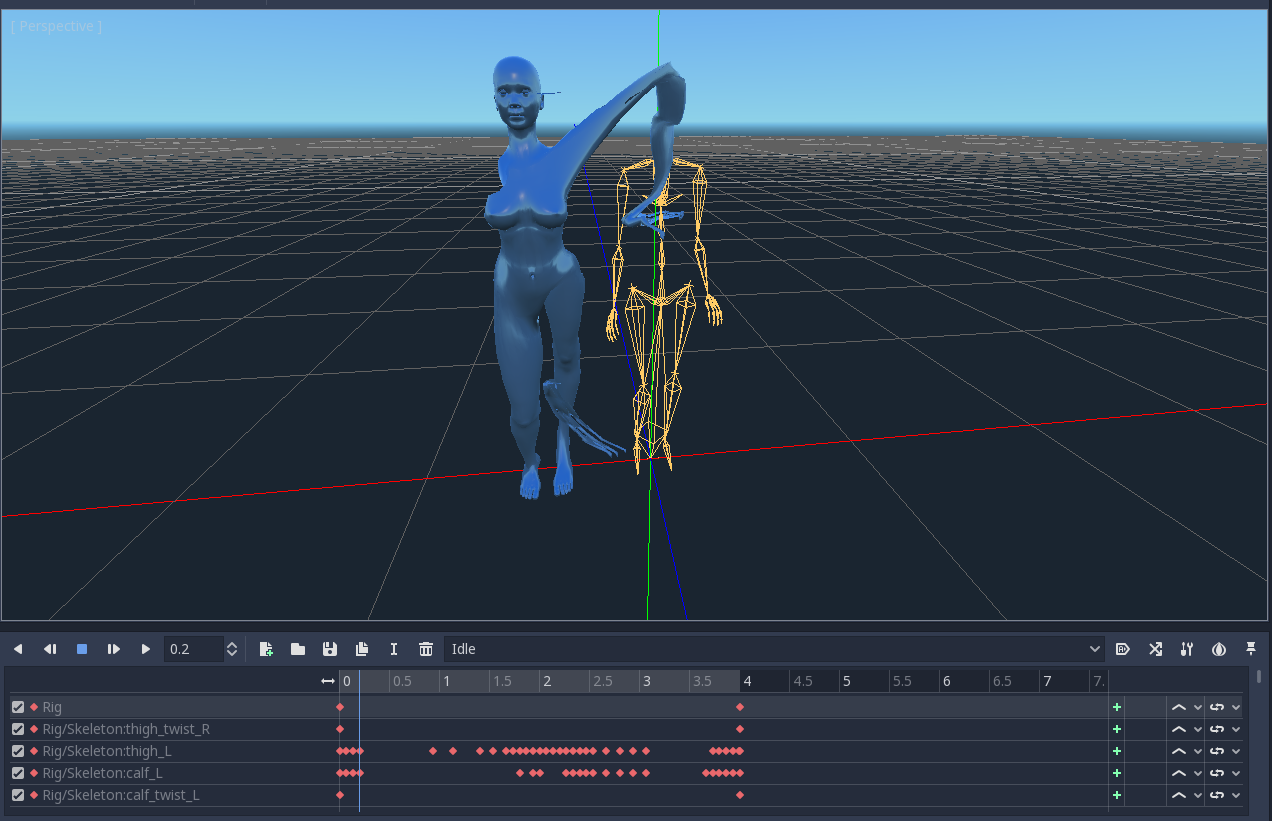
So it already looks broken to me. Can you be more specific what the problem is? Maybe add a screenshot what it is supposed to be vs what you're getting
tagcup
on 27 May 2018
It also looks like that with Blender.
Just ignore everything and look for a sudden abrupt leg movements in the middle of the animation and you'd find it.
So I don't know what exactly I'm supposed to ignore here. Since this "entity" doesn't look like a human to me, I don't what you mean by "leg", do you have a more normal test case with a less exotic thing?
tagcup
on 27 May 2018
I understand it's a bit confusing to see the problem if the character looks like that. I actually use different .bend/.dae combinations for animations and mesh, and for some reason the mesh included in the former looks like that even though animations extracted from it work correctly (with the right build) with the other one.
Anyway, you can simply hide the mesh(the bluish part) and see how the skeleton(the yellow outlines) moves to see the difference.
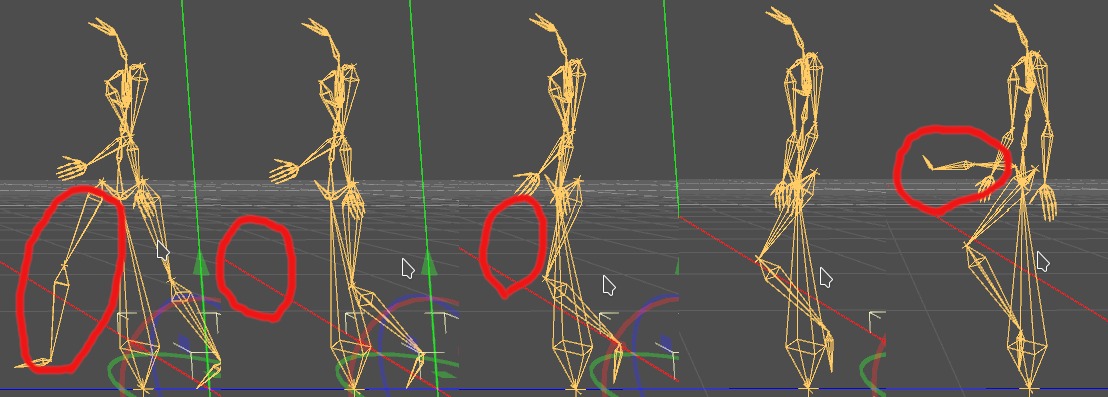
Try rotating the view to the side, and choose the animation Walk Forward and drag over the timeline header manually to advance frames by small degrees. You'll notice at around the 0.4 seconds mark, the skeleton's legs moves abruptly like shown below:
For comparison, this is how it looks with 430d847, the commit preceding yours as you mentioned above:
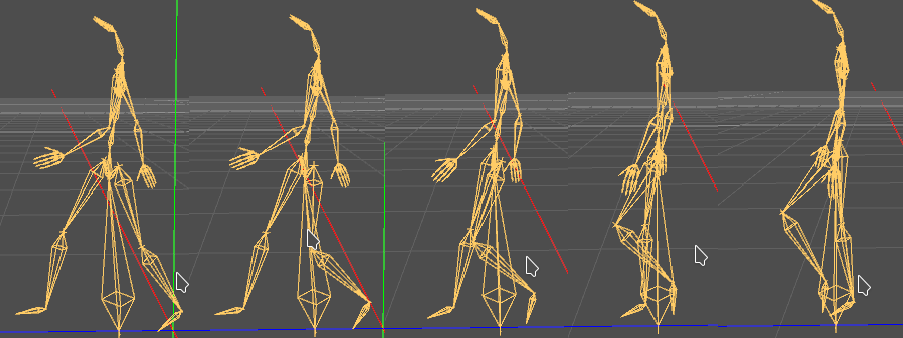
Hope this makes my points clear. And don't forget to reimport the animations when you switch between revisions.
mysticfall
on 27 May 2018
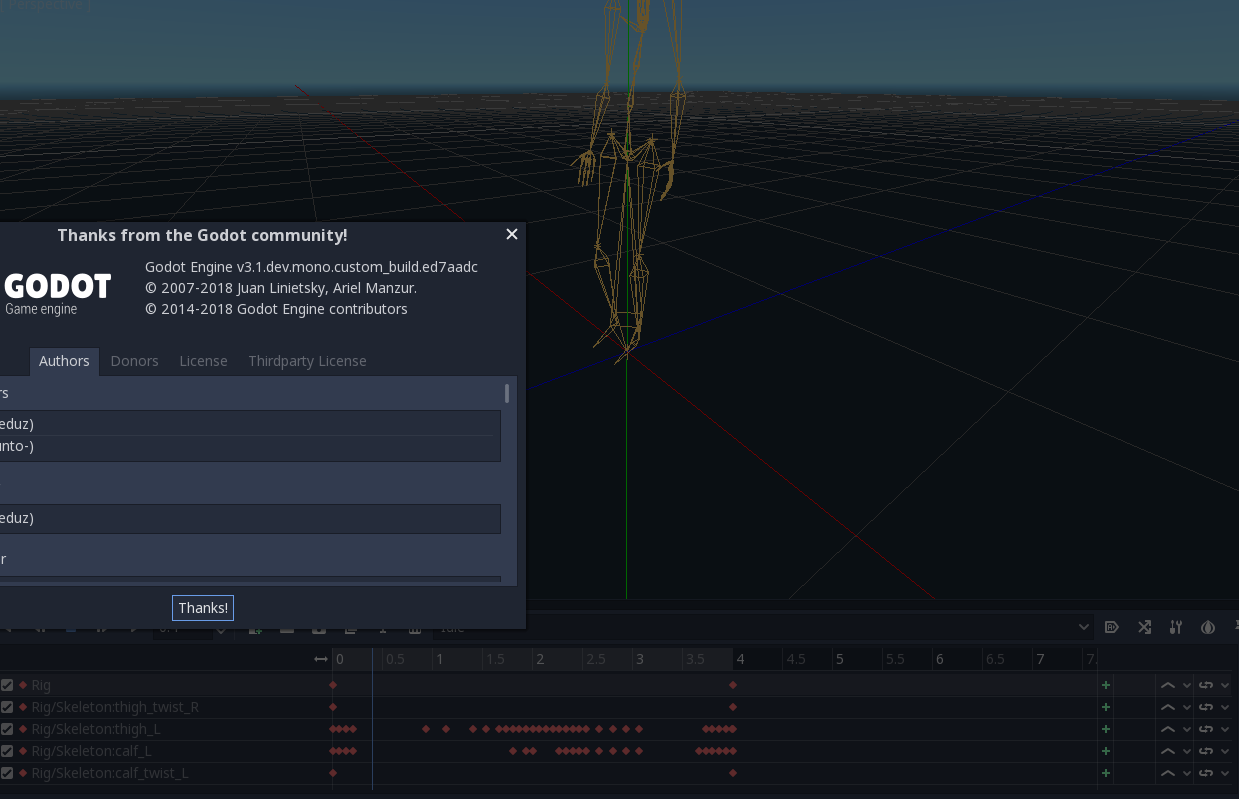
I tested with ed7aadc, did a reimport but I'm not seeing anything that looks like the 1st image in any frame.
tagcup
on 27 May 2018
Then only difference I can think of is import settings. Can you try again with this setting which I used to reproduce the problem?
mysticfall
on 27 May 2018
I just created a new project and added imported the dae file without changing import settings. This is the diff
5c5
< path="res://.import/Animations - Locomotion.dae-04849f38503272f838a8f6fe5f3bea99.scn"
---
> path="res://.import/Animations - Locomotion.dae-be2badad899cf56bd1d8868367021b48.scn"
9,10c9,10
< source_file="res://Animations - Locomotion.dae"
< dest_files=[ "res://.import/Animations - Locomotion.dae-04849f38503272f838a8f6fe5f3bea99.scn" ]
---
> source_file="res://Data/Meshes/Characters/Human/Female/Animations - Locomotion.dae"
> dest_files=[ "res://.import/Animations - Locomotion.dae-be2badad899cf56bd1d8868367021b48.scn" ]
19,21c19,21
< materials/location=1
< materials/storage=1
< materials/keep_on_reimport=true
---
> materials/location=0
> materials/storage=0
> materials/keep_on_reimport=false
27c27
< external_files/store_in_subdir=false
---
> external_files/store_in_subdir=true
29c29
< animation/fps=15
---
> animation/fps=15.0
31,32c31,32
< animation/storage=false
< animation/keep_custom_tracks=false
---
> animation/storage=true
> animation/keep_custom_tracks=true
But, I'm seeing a lot of
ERROR: slerp: Condition ' q.is_normalized() == false ' is true. returned: Quat(0, 0, 0, 0)
   At: core/math/quat.cpp:150.
ERROR: inverse: Condition ' is_normalized() == false ' is true. returned: Quat(0, 0, 0, 0)
   At: core/math/quat.cpp:142.
using the debug build during (re)import. And I found that in two places in animation related code, unnormalized quaternions are being used which is a bug on its own
tagcup
on 27 May 2018
Oh, I was able to reproduce it finally! It happens only in release_debug build and not in debug build.
tagcup
on 27 May 2018
Just submitted a PR, and things look normal on my end. To make sure, could you confirm whether it fixes your issue or not?
tagcup
on 27 May 2018
I just tested it and it indeeded fixed the issue for me. Thanks much! :)
mysticfall
on 27 May 2018
Great, likewise!
tagcup
on 27 May 2018
And I hope this serves as an another argument in favor of having such MATH_CHECKS in place, they've proved to be pretty useful uncovering such "hidden" bugs in various issues including this one.
tagcup
on 27 May 2018
And to clarify, #18804 didn't introduce a bug but rather exposed one which has gone undetected for a long time. The fix #19193 might even be helping with some other reported issues related to imports.
tagcup
on 27 May 2018
Related issues
 bojidar-bg
·
3Comments
bojidar-bg
·
3Comments
 mooseyfaith
·
3Comments
mooseyfaith
·
3Comments
 RebelliousX
·
3Comments
RebelliousX
·
3Comments
 kirilledelman
·
3Comments
kirilledelman
·
3Comments
 nunodonato
·
3Comments
nunodonato
·
3Comments
Most helpful comment
Oh, I was able to reproduce it finally! It happens only in release_debug build and not in debug build.