Godot: Strange GI probe results when using Gridmap
Godot version:
Godot 3.0.2
OS/device including version:
Windows 10 64 bit
Nvidia Geforce 660 TI 2gb
Issue description:
GI probes and Gridmaps do not seem to be working with each other:

It seems to be ignoring certain faces? I'm not sure what the problem actually is, but it seems something is missed/corrupted in the GI Probe when using Gridmaps.
It also seems ambient light is not taken into account. Here's a picture from the project I discovered the issue in:
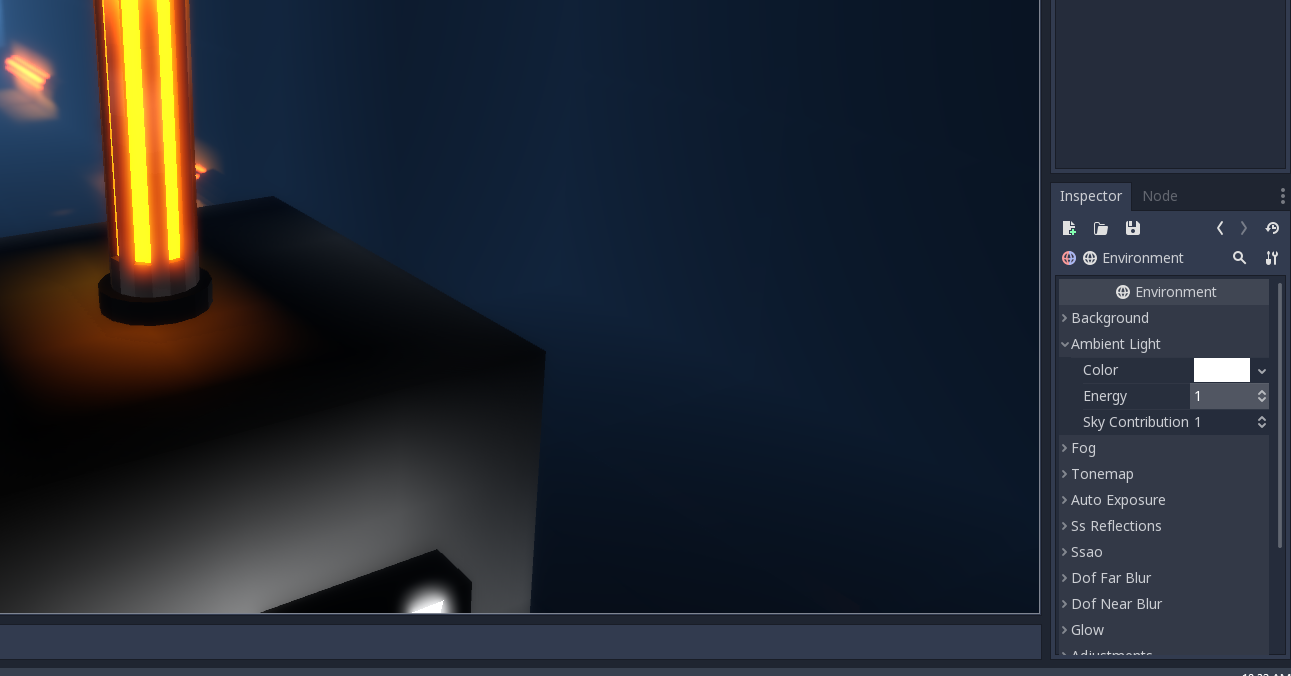
And here's when you crank ambient light up to max:

I noticed that any object not in the grid map (the glowing orange pillars) are effected by the ambient light, but it seems objects in the grid map are not? Changing the metallic and/or roughness values does not fix the issue. Regardless of the inputted values into metallic/roughness, the tiles are still overly dark.
Steps to reproduce:
Bake the provided example project
Minimal reproduction project:
Gridmap_Probe_Issue.zip
 TwistedTwigleg
All 6 comments
This is not really a bug, but it may appear like one due to how you set up your scene. Green emission over blue objects will not account to any lighting.
In next version I will attempt to do some more light bounces in order to improve quality.
 reduz
on 16 Nov 2018
reduz
on 16 Nov 2018
What about the FPS tutorial project? It uses a GridMap for the space level and it seems to have the same bug, which makes the whole scene rather dark and hard to see.
In the FPS tutorial project, objects outside of a GridMap (like the orange pillars) are effected by different ambient light settings while the GridMap does not change at all.
I am just curious because in the FPS tutorial project, removing the GI probe brightens everything else in the scene up dramatically:
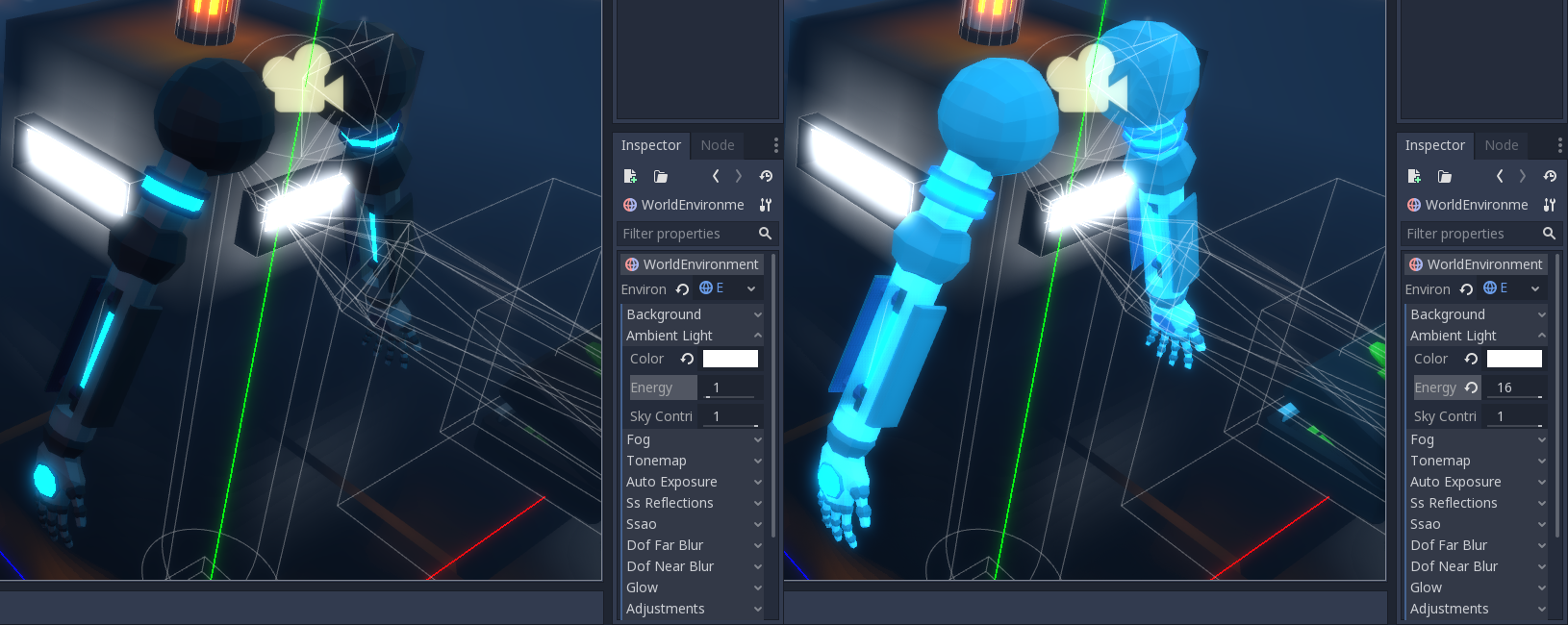
It is hard to see in the picture above, but even objects that have Used in Baked Light enabled are effected (like the pillars).
I could be wrong, but I think there is still a bug here.
TwistedTwigleg
on 16 Nov 2018
I agree with TwistedTwigleg, there is still clearly a problem here.
Reproduction Project
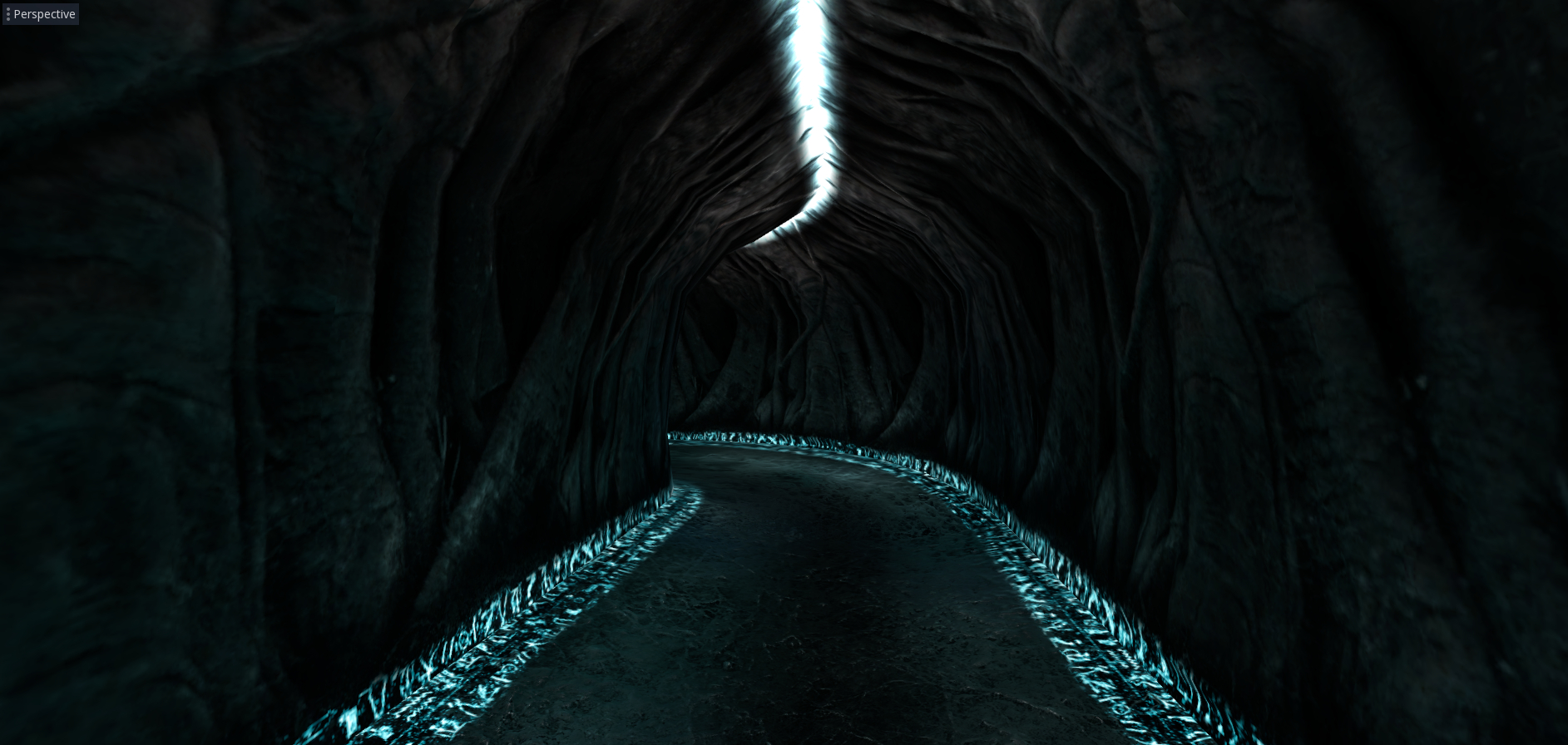
Here are 2 comparison screenshots to demonstrate what I mean (tested in 3.1 alpha 2):
Here is a scene using just MeshInstances together with a GIProbe, no Gridmaps used:
And here are the same Meshes and materials used in a Gridmap together with a GIProbe in a seperate scene:
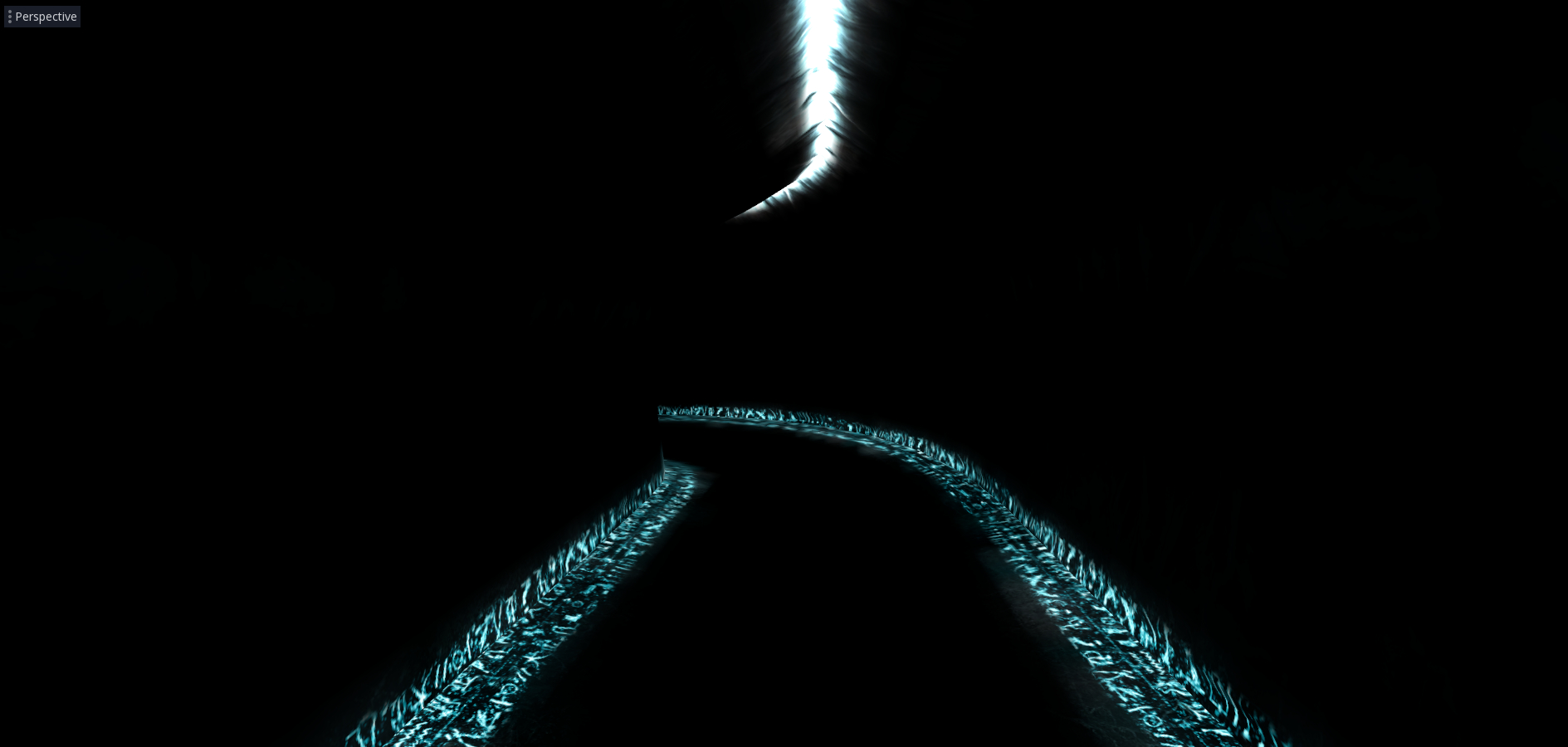
Both scenes use the same environment aswell, no ambient colors or skies used.
Quite the difference I would say.
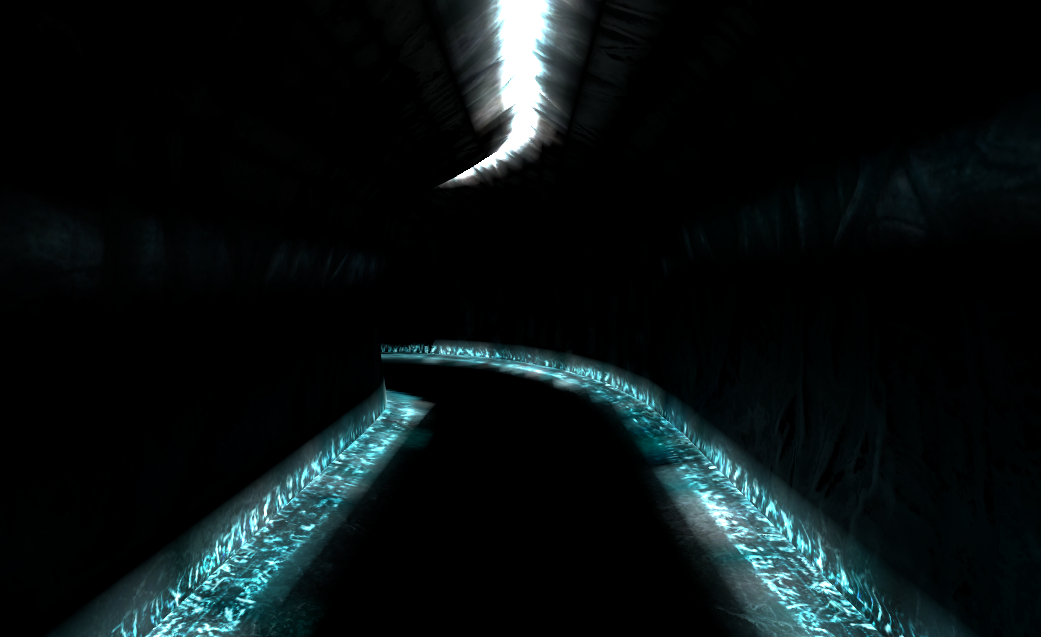
In the first screenshot the light propagates like you would expect, while in the second shot you can see a tiny bit of light around where the emission is, but it doesn't really seem to propagate at all.
Here's an extra shot off the Gridmap scene with Energy increased to 16:
 EzraT
on 16 Nov 2018
EzraT
on 16 Nov 2018
Could this one perhaps be re-opened?
These issues are still present in 3.1 stable.
EzraT
on 3 Apr 2019
Is this still reproduce in the current master branch / 3.2 builds?
 akien-mga
on 5 Jan 2020
akien-mga
on 5 Jan 2020
Actually I'll close this as duplicate of #18836, which should be addressed by GIProbe changes in 4.0.
akien-mga
on 5 Jan 2020
Related issues
 timoschwarzer
·
3Comments
timoschwarzer
·
3Comments
 blurymind
·
3Comments
blurymind
·
3Comments
 nunodonato
·
3Comments
nunodonato
·
3Comments
 ducdetronquito
·
3Comments
ducdetronquito
·
3Comments
 ndee85
·
3Comments
ndee85
·
3Comments
Most helpful comment
Could this one perhaps be re-opened?
These issues are still present in 3.1 stable.