Godot version:
Steam version (3.0.2.stable.official)
OS/device including version:
Windows 10
OpenGL ES 3.0 Renderer: GeForce 940MX/PCIe/SSE2
Issue description:
When adding any Particle2D node, whole scene start tearing horribly when moving camera.
If i hide Particle2D node IN EDITOR, tearing stops. If i hide Particle2D in-game via script, tearing still occurs.
Steps to reproduce:
Add Particle2D to scene, set texture, add material (no need to modify anything)
Play
Move Camera2D
Minimal reproduction project:
TearingUnderParticles2D.zip
 splite
All 22 comments
hmm, nice example. unfortunately i can't reproduce this. moving is very smooth. no tearing anywhere.
gtx 960, win10, 120hz monitor, godot 3.0.2 stable
e: can you try the non-steam version maybe?
 ghost
on 23 Mar 2018
ghost
on 23 Mar 2018
1) Ok, looks like it doest glitch always (i dont see the tering right now, but when it hit, its terrible) - dont know why, mybe its something with pc uptime?
2) Turning v-sync OFF solved the issue, (sorry, forget to mention that...) maybe your 120hz monitor is reason why you cant see tearing?
At first i thought it was becouse of Light2D on my torch, but found out its Particles2D (sorry for wrongly named minimal reproduction project :) )
Still investigating, I will update this issue just after I find out more.
splite
on 23 Mar 2018
Cannot reproduce on Linux with AMD, but 60 hz monitor...
Try forcing 120fps (search for fps on project settings, it should be under "debug").
 eon-s
on 23 Mar 2018
eon-s
on 23 Mar 2018
Happening again, this time i made a (60fps) gif:
You are looking at TileMap + ParallaxBg with two layers, one with some tilemaps (other hauses) + bg sprites in another ParallaxLayer.
No custom shaders etc, vanilla everything.

(ok, gif doesnt look THAT horrible, but its only small cut of screen)
After looking frame by frame i picked up two frames:
This one looks like there are triangles? (or not, maybe screen grabber caused this glitch, have no idea how that thing work....) - you are looking at TileMap
_Edit: Ok, after looking closely ingame, i am pretty sure i see triangle similar to the picture in top left part of scene._

others looks like this one (nothing special to see, just jagged lines) - you are looking at TileMap + sprite (The tree on the left side. Sprites are tearing too, its not only TileMap, its fullscreen)
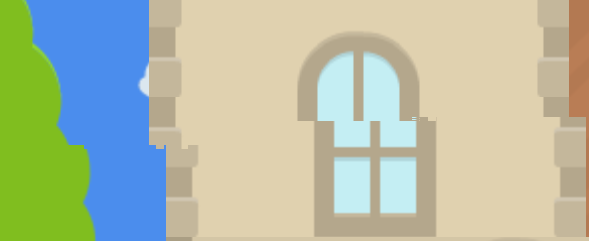
Again, tearing does not appear when i hide Particles2D node (smoke from chimney)
splite
on 23 Mar 2018
After forcing 120 fps it looks (subjectively, idk how to measure it :) ) even worse.
splite
on 23 Mar 2018
Found one more thing: if i maximalize window (not fullscreen, just maximalize), tearing disapears (almost, at least it is negligible) (using [display] window/stretch/mode="2d" window/stretch/aspect="keep")
splite
on 23 Mar 2018
No visible difference between Steam version and downloaded (x64) version, tearing in both is the same. Downloaded x32 version is tearing too (subjectively not so much but as i say, its hard to measure :) )
I think now is the right time to learn how to compile godot... :)
splite
on 23 Mar 2018
I am pretty sure i can see teared triangle in upper left part of screen, its hard to impossible to screenshot, but there is my artistic representation:
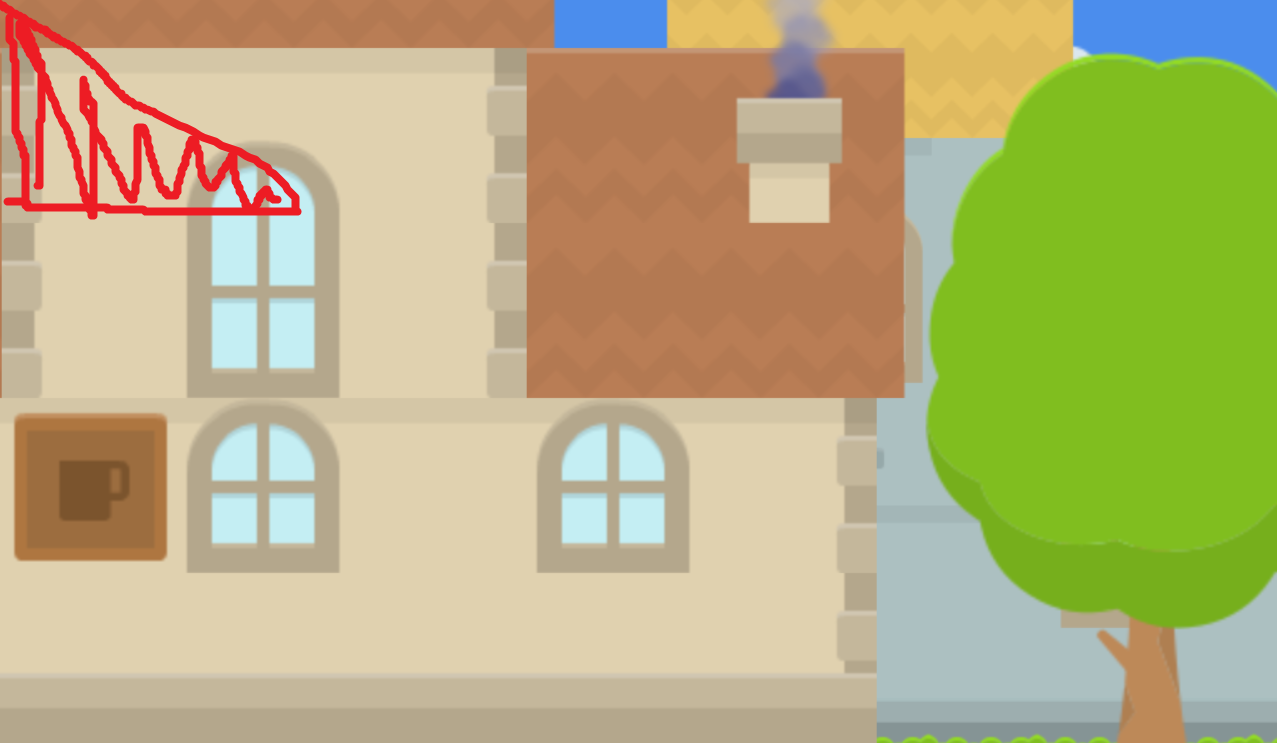
Maybe some floating point error?
splite
on 23 Mar 2018
just curious when changing the tileset textures's filter FLAG property (enabled or disabled), does that have any effect? 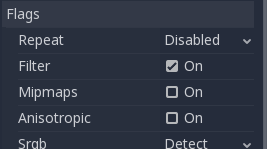
ghost
on 23 Mar 2018
Changing Filtered flag does not have any visible effect.
splite
on 24 Mar 2018
i really want to try to replicate what's causing this.. anyone else (@godotengine), have any other questions / things to test or ask?
ghost
on 26 Mar 2018
Tomorrow (27. 3. 2018 CET :) ) I can try this on the exactly same graphic card on another notebook, will update this issue how it goes.
splite
on 26 Mar 2018
If instead of using a you move the viewport (root) origin, the tearing is there too? (I'm thinking of workarounds until there is a real fix for this)
eon-s
on 26 Mar 2018
Well, i dont really need workaround.
For me its only hobby project - but if it turns out to be something like a bug on all MX graphics cards (or something like that), it's quite a showstopper for every serious developer...
splite
on 26 Mar 2018
@splite since other devs have tested this and i don't think they are on a mobile NVIDIA gpu (and can't replicate it). and since i have a desktop GPU and i can't replicate it.. leads me to think it may be only an issue on mobile NVIDIA graphical processing units. i could be totally wrong, but just from what i'm seeing here
e: with that said, is there any developer here who can replicate this on their desktop NVIDIA GPU?
ghost
on 26 Mar 2018
@girng ok, its official, looks like its NVIDIA MX (Notebook cards) related, tested on ANOTHER GeForce 940MX (exactly same model as mine) on another notebook and tearing appears, more or less the same as on my notebook, teared triangle etc as described. Everything is smooth when i hide Particles2D node in editor (not via script)
(btw, tested both on external monitor and ntb monitor, no visual difference)
splite
on 27 Mar 2018
Good News, Everyone! 👨🔬
This is only "play from editor" bug - if i export game as windows executable, tearing diasappears. Tested on GeForce 940MX and Intel integrated card, no tearing at all. (I wanted to try what happens when i run my game with the integrated card)
Its annoying but I can live with that (I have heard that in 3.1 the particles will be rewrited to single pass)
splite
on 27 Mar 2018
@splite Nice! I was about to ask you to try that, so this is probably related to the debugger overhead on windows with these gpu (or cpu?).
Do the exported game was on release or debug mode?
eon-s
on 27 Mar 2018
ok, so yeah. not a graphics card issue at all
simply turn off
 under Editor -> export -> debugger
however, this could be seem as normal. if the live scene is being refreshed like that, it will cause tearing. that's why that feature was implemented (very expensive task). i suspect future optimizations to be made so that tearing on live remote scene tree viewing is less and less
ghost
on 27 Mar 2018
"Auto Switch To Remote Scene Tree" is off by default. (?), when i turn it on, tearing is even worse.
Anyway, I think we can close this issue, (at least its nothing with Particles2D, so the name is confusing)
Thanks guys!
splite
on 28 Mar 2018
@splite is up to you to keep it open and change the title (and maybe add the new information to first post) or close it (and maybe open a new one focusing on the issue inside the editor).
I think devs will prefer the former.
eon-s
on 28 Mar 2018
agree with @eon-s. looks like a new issue would be ideal. since this issue needs to be reduced a lot (we had to kinda find out where the bug isolated from). appreciate @splite for your time.
ghost
on 29 Mar 2018
Related issues
 bojidar-bg
·
3Comments
bojidar-bg
·
3Comments
 ducdetronquito
·
3Comments
ducdetronquito
·
3Comments
 kirilledelman
·
3Comments
kirilledelman
·
3Comments
 timoschwarzer
·
3Comments
timoschwarzer
·
3Comments
 gonzo191
·
3Comments
gonzo191
·
3Comments
Most helpful comment
ok, so yeah. not a graphics card issue at all
simply turn off
 under Editor -> export -> debugger
however, this could be seem as normal. if the live scene is being refreshed like that, it will cause tearing. that's why that feature was implemented (very expensive task). i suspect future optimizations to be made so that tearing on live remote scene tree viewing is less and less