Godot: RemoteTransform2D behavior is broke
Godot version: 3.0.2
OS/device including version: Windows 10 with GTX 660 @ v.388.13
Issue description:
When setting the remote_path of RemoteTransform2D the transform doesn't update until an Edit CanvasItem notification is thrown on the console. But there's more.

If you set the use_global_coordinates to true the transform will only update once the transform is set (below I'm releasing the mouse click after the the terminal report Edit CanvasItem and only then the remote_node transform is updated). This means that if you drag the RemoteTransform2D the remote_node won't have its transform updated.
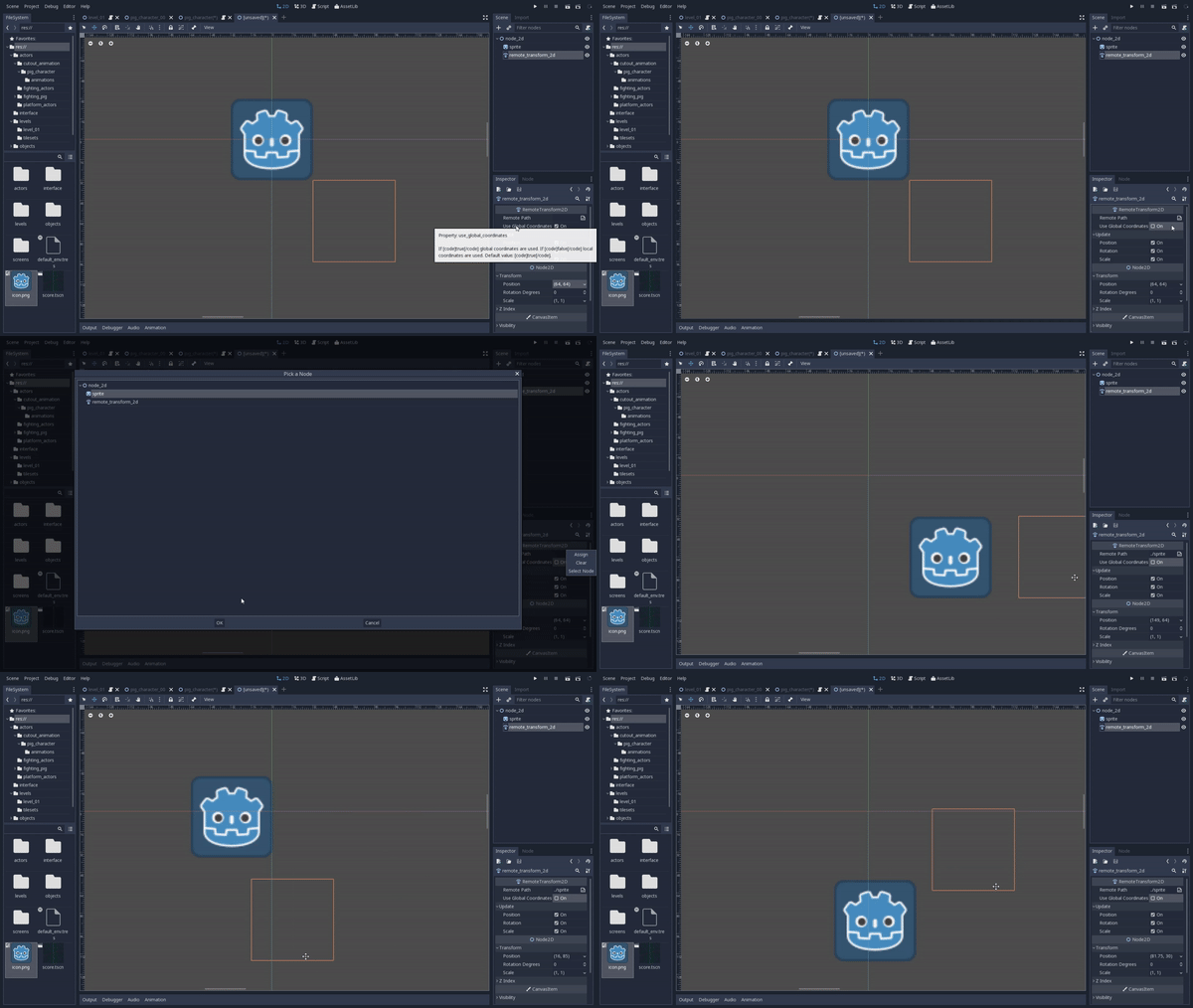
This is also true in runtime, but there it doesn't update at all, so it is impossible to dynamically change the remote_node of a RemoteTransform2D. The last statement is also true even if use_global_coordinates is true. This leads to an impossibility to change the remote_node dynamically, so mechanics like:
grabbing an object in the scene
Are inviable to implement, at least without hardcoding workarounds
Steps to reproduce:
Create a scene with the follow hierarchy:
- Node2D
- Sprite
- RemoteTransform2D
And try out the behaviors reported as shown in the respective .gif images
 henriiquecampos
All 5 comments
ps: not sure if:
the
remote_nodeis at the same level in the hierarchy of theRemoteTransform2D
is a condition for the last behavior.
henriiquecampos
on 21 Mar 2018
Testing a little bit, it seems that everything works fine until you deactivate the use_global_coordinates.
Maybe it's a cache problem, I'm investigating.
Edit: In fact the NOTIFICATION_TRANSFORM_CHANGED is not called correctly.
 groud
on 22 Mar 2018
groud
on 22 Mar 2018
The scaling issue is the most problematic one, did #17690 fix it too, @groud ?
henriiquecampos
on 22 Mar 2018
The scaling issue is the most problematic one, did #17690 fixes it too, @groud ?
No, could you move that to another issue ?
groud
on 22 Mar 2018
Done :3
henriiquecampos
on 22 Mar 2018
Related issues
 mooseyfaith
·
3Comments
mooseyfaith
·
3Comments
 testman42
·
3Comments
testman42
·
3Comments
 ivanskodje
·
3Comments
ivanskodje
·
3Comments
 mefihl
·
3Comments
mefihl
·
3Comments
 RayKoopa
·
3Comments
RayKoopa
·
3Comments