Godot: Ctrl+F in the script editor doesn't work if shader editor is open at the same time
Godot 3.0.2
Windows 10 64 bits
Repro:
1) Open script editor
2) Open shader editor at the same time to see both script and shader
3) Click in the script editor to focus it
4) Hit Ctrl+F: notice the search doesn't open in the script editor, in the shader editor instead.
Expected: the search should open in the currently focused text editor.
 Zylann
All 7 comments
Maybe the shader editor should just close if you switch to script editor..? Kind of difficult to think how to fix this one
 reduz
on 7 Sep 2018
reduz
on 7 Sep 2018
@Paulb23 what do you think?
reduz
on 7 Sep 2018
To me that's just a matter of better handling contextual shortcuts, which just feel global so far (there might be a few other places with similar shortcut oddities). When the keyboard focus is inside the shader editor, I expect shortcuts to work here, no matter the state of the rest of the editor.
Zylann
on 7 Sep 2018
@reduz The shader editor definitely shouldn't close.
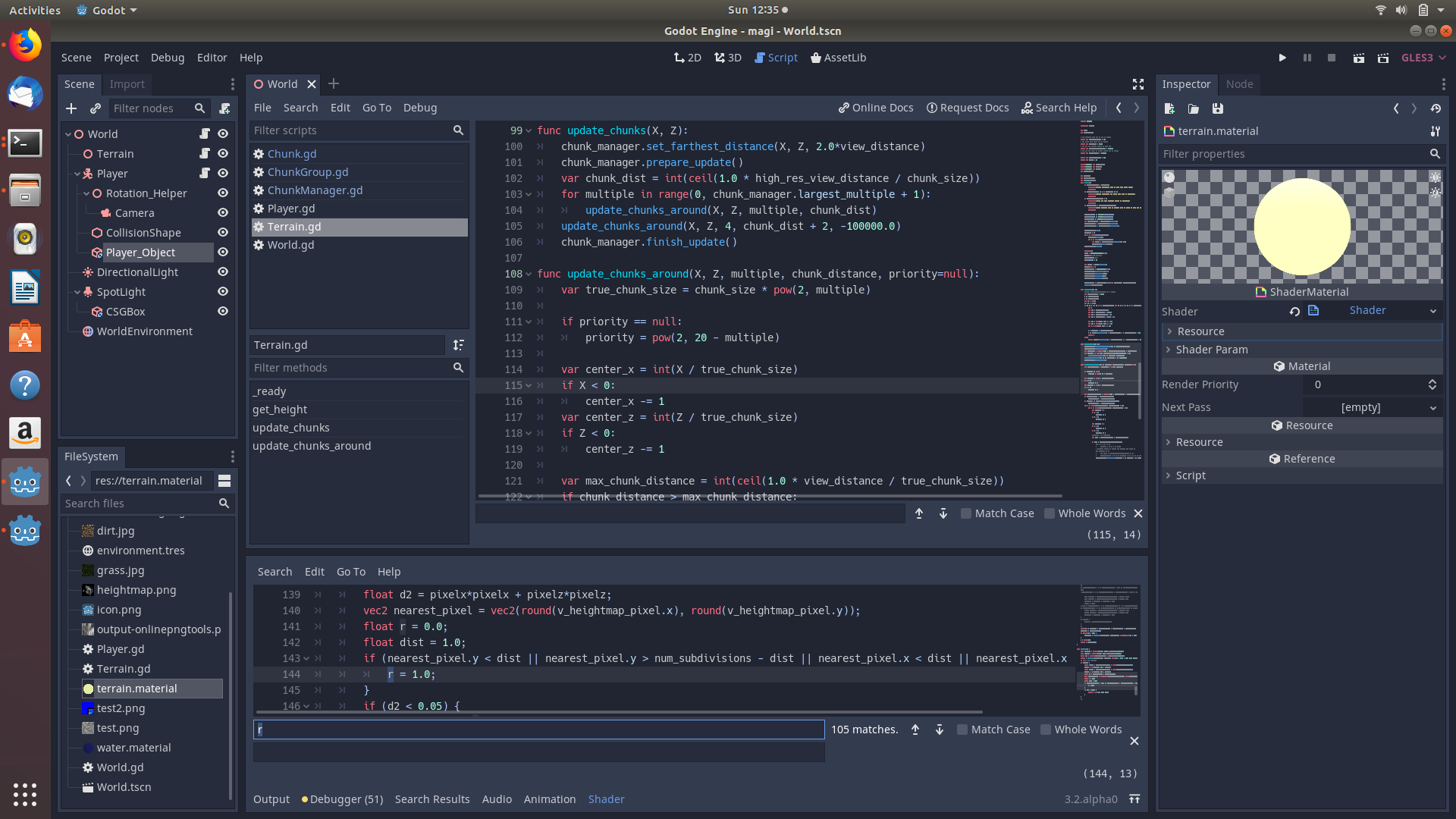
As seen in the screenshot, both the ctrl+f region for the gdscript, and the ctrl+f region for the shader, are both active. So, using my mouse, I can easily select between the two. However, ctrl+f while having the gdscript editor in view should be the same as me clicking that ctrl+f, but as of right now it incorrectly brings me into the shader editor's ctrl+f region. But, It would definitely be worse if it simply closed shader while I was working on it. (Also, what if I haven't saved the file yet?)
 npip99
on 13 Oct 2019
npip99
on 13 Oct 2019
This issue applies to many shortcuts. Some of them will be fixed once #39039 is merged (e.g. Ctrl + D), but the PR still doesn't fix e.g. Ctrl + F and Ctrl + K. We should probably test which shortcuts are affected, which are fixed by the PR and which are still broken.
 KoBeWi
on 12 Jun 2020
KoBeWi
on 12 Jun 2020
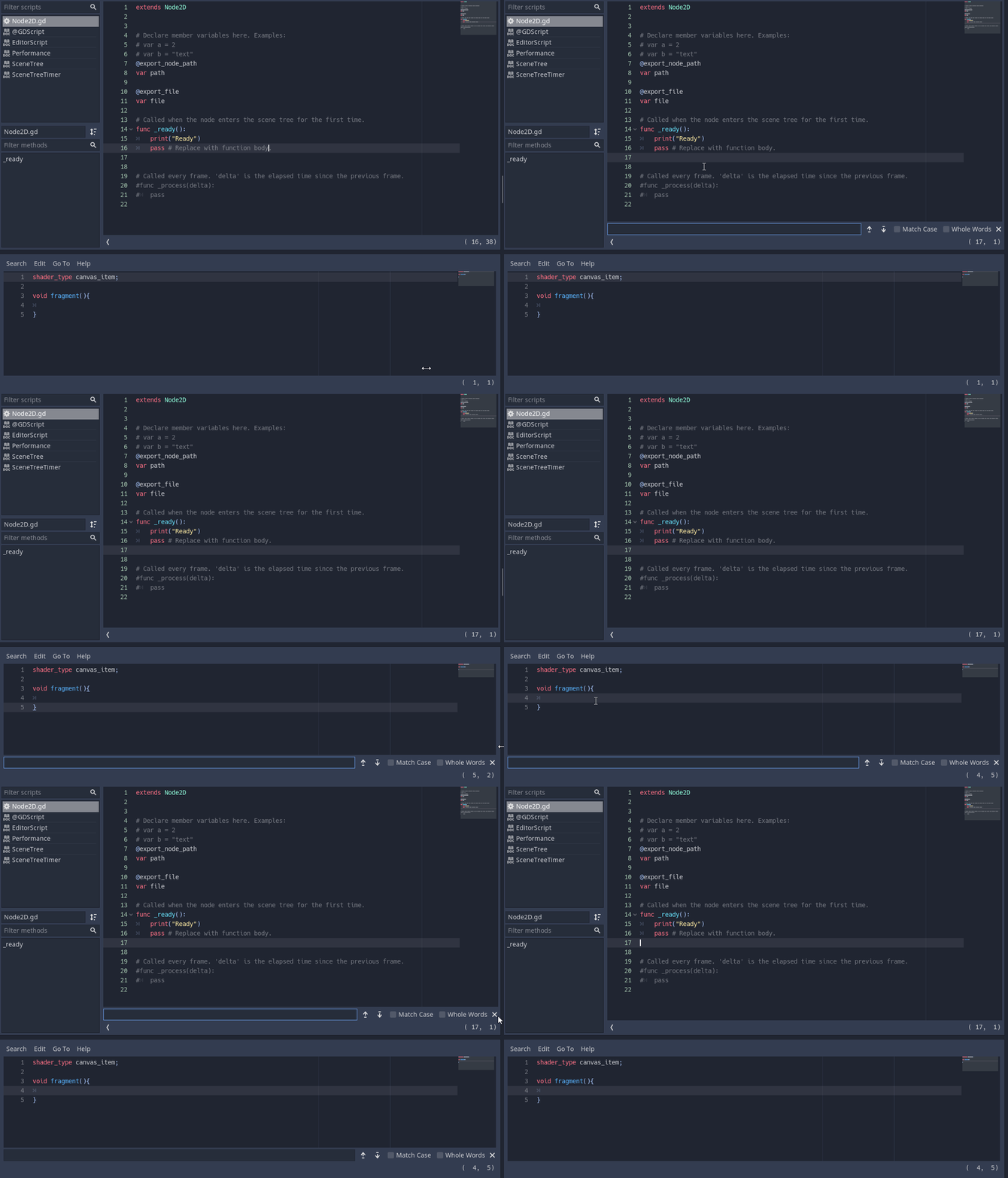
@KoBeWi I think I have fixed #39039 to include resolving this issue now:
 EricEzaM
on 18 Aug 2020
EricEzaM
on 18 Aug 2020
I noticed this when trying to comment a line in a script with both editors opened. Seems like sometimes Godot doesn't properly account for which panel is in focus.
 Skaruts
on 13 Nov 2020
Skaruts
on 13 Nov 2020
Related issues
 ducdetronquito
·
3Comments
ducdetronquito
·
3Comments
 RebelliousX
·
3Comments
RebelliousX
·
3Comments
 EdwardAngeles
·
3Comments
EdwardAngeles
·
3Comments
 blurymind
·
3Comments
blurymind
·
3Comments
 gonzo191
·
3Comments
gonzo191
·
3Comments
Most helpful comment
To me that's just a matter of better handling contextual shortcuts, which just feel global so far (there might be a few other places with similar shortcut oddities). When the keyboard focus is inside the shader editor, I expect shortcuts to work here, no matter the state of the rest of the editor.