Godot: Viewport [3D in 2D] enable "Transparent Background" disables 3D scene WorldEnviroment/Reflections/Metallic/Specular and leaving the Background turns WorldEnviroment upsidedown
Operating system or device, Godot version, GPU Model and driver (if graphics related):
Ubuntu 16.04 64 bits
Godot 3.0 commit d938de67fff288bf7f0a92fd51a2e890a1b5f245
IntelGPU
Issue description:
In a 2D scene, adding a Viewport to show a 3D scene and activating the Viewport "Transparent Bg" checkbox, disables the embeded 3D scene "WorldEnviroment" and this removes all the reflections/specular/metallic effects of the embedded scene, it doesnt matter if its its "Own World" or another created on the Viewport
Steps to reproduce:
Create a 2D Scene, reproducing the 3D in 2D godot demo and set it a as default scene
Create a 3D Scene with a MeshInstance (capsule, sphere) with a SpatialMaterial (I have used the textures from https://freepbr.com to create a metal)
Creata a Directional Light on the 3D Scene
Create a WorldEnviroment on the 3D scene
Create a Procedural Sky on the WorldEnviroment (the mesh will reflect the sky)
Go back to the main 2D Scene and enable "Transparent Bg" on the Viewport showing the 3D Scene, the world reflections will dissapear when you play the project
Disable the "Transparent Bg" on the Viewport, the world reflections will return but turned upsidedown
 rubenjavier
All 23 comments
Added a Demo Project so you can check the bug.
.-Open the project
.-Compile, see the viewport showing the 3D scene with the WorldEnviroment upsidedown
.-Enable "Transparent Bg" on the Viewport
.-Compile, see the viewport showing the 3D scene without any WorldEnviroment
rubenjavier
on 9 Oct 2017
@Noshyaar
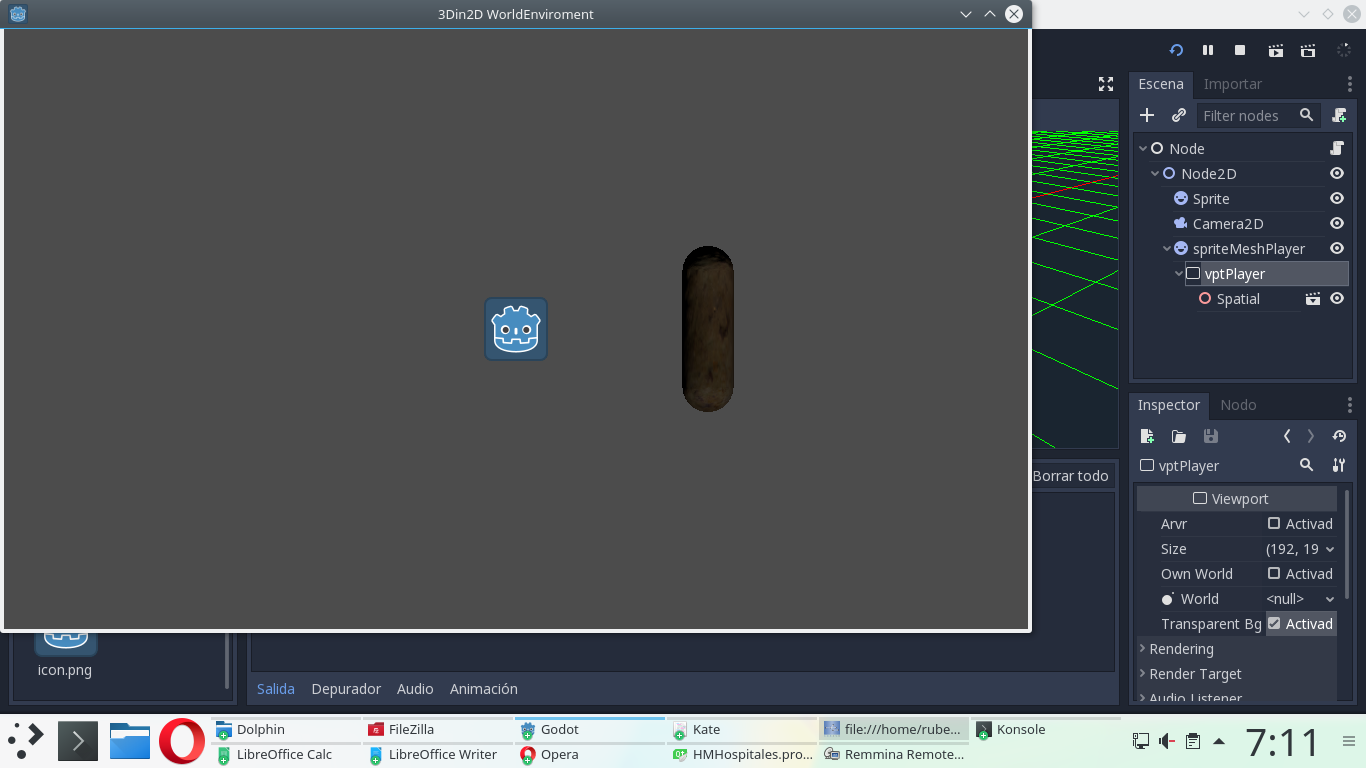
Im attaching pictures of the bug showed in the demo for easier understanding
As you can see wih the "Transparent Bg" disabled, the WorldEnviroment shows upsidedown
and with the "Transparent Bg" enabled, there is no WorldEnviroment or reflections at all

rubenjavier
on 11 Oct 2017
Maybe this is related?
https://github.com/godotengine/godot/issues/10250
https://github.com/godotengine/godot/issues/11935
since all specularity is lost from the WorldEnviroment when the "Transparent Bg" option is enabled
...Thanks
rubenjavier
on 11 Oct 2017
About the upside-down problem, you can check/uncheck the VFlip option on the Viewport.
 bojidar-bg
on 11 Oct 2017
bojidar-bg
on 11 Oct 2017
@bojidar-bg
Thanks, but the VFlip is not enabled, and after enabling it, the Viewport is still upsidedown, in other words, no matter the VFlip state, the Viewport is always upsidedown
rubenjavier
on 11 Oct 2017
I can confirm that vflip doesn't work.
VFlip Off

VFlip On:

 NathanWarden
on 12 Oct 2017
NathanWarden
on 12 Oct 2017
Regarding viewport vflip option, it looks like this PR https://github.com/godotengine/godot/pull/11067 is fixing it.
 hi-ogawa
on 12 Oct 2017
hi-ogawa
on 12 Oct 2017
@NathanWarden
I see the WorldEnviroment is also upsidedown in your 3D with Viewports.
Can you check if "Transparent Bg" also makes the WorldEnviroment disappear (with the specularity / reflections) from the viewport?
rubenjavier
on 12 Oct 2017
It looks like vflip is working properly now :)
@rubenjavier Yes, it turns black and vflip is the opposite of what it is supposed to be. IE. when vflip is off it's upside down, but when it's turned on it's how it ought to be when it's off.
NathanWarden
on 12 Oct 2017
Confirm that WorldEnvironment not work with Transparent Bg enabled in the latest master build
 kosz78
on 17 Nov 2017
kosz78
on 17 Nov 2017
Is this still reproducible in the current master branch?
 akien-mga
on 7 Jan 2018
akien-mga
on 7 Jan 2018
@akien-mga I'll try and take a look and see if this is still a problem in an hour or two.
NathanWarden
on 9 Jan 2018
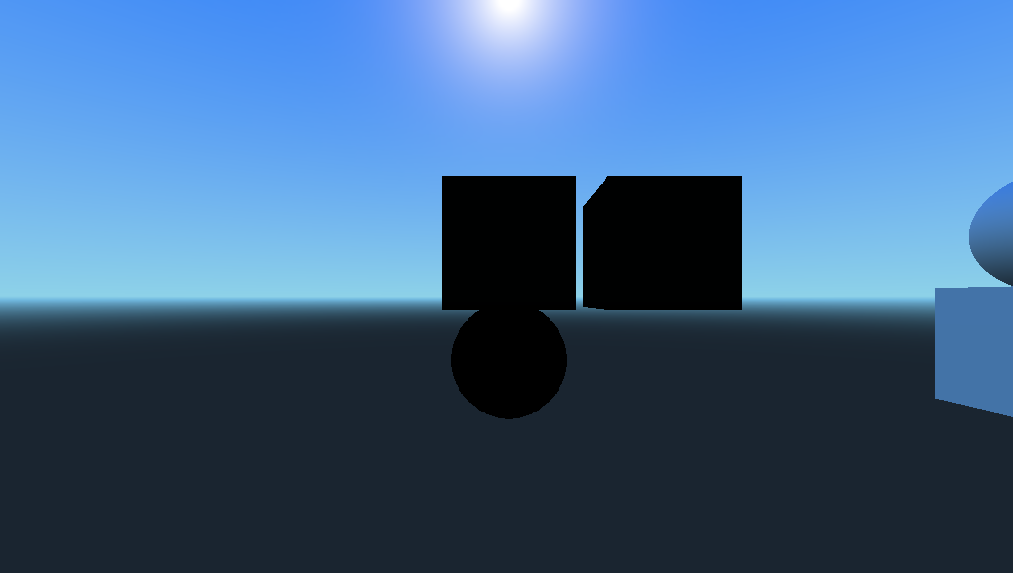
So, this issue is actually two bugs... one fixed, one not.
The first bug persists. When turning on "Transparent Bg" the objects go black.
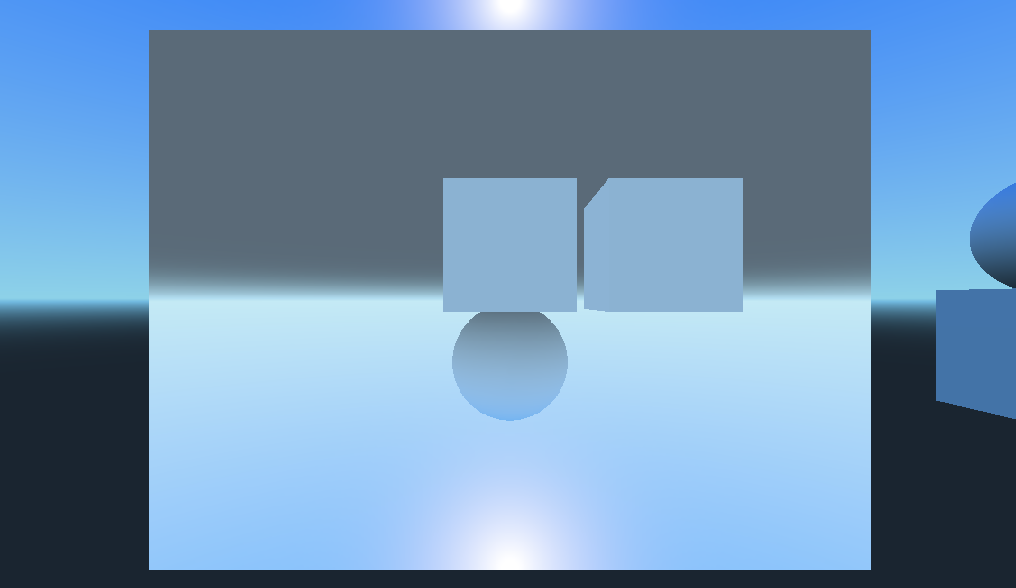
I think the second part is fixed. It now comes in upside down regardless of whether "Transparent Bg" is toggled or not. I personally think it being upside down is fine I think as long as it's consistent since vflip does turn it right-side up again.
Vflip works as expected, both are with vflip on:
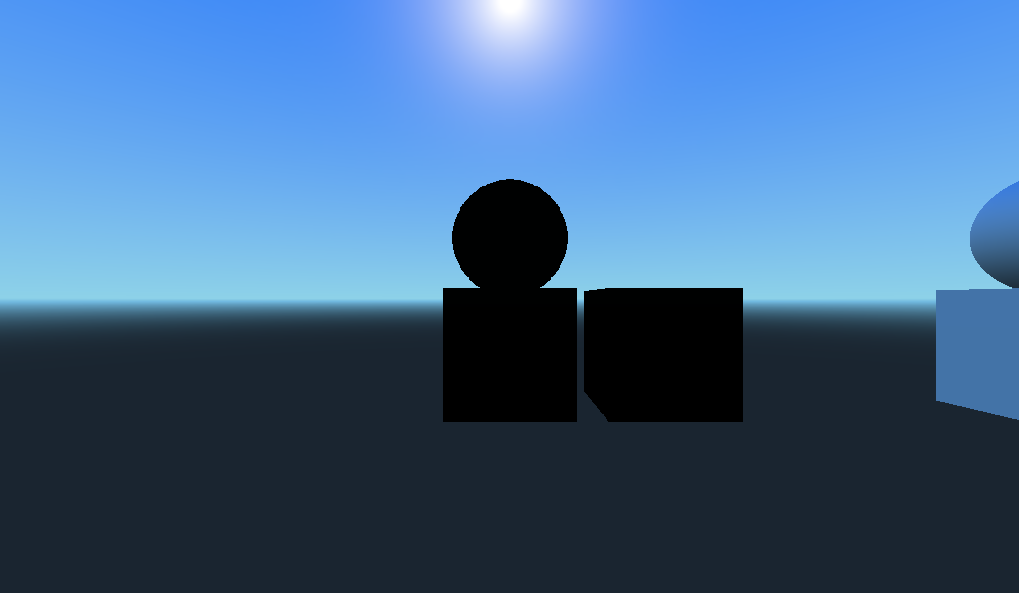

I've seen this upside-downness in other engines so perhaps upside down is the default behavior when grabbing the render buffer? But, if being upside down is the default behavior for a viewport node then perhaps vflip should be defaulted to on?
NathanWarden
on 9 Jan 2018
@NathanWarden I've just tested it and it works fine now, probably you forgot to add directional light. Can you please check it?
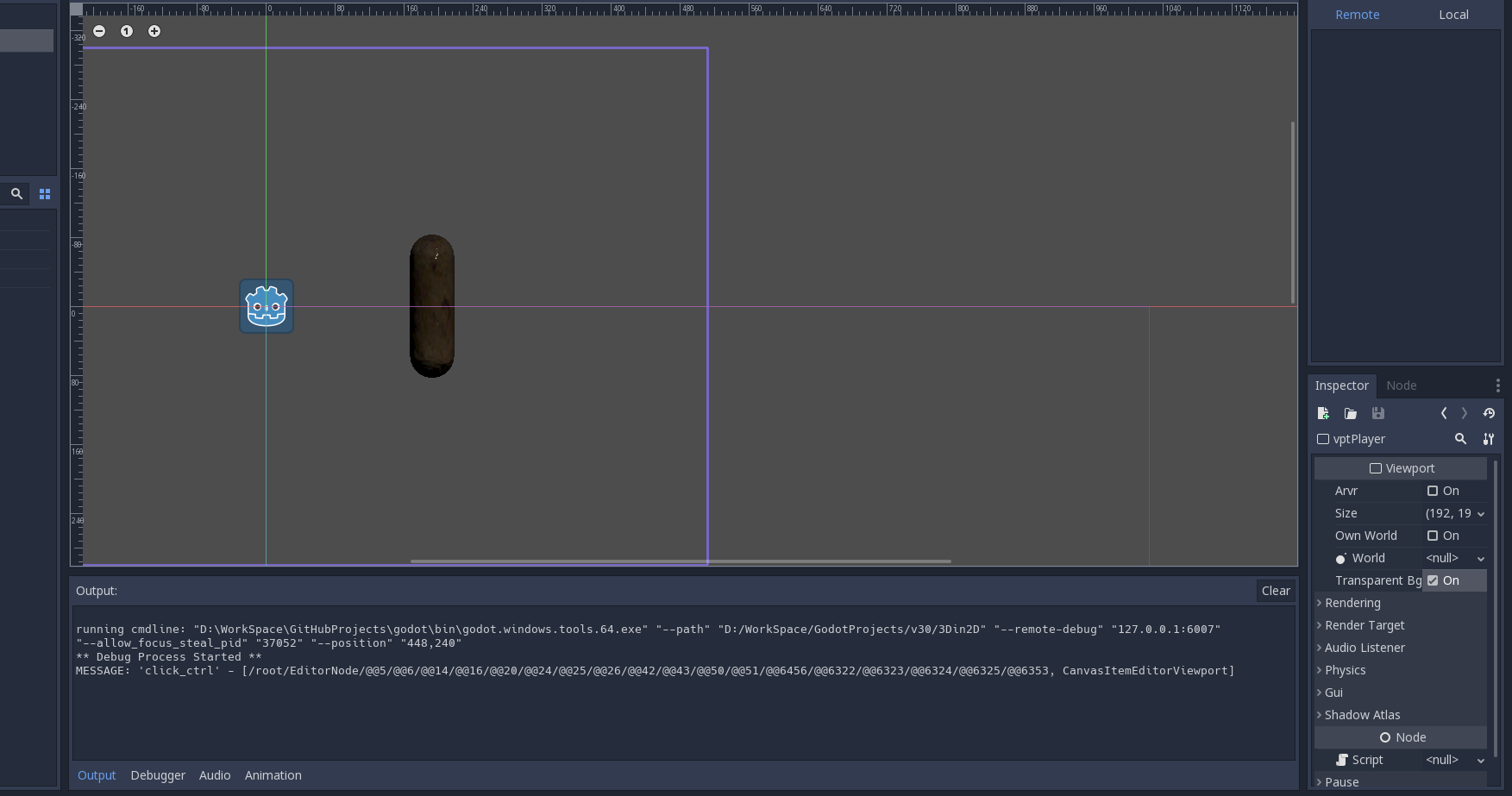
 AndreaCatania
on 12 Jan 2018
AndreaCatania
on 12 Jan 2018
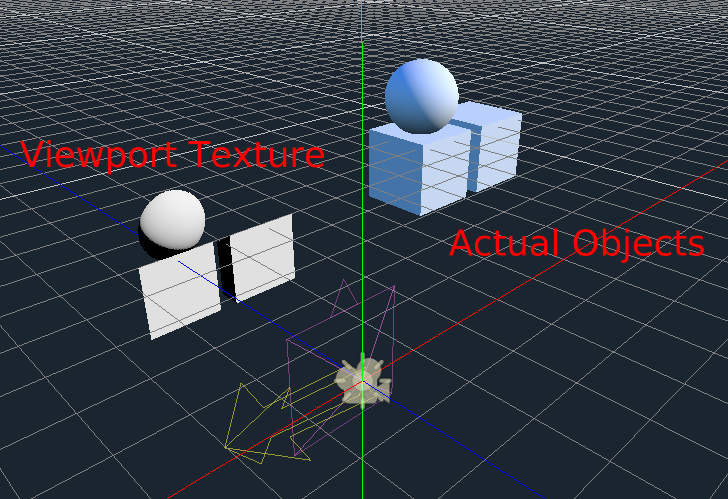
Adding a light does add lighting, but the environment lighting doesn't apply at all. Shouldn't "Transparent Bg" just "cut out" the background? Instead it's not allowing the environment lighting/shading to apply. I'd still consider this a bug.
I'm not a rendering expert, but it seems possible to have environment lighting/shading apply to objects, but not render the environment itself as the background, right?
NathanWarden
on 12 Jan 2018
@NathanWarden and @AndreaCatania , exactly, the lightning behaviour hasn't changed and I still consider this a bug, the environment lightning/shading its lost while directional light is not.
I understand that the new engine uses the environment to calculate part of the light wich is great and looks awesome, but not rendering it visible on the viewport shouldnt necessarily affect the calculation since it could still be rendered in a buffer, or am I mistaken?
rubenjavier
on 12 Jan 2018
After discussing with @reduz, we're moving this issue to 3.1 so as not to take unnecessary risks to introduce regressions fixing it.
akien-mga
on 15 Jan 2018
I'm sad to let you know that there is a regression concerning this in the 3.1.1 and on master.
All the shader effects like: reflections, blur, DoF, bloom, etc. does not work in a viewport with the Transparent bg option turned On. @rubenjavier @akien-mga sorry :/
 kane-thornwyrd
on 17 Jun 2019
kane-thornwyrd
on 17 Jun 2019
Can confirm the same on v3.2.dev.custom_build. 7e108da07. Reopening..
bojidar-bg
on 17 Jun 2019
It appears intentional that the post-process settings do not apply when a transparent background is used.
 clayjohn
on 17 Jun 2019
clayjohn
on 17 Jun 2019
@clayjohn: In that case, it would be worth putting a warning in editor for that case (I was fooling around with layering two viewports yesterday and was about to post an issue...)
 Zireael07
on 17 Jun 2019
Zireael07
on 17 Jun 2019
@Zireael07 Just because it appears intentional, doesn't mean we can't make it work! I'm not certain that it is impossible to get post-process settings to work with a transparent background. So I think we should attempt to improve this behaviour before putting in a warning/documentation
Also, I think this should be in its own issue. Post-processing settings are not related to displaying environment reflections. This is not a regression from the above issue, it is an issue in itself.
clayjohn
on 17 Jun 2019
I just read through this issue and I think different bugs have been mentioned, some of which are fixed. The test project in OP works fine in the current master branch, you can enable v_flip on the Sprite to get the Viewport upright, and "Transparent Bg" seems functional:
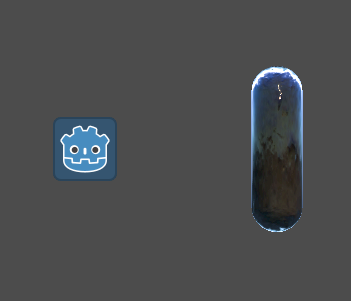
So I'll close this. If there are some issues discussed here which are still not fixed, I would suggest opening new bug reports against the master branch with their own reproduction projects.
akien-mga
on 26 Nov 2019
Related issues
 EdwardAngeles
·
3Comments
EdwardAngeles
·
3Comments
 gonzo191
·
3Comments
gonzo191
·
3Comments
 Spooner
·
3Comments
Spooner
·
3Comments
 ducdetronquito
·
3Comments
ducdetronquito
·
3Comments
 SleepProgger
·
3Comments
SleepProgger
·
3Comments
Most helpful comment
I just read through this issue and I think different bugs have been mentioned, some of which are fixed. The test project in OP works fine in the current master branch, you can enable

v_flipon the Sprite to get the Viewport upright, and "Transparent Bg" seems functional:So I'll close this. If there are some issues discussed here which are still not fixed, I would suggest opening new bug reports against the master branch with their own reproduction projects.