Godot: Better default values for default environment and default material metallic
Operating system or device - Godot version:
Win10 current Godot3 build
Issue description:
ISSUE1 - The default world environment that is loaded into each new scene (default_env.tres) has the ambient_light_sky_contribution = 0.0 value. This means that any meshes that are added to the scene with high roughness values will be seen as black. This value should be default at 1. I am fairly sure that this changed not too long ago!
This is particularly problematic when using separate scenes for objects that will be instanced into a master scene. In these separate scenes, you currently have to add a new environment just to setup a material, then hide it when it is instanced into a master scene
This is currently what we get:

This what it should be:

ISSUE2: The default metallic value for a spatial material is currently 0.1. Most materials will be either a metal (1) or dielectric (0), so having 0.1 is confusing for someone new to the engine, as they may think it is a good default value.
The default should be either 0 or 1. The advantage of having it at 0 is that materials are more likely to be non-metallic (dielectric) than metallic, so may serve as a better starting point. Also having both metallic and roughness at default 0 gives a pleasing result for a material, as seen below:
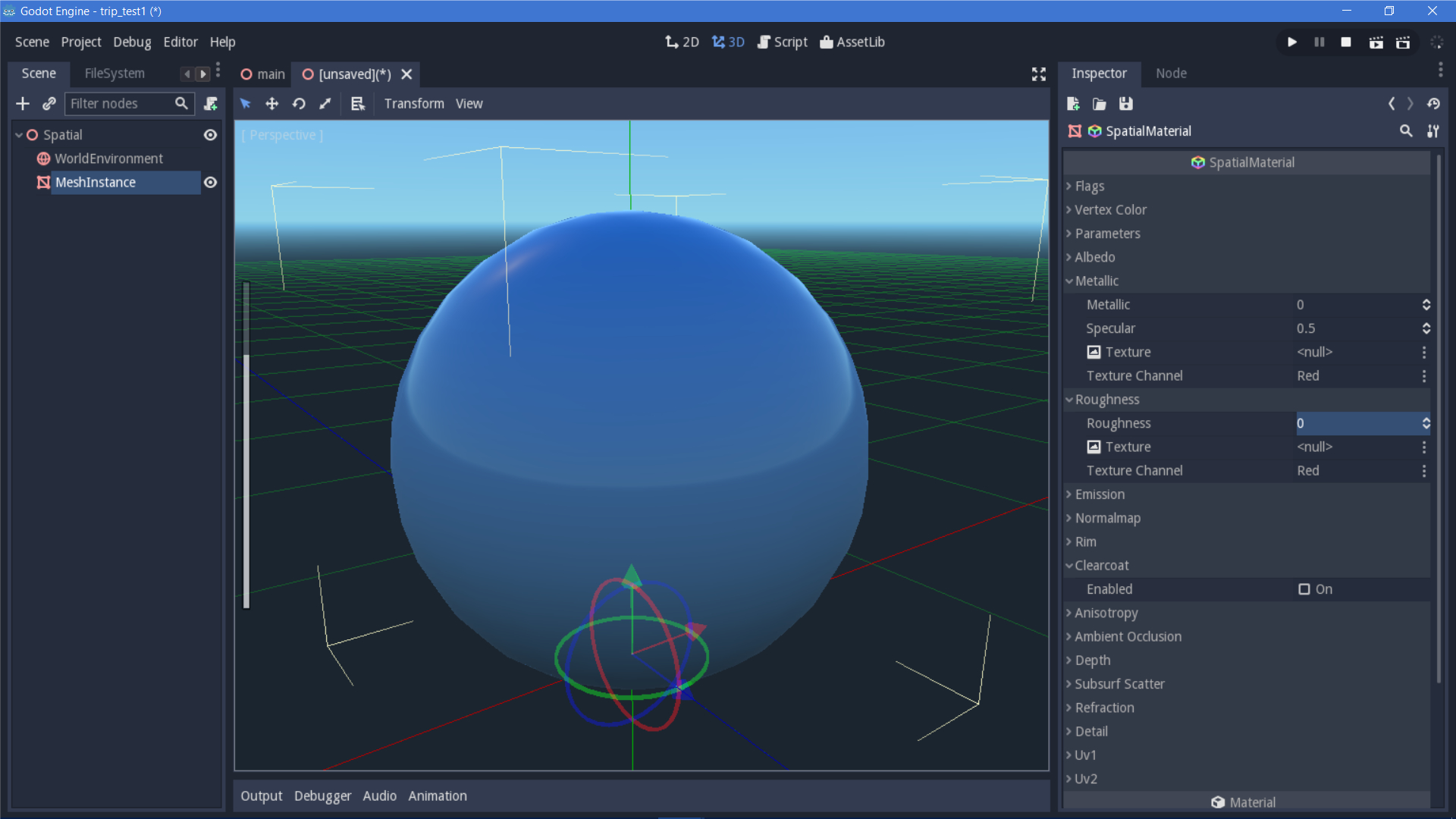
The advantage to having it at 1 as default is that when adding maps, this value needs to be changed to 1 anyway. However the same would apply to the roughness value and if both of these were at a default of 1, then the default material shows as all black and is not a good starting point, as seen below:
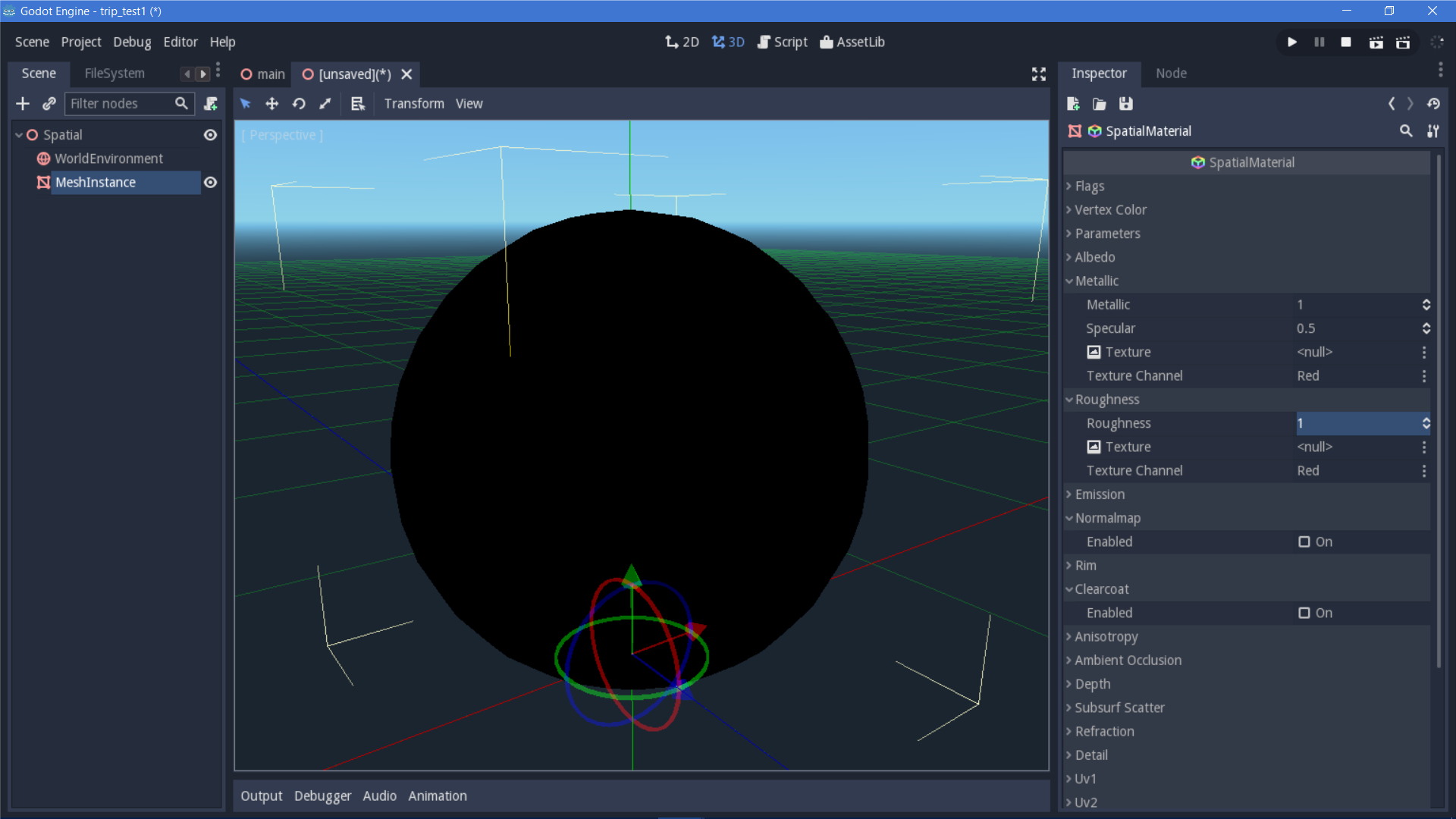
Steps to reproduce:
Link to minimal example project:
 fracteed
All 6 comments
I have had this thought too, and actually did change them at some point locally.
If no one beats me to it, i can do this later today hopefully.
If someone wants to beat me to it, here you go:
Environment;
https://github.com/godotengine/godot/blob/master/scene/resources/environment.cpp#L1136
Material:
https://github.com/godotengine/godot/blob/master/scene/resources/material.cpp#L1732
 Keetz
on 8 Aug 2017
Keetz
on 8 Aug 2017
@fracteed do we agree if i say default Albedo should be (1.0, 1.0, 1.0, 1.0) instead of (0.7, 0.7, 0.7, 1.0) ?
Keetz
on 8 Aug 2017
Also the default value of specular is currently 0.5 (I don't know what specular does ATM though!)
 ghost
on 8 Aug 2017
ghost
on 8 Aug 2017
@keetz, yes that sounds like a good idea for the albedo default! Many will not know that this value acts as a multiplier when they use an albedo map so this is safest.
@tagcup, the specular control currently does nothing. I think it is important that we copy the same control that UE4/Substance and Blender use. It is not just a multiplier as it has no effect when used on a full metallic material. The only real info on this that I could find is in the Allegorithmic PBR guide vol2:
"The F0 for common dielectric materials is typically set to 0.04 (linear) 4% reflective. In the metal/ roughness workflow, this value is hardcoded in the shader at this 4% value. Some metal/roughness implementations such as those found in the Substance toolset and Unreal Engine 4 have a specular control, which allows the artist to change the constant F0 value for dielectrics. In Substance, this output is labeled as "specularLevel" and is supplied by a texture sampler in the metal/ roughness PBR shader. It represents the range of 0.0 - 0.08 as shown in figure 05. This range is remapped in the shader to 0.0-1.0 where 0.5 represents 4% reflective"
fracteed
on 9 Aug 2017
Uh, I'm not an expert, but the Specular control certainly does something. E.g:
Specular = 0:
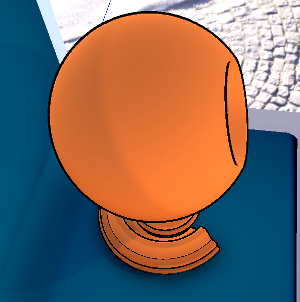
Specular = 1:

 vnen
on 9 Aug 2017
vnen
on 9 Aug 2017
@vnen Yes you are right, it does now function. It has been broken for so long, I had forgotten to try it! I do however think that it is not functioning as it should, as compared to UE4/eevee/Substance. It seems to just modulate the amount of specular, not the F0 value as described above. Will ask @reduz about this at some stage, as it would be good to be at parity with the other renderers. Truth be told, you will leave it at 0.5 most of the time anyway, so it is not a pressing issue...
fracteed
on 10 Aug 2017
Related issues
 kirilledelman
·
3Comments
kirilledelman
·
3Comments
 nunodonato
·
3Comments
nunodonato
·
3Comments
 RayKoopa
·
3Comments
RayKoopa
·
3Comments
 gonzo191
·
3Comments
gonzo191
·
3Comments
 ivanskodje
·
3Comments
ivanskodje
·
3Comments
Most helpful comment
Uh, I'm not an expert, but the Specular control certainly does something. E.g:
Specular = 0:
Specular = 1: