Godot: Quick Open Scene/Script dialog is very slow on bigger projects.
Operating system or device - Godot version:
This issue is present since 2.0, still valid in 3.0.
Issue description:
If a project is bigger (usually something like 100 scripts/scenes is enough to notice this, above 200 it's a problem), the Quick Open dialog is very slow, in my current project searching for some scenes/scripts might take I think approximately a minute.
_Here is a video:_ https://youtu.be/buhCvzhT4-A
Project is however little artificial (600 scenes with enemy in name), but you will notice interesting property: if in that environment we are searching for 'enemy' it's super fast. If for something that's a lot less popular it's very slow. In my own project search speed for some scenes is bearable, but others take dozens of seconds (to the point that it looks very similar how 'some' search is performed on this video, at the same time project have a lot less files, but a lot greater variety of names).
I don't have idea that's the reason of that but I'm suspecting it's the way how fuzzy search is working. As far as I noticed it's doing fuzzy search on full file path not only on a name, this also can be confusing on a bigger projects since quite often after typing something the results are not so helpful as they could be:
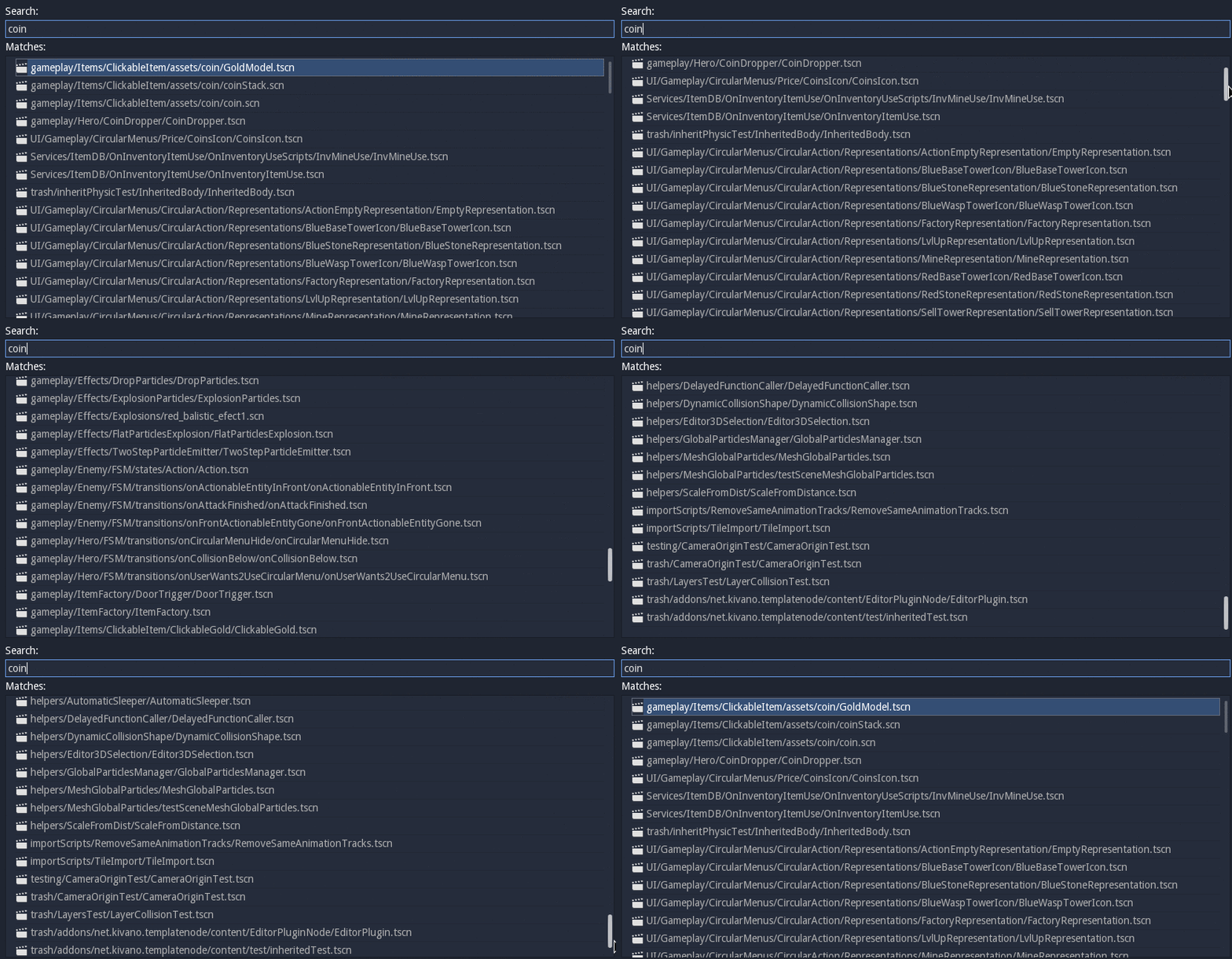
I don't know how to solve this issue, but maybe for the begging we could start with an option to do fuzzy search only on filenames?
Steps to reproduce:
- Download reproduction project.
- Try to search for 'some' scene or script
Link to minimal example project:
SlowQuickOpen.zip
 kubecz3k
All 6 comments
cc @vnen
 akien-mga
on 26 Jul 2017
akien-mga
on 26 Jul 2017
The search should probably be optimized and, if it cant be made faster,
moved to a thread..
On Wed, Jul 26, 2017 at 7:20 AM, Rémi Verschelde notifications@github.com
wrote:
cc @vnen https://github.com/vnen
—
You are receiving this because you are subscribed to this thread.
Reply to this email directly, view it on GitHub
https://github.com/godotengine/godot/issues/9864#issuecomment-318012844,
or mute the thread
https://github.com/notifications/unsubscribe-auth/AF-Z2_0odMk09xUYh3C4s2rF06hhMFUrks5sRxLQgaJpZM4Ojs9O
.
 reduz
on 26 Jul 2017
reduz
on 26 Jul 2017
Never thought it would be that slow 😞
 vnen
on 26 Jul 2017
vnen
on 26 Jul 2017
After some investigation it seems I have localized concrete lines that makes it so slow, after commenting lines that as far as I understand are responsible for proper positioning of items on the list in https://github.com/godotengine/godot/blob/8f30c52a3751586edab6d7482425075aef8de6e3/editor/quick_open.cpp#L176 it works very fast again.
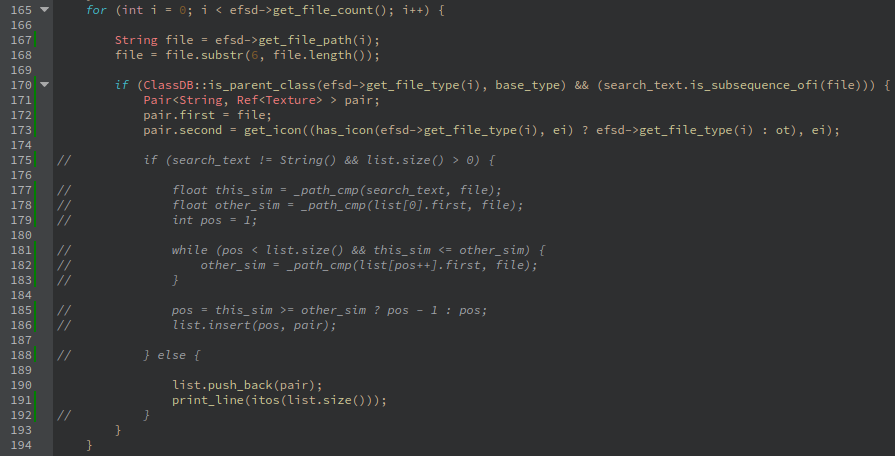
Not sure how to fix it properly however, I think List.insert() might be responsible for slowdown.
kubecz3k
on 1 Sep 2017
It might be faster to just add all the files and sort later. I made it already insert in the correct place, but this while loop there might be too slow on larger lists.
vnen
on 1 Sep 2017
@vnen Yay! thanks! it was a good hint! In the end it turned out, that computing score was performed as many times as many subfolders there is in the project, and also comparison was computed every time between each item on the list. (I somehow missed the fact that _parse_fs is recurrent function)
I managed to improve search time significantly, here is gif from the search that was on the video, the one that previously took nearly 2 minutes:
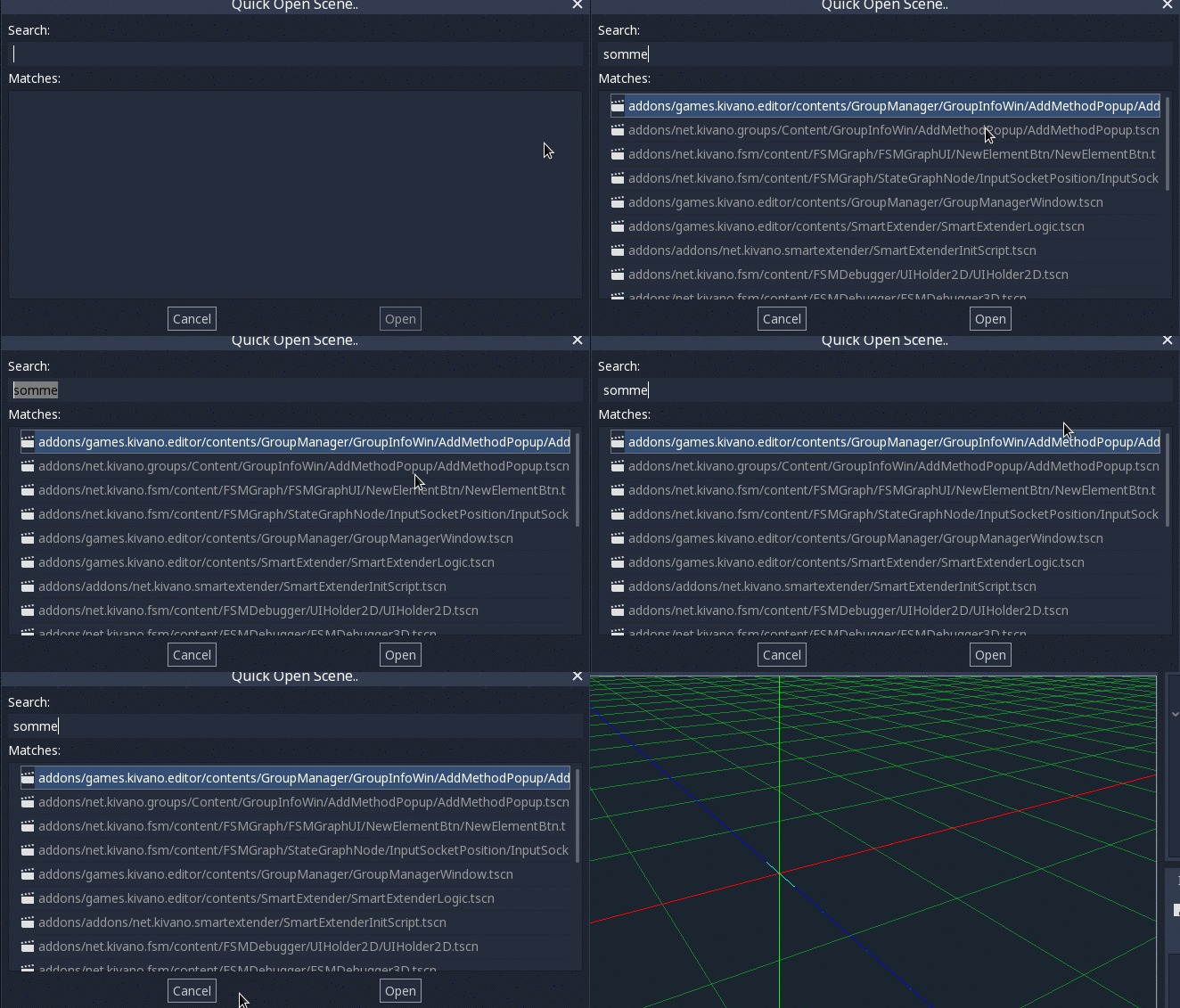
Will push pr as soon as I clean the code
kubecz3k
on 2 Sep 2017
Related issues
 mooseyfaith
·
3Comments
mooseyfaith
·
3Comments
 rgrams
·
3Comments
rgrams
·
3Comments
 mefihl
·
3Comments
mefihl
·
3Comments
 bojidar-bg
·
3Comments
bojidar-bg
·
3Comments
 ndee85
·
3Comments
ndee85
·
3Comments
Most helpful comment
@vnen Yay! thanks! it was a good hint! In the end it turned out, that computing score was performed as many times as many subfolders there is in the project, and also comparison was computed every time between each item on the list. (I somehow missed the fact that

_parse_fsis recurrent function)I managed to improve search time significantly, here is gif from the search that was on the video, the one that previously took nearly 2 minutes:
Will push pr as soon as I clean the code