Godot: Color Picker Bad hiDPI support
Issue description:
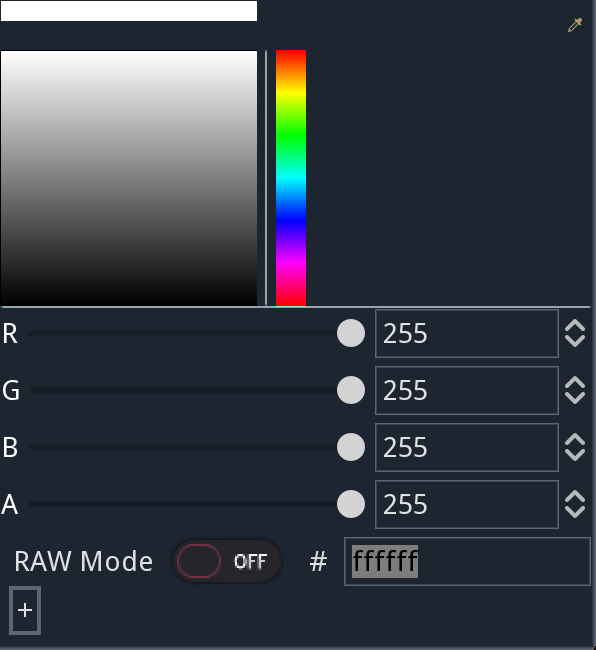
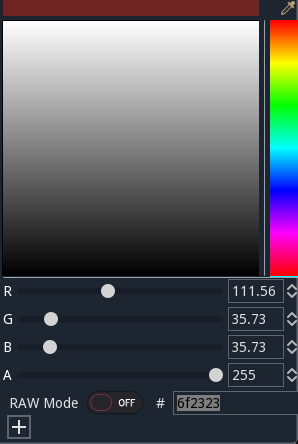
the color picker top area does not take EDSCALE into account and is sized wrongly when using hiDPI.
HiDpi
Normal Dpi
 toger5
All 8 comments
the color picker is working? wow
On Wed, Jun 14, 2017 at 7:33 PM, Timo notifications@github.com wrote:
Issue description:
the color picker top area does not take EDSCALE into account and is sized
wrongly when using hiDPI.
HiDpi[image: screen shot 2017-06-14 at 15 32 55]
https://user-images.githubusercontent.com/16718859/27157526-c2d1dc98-5116-11e7-9558-ff469080579e.pngNormal Dpi
[image: screen shot 2017-06-14 at 15 27 00]
https://user-images.githubusercontent.com/16718859/27157505-a5697ba2-5116-11e7-8801-dce3d2d34221.png—
You are receiving this because you are subscribed to this thread.
Reply to this email directly, view it on GitHub
https://github.com/godotengine/godot/issues/9184, or mute the thread
https://github.com/notifications/unsubscribe-auth/AF-Z2-UxrVehthy4AGtHlra4RYwf509Rks5sEF-vgaJpZM4N6hbN
.
 reduz
on 15 Jun 2017
reduz
on 15 Jun 2017
better than ever before but still having issues. Always showing black and white...
toger5
on 15 Jun 2017
yes, one of the latest commits seems to have finally fixed it. great :)
 novemberist
on 15 Jun 2017
novemberist
on 15 Jun 2017
but the color in the bar not the right is still inverted
toger5
on 15 Jun 2017
while we are at it: is the eyedropper icon in the top right actually supposed to do anything? like make it possible to pick a color from the canvas etc.? because right now it doesn't seem to do anything, even though its color changes when you hover over it...
novemberist
on 15 Jun 2017
@toger5 and the crosshair is not moving (as is the measuring line in the bar on the right)
novemberist
on 15 Jun 2017
seems like we could need a tracker for the color picker? all those things are different issues.
toger5
on 15 Jun 2017
I've made a pull request. The palette and the cross-hair is working correctly now. I've done nothing with the color picker.
 remorse107
on 15 Jun 2017
remorse107
on 15 Jun 2017
Related issues
 ivanskodje
·
3Comments
ivanskodje
·
3Comments
 RayKoopa
·
3Comments
RayKoopa
·
3Comments
 mooseyfaith
·
3Comments
mooseyfaith
·
3Comments
 blurymind
·
3Comments
blurymind
·
3Comments
 EdwardAngeles
·
3Comments
EdwardAngeles
·
3Comments
Most helpful comment
the color picker is working? wow
On Wed, Jun 14, 2017 at 7:33 PM, Timo notifications@github.com wrote: