Godot-proposals: Unify bezier animations in the animation player
Describe the project you are working on:
LillyByte mentioned she had a hard time using the animation player in her project.
https://twitter.com/LillyByteGames
Describe the problem or limitation you are having in your project:
Currently the animation player requires you to go to each track to edit the bezier curves.
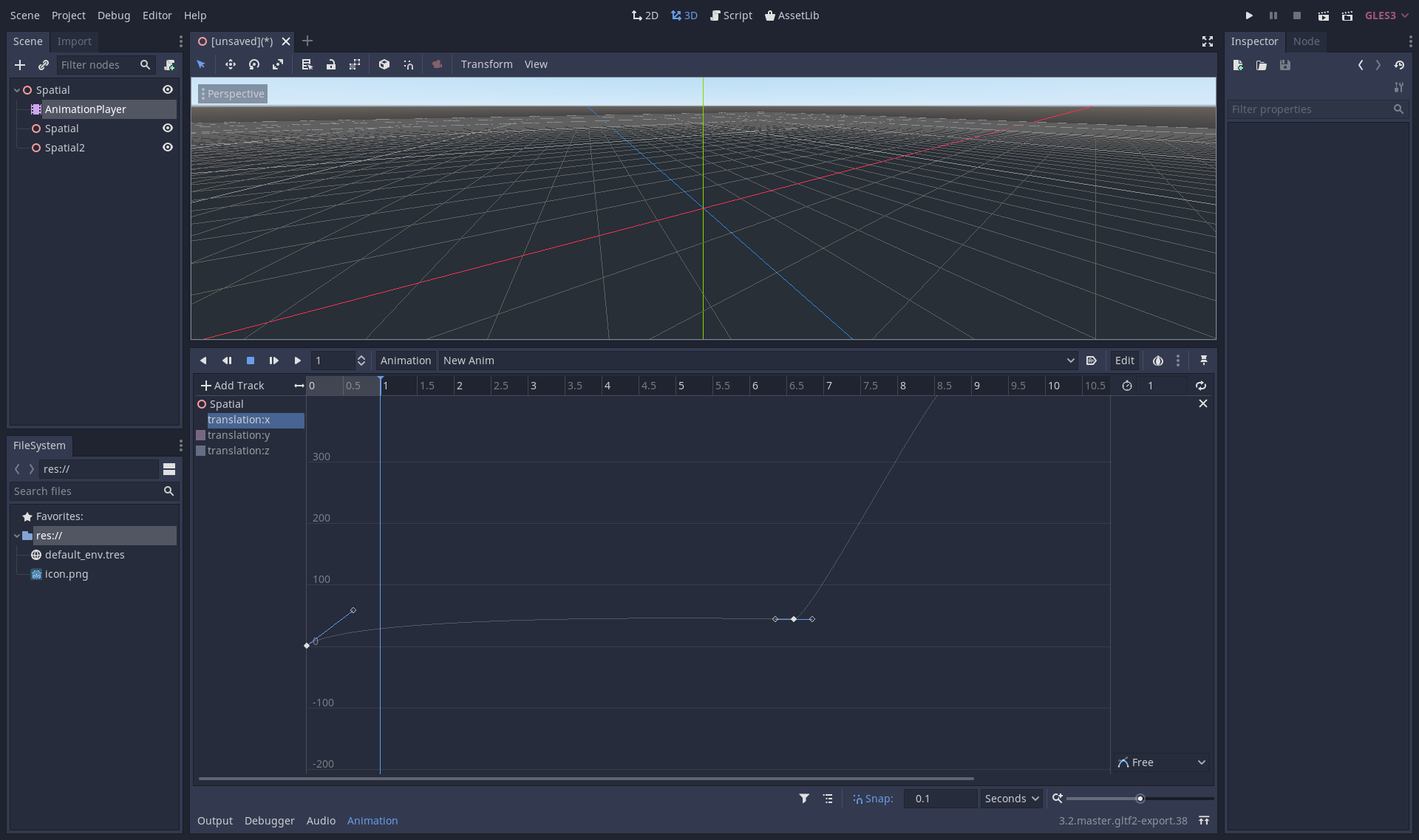
The animation player only displays one of the nodes.
There is no way to select another node without going back to the timeline list.
Describe how this feature / enhancement will help you overcome this problem or limitation:
My proposal is to unifiy all the bezier curve so they're on the same page.
Show a mock up screenshots/video or a flow diagram explaining how your proposal will work:
This is my current work in progress.
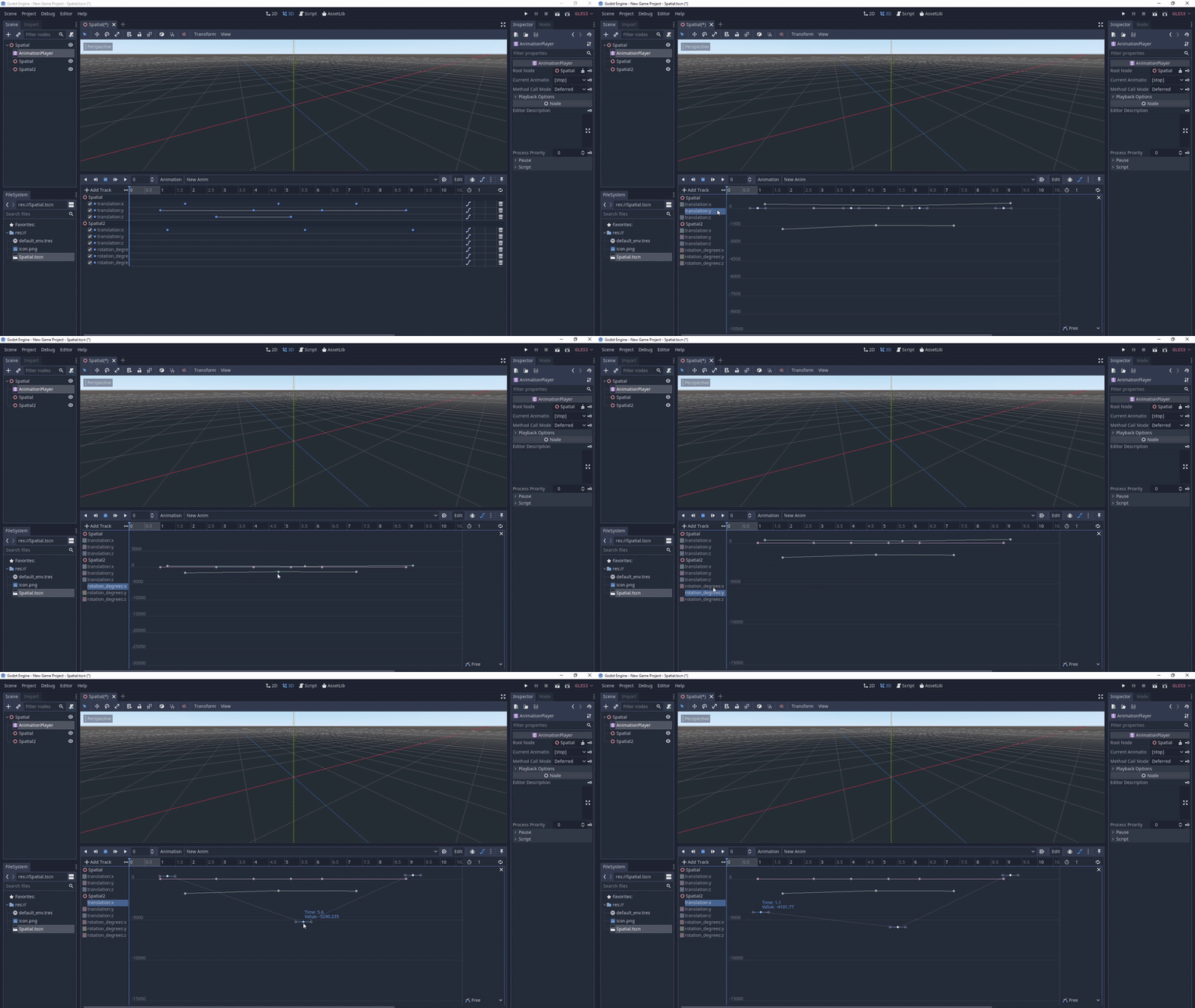
Akeytsu displays the beziers editor in the viewport:
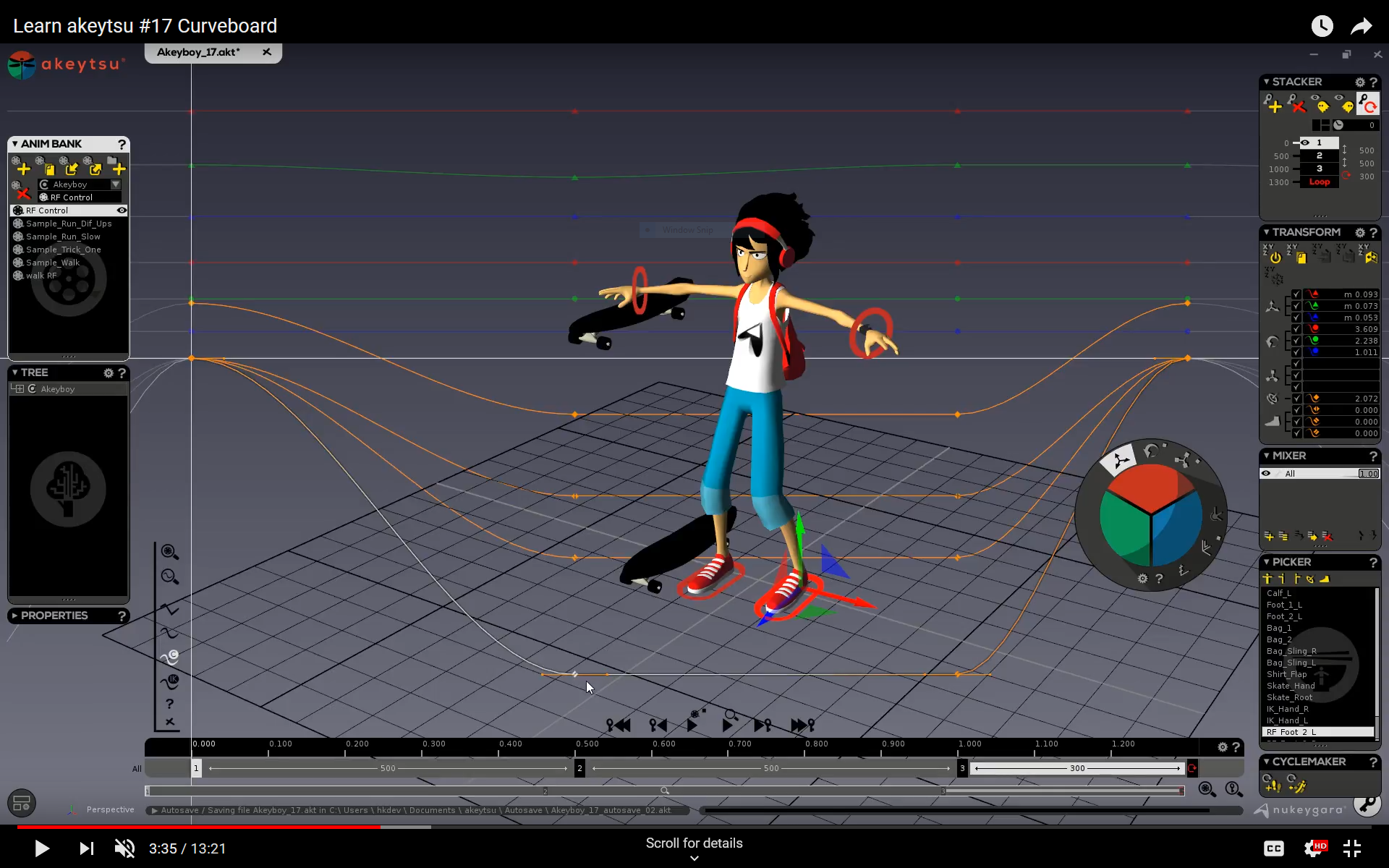
https://www.youtube.com/watch?v=e8f8xZm9eJY
Maya displays the beziers editor in the properties like Godot Engine:

Looking for suggestions on how to modify my current prototype.
Describe implementation detail for your proposal (in code), if possible:
https://github.com/fire/godot/tree/unified-beziers
- Make editor/animation_bezier_editor.h a multiple bezier track data structure [done]
- Make the graph render multiple tracks [done]
- Create a button to open a per animation beziers view [done]
- Modify the animation player so it can work on multiple bezier tracks [done]
- Make beziers view scroll. [pending]
- Modify the bezier view so the developer can select a specific key without switching to another track [pending]
- Modify the animation player so it can work on non bezier tracks [pending / blocked on design]
If this enhancement will not be used often, can it be worked around with a few lines of script?:
This is a usability issue to improve workflow.
Is there a reason why this should be core and not an add-on in the asset library?:
This is a ux modification to the core editor.
 fire
fire
All 7 comments
This would be a good improvement, i often need to create animations that involve multiple objects and having the possibility to do it without having to switch between windows would be great
 Master-J
on 19 Jan 2020
Master-J
on 19 Jan 2020
This would be really helpful indeed :+1:
However displaying all the objects tracks at once all the time might overload the track view.
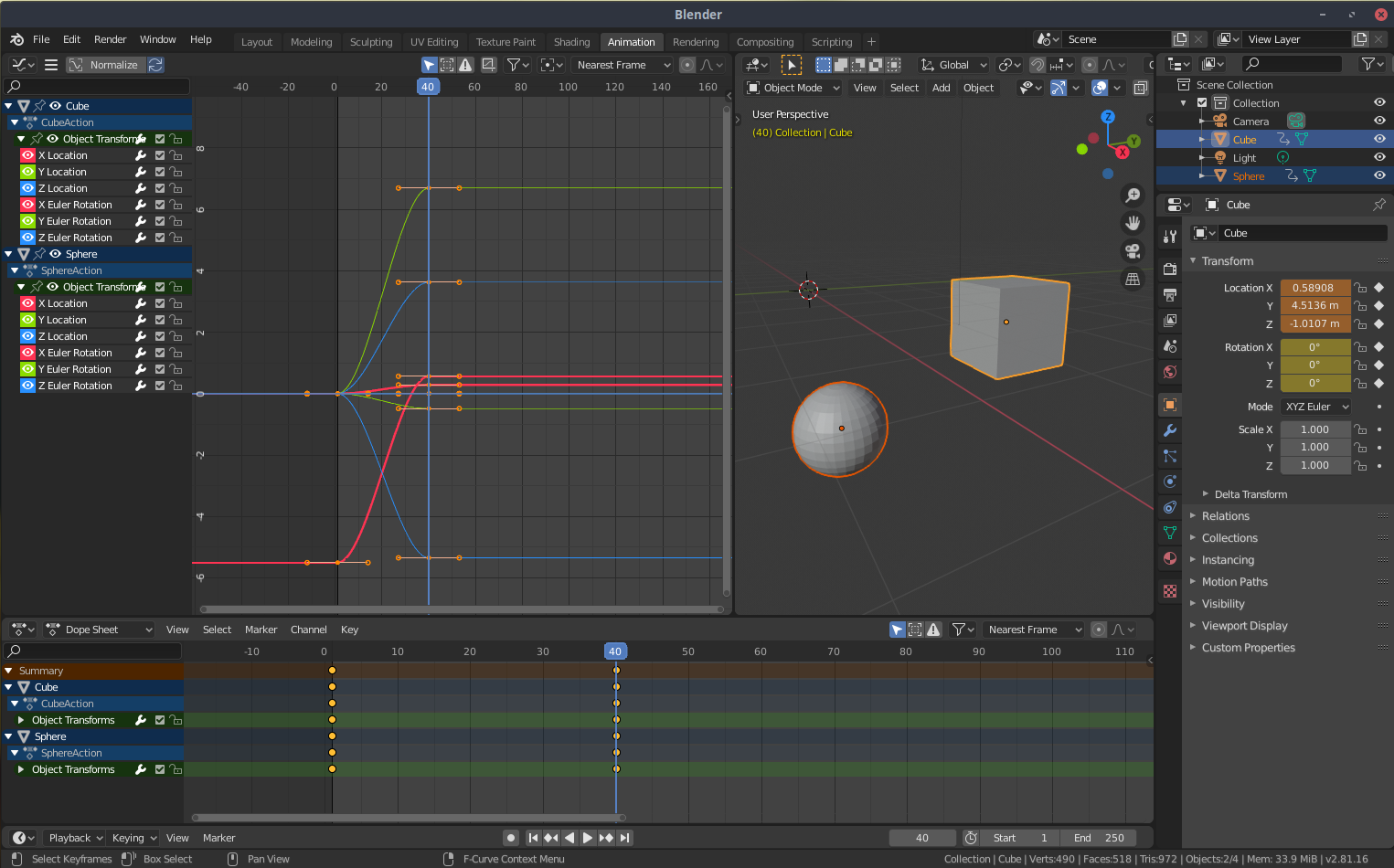
I really like how Blender does it : Only showing the tracks for the currently selected objects.
With a single one selected :
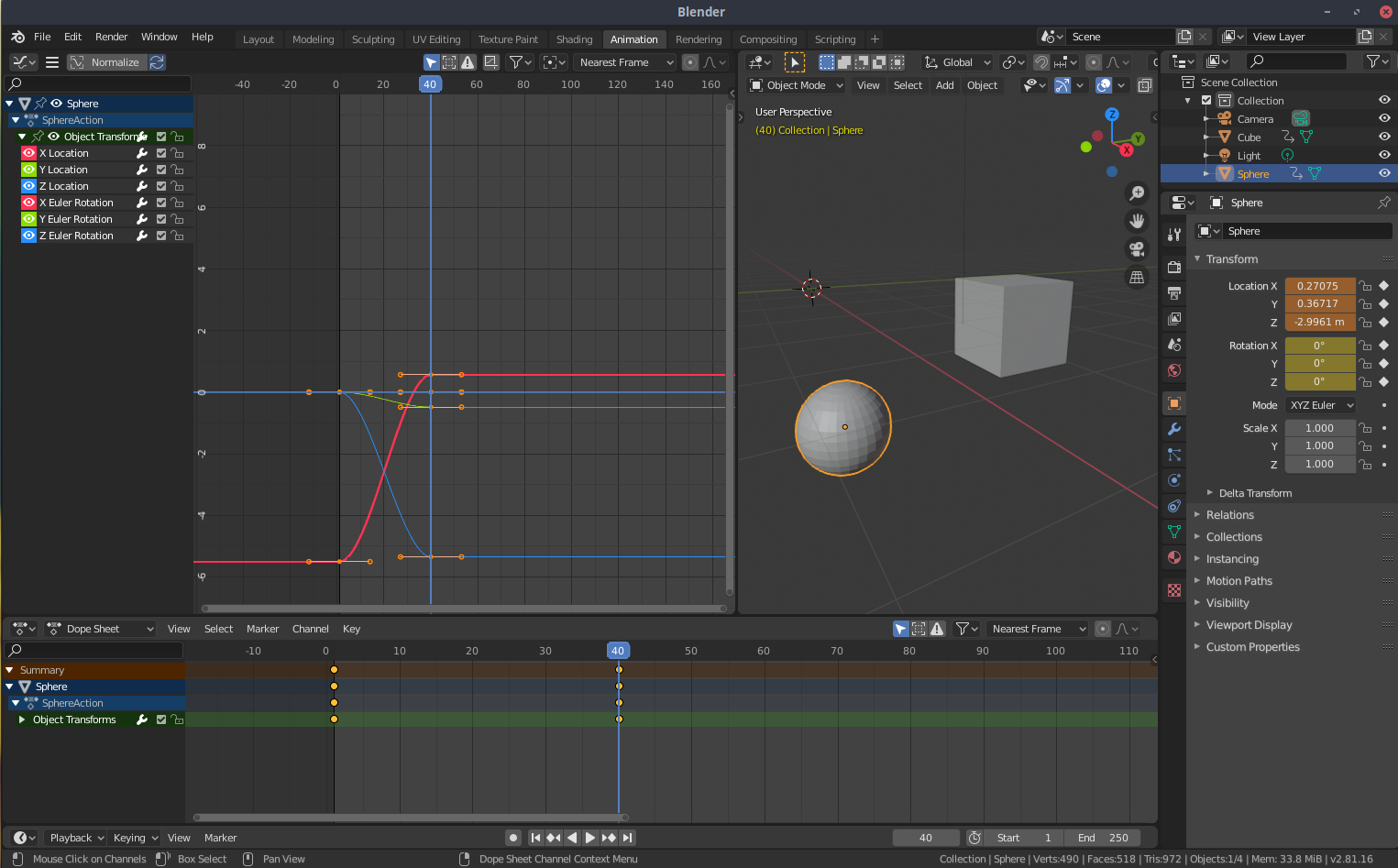
With many objects selected :
 HungryProton
on 19 Jan 2020
HungryProton
on 19 Jan 2020
Yeah, this, and the per-selection idea, would definitely help solve the usability issue with the timeline editor and bezier curves being too far disconnected from one another. This would go a long way in making them much more intuitive and user friendly.
 LillyByte
on 19 Jan 2020
LillyByte
on 19 Jan 2020
Looking good, fire! I didn't realize you could even use Bezier curves in animation. Thought it was just linear or quadratic. Is this new in 3.2?
 jitspoe
on 29 Jan 2020
jitspoe
on 29 Jan 2020
Looking good, fire! I didn't realize you could even use Bezier curves in animation. Thought it was just linear or quadratic. Is this new in 3.2?
They've been there for quite some time, they've just been really terrible and inconvenient to use to the point that not using them was always the better option.
LillyByte
on 1 Feb 2020
@jitspoe Support for Bezier curves in animation was added in 3.1.
 Calinou
on 1 Feb 2020
Calinou
on 1 Feb 2020
Ah, I see. You can't change existing animations to Bezier. That would be nice. Currently, you just have the nearest/linear/cubic options for existing animations. Also, adding keyframes for Bezier seems to be bugged. Instead of adding a new keyframe, it adds a whole new track:
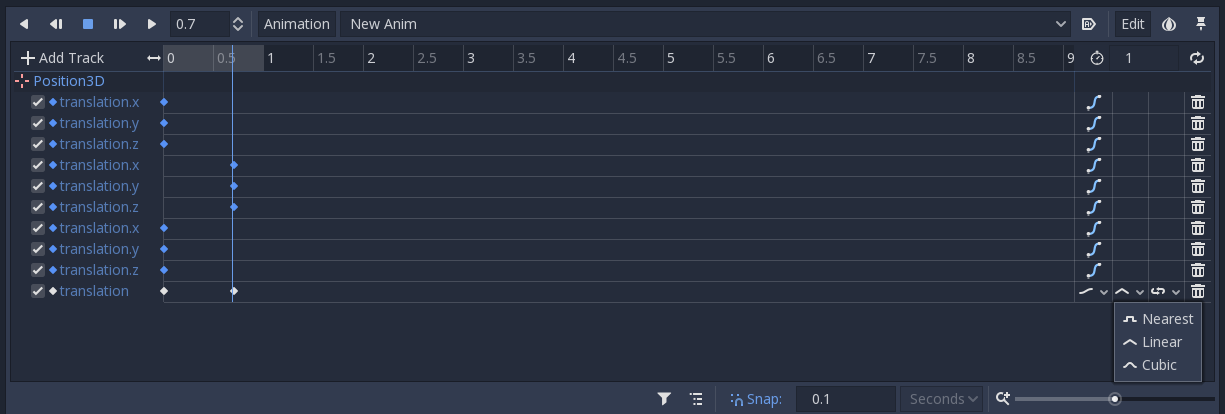
Adding non-Bezier keyframes adds another frame to the existing track. Maybe that's why I never used it, since it just doesn't work. :)
jitspoe
on 2 Feb 2020
Related issues
 WilliamTambellini
·
3Comments
WilliamTambellini
·
3Comments
 PLyczkowski
·
3Comments
PLyczkowski
·
3Comments
 sprite-1
·
3Comments
sprite-1
·
3Comments
 WizzardMaker
·
3Comments
WizzardMaker
·
3Comments
 wijat
·
3Comments
wijat
·
3Comments
Most helpful comment
This would be really helpful indeed :+1:
However displaying all the objects tracks at once all the time might overload the track view.
I really like how Blender does it : Only showing the tracks for the currently selected objects.
With a single one selected :
With many objects selected :