Godot-proposals: Get depth value in CanvasItem shaders for Edge detection shader
Describe the project you are working on:
Cell shading game
Describe the problem or limitation you are having in your project:
By adding a next pass material with grown mesh, inverted normals and black albedo, cheap but easy (as seen in material testers demo)
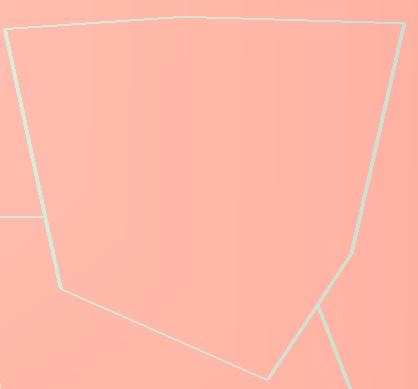
I can only get the below result:
But I want the below:
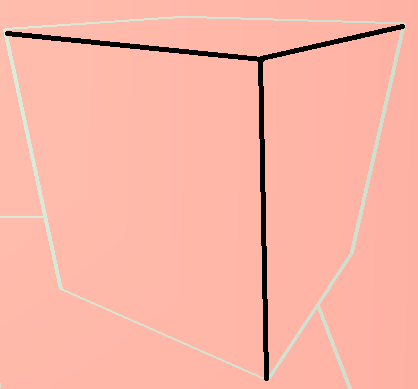
Is there any way to do this?
I know I cannot get the depth in CanvasItem shaders so how can I get the full edge in post-processing?
PS. Images source
Describe how this feature / enhancement will help you overcome this problem or limitation:
If I can get the depth with normal in CanvasItem shaders, I can make the edge shader in post-processing
Show a mock up screenshots/video or a flow diagram explaining how your proposal will work:
Outline Shader
Describe implementation detail for your proposal (in code), if possible:
Outline Shader
If this enhancement will not be used often, can it be worked around with a few lines of script?:
I don't think so
Is there a reason why this should be core and not an add-on in the asset library?:
 nagasawamaki
All 15 comments
This is for engine feature requests, not for assorted help (for that, there's the Q&A site or the forums).
 Zireael07
on 11 Oct 2019
Zireael07
on 11 Oct 2019
Please see the community channels for places to get help. Especially the Godot Q&A. http://docs.godotengine.org/en/latest/community/channels.html
 clayjohn
on 11 Oct 2019
clayjohn
on 11 Oct 2019
I request Get depth value in CanvasItem shaders as Fragment built-ins has normal only @clayjohn @Zireael07
nagasawamaki
on 11 Oct 2019
don't know why not a engine feature requests
nagasawamaki
on 11 Oct 2019
Ah, sorry. I misread. The 2D renderer in Godot doesn't render to depth. So it doesn't make sense for a CanvasItem shader to read from depth. If you are rendering a 3D scene with depth then you should be using a Spatial shader.
Here it looks like you are just using a CanvasItem shader to easily do a fullscreens pass. If you want access to 3D features you should be using a fullscreens quad, as described in the docs http://docs.godotengine.org/en/latest/tutorials/shading/advanced_postprocessing.html
clayjohn
on 11 Oct 2019
Can I Get NORMAL_TEXTURE using a fullscreens quad @clayjohn
nagasawamaki
on 11 Oct 2019
You could pass it in yourself using a uniform. NORMAL_TEXTURE. However, normal texture impacts 2D lighting. Which doesn't make sense given that you have a 3D scene.
If your scene is 2D, you can't get depth as there is no such thing as depth in 2D (depth is the 3rd "D" in 3D).
If your scene is 3D then NORMAL_TEXTURE won't do anything as it is used for 2D lighting only.
It sounds like you are a little confused about the effect you are trying to achieve. You should make a post on one of the community channels and get help implementing your vision. :)
clayjohn
on 11 Oct 2019
You could pass it in yourself using a uniform. NORMAL_TEXTURE. However, normal texture impacts 2D lighting. Which doesn't make sense given that you have a 3D scene.
If your scene is 2D, you can't get depth as there is no such thing as depth in 2D (depth is the 3rd "D" in 3D).
If your scene is 3D then NORMAL_TEXTURE won't do anything as it is used for 2D lighting only.
It sounds like you are a little confused about the effect you are trying to achieve. You should make a post on one of the community channels and get help implementing your vision. :)
I am referencing this post
It use both normal and depth to achieve the edge detection effect.
My scene is 3D, so I need both normal and depth. What you mean is I can only get the depth in 3D but not the normal. Which means I still cannot get the effect like the above post described.
So, if this is the case, may be my request is getting normal buffer/texture in spatial shader?
Or if there is any workaround I am still appreciate to see
Thanks @clayjohn
nagasawamaki
on 12 Oct 2019
That doesn't work on a forward renderer. There is no full screen normal texture. For that you need to use an engine that uses deferred rendering.
clayjohn
on 12 Oct 2019
You mean it is impossible to achieve the same full edge detection effect in Godot?
Or I need to ask it in community channels?
Thanks @clayjohn
nagasawamaki
on 12 Oct 2019
You can only do the depth one in an efficient way. You still could do the normal based one. But it wouldn't make sense in a forward renderer because a forward renderer doesn't make a normal buffer. Which is what you need to copy that tutorial.
clayjohn
on 12 Oct 2019
You can only do the depth one in an efficient way. You still could do the normal based one. But it wouldn't make sense in a forward renderer because a forward renderer doesn't make a normal buffer. Which is what you need to copy that tutorial.
Then how can I do the normal one in a forward renderer ? thanks @clayjohn
nagasawamaki
on 12 Oct 2019
You could render the entire scene twice. The first time you would render every object to a Viewport and use their normal as their albedo in a shader. Then the second time you can render as normal. And then when you do the full screen pass, you will have access to depth, and the normal texture you created.
clayjohn
on 12 Oct 2019
Closing as the requested feature is not possible in a CanvasItem shader as per https://github.com/godotengine/godot-proposals/issues/149#issuecomment-541105779
The rest of the discussion seems more like general support/user help and should be better continued on other community channels, as GitHub repositories are for actionable engine changes (bug fixes or clear features to implement): https://godotengine.org/community
 akien-mga
on 17 Feb 2020
akien-mga
on 17 Feb 2020
Ah my bad it was already closed :|
akien-mga
on 17 Feb 2020
Related issues
 aaronfranke
·
3Comments
aaronfranke
·
3Comments
 WizzardMaker
·
3Comments
WizzardMaker
·
3Comments
 arkology
·
3Comments
arkology
·
3Comments
 rainlizard
·
3Comments
rainlizard
·
3Comments
 WilliamTambellini
·
3Comments
WilliamTambellini
·
3Comments
Most helpful comment
Ah, sorry. I misread. The 2D renderer in Godot doesn't render to depth. So it doesn't make sense for a CanvasItem shader to read from depth. If you are rendering a 3D scene with depth then you should be using a Spatial shader.
Here it looks like you are just using a CanvasItem shader to easily do a fullscreens pass. If you want access to 3D features you should be using a fullscreens quad, as described in the docs http://docs.godotengine.org/en/latest/tutorials/shading/advanced_postprocessing.html