Gns3-gui: Packet capture analyzer command: 'No closing quotation' ERROR!
I'm trying to use tshark to read the captured packet as bellow:
tilix -e $SHELL -c "tail -f -c +0b %c | tshark -i -; $SHELL"
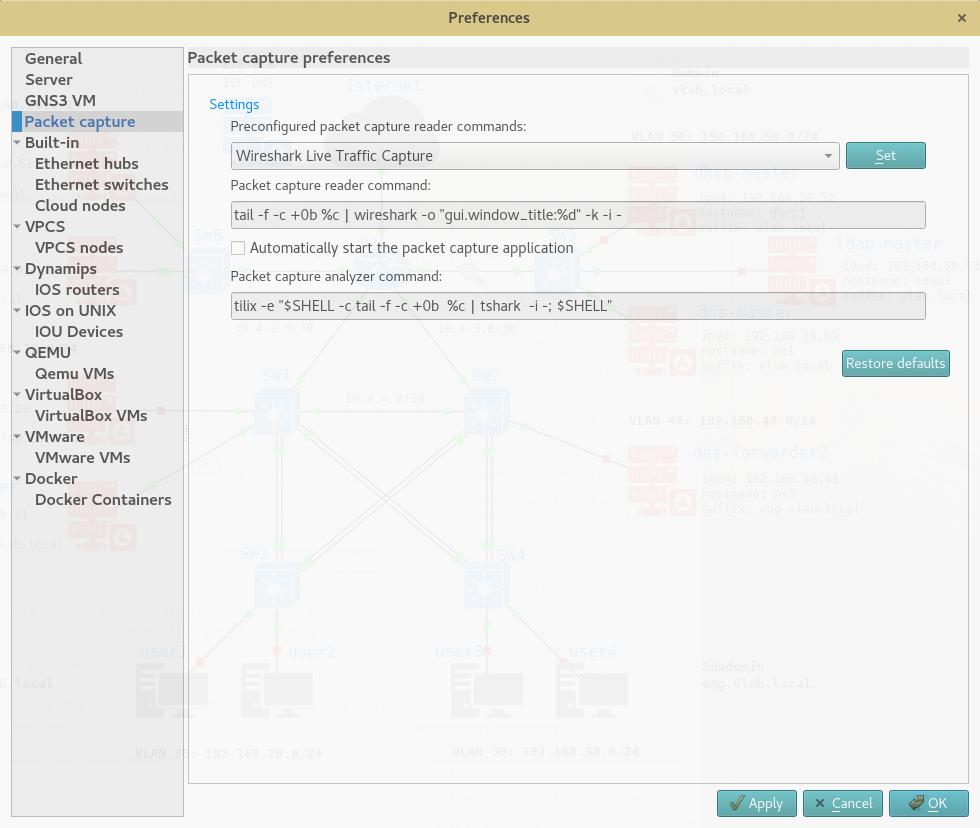
and here is what i get:

=> Invalid packet capture command tilix -e $SHELL -c "tail -f -c +0b "/home/user/GNS3/projects/RHCE-DNS-FORWARDER/project-files/captures/R1_Ethernet10_to_SW5_Ethernet10.pcap" | tshark -i -; $SHELL": No closing quotation
I think gns3 doesn't parse the command correctly.
The Packet capture analyzer command that I entered word perfectly form the terminal.
tilix -e $SHELL -c "tail -f -c +0 R1_Ethernet10_to_SW5_Ethernet10.pcap | tshark -i -;$SHELL"
the double quotation is a must for this command to work.
I'm trying to modify the parsing command from the source code; I will update once i found solution.
any help about how to fix this problem or getting tshark to work with gns3 will be appreciated.
 n3oxmind
All 5 comments
Update:
Finally I got it to work by moving the shell commands to a script and call it from gns3 analyzer command in order to avoid the 'No enclosing quotation' error.
here is the script to get tshark with multiple tabs to work:
1- Create a script as bellow
#gns3tshark.sh
#! /bin/env bash
tilix -a app-new-session -t "%d" -e $SHELL -c "tail -f  -c +0b $1 | tshark -i -;$SHELL"
2- Start gns3 and go to Edit->Preferences->Packet capture and enter the following
gns3tshark %c
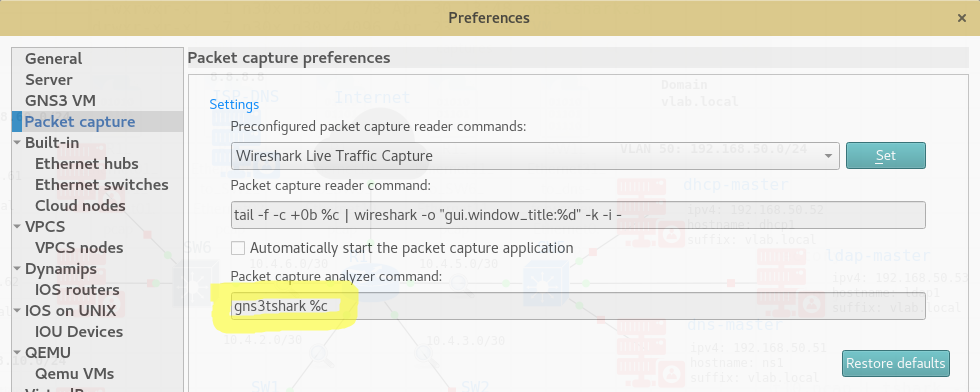
3- All Done! enjoy using tshark or tcpdump with gns3
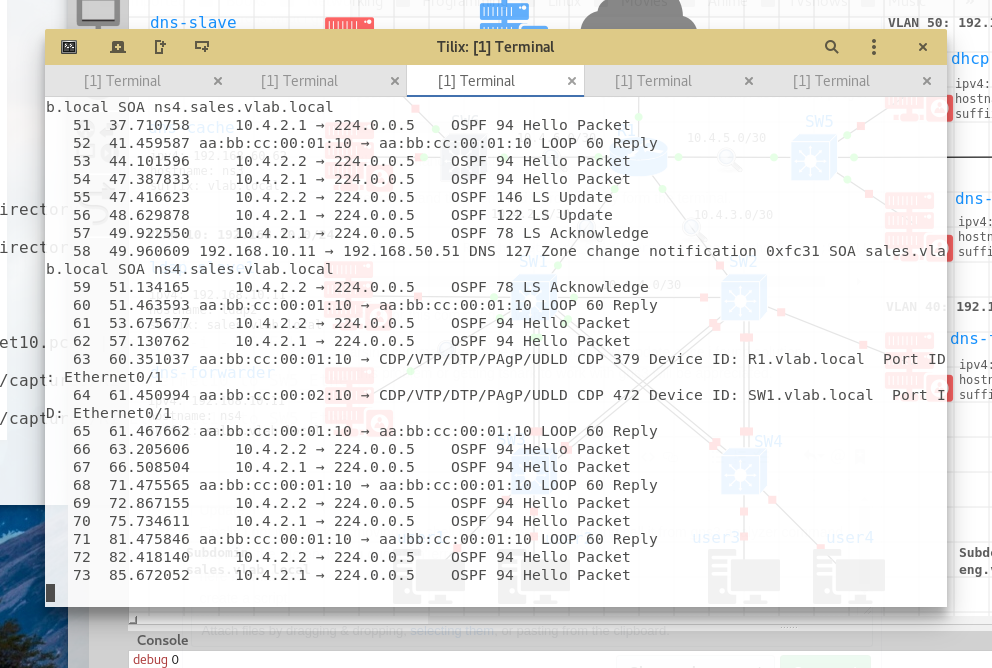
note that tab name should be the device name not'Terminal' this is an issue already reported in here #2480
n3oxmind
on 30 Apr 2018
update2:
Here is the final working script of Packet capture analyzer command that work with Tshark and Tilix v
1.7.9 with multi tabs:
- create a script
gns3tshark.shas bellow:
# gns3tshark.sh
#! /usr/bin/env bash
tilix -a app-new-session -t $2 -e $SHELL -c "tail -f  -c +0b $1 | tshark -i -;$SHELL"
- add this command to gns3
Packet capture analyzer command
gns3tshark.sh %c "%d"
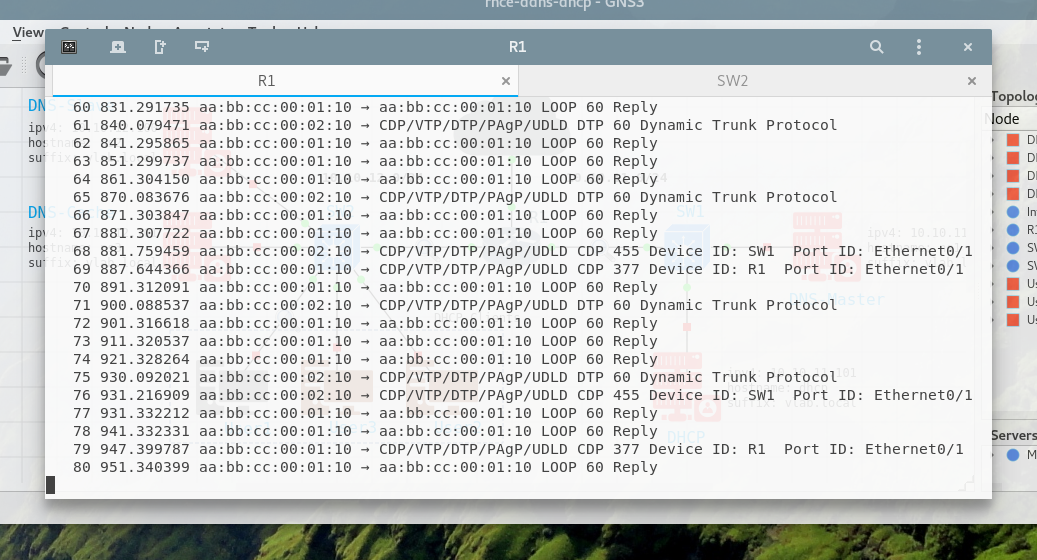
note: the title of the tab (%d) will be the device name like (R1, SW1, ... ) I wish if %d returns the link name like (R1->R2, R1->SW2,...,etc)
n3oxmind
on 11 May 2018
The problem was that the '|' was interpreted by GNS3 which split the command in 2 parts. I fixed that in https://github.com/GNS3/gns3-gui/commit/d511d0f5f867cdca35cbe4e6ae1ec57d0c17fe17
note: the title of the tab (%d) will be the device name like (R1, SW1, ... ) I wish if %d returns the link name like (R1->R2, R1->SW2,...,etc)
%d is replaced by something like "R1 f0/0 to R2 f0/1", maybe the reason is that tilix doesn't support spaces. Should we have something like "R1[f0/0]->R2[f0/1]" instead?
 grossmj
on 9 Jun 2018
grossmj
on 9 Jun 2018
I've implemented it without spaces. Should be fine now. Please let me know if you want a different custom description.
grossmj
on 9 Jun 2018
%d is replaced by something like "R1 f0/0 to R2 f0/1", maybe the reason is that tilix doesn't support spaces. Should we have something like "R1[f0/0]->R2[f0/1]" instead?
I think as you said its a spaces problem. Both Tilix and gnome-terminal output the same tab name.
About the naming, I suggest to use combat naming for the tabs (make it short) so it fits the tab.
You already have the most combat version of the tab name R1[f0/0]->R2[f0/1] this will work perfectly.
Also, Thanks for fixing the Packet capture analyzer command issue.
n3oxmind
on 9 Jun 2018
Related issues
 legendcodermartino1245
·
9Comments
legendcodermartino1245
·
9Comments
 adosztal
·
4Comments
adosztal
·
4Comments
 vader75
·
9Comments
vader75
·
9Comments
 SayFireworks
·
6Comments
grossmj
·
5Comments
SayFireworks
·
6Comments
grossmj
·
5Comments
Most helpful comment
I've implemented it without spaces. Should be fine now. Please let me know if you want a different custom description.