Gltf-blender-io: Armature NLA Track Actions Don't Get Exported Properly
Describe the bug
Sometimes it works, can't say exactly what needs to be deselected and then selected again to make it work, but mainly, when I have multiple NLA tracks with different actions each, and then I export those into a game engine (like Godot as the purpose of my Blender add-on) all the animations from the list are the same or only initial and last frame appear.
To Reproduce
Steps to reproduce the behavior:
Push down actions to NLA tracks and then export with default Gltf Settings.
Expected behavior
NLA tracks to be exported accordingly with each animation.
Screenshots


.blend file/ .gltf
https://drive.google.com/open?id=1I4JH2Ytf-PsXjTbYKJ-kihvqstleCPXQ
Version
- OS: macOS Mojave 10.14.6
- Blender Version 2.82 Stable
Additional context
The purpose of NLA tracks is to generate a precise export process for characters with merged animations and armature bone adjustments.
There might be some weird select/deselect step I can be missing that makes animations break.
Rather using my own add-on to ease the export process from characters or not using my add-on, NLA tracks don't work programmatically or manually.
The add-on I'm building is the following -> https://github.com/vini-guerrero/Godot_Game_Tools/tree/Dev
Other times, by following the exact same steps, select/deselect items randomly in NLA tracks and it just works out:

 vini-guerrero
All 18 comments
I can't reproduce for now.
Some questions to help me:
- When export failed, is there some warning/error message in console?
- What did you select exactly (because you said this is linked to selection)? Something is 3D view ? Armature?Mesh? Something in NLA? A strip, a track? Did you use solo mode? (this is a known issue).
- Did you try to open the glb in another viewer?
- What version of godot are you using? (please use at least 3.2 version)
 julienduroure
on 16 Mar 2020
julienduroure
on 16 Mar 2020
@julienduroure
It prints no message to the console, just exports incorrectly, like no keyframes at all or animation is the same for all strips.
I tried selecting everything, from armature to nla strip tracks, can't say exactly what makes it work sometimes, but most times it does not, I've been wondering if any of these selections is a requirement for gltf exporter to work.
Yes, I tried threejs as well, same issue, no keyframes for any animation too.
Using latest stable version of Godot, 3.2.1
I will still do some testing trying to find out what's the issue related to on selecting things (can't say which attempt made it work once) but I'm kinda getting clueless if this is an exporter issue or Blender itself...
vini-guerrero
on 16 Mar 2020
Can you try with a current build that you can download here : https://builder.blender.org/download/ ?
julienduroure
on 16 Mar 2020
Just tested @julienduroure
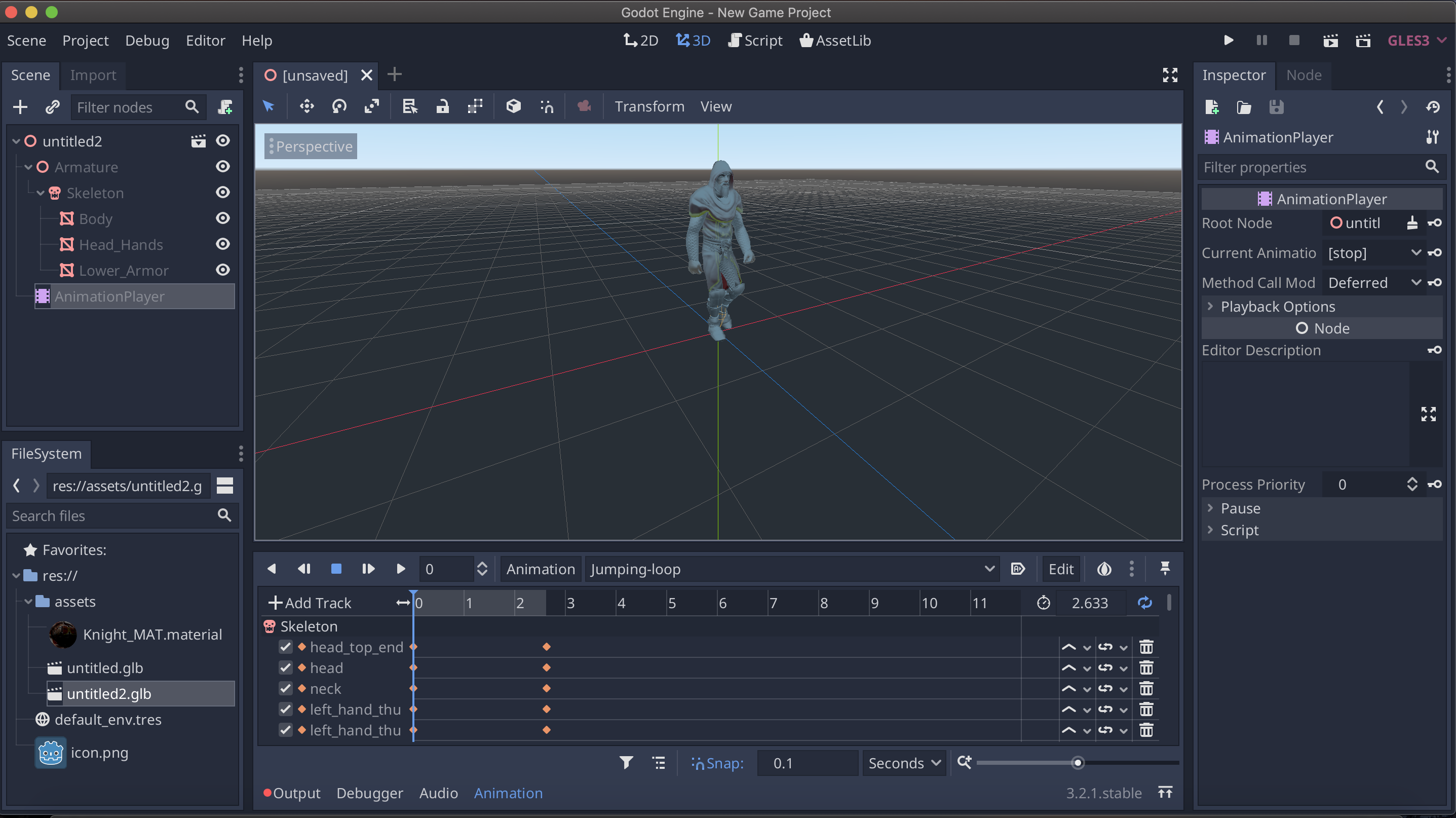
Yeap, still happens, I've tried with both, all NLA tracks & armature selected and just armature selected.

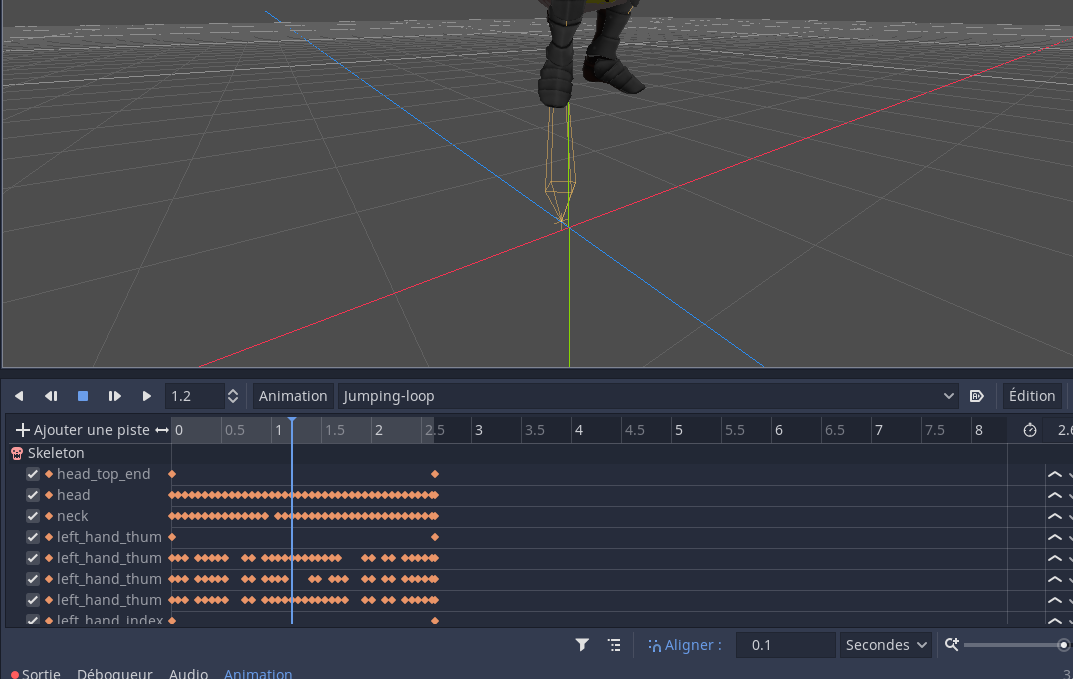
As you can see, it only has first and last keyframe for all animations when imported
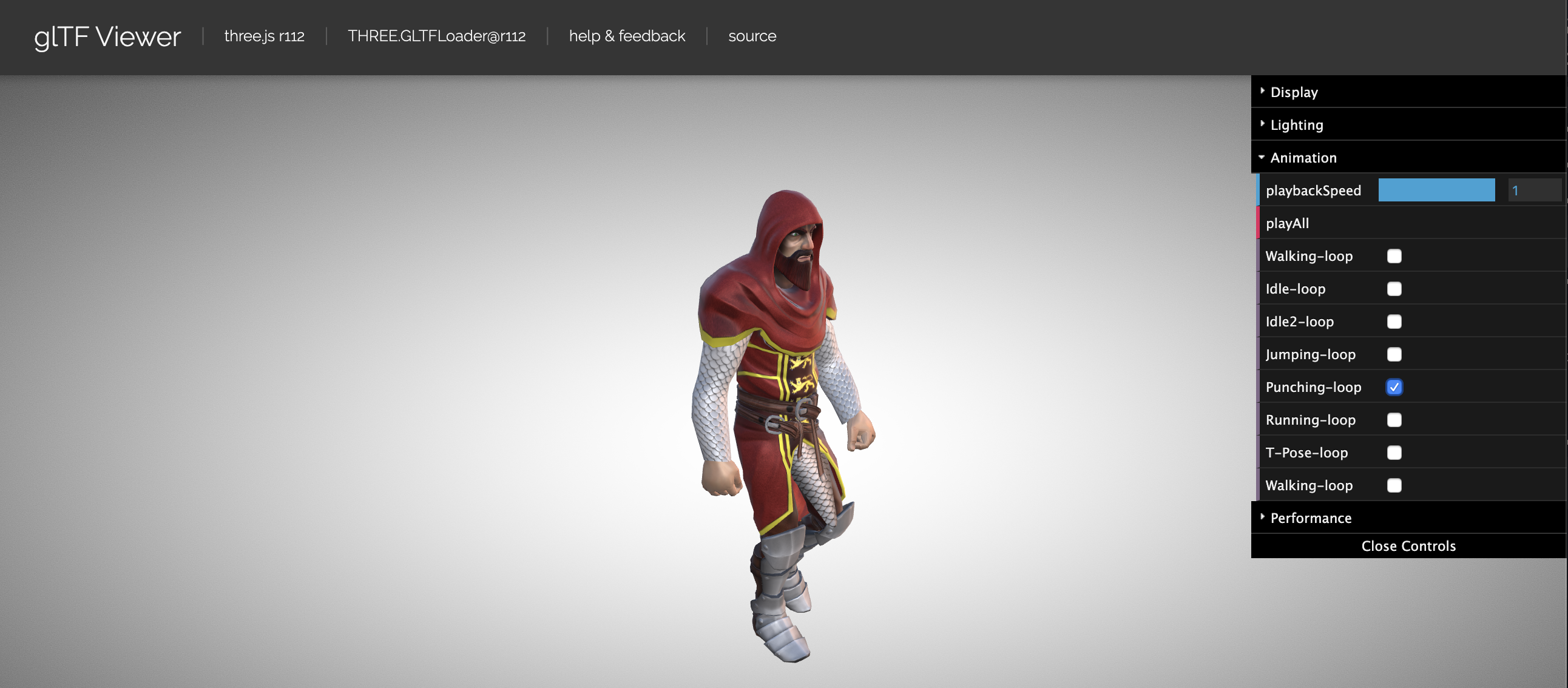
Same issue on GLTF Viewer, animation issues, doesn't play.
vini-guerrero
on 16 Mar 2020
Still can't reproduce :(
I don't know what we are doing differently.
Can you please test with factory settings?
julienduroure
on 16 Mar 2020
@julienduroure
Did you create NLA tracks manually or using my addon?
Basically what I did is the same as manually, just programmatically
if target_armature.animation_data is not None:
                        if action is not None:
                            track = target_armature.animation_data.nla_tracks.new()
                            track.strips.new(action.name, bpy.context.scene.frame_start, action)
                            track.name = action.name
What is weird though is that, even if I try to create manually, I still get the same issues on animations and this was reported as an issue by users of the addon as well =(
vini-guerrero
on 16 Mar 2020
I create nothing, I'm trying to export the blend file you provided
julienduroure
on 16 Mar 2020
Like, there were some questions wether or not, creating NLA tracks from here would work different
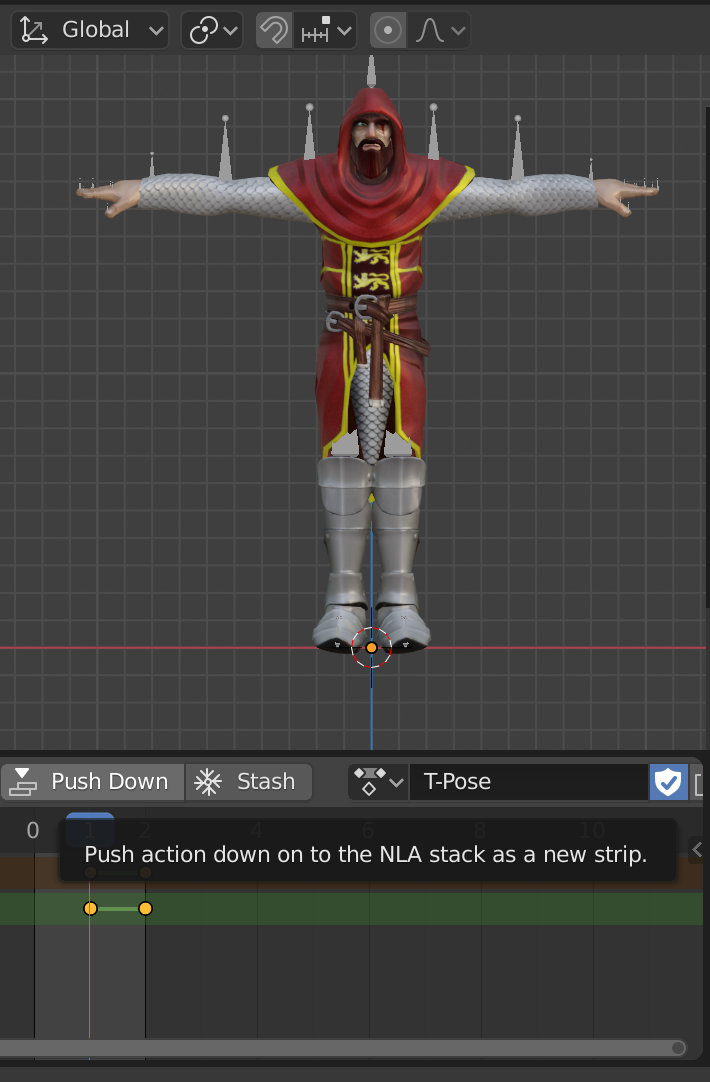
Than creating NLA tracks with the add-on here

But it's pretty much a python version of the same manual work.
vini-guerrero
on 16 Mar 2020
Would starting Blender from the commandline help to get a crashlog here?
 donmccurdy
on 16 Mar 2020
donmccurdy
on 16 Mar 2020
This doesn't bring any crash, just exports incorrectly... I start to think it's something version related difference between Blender and GLTF Exporter
vini-guerrero
on 16 Mar 2020
Maybe linked to #948 ?
julienduroure
on 16 Mar 2020
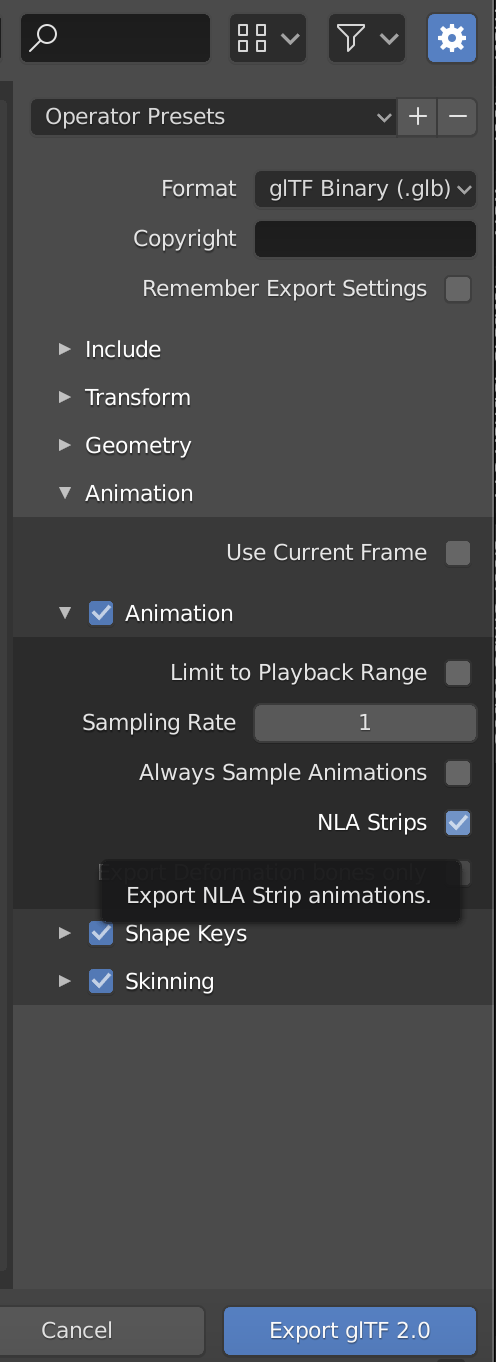
After 2-3 days, just figured out the problem, some settings were affecting the export.
I'll go ahead and close this, leaving the settings here in case anyone else has problems with it.
GLTF Export is now bundled in my add-on as a feature. Thanks for all the support @julienduroure and @donmccurdy
vini-guerrero
on 16 Mar 2020
Hey @julienduroure can you confirm this issue happens to you too?
I'm currently trying to export in both formats (GLB / GLTF) when having more than 8-9 animations, just the first 8-9 get exported, my list contains more animations, at first I thought it was a Godot importer problem, however, even if I open up the same file in Blender, it does not contain all animations exported.
Reopening this issue just to check with you if you can replicate this behavior.
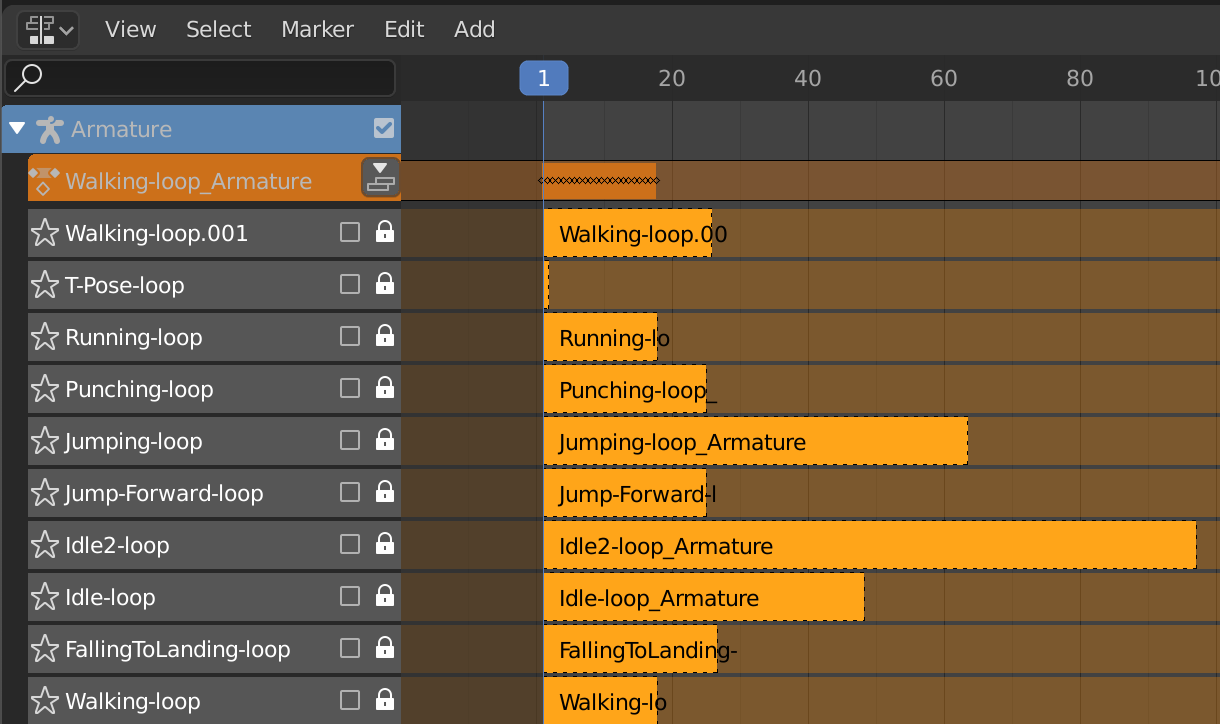
Using my addon (Dev branch) I select GLB or GLTF in the exporter, it creates the NLA tracks:
Here's a screenshot of NLA tracks post-exported the file in the project.

But "Falling" animation doesn't get exported in the list.
Here's a screenshot of a new project in Blender, opening the exported file.
Project file
Character.blend.zip
Feel free to correct me if I'm wrong on my exporter settings, but I have searched on all settings and couldn't find why it's cutting that animation.
vini-guerrero
on 30 Mar 2020
@vini-guerrero Are you using this addon's master? That should have been fixed by #980.
 scurest
on 30 Mar 2020
scurest
on 30 Mar 2020
Can you please:
- Test with current master, in case #980 solve the issue, as said by scurest
- In case this is not solved, can you please provide the exact file you trying to export? You provided .blend file doesn't have any NLA track (so this file is modified by your addon to create NLA track). What I want to test here is the glTF export itself.
julienduroure
on 30 Mar 2020
Thanks @scurest and @julienduroure , just tested with latest master branch.
Exporting with that branch currently works as .gltf but still not as .glb.
I'll leave the modified .blend file with the NLA tracks created here if you guys need it to check the .glb version for debugging, but having the .gltf export is already some progress to keep working on the add-on features.
vini-guerrero
on 30 Mar 2020
Are you sure? It works as .glb for me. The animation names really shouldn't be able to depend on whether the export is .gltf or .glb.
scurest
on 30 Mar 2020
Re-tested with new empty project, worked for .glb too. Awesome, thanks guys @julienduroure and @scurest
vini-guerrero
on 30 Mar 2020
Related issues
donmccurdy
·
3Comments
 spiraloid
·
5Comments
spiraloid
·
5Comments
 dsinni
·
3Comments
dsinni
·
3Comments
 UX3D-nopper
·
3Comments
UX3D-nopper
·
3Comments
 viperscape
·
3Comments
viperscape
·
3Comments
Most helpful comment
After 2-3 days, just figured out the problem, some settings were affecting the export.
I'll go ahead and close this, leaving the settings here in case anyone else has problems with it.
GLTF Export is now bundled in my add-on as a feature. Thanks for all the support @julienduroure and @donmccurdy